
1. Koniec produktuview
The VENTION HDMI Extension Cable is designed to extend the reach of your existing HDMI cables, providing seamless 4K video and audio transmission. This male-to-female extender supports resolutions up to 4K at 60Hz and a data transfer rate of 18Gbps, ensuring crystal-clear signals without degradation. Its durable construction and broad compatibility make it suitable for various home and professional setups.

Image: The VENTION HDMI Extension Cable, showcasing its male and female connectors.
Główne cechy:
- 4K Video Transmission: Supports resolutions up to 4K 60Hz with an 18Gbps data transfer rate for high-quality video and audio.
- Szeroka kompatybilność: Works with standard HDMI devices such as TV sticks, Blu-ray players, game consoles (PS5/PS4, Xbox), projectors, and laptops.
- Durable and Flexible: Features a robust and flexible PVC jacket, gold-plated connectors, and is designed to withstand over 10,000 bends and insertions for stable, loose-free connections.
- Wygodne i uniwersalne: Protects original HDMI ports from wear and tear due to frequent plugging/unplugging. Ideal for home theaters, conference rooms, and gaming setups.
- Certyfikowana jakość: CE, FCC, and RoHS certified for safety and environmental compliance.
2. Instrukcje konfiguracji
Follow these steps to properly set up your VENTION HDMI Extension Cable:
- Zidentyfikuj złącza: The VENTION HDMI Extension Cable has one male HDMI connector and one female HDMI connector. The male end plugs into an existing female HDMI port, and the female end receives another male HDMI cable.
- Połącz z urządzeniem źródłowym: Plug the male end of your existing HDMI cable into the female port of the VENTION HDMI Extension Cable.
- Connect to Display Device: Plug the male end of the VENTION HDMI Extension Cable into the HDMI input port of your display device (e.g., TV, monitor, projector).
- Bezpieczne połączenie: Ensure both connections are firm and secure to prevent signal loss or flickering.
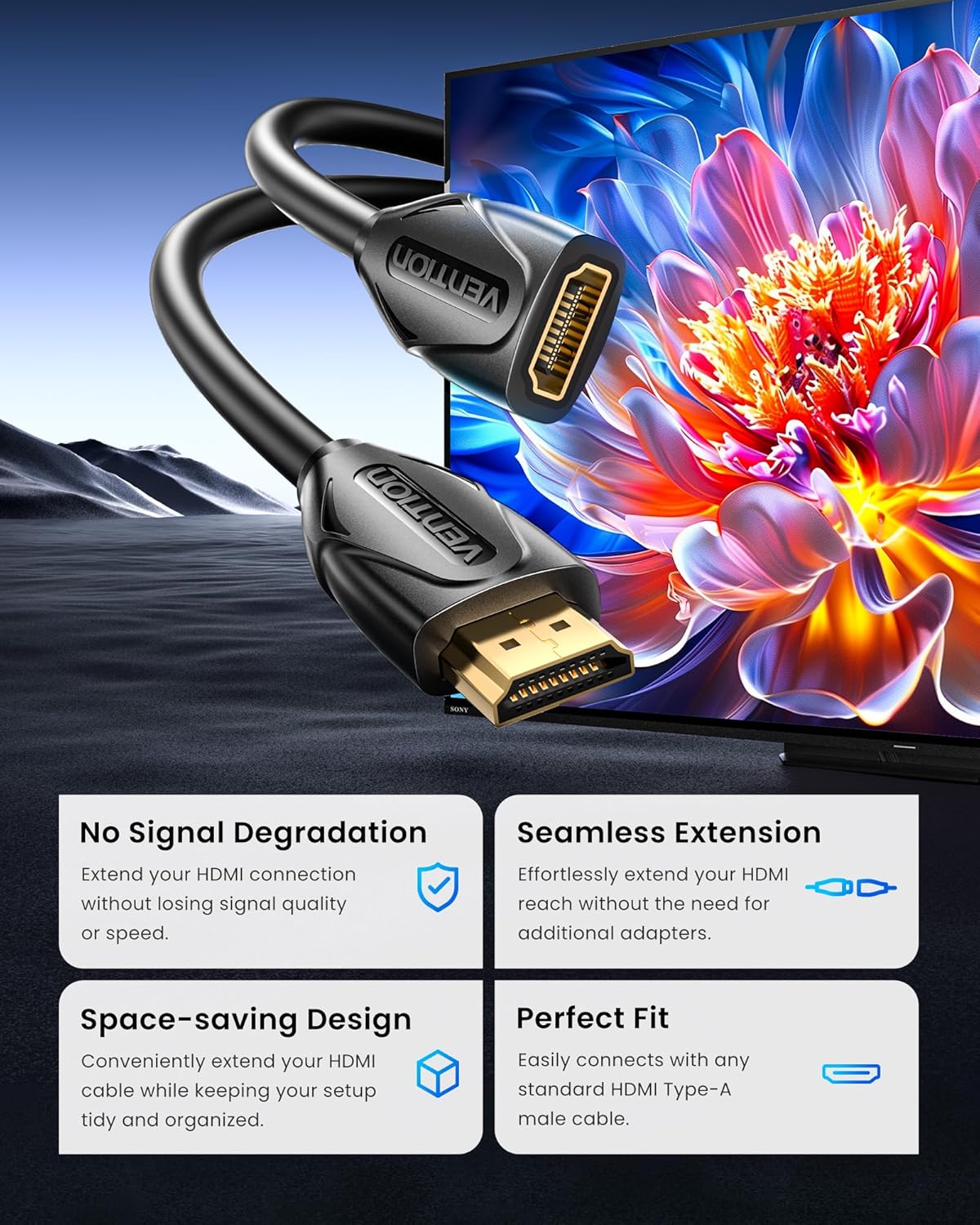
Image: A visual representation of the HDMI extension cable connecting two devices, highlighting no signal degradation and a seamless, space-saving fit.
Zgodność:
This cable is compatible with a wide range of devices. Refer to the image below for common input and output devices.

Image: A chart illustrating various compatible input devices (laptops, TV sticks, game consoles, Blu-ray players, Roku streaming players) and output devices (projectors, TVs, displays).
3. Instrukcja obsługi
Once connected, the VENTION HDMI Extension Cable operates automatically, extending your HDMI signal. No additional software or drivers are required.
Tryby użytkowania:
- Tryb lustrzany: Duplicate your computer's screen onto a larger display.
- Tryb rozszerzony: Extend your desktop across multiple screens for increased productivity.
- Tryb gry: Enjoy high-definition gaming on a larger screen with minimal latency.

Image: Illustrations demonstrating the Mirror Mode, Extended Mode, and Game Mode functionalities when using the HDMI extension cable.
Optymalna wydajność:
For optimal 4K 60Hz performance, ensure that all connected devices and cables (including the original HDMI cable) support 4K 60Hz resolution and the required data transfer rate.

Image: A comparison showing no loss in speed or quality when using the HDMI extension for 4K content, supporting HDR, 4K@60Hz, ARC, and 3D.
4. Konserwacja
To ensure the longevity and optimal performance of your VENTION HDMI Extension Cable, follow these maintenance guidelines:
- Czyszczenie: Use a soft, dry cloth to gently wipe the cable and connectors. Avoid using liquid cleaners or abrasive materials.
- Składowanie: When not in use, coil the cable loosely. Avoid sharp bends or kinks, which can damage the internal wiring. Store in a cool, dry place away from direct sunlight and extreme temperatures.
- Obsługiwanie: Zawsze chwytaj za końcówki wtyczek podczas podłączania i odłączania kabla. Unikaj ciągnięcia za sam kabel, ponieważ może to spowodować naprężenie połączeń i doprowadzić do ich uszkodzenia.
- Ochrona: The cable's robust PVC shell and double-layer shielding are designed for durability. However, avoid placing heavy objects on the cable or exposing it to excessive force.

Obraz: Wybuch view of the cable's internal structure, highlighting high-quality copper wire, audio and video synchronous output, double-layer shielding, enhanced stretch design, and an ultra-durable PVC shell.

Image: A comparison demonstrating the stable and smooth signal transmission of the VENTION gold-plated connector versus an unstable signal from another cable, emphasizing lossless transmission.
5. Rozwiązywanie Problemów
If you encounter issues with your VENTION HDMI Extension Cable, try the following solutions:
| Problem | Możliwa przyczyna | Rozwiązanie |
|---|---|---|
| Brak sygnału wideo/audio | Loose connection, incorrect input selection, incompatible resolution. | Ensure all HDMI cables are securely connected. Select the correct HDMI input on your display. Verify that both source and display devices support the chosen resolution. |
| Migotanie ekranu lub przerywany sygnał | Loose connection, cable interference, damaged cable. | Check all connections for tightness. Ensure the cable is not near strong electromagnetic interference sources. Try a different HDMI cable or extension cable to rule out a faulty cable. |
| Poor picture quality (e.g., blurry, distorted) | Resolution mismatch, cable length limitations, signal degradation. | Confirm that your source device is outputting a resolution supported by your display. While this extension cable is designed for minimal signal loss, very long total cable runs (original + extension) might experience some degradation. Ensure the original HDMI cable is also of high quality. |
| Brak dźwięku | Audio settings, incompatible audio format. | Check audio output settings on your source device. Ensure your display or audio receiver is set to the correct audio input. |
6. Specyfikacje produktu
| Funkcja | Szczegół |
|---|---|
| Marka | WENTYLACJA |
| Model | VAA-B06-B300 |
| Typ kabla | Przewód przedłużający HDMI |
| Typ złącza | HDMI Male-to-Female |
| Długość | 10 stopy (3 metrów) |
| Maksymalna rozdzielczość | 4K przy 60 Hz |
| Szybkość przesyłu danych | 18 Gb/s |
| Cechy specjalne | Lightweight, Gold-plated connectors, Double-layer shielding, Environmental protection PVC quilt |
| Kompatybilne urządzenia | TV sticks, Blu-ray players, game consoles (PS5/PS4, Xbox), projectors, laptops, TVs, displays |
| Certyfikaty | CE, FCC, RoHS |
| Kolor | Czarny |
| Waga przedmiotu | 194 gram |
| Zawarte komponenty | 1*HDMI Extension Cable |
7. Gwarancja i wsparcie
VENTION products are designed for reliability and performance. This product comes with a standard manufacturer's warranty. For specific warranty details, please refer to the product packaging or contact VENTION customer support.
Obsługa klienta:
If you have any questions, require technical assistance, or need to report an issue, please contact VENTION Official Store customer service through the retailer where you purchased the product. Please have your model number (VAA-B06-B300) and purchase date available.
8. Zasoby wideo
Oficjalny film o produkcie:
Video: An official product video from Vention showcasing the features and usage of the HDMI Extension Cable. This video demonstrates the cable's gold-plated interface, environmental protection PVC quilt, and its ability to extend connections for 4K HD visuals.