
1. Wprowadzenie
The TP-Link RE605X is an AX1800 Dual Band Wi-Fi 6 Range Extender designed to expand your existing Wi-Fi network coverage. It eliminates Wi-Fi dead zones and provides faster speeds, greater capacity, and reduced network congestion using the latest Wi-Fi 6 technology. This manual provides instructions for setting up, operating, and troubleshooting your RE605X.

Figure 1: TP-Link RE605X AX1800 Wi-Fi 6 Range Extender
2. Główne cechy
- Faster Wi-Fi 6 Speed: Equipped with Wi-Fi 6 technology for speeds up to 1201 Mbps on the 5GHz band and 574 Mbps on the 2.4GHz band.
- Dwuzakresowy: Operates on both 2.4GHz and 5GHz frequencies simultaneously.
- Kompatybilność z OneMesh: Creates a seamless Mesh network when connected to a OneMesh router for whole-home coverage.
- Port Gigabit Ethernet: Provides a fast-wired connection for devices like smart TVs, computers, and gaming consoles.
- Inteligentne światło sygnalizacyjne: Helps determine the optimal placement for the extender by indicating signal strength.
- Tryb punktu dostępowego (AP): Transforms a wired internet connection into a dual-band wireless access point.
- Aplikacja TP-Link Tether: Allows easy setup and management of your network from iOS or Android mobile devices.
- Pełna kompatybilność: Extends the range of any standard Wi-Fi router or wireless access point.
3. Konfiguracja
There are two primary methods to set up your RE605X range extender: using the WPS button or via the TP-Link Tether app.
3.1. WPS Button Setup (Recommended for quick setup)
- Podłącz wzmacniacz do gniazdka elektrycznego w pobliżu routera.
- Poczekaj, aż dioda LED zasilania na urządzeniu zacznie świecić ciągłym niebieskim światłem.
- Naciśnij przycisk WPS na routerze.
- Within two minutes, press the WPS button on your RE605X extender.
- The Signal LED on the extender should turn solid blue, indicating a successful connection. If not, try repositioning the extender closer to the router and repeat the steps.

Figure 2: Location of the WPS button on the RE605X
3.2. TP-Link Tether App Setup
The Tether app provides an intuitive way to set up and manage your extender.
- Pobierz aplikację TP-Link Tether ze sklepu App Store (iOS) lub Google Play (Android).
Pobierz aplikację TP-Link Tether - Podłącz wzmacniacz do gniazdka elektrycznego w pobliżu routera.
- Open the Tether app and follow the on-screen instructions to connect to your extender and configure it.

Figure 3: TP-Link Tether App for setup and management
4. Obsługa przedłużacza
4.1. Optimal Placement with Intelligent Signal Light
After initial setup, relocate the extender to a position between your router and the Wi-Fi dead zone. The Intelligent Signal Light helps you find the best spot:
- Stały niebieski: Dobre połączenie.
- Jednolity czerwony: Poor connection. Move the extender closer to the router.
- Wyłączony: Brak połączenia.
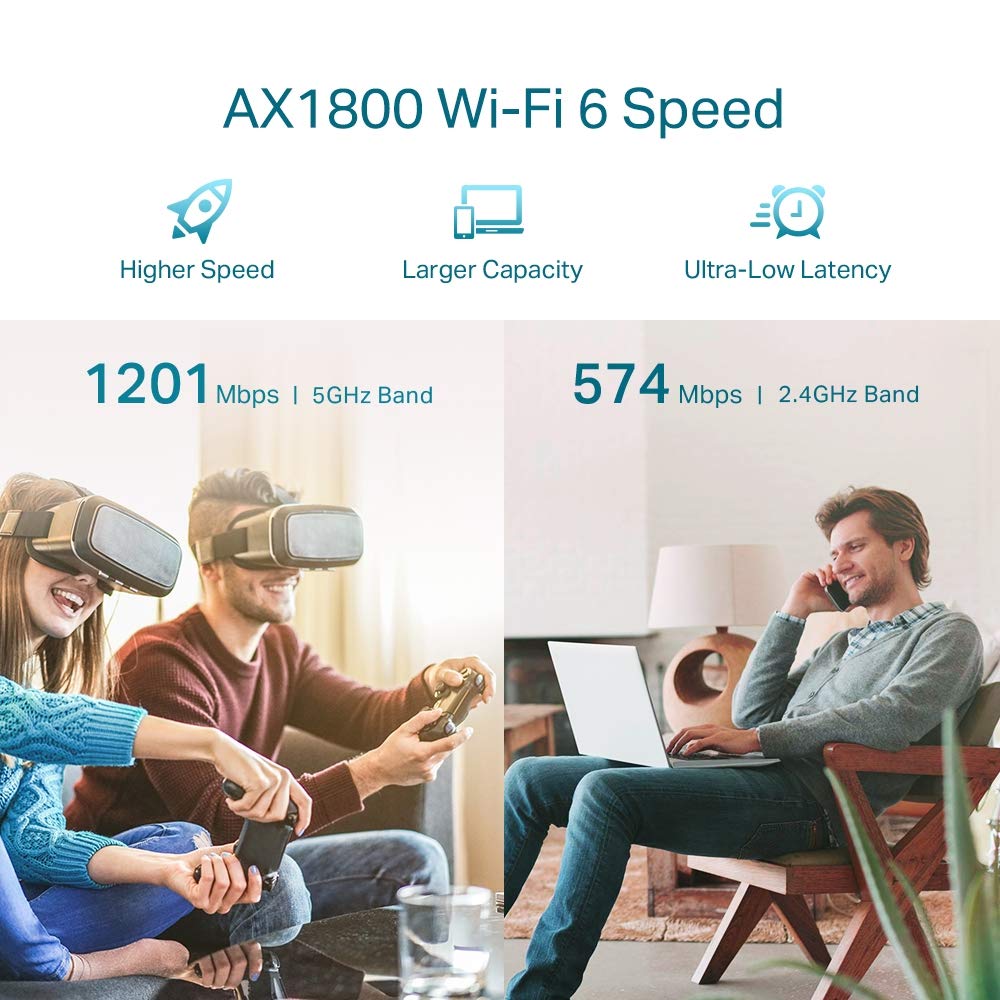
Figure 4: Intelligent Signal Light on RE605X
4.2. Dual Band Operation
The RE605X extends both 2.4GHz and 5GHz Wi-Fi bands. Devices will automatically connect to the optimal band for performance. The 5GHz band offers higher speeds for demanding tasks like streaming and gaming, while the 2.4GHz band provides broader coverage for general use.

Figure 5: AX1800 Dual Band Wi-Fi 6 Speed Distribution
5. Tryb punktu dostępowego (AP)
The RE605X can function as a wireless access point. This mode allows you to convert a wired internet connection into a dual-band Wi-Fi hotspot.
- Connect an Ethernet cable from your router or wall Ethernet port to the Gigabit Ethernet port on the RE605X.
- Configure the extender to AP Mode using the TP-Link Tether app or a web przeglądarka.
- The RE605X will then broadcast a new Wi-Fi network, enhancing your wired network with wireless capability.

Figure 6: RE605X operating in Access Point Mode
6. Zgodność z OneMesh
The RE605X is compatible with TP-Link OneMesh routers, allowing you to create a unified Mesh Wi-Fi network. This provides seamless whole-home coverage with a single Wi-Fi name, eliminating dead zones and ensuring uninterrupted streaming as you move around your home.
Benefits of OneMesh:
- Zunifikowana sieć: A single Wi-Fi name for your entire home.
- Bezproblemowy roaming: Devices automatically switch to the strongest Wi-Fi signal as you move.
- Łatwe zarządzanie: Manage your entire network from the Tether app.

Figure 7: OneMesh network with RE605X and an existing router
7. Konserwacja
To ensure optimal performance and longevity of your RE605X, consider the following maintenance tips:
- Aktualizacje oprogramowania układowego: Regularnie sprawdzaj dostępność aktualizacji oprogramowania sprzętowego i instaluj je za pośrednictwem aplikacji Tether lub TP-Link webwitryna, aby zapewnić najnowsze funkcje i poprawki zabezpieczeń.
- Czyszczenie: Keep the device clean and free from dust. Use a soft, dry cloth. Do not use liquid cleaners.
- Wentylacja: Ensure the extender is placed in a well-ventilated area and its vents are not obstructed to prevent overheating.
- Cykl zasilania: If you experience performance issues, try power cycling the extender (unplug it for 10 seconds and then plug it back in).
8. Specyfikacje
| Funkcja | Szczegół |
|---|---|
| Marka | TP-Link |
| Numer modelu | RE605X |
| Standard komunikacji bezprzewodowej | 802.11ax (WiFi 6) |
| Szybkość przesyłu danych | AX1800 (1201 Mbps at 5GHz, 574 Mbps at 2.4GHz) |
| Klasa pasma częstotliwości | Dwuzakresowy (2.4 GHz, 5 GHz) |
| Cechy specjalne | Access Point Mode, Dual Band, LED Indicator, OneMesh Compatible |
| Typ złącza | RJ45 (Gigabit Ethernet Port) |
| Waga przedmiotu | 7.76 uncji |
| Wymiary przedmiotu (gł. x szer. x wys.) | 52D x 34W x 65H milimetry |
| Kompatybilne urządzenia | Smartphone, PC, Gaming Consoles, Smart TVs |
9. Rozwiązywanie Problemów
9.1. Typowe problemy i rozwiązania
- Extender not connecting to router:
- Ensure the extender is within range of your router.
- Verify that your router's WPS function is enabled.
- Try setting up using the TP-Link Tether app for more detailed guidance.
- Restart both the router and the extender.
- Poor signal strength or slow speeds:
- Relocate the extender closer to your main router, ensuring the Intelligent Signal Light is solid blue.
- Należy unikać umieszczania wzmacniacza sygnału w pobliżu dużych metalowych obiektów, betonowych ścian lub innych urządzeń elektronicznych, które mogą powodować zakłócenia.
- Upewnij się, że oprogramowanie sprzętowe routera jest aktualne.
- Cannot access extender's web strona zarządzania:
- Upewnij się, że urządzenie jest podłączone do sieci Wi-Fi wzmacniacza sygnału.
- Try using the default access address (e.g., tplinkrepeater.net) or the IP address assigned by your router.
- Wyczyść pamięć podręczną przeglądarki lub spróbuj użyć innej przeglądarki.
9.2. Często zadawane pytania (FAQ)
- What is a Range Extender?
A range extender, also known as a Wi-Fi signal booster, is a device that wirelessly connects to your router and rebroadcasts its signal to extend Wi-Fi coverage to areas with weak or no signal.
- What does OneMesh do?
OneMesh creates a unified Wi-Fi network by combining a OneMesh router with a OneMesh extender. This eliminates Wi-Fi dead zones and provides seamless roaming with a single network name, ensuring high-speed Wi-Fi throughout your home.
- What is Built-In Access Point Mode?
In Access Point Mode, the RE605X can convert a wired internet connection (from an Ethernet cable) into a high-speed dual-band wireless signal, effectively creating a new Wi-Fi access point.
10. Gwarancja i wsparcie
10.1. Informacje o gwarancji
The TP-Link RE605X comes with a 3-year Domestic warranty. For warranty service or RMA (Return Merchandise Authorization) confirmation, customers need to contact TP-Link support on the provided toll-free number. After confirmation, the product must be brought to a designated service center.
10.2. Obsługa klienta
For installation-related queries, compatibility issues, warranty service, or any other general inquiries, please contact TP-Link customer support:
- Numer bezpłatny: 1800 2094 168
- E-mail: support.in@tp-link.com
- Adres producenta: TP-Link Technologies Co., Ltd, South Building, No.5 Keyuan Road, Central Zone, Science & Technology Park, Nanshan, Shenzhen, P.R. China
- Importer Address (India): TP-LINK India Private Limited, Green Industrial Park, Dongri Pada, Poman, Kaman-Bhiwandi Road, Vasai East, Palghar, Maharasztra – 401208