
Wstęp
The Infant Optics DXR-8 PRO video baby monitor is designed to provide secure and high-quality monitoring of your baby. This system operates on a 2nd-generation FHSS closed-loop frequency, ensuring digital security without internet connectivity. This manual provides essential information for setting up, operating, and maintaining your DXR-8 PRO monitor.
Co jest zawarte
- Jednostka monitorująca
- Jednostka kamery
- Power Adapters (for monitor and camera)
- Optical Zoom Lens (pre-installed on camera)
Główne cechy
- Active Noise Reduction (ANR): Filters out background noises like fans, air conditioners, and humidifiers for clearer audio.
- Ultra-Clear Video Quality: High-definition 720P resolution on a 5-inch LCD display with enhanced night vision.
- Hack-Proof Connection: Operates on a 2nd-generation FHSS closed-circuit system, ensuring privacy.
- Pełny ViewKontrola: Pan, tilt, and 3-step digital zoom functionality.
- Wymienne obiektywy: Includes an optical zoom lens (up to 6x zoom). Wide-angle lens sold separately.
- Two-Way Talk Back: Communicate with your baby through the monitor.
- Tryb uśpienia: Screen can be dimmed or turned off while audio monitoring continues.
- Rozszerzalny system: Supports up to 4 camera units (additional cameras sold separately).
Przewodnik po konfiguracji
1. Zasilanie kamery
- Place the camera unit in a secure location in your baby's room, ensuring a clear view łóżeczka.
- Connect the camera's power adapter to the camera unit and then plug it into a wall outlet.
- Ensure the camera is stable and the power indicator light is on.
2. Powering the Monitor Unit
- Connect the monitor's power adapter to the monitor unit and then plug it into a wall outlet.
- Press and hold the power button on the top of the monitor for a few seconds to turn it on.
- The monitor will automatically search for and connect to the camera unit.
3. Początkowe parowanie (jeśli to konieczne)
If the monitor does not automatically connect, you may need to manually pair the units:
- On the monitor, press the 'MENU' button.
- Navigate to the 'Camera Control' or 'Add Camera' option.
- Follow the on-screen prompts to initiate pairing. You may need to press a small pairing button on the camera unit.

Image: The Infant Optics DXR-8 PRO camera unit, showing its lens and power switch. This unit is placed in the baby's room for monitoring.
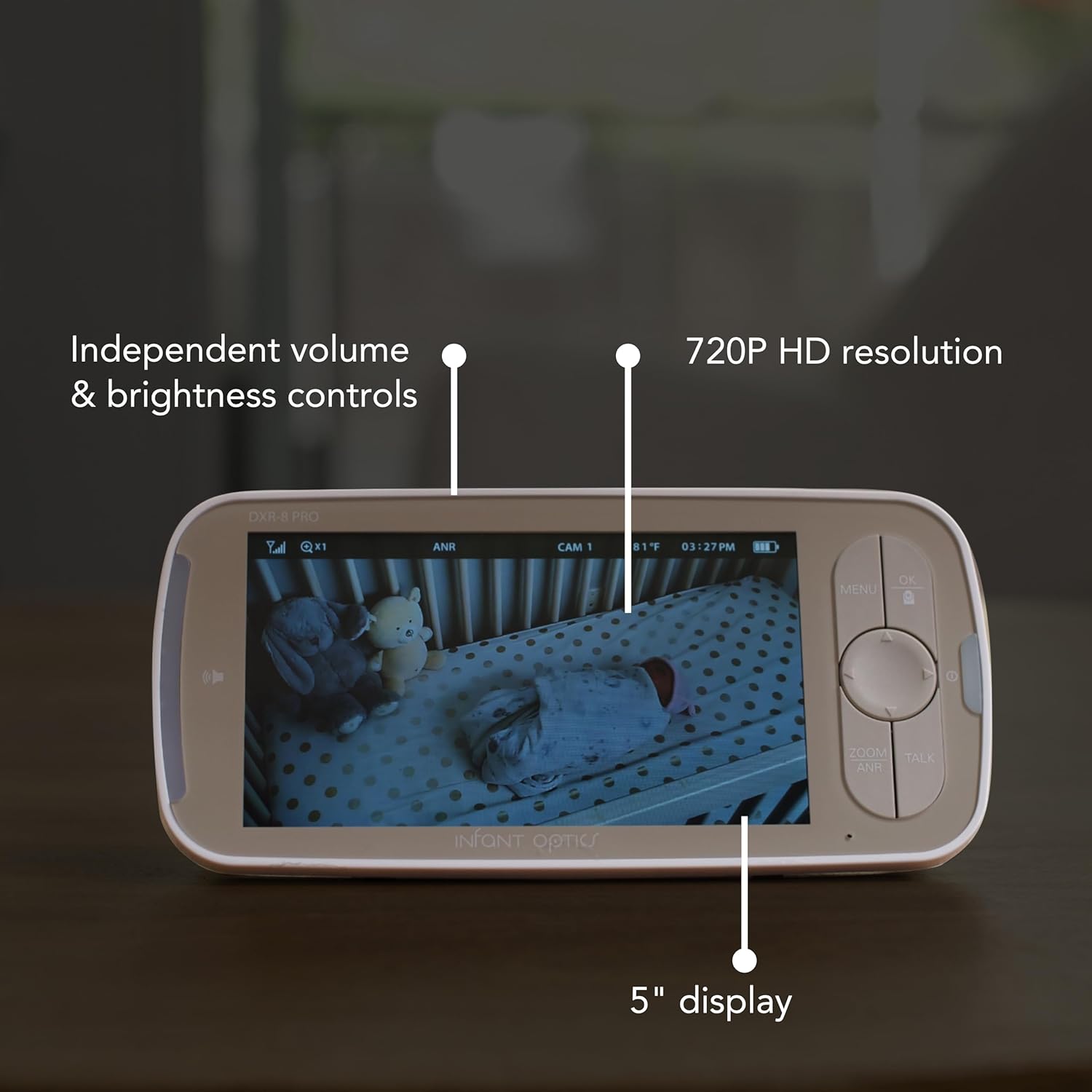
Image: The Infant Optics DXR-8 PRO monitor display, showing a clear view of a baby in a crib, along with independent volume and brightness controls.
Instrukcja obsługi
Panoramowanie, pochylanie i powiększanie
- Use the directional buttons on the monitor to pan (move horizontally) and tilt (move vertically) the camera lens.
- Press the 'ZOOM' button to activate the 3-step digital zoom. The optical zoom lens provides up to 6x zoom without pixelation.
Aktywna redukcja szumów (ANR)
The ANR feature helps filter out ambient background noise. To toggle ANR on or off:
- Naciśnij przycisk „MENU”.
- Navigate to the ANR setting and select your preference.

Image: A visual representation of the Active Noise Reduction (ANR) technology, showing how background noise is filtered out by the DXR-8 PRO camera unit.
Two-Way Talk Back
Aby rozmawiać z dzieckiem za pomocą kamery:
- Press and hold the 'TALK' button on the monitor.
- Speak clearly into the monitor's microphone.
- Zwolnij przycisk, gdy skończysz mówić.
Tryb uśpienia
To conserve battery or reduce screen light at night:
- Press the power button briefly to turn off the screen while keeping audio monitoring active.
- Press any button to instantly wake the monitor screen.
Multiple Camera Monitoring
The DXR-8 PRO supports up to 4 camera units. To switch between cameras or use scan mode:
- Naciśnij przycisk „MENU”.
- Przejdź do 'View Camera' or 'Scan'.
- Select the desired camera or activate scan mode to cycle through all connected cameras.
Video: A user demonstrates the features of the Infant Optics DXR-8 PRO monitor, including its clear display, pan/tilt/zoom, and two-way talk functionality. This video highlights the ease of use and secure, non-WiFi connection.
Konserwacja
Czyszczenie
- Przetrzyj monitor i kamerę miękką, suchą ściereczką.
- Nie należy używać środków czyszczących o właściwościach ściernych ani rozpuszczalników.
Pielęgnacja baterii
- The monitor unit uses a Lithium Ion battery.
- Aby zapewnić optymalną żywotność baterii, należy unikać ekstremalnych temperatur.
- If storing the unit for an extended period, ensure the battery is partially charged.
Rozwiązywanie problemów
No Video/Audio
- Ensure both the camera and monitor units are powered on and properly connected to their respective power adapters.
- Check the signal strength indicator on the monitor. If the signal is weak, try moving the units closer together.
- Re-pair the camera and monitor units if connection is lost.
Szum statyczny
- Activate the Active Noise Reduction (ANR) feature through the monitor's menu.
- Ensure the camera is not placed too close to other electronic devices that may cause interference.
Słaba widoczność w nocy
- Upewnij się, że nie ma żadnych przeszkód blokujących kamerę. view or its infrared sensors.
- Check the brightness setting on the monitor and adjust if necessary.
Video: A user demonstrates the ease of setup and use of the Infant Optics DXR-8 PRO, highlighting its non-WiFi connectivity and pan/tilt functionality. The video shows the camera unit and monitor in a nursery setting.
Specyfikacje
| Funkcja | Szczegół |
|---|---|
| Nazwa modelu | DXR-8PRO |
| Rozmiar ekranu | 5 cali |
| Rozdzielczość przechwytywania wideo | Rozdzielczość 720p HD |
| Technologia łączności | Wireless (2nd-generation FHSS, No Wi-Fi) |
| Cechy specjalne | HD Resolution, Night Vision, Active Noise Reduction, Pan, Tilt, Zoom, Two-Way Talk, Interchangeable Lenses |
| Źródło zasilania | Prąd zmienny/stały |
| Typ ogniwa baterii | Litowo-jonowy (w zestawie) |
| Pozycja Wymiary (dł. x szer. x wys.) | 4 x 6 x 3 cala |
| Waga przedmiotu | 1.97 funta |
| Zastosowanie wewnątrz/na zewnątrz | Wnętrz |
Gwarancja i wsparcie
Informacje o gwarancji
The Infant Optics DXR-8 PRO comes with a manufacturer's 1-year warranty. Please refer to the user manual for detailed warranty terms and conditions.
Obsługa klienta
For any questions, technical assistance, or warranty claims, please contact Infant Optics customer support. Visit the official Infant Optics webstrona zawierająca dane kontaktowe i dodatkowe zasoby.