
1. Koniec produktuview
The Cello C2220FSDE is a compact 22-inch Full HD LED television designed for versatile use. It features an integrated DVD player and a triple tuner (DVBT2/S2) for comprehensive signal reception. Its sleek design makes it suitable for various environments, including guest rooms, motorhomes, caravans, trucks, or boats.
Key features include HDMI and USB inputs for connecting external devices like game consoles and hard drives. The USB functionality also supports recording live television and playing stored media. This TV can also function as a monitor for laptops or desktop computers.

Obraz 1.1: The integrated DVD player allows for direct playback of DVDs without additional devices.

Obraz 1.2: Experience clear and detailed images with Full HD 1080p resolution.
2. Konfiguracja i instalacja
2.1 Rozpakowanie i zawartość
Ostrożnie wyjmij wszystkie elementy z opakowania. Upewnij się, że znajdują się w nim następujące elementy:
- 1 x Cello 22-inch LED TV
- Przewód zasilający
- Zdalne sterowanie
- Szybki przewodnik
- 2 baterie AAA
- Stojak TV
2.2 Mocowanie stojaka
Place the TV screen face down on a soft, clean surface to prevent scratches. Align the stand with the mounting holes on the bottom of the TV and secure it using the provided screws.
2.3 Podłączanie zasilania i anteny
- Podłącz przewód zasilający do gniazda zasilania telewizora, a następnie do gniazdka ściennego.
- Connect your TV aerial cable to the 'TV Aerial' input on the back of the TV.
- For satellite reception, connect a satellite dish cable (not supplied) to the 'DVB-S2' input.

Obraz 2.1: Tył view of the TV showing power, antenna, and other connectivity ports.
2.4 Połączenia urządzeń zewnętrznych
Telewizor oferuje różne porty umożliwiające podłączanie urządzeń zewnętrznych:
- HDMI: Podłącz urządzenia wysokiej rozdzielczości, takie jak odtwarzacze Blu-ray, konsole do gier i dekodery.
- USB: Connect USB storage devices for media playback or recording.
- VGA: Podłącz komputer, aby używać go jako monitora.
- Wyjście audio 3.5 mm: Podłącz zewnętrzne słuchawki lub głośniki.

Obraz 2.2: Illustration of HDMI and USB ports for connecting various devices.

Obraz 2.3: The integrated satellite tuner allows connection to a satellite dish for satellite TV reception.
3. Instrukcja obsługi
3.1 Pierwsze włączenie zasilania i skanowanie kanałów
- Włóż baterie AAA do pilota.
- Naciśnij przycisk zasilania na pilocie lub telewizorze, aby go włączyć.
- Follow the on-screen instructions for initial setup, including language selection and automatic channel scanning for DVB-T2 (terrestrial) and DVB-S2 (satellite) signals.
3.2 Podstawowe funkcje telewizora
- Wybór kanału: Use the 'CH+' / 'CH-' buttons or the numeric keypad on the remote control.
- Regulacja głośności: Use the 'VOL+' / 'VOL-' buttons.
- Wybór źródła: Press the 'SOURCE' button to switch between inputs (TV, HDMI, USB, DVD).
- Nawigacja po menu: Use the 'MENU' button to access settings and navigation arrows to browse.
3.3 Integrated DVD Player Operation
- Ensure the TV is powered on and the input source is set to 'DVD'.
- Gently insert a DVD disc into the slot on the side of the TV, label side facing the mirror side (as indicated on the slot).
- The DVD should load automatically. Use the remote control for playback functions (Play, Pause, Stop, Skip).
3.4 USB Recording and Media Playback
- Odtwarzanie multimediów: Insert a USB storage device into the USB port. Select 'USB' as the input source. Navigate through your file(zdjęcia, muzyka, filmy) za pomocą pilota.
- USB Recording (PVR): While watching live TV, insert a USB storage device. Press the 'RECORD' button on the remote to start recording. You can also use the 'PAUSE' function for time-shifting live TV.
Wideo 3.1: This video demonstrates the physical controls on the TV and the various input/output ports available on the back and side of the unit, including the DVD slot, USB, HDMI, and antenna connections.
4. Konserwacja
4.1 Czyszczenie telewizora
- Przed czyszczeniem zawsze odłączaj telewizor od gniazdka elektrycznego.
- Do przecierania ekranu i obudowy użyj miękkiej, suchej ściereczki. W przypadku uporczywych zabrudzeń delikatnie przetrzyj.ampPrzetrzyj szmatkę wodą lub delikatnym, nieściernym środkiem do czyszczenia ekranów.
- Do not use alcohol, benzene, thinners, or other volatile substances, as they may damage the screen or finish.
4.2 DVD Player Care
- Keep the DVD slot free from dust and debris.
- Only insert clean, undamaged discs.
5. Rozwiązywanie Problemów
If you encounter issues with your Cello TV, refer to the following common problems and solutions:
| Problem | Możliwa przyczyna | Rozwiązanie |
|---|---|---|
| Brak zasilania | Przewód zasilający nie jest podłączony; gniazdko elektryczne jest uszkodzone | Sprawdź połączenie przewodu zasilającego; spróbuj innego gniazdka |
| Brak obrazu, ale dźwięk jest | Wybrano nieprawidłowe źródło sygnału wejściowego; wadliwe połączenie kablowe | Press 'SOURCE' to select correct input; check HDMI/VGA cable connections |
| Brak dźwięku, ale obraz jest | Volume too low or muted; external audio device issue | Increase volume; check mute status; ensure external audio devices are connected correctly |
| Poor picture quality (TV channels) | Weak antenna signal; incorrect antenna connection | Adjust antenna position; check antenna cable connection; perform a channel rescan |
| Płyta DVD nie odtwarza się | Disc inserted incorrectly; dirty or damaged disc; incorrect source selected | Re-insert disc correctly; clean or replace disc; select 'DVD' source |
| Pilot nie działa | Batteries depleted or inserted incorrectly; obstruction between remote and TV | Replace batteries; ensure correct polarity; remove obstructions; point remote directly at TV sensor |
For further assistance, please refer to the support section or the full instruction manual available online.
6. Specyfikacje
Below are the detailed technical specifications for the Cello C2220FSDE 22-inch Full HD LED TV:
| Funkcja | Specyfikacja |
|---|---|
| Rozmiar ekranu | 22 cale (54.6 cm przekątna) |
| Marka | Wiolonczela |
| Technologia wyświetlania | PROWADZONY |
| Rezolucja | 1080p (Full HD, 1920 x 1080 pikseli) |
| Częstotliwość odświeżania | 60 Hz |
| Funkcja specjalna | Integrated DVD Player |
| Technologia łączności | HDMI, USB, VGA |
| Proporcje obrazu | 16:9 |
| Wymiary produktu (Gł. x Szer. x Wys.) | 5 szer. x 50.4 szer. x 34.2 wys. cm |
| Waga przedmiotu | 2.55 kilograma |
| Współczynnik kontrastu | 600:1 |
| Maksymalna jasność | 180 NIT Coating |
| Obsługa HDR | HDR10 |
| Czas reakcji | 10 milisekund |
| Typ tunera | DVB-C, DVB-S2, DVB-T2 |
| Tryb wyjścia audio | Stereofoniczny |
| Opis głośnika | 2 x 3 W Pitch Perfect Sound |
| Pobór mocy | 21 kWh |
| Tomtage | 230 Volts (100-240 V AC 50-60 Hz) |
| Standard mocowania VESA | 100x100mm |
| Rok modelowy | 2023 |
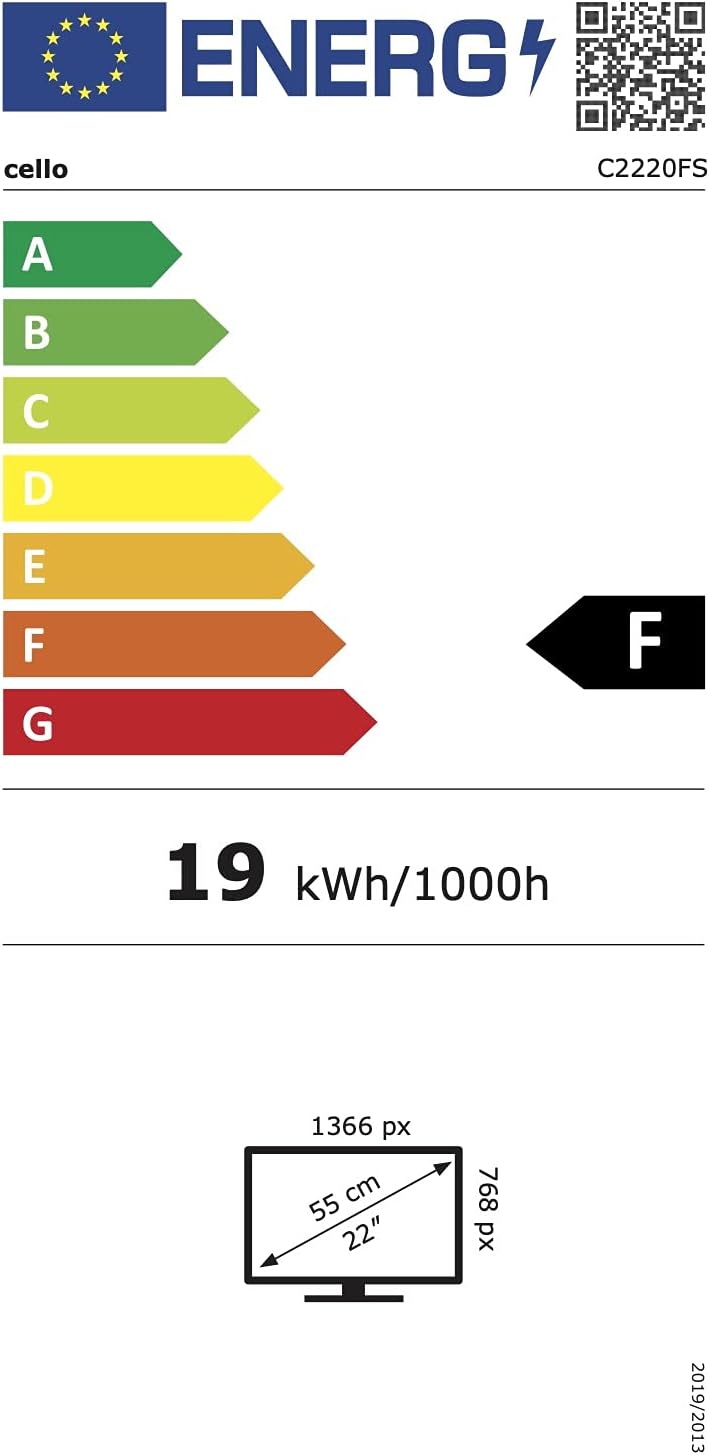
Obraz 6.1: Energy efficiency label for the Cello C2220FSDE TV. For more details, visit Baza danych EPREL.

Obraz 6.2: Detailed product information sheet. For more details, visit Baza danych EPREL.
7. Gwarancja i wsparcie
7.1 Informacje o gwarancji
This Cello TV comes with a 1-roczna ograniczona gwarancja. Zachowaj dowód zakupu na wypadek roszczeń gwarancyjnych.
7.2 Obsługa klienta
For technical support or customer service, please contact Cello Electronics:
- Webstrona: www.celloelectronics.de
- E-mail: consumersupport@celloelectronics.com
- Telefon: 03334330312
- Adres: Dovecot Hills, Bishop Auckland, DL14 6XW Durham, United Kingdom
You can also download the full instruction manual for your device in your preferred language from the official Cello webstrona: https://celloelectronics.de/instruction-books/.


