
1. Koniec produktuview
The SXFJF 4K Ultra HD WiFi Action Camera is designed for capturing high-quality video and photos during various outdoor and sports activities. It features 4K video recording, a wide-angle lens, electronic image stabilization, and a waterproof design, making it suitable for adventures both on land and underwater.
Główne cechy:
- Ultra HD Video: Records crystal clear 4K video and high-quality images with a wide-angle lens.
- Anti-shake Function: Built-in electronic image stabilization ensures smooth and steady footage even during fast-moving activities.
- Wodoodporna konstrukcja: Equipped with a waterproof case, allowing for underwater use in sports like swimming, surfing, and diving.
- Długa żywotność baterii: Rechargeable batteries provide extended recording time.
- Wszechstronne akcesoria: Comes with various accessories for adapting to different indoor and outdoor activities.
- Łączność: Features Wi-Fi and HDMI output for easy sharing and viewing.

Image 1.1: The SXFJF 4K Ultra HD WiFi Action Camera, showcasinze względu na kompaktową konstrukcję i główny obiektyw.
2. Rozpoczęcie pracy: konfiguracja
2.1 Rozpakowanie i sprawdzenie zawartości
Before using your camera, please ensure all components are present in the package:
- SXFJF 4K Ultra HD WiFi Action Camera
- Wodoodporna obudowa
- Akumulator do ponownego ładowania
- Various Mounting Accessories
- Kabel USB
- Instrukcja obsługi (ten dokument)
2.2 Instalacja i ładowanie akumulatora
- Znajdź komorę baterii w aparacie.
- Open the compartment cover and insert the rechargeable battery, ensuring the correct orientation according to the polarity indicators.
- Dokładnie zamknij pokrywę komory baterii.
- Aby naładować, podłącz kamerę do źródła zasilania za pomocą dołączonego kabla USB. Zaświeci się kontrolka ładowania.
- Pełne ładowanie trwa zazwyczaj około 2-3 godzin. Po zakończeniu ładowania kontrolka zmieni kolor lub zgaśnie.
2.3 Wkładanie karty Micro SD
The camera requires a Micro SD card (not included) for storing photos and videos. A Class 10 or UHS-I (U1) or higher speed rating is recommended for 4K recording.
- Znajdź gniazdo karty Micro SD z boku lub na spodzie aparatu.
- Insert the Micro SD card with the gold contacts facing the front of the camera until it clicks into place.
- Aby wyjąć kartę, delikatnie wciśnij ją do środka, aż wysunie się.
2.4 Korzystanie z obudowy wodoodpornej
The included waterproof case allows the camera to be used underwater. Before first use, perform a waterproof test without the camera inside.
- Open the waterproof case latch and carefully place the camera inside, ensuring it fits snugly.
- Zamknij zatrzask dokładnie, aby uzyskać wodoszczelne zamknięcie.
- Always ensure the rubber seal is clean and free of debris before closing the case.
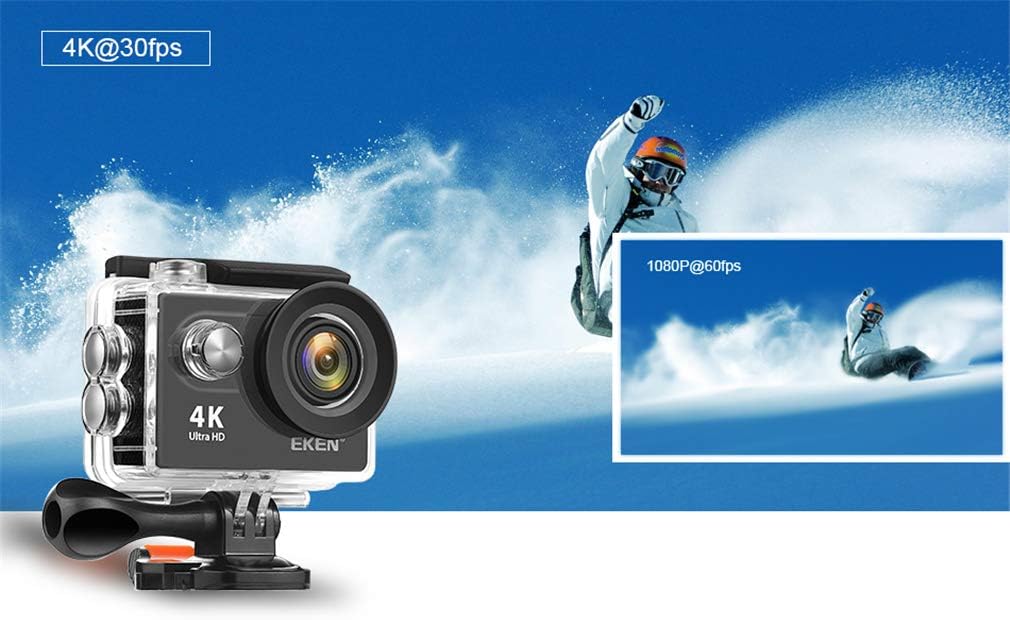
Image 2.1: The action camera enclosed in its waterproof housing, highlighting its 4K and 1080P video recording capabilities for various action shots.
2.5 Attaching Mounting Accessories
The camera comes with various mounts for different scenarios. Refer to the accessory guide for specific attachment instructions. Generally, mounts attach to the waterproof case or directly to the camera via a standard tripod screw mount.
3. Obsługa aparatu
3.1 Włączanie/wyłączanie
- Włączanie: Naciśnij i przytrzymaj przycisk zasilania/trybu przez kilka sekund, aż ekran się podświetli.
- Wyłączone: Ponownie naciśnij i przytrzymaj przycisk zasilania/trybu, aż ekran się wyłączy.
3.2 Wybór trybu
Naciskaj przycisk zasilania/trybu, aby przełączać się między różnymi trybami:
- Tryb wideo: Do nagrywania wideo footage.
- Tryb zdjęć: For taking still images.
- Tryb odtwarzania: Dla reviewing recorded videos and photos.
- Tryb ustawień: To adjust camera settings.
3.3 Nagrywanie wideo i robienie zdjęć
- Aby nagrać wideo: In Video Mode, press the Shutter/OK button to start recording. Press it again to stop. A red indicator light will usually flash during recording.
- Zrobić zdjęcie: In Photo Mode, press the Shutter/OK button to capture an image.

Image 3.1: The action camera highlighting its 12-megapixel photo capability, suitable for capturing detailed images in various environments.
3.4 Połączenie Wi-Fi
The camera can connect to your smartphone via Wi-Fi for remote control and file przenosić.
- Enable Wi-Fi on the camera through the Settings menu.
- Download the dedicated camera app (refer to the camera's display or packaging for the app name) on your smartphone.
- Na swoim smartfonie połącz się z siecią Wi-Fi aparatu (na ekranie aparatu wyświetli się identyfikator SSID i hasło).
- Otwórz aplikację, aby zdalnie sterować kamerą, view żyćtage i pobierz files.
3.5 Korzystanie z pilota zdalnego sterowania
The 2.4G remote control allows for convenient operation from a distance.
- Sprawdź, czy pilot jest sparowany z kamerą (instrukcje parowania znajdziesz w ustawieniach kamery).
- Use the designated buttons on the remote to start/stop recording or take photos.
3.6 Stabilizacja obrazu
The camera features electronic image stabilization (EIS) to reduce blur and shakiness in your videos. This feature is typically enabled by default or can be toggled in the camera's video settings menu for smoother footage.
3.7 wyjście HDMI
Connect the camera to an HDMI-compatible display (e.g., TV, monitor) using an HDMI cable (not included) to view Twoje nagrania na większym ekranie.

Image 3.2: The action camera demonstrating its various features including 4K video, 12MP photos, waterproof capability, Wi-Fi, and remote control, shown in an active outdoor setting.
4. Konserwacja
4.1 Czyszczenie aparatu i obudowy
- Use a soft, lint-free cloth to clean the camera body and lens. For stubborn smudges, a slightly damp Można użyć ściereczki, a następnie wytrzeć do sucha.
- Clean the waterproof case, especially the rubber seal, after each use, particularly after exposure to saltwater, sand, or dirt. Rinse with fresh water and allow to air dry.
- Do czyszczenia nie używaj żrących środków chemicznych ani materiałów ściernych.
4.2 Pielęgnacja baterii
- Baterie, które nie są używane, przechowuj w chłodnym i suchym miejscu.
- Avoid fully discharging batteries regularly to prolong their lifespan.
- W przypadku dłuższego przechowywania akumulatorów należy je naładować do około 50% ich pojemności.
4.3 Przechowywanie
When not in use, store the camera and accessories in a protective case in a cool, dry environment, away from direct sunlight and extreme temperatures.
5. Rozwiązywanie Problemów
Jeśli masz problemy z aparatem, zapoznaj się z poniższymi, typowymi rozwiązaniami:
| Problem | Możliwa przyczyna / rozwiązanie |
|---|---|
| Kamera się nie włącza. | Bateria jest rozładowana lub nieprawidłowo włożona. Naładuj baterię lub włóż ją ponownie. |
| Nie można nagrywać filmów/robić zdjęć. | Micro SD card is full, not inserted, or corrupted. Format the card (this will erase all data) or replace it. Ensure the camera is in the correct mode. |
| Słaba jakość wideo/zdjęć. | Lens may be dirty. Clean the lens. Ensure sufficient lighting. Check resolution settings. |
| Problemy z połączeniem Wi-Fi. | Ensure Wi-Fi is enabled on the camera and smartphone. Check app permissions. Restart both devices. |
| Wyciek wody w obudowie wodoszczelnej. | Rubber seal is dirty, damaged, or case not closed properly. Clean the seal, inspect for damage, and ensure the latch is securely fastened. |
Jeśli problem będzie się powtarzał, skontaktuj się z obsługą klienta.
6. Specyfikacje
Detailed technical specifications for the SXFJF 4K Ultra HD WiFi Action Camera:
| Funkcja | Specyfikacja |
|---|---|
| Marka | SXFJF |
| Rozdzielczość przechwytywania wideo | 4K |
| Typ pamięci flash | Mikro SD |
| Format przechwytywania wideo | MP4 |
| Rozmiar ekranu | 2 cali |
| Technologia łączności | HDMI, Wi-Fi |
| Funkcja specjalna | Przenośny, wodoodporny |
| Typ kamery | Akcja Aparat |
| Zawarte komponenty | Bateria |
| Poziom wodoodporności | Wodoodporny |
| Stabilizacja obrazu | Elektroniczny |
| Współczynnik kształtu | Kompaktowy |
| Średnia żywotność baterii | 60 minut (w przybliżeniu) |
| Typ soczewki | Szeroki kąt |
| Typ fokusu | Autofokus |
| Maksymalna rozdzielczość wyświetlacza | 4K UHD |
| Kompatybilne urządzenia | Smartphone, TV |
| Rozdzielczość wideo | 4K |
| Tryby fotografowania | Upływ czasu |
| Proporcje obrazu | 16:9 |
| Obsługiwany format obrazu | Plik JPEG |
| File Format | MP4 |
| Brzęczenie | Optyczny |
7. Gwarancja i wsparcie
For warranty information, please refer to the documentation included with your purchase or contact the retailer. For technical support or further assistance, please reach out to SXFJF customer service through their official webstronę internetową lub dane kontaktowe dostarczone wraz z produktem.