
Wstęp
This manual provides detailed instructions for the operation and maintenance of your GTMEDIA Z3 Portable DAB+/FM RDS Radio. Please read this manual thoroughly before using the device to ensure proper functionality and to maximize your listening experience.
Ważne informacje dotyczące bezpieczeństwa
- Nie wystawiaj urządzenia na działanie deszczu, wilgoci ani ekstremalnych temperatur.
- Unikaj upuszczania i narażania urządzenia na silne uderzenia.
- Nie próbuj samodzielnie demontować ani naprawiać urządzenia. Wszelkie prace serwisowe zleć wykwalifikowanemu personelowi.
- Należy używać wyłącznie wskazanego kabla ładującego i zasilacza.
- Przechowywać w miejscu niedostępnym dla dzieci.
Zawartość opakowania
Sprawdź, czy w przesyłce znajdują się wszystkie elementy:
- 1 x GTMEDIA Z3 DAB+/FM Radio
- 1 x kabel ładujący USB
- 1 x Instrukcja obsługi

Image: The GTMEDIA Z3 radio, its retail box, USB charging cable, and user manual.
Produkt ponadview
The GTMEDIA Z3 is a portable DAB+/FM RDS radio featuring a 2.4-inch TFT-LCD screen. It supports 60 preset stations for both DAB+ and FM, and includes functions such as clock, alarm, and sleep timer. The device is powered by a rechargeable 18650 lithium battery.
Elementy sterujące i wyświetlacz na panelu przednim
- Przycisk zasilania/czuwania: Turns the radio on/off or puts it in standby mode.
- Przycisk skanowania: Rozpoczyna skanowanie stacji.
- Przycisk DAB/FM: Przełącza między trybami DAB+ i FM.
- Przycisk menu: Dostęp do menu głównego.
- Przycisk korektora: Dostosowuje ustawienia korektora.
- Przycisk ustawień wstępnych: Dostęp do zaprogramowanych stacji.
- Pokrętło głośności/wyboru: Adjusts volume and navigates/selects menu options.
- 2.4-inch TFT-LCD Display: Wyświetla informacje o stacji, czas i opcje menu.
Panel tylny i porty
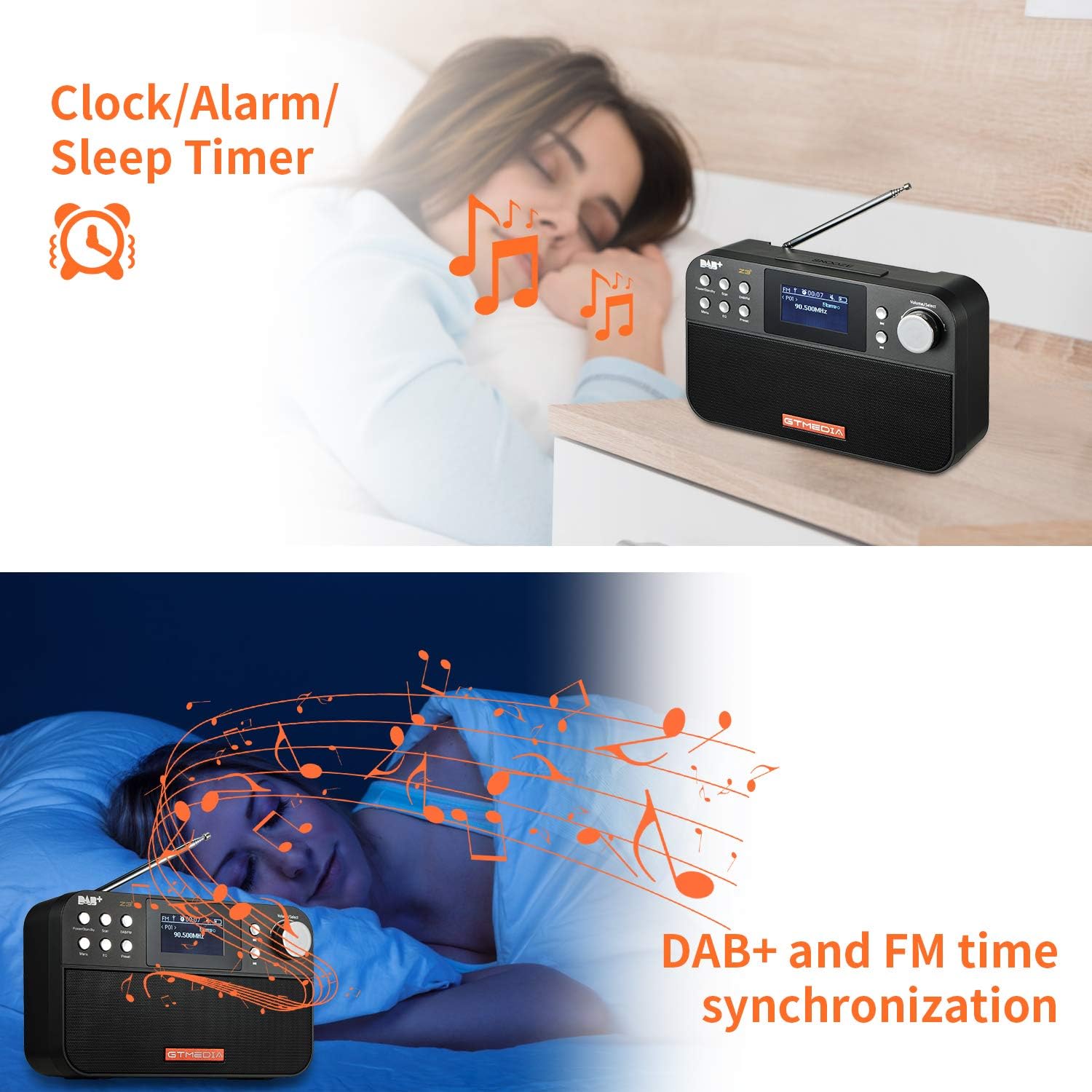
Image: The back of the GTMEDIA Z3 radio, highlighting the 18650 lithium battery compartment and the DC 5V USB charging port.
- 18650 Lithium Battery Compartment: Mieści akumulator.
- DC 5V USB Charging Port: Do ładowania urządzenia.
Przewodnik po konfiguracji
1. Ładowanie akumulatora
- Locate the USB charging port on the rear of the radio.
- Connect the provided USB charging cable to the radio and to a compatible USB power adapter (DC 5V, ≥1500mA) or a computer USB port.
- Wskaźnik naładowania baterii na wyświetlaczu pokazuje stan ładowania. Pełne naładowanie zazwyczaj zapewnia 4-7 godzin pracy.
Image: The GTMEDIA Z3 radio's rear panel, illustrating the USB charging port and battery specifications.
2. Pierwsze włączenie i wybór języka
- Naciśnij i przytrzymaj Zasilanie/Czuwanie przycisk, aby włączyć radio.
- Upon first use, you may be prompted to select a language. Use the Głośność/Wybierz knob to navigate and press to confirm your choice. English is the default language.
3. Synchronizacja czasu
The clock can be set manually or synchronized automatically with DAB+ or FM signals.
- Automatyczna synchronizacja: When tuned to a DAB+ or FM station that broadcasts time information, the radio will automatically update its clock.
- Regulacja ręczna: Access the system settings via the Menu button to manually set the time and date.
Instrukcja obsługi
1. Radio Modes (DAB+/FM)
Przełączanie trybów:
Naciśnij DAB/FM przycisk do przełączania między trybami radia DAB+ i FM.
Skanowanie stacji:
- Automatyczne skanowanie (FM): W trybie FM naciśnij Skandować przycisk umożliwiający automatyczne wyszukiwanie i zapisywanie dostępnych stacji.
- Local Scan (DAB+): W trybie DAB+ naciśnij Skandować button to perform a local scan for DAB+ stations. Manual tuning is also supported.
Programowanie stacji:
The radio supports 60 preset stations for both FM and DAB+ (10 quick access presets). To save a station:
- Dostrój się do żądanej stacji.
- Naciśnij i przytrzymaj Ustawienie wstępne przycisk.
- Użyj Głośność/Wybierz knob to choose a preset number and press to confirm.
Aby przywołać zaprogramowaną stację, naciśnij krótko przycisk Ustawienie wstępne przycisk i użyj Głośność/Wybierz pokrętło, aby wybrać.
FM RDS Station Name Display:
When tuned to an FM station broadcasting RDS (Radio Data System) information, the 2.4-inch TFT-LCD screen will display the station name and other relevant data.
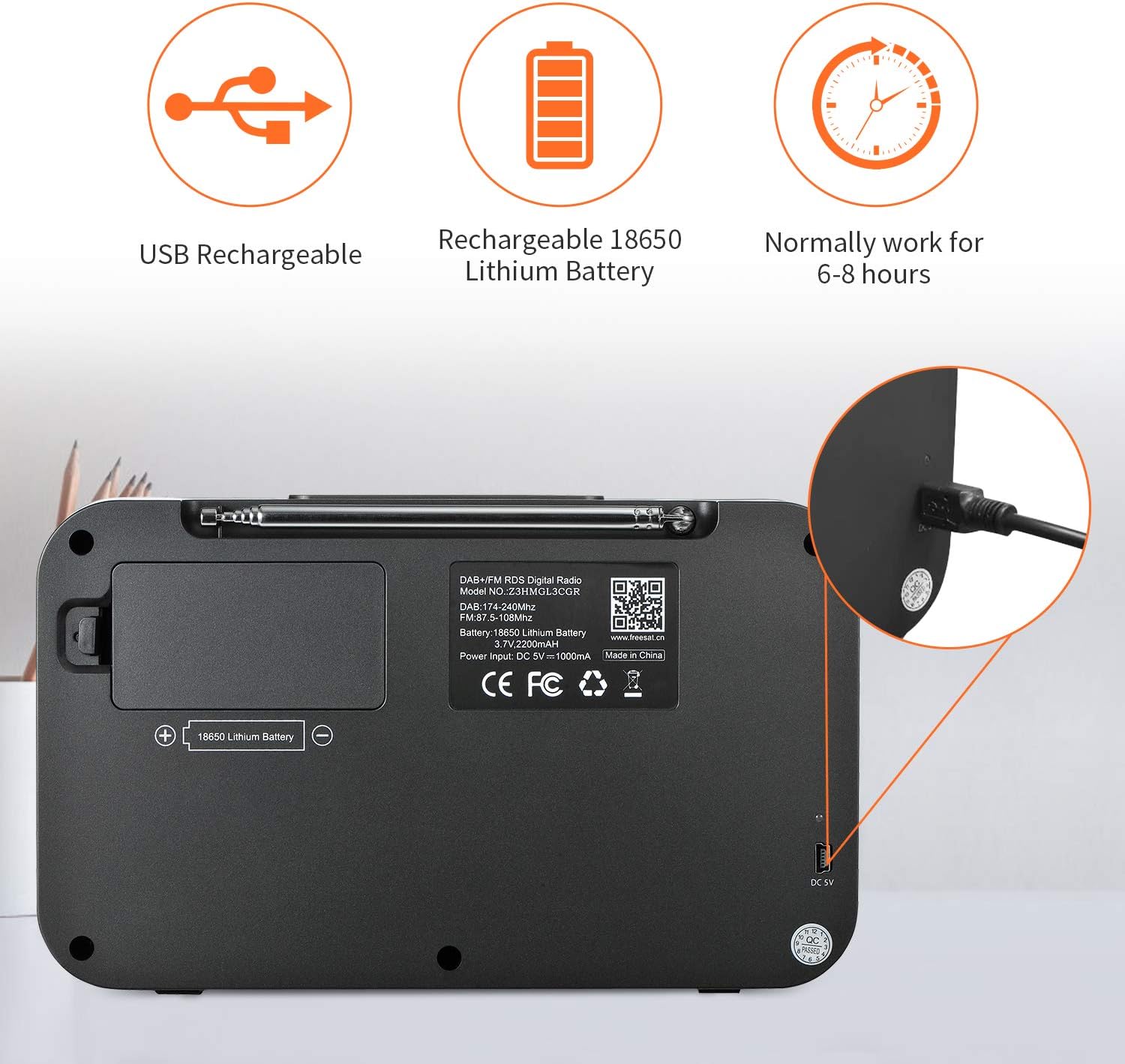
Image: The GTMEDIA Z3 radio's display showing "FM" and "90.500MHz" along with a station name, demonstrating the RDS feature.
2. Zegar, budzik i timer snu
The GTMEDIA Z3 radio includes integrated clock, alarm, and sleep timer functions for enhanced convenience.

Image: The GTMEDIA Z3 radio with icons representing clock, alarm, and sleep timer functions, depicted in a bedroom setting.
Ustawianie alarmu:
- Naciśnij Menu button and navigate to the "Alarm" settings.
- Użyj Głośność/Wybierz knob to set the alarm time, duration, and alarm source (e.g., buzzer, DAB+, FM).
- Potwierdź swoje ustawienia.
Ustawianie wyłącznika czasowego:
- Naciśnij Menu button and navigate to the "Sleep Timer" settings.
- Użyj Głośność/Wybierz knob to choose the desired sleep duration (e.g., 15, 30, 60 minutes).
- Radio wyłączy się automatycznie po ustawionym czasie.
3. Odtwarzanie muzyki
The GTMEDIA Z3 supports playback of various music formats including MP3, FLAC, and WAV. Playback modes include single play, repeat, and shuffle. Specific instructions for accessing and controlling music playback are typically found within the device's menu system.
Konserwacja
Czyszczenie:
- Wytrzyj radio miękką, suchą ściereczką.
- Nie należy używać płynnych środków czyszczących ani materiałów ściernych.
Pielęgnacja baterii:
- Aby przedłużyć żywotność baterii, należy unikać częstego całkowitego rozładowywania baterii.
- Regularnie ładuj akumulator, nawet jeśli nie używasz radia często.
- Jeśli radio nie będzie używane przez dłuższy czas, należy je przechowywać w chłodnym i suchym miejscu.
Rozwiązywanie problemów
| Problem | Możliwa przyczyna | Rozwiązanie |
|---|---|---|
| Brak zasilania | Akumulator jest rozładowany. | Naładuj akumulator za pomocą dostarczonego kabla USB. |
| Słaby odbiór radia | Słaby sygnał; antena nie wysunięta. | Extend the telescopic antenna fully. Try repositioning the radio. Perform a new scan for stations. |
| Brak dźwięku | Głośność zbyt niska; wyciszenie włączone. | Zwiększ głośność za pomocą Głośność/Wybierz knob. Check if mute is active in settings. |
| Wyświetlacz nie jest wyraźny | Zbyt niskie ustawienie jasności. | Adjust LCD brightness in the system settings. |
Specyfikacje
| Funkcja | Szczegół |
|---|---|
| Marka | GTMMEDIA |
| Model | Z3 |
| Technologia tunera | DAB Plus, FM RDS |
| Obsługiwane pasma radiowe | DAB+ (174.92-239.20 MHz), FM (87.5-108 MHz) |
| Wyświetlacz | 2.4-inch TFT-LCD (240 x 320 pixels) |
| Stacje predefiniowane | 60 FM, 60 DAB+ |
| Źródło zasilania | Zasilany bateryjnie |
| Typ baterii | 18650 Lithium Battery (3.7V 2200mAh) |
| Godziny otwarcia | 4-7 hours (typical) |
| Wejście ładowania | DC 5V, ≥1500mA (via USB) |
| Technologia łączności | USB |
| Funkcja specjalna | Portable, Clock, Alarm, Sleep Timer, USB Upgradeable |
| Waga przedmiotu | 620 gramów |
| Wymiary produktu | Wymiary 20 x 5 x 12 cm |
| Temperatura pracy | 0 ~ + 45 ° C |
| Temperatura przechowywania | -10~+60°C |
| Formaty muzyczne | MP3, FLAC, WAV |

Image: Dimensions of the GTMEDIA Z3 radio, showing approximate measurements of 200mm x 120mm x 50mm.
Aktualizacja oprogramowania sprzętowego
The GTMEDIA Z3 radio supports firmware upgrades via a USB connection to a PC. For the latest firmware and detailed instructions, please visit the official support webstrona.

Image: The GTMEDIA Z3 radio connected to a laptop via a USB cable, indicating its upgradeable feature.
Gwarancja i wsparcie
For technical support, warranty information, or any questions regarding your GTMEDIA Z3 radio, please visit the official GTMEDIA support webstrona: