
1. Co jest zawarte
The Lume Cube Broadcast Lighting Kit includes the following components:
- Panel Go Bicolor LED Light with Softening Silicone Diffuser
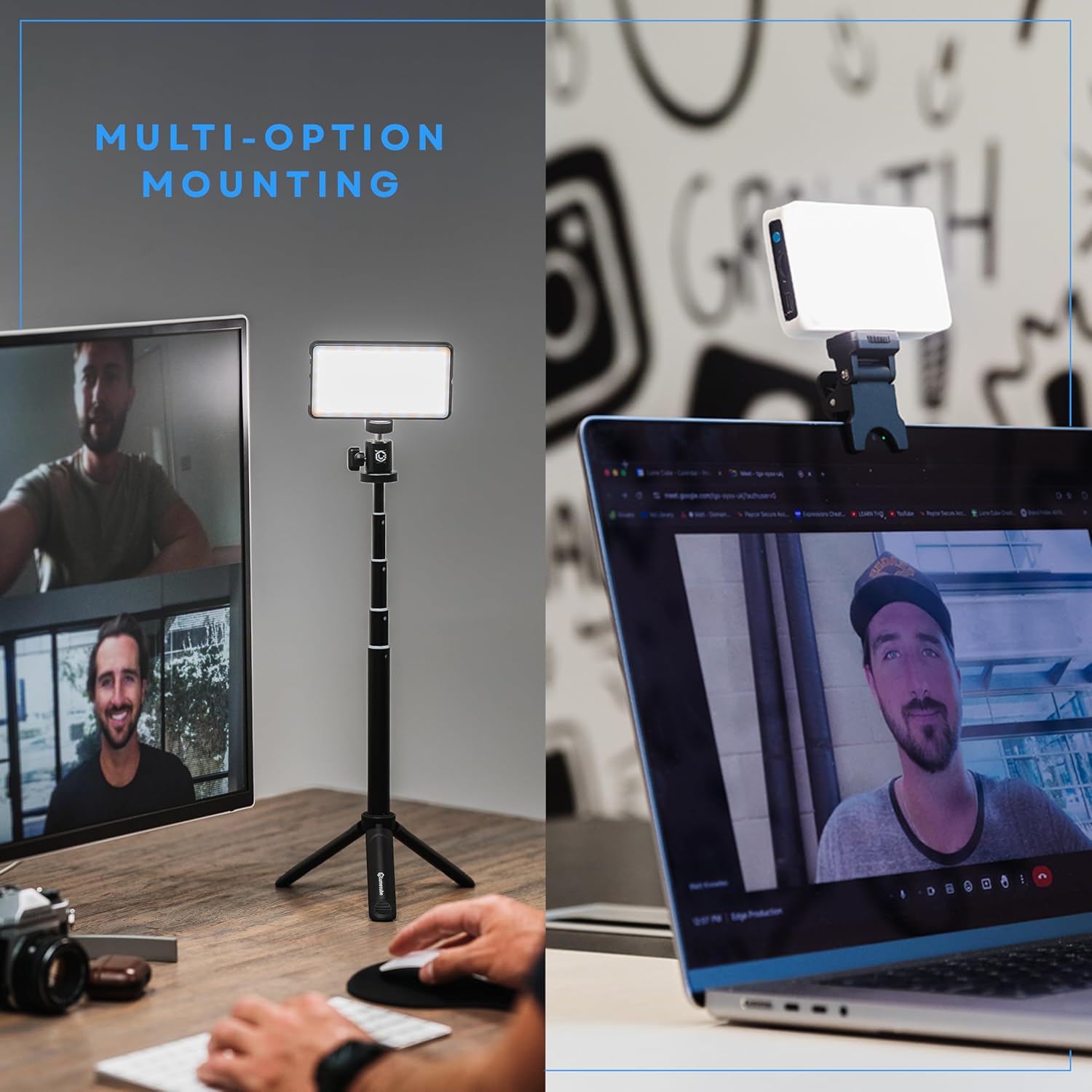
- Adjustable Desktop Stand with Laptop Clip Mount
- 30" Adjustable Telescoping Stand
- 3.3' USB-C Charging Cable

2. Instrukcje konfiguracji
Follow these steps to set up your Lume Cube Broadcast Lighting Kit:
- Attach the Light to a Mount: The Panel Go LED Light can be attached to either the adjustable desktop stand with laptop clip mount or the 30" adjustable telescoping stand. Screw the light securely onto the mounting point.
- Positioning for Laptop Use: If using the laptop clip mount, attach it to the top of your laptop screen. Ensure the light is facing you.
- Positioning for Desktop Use: If using the telescoping stand, extend it to your desired height and place it on a stable surface. Adjust the ball head to direct the light as needed.
- Apply Diffuser: Gently slide the softening silicone diffuser over the LED light panel. This will help create a softer, more even light output.
- Podłączenie zasilania: Connect the 3.3' USB-C charging cable to the light's USB-C port and plug the other end into a USB power source (e.g., computer, wall adapter). The light can operate while charging.
Wideo 1: Overview of the Lume Cube Broadcast Lighting Kit, demonstrating its ease of setup, adjustable features, and soft lighting for video calls and streaming.
3. Instrukcja obsługi
The Lume Cube Broadcast Lighting Kit offers adjustable settings for optimal lighting:
- Włączanie/wyłączanie: Press and hold the power button located on the side of the light for a few seconds to turn it on or off.
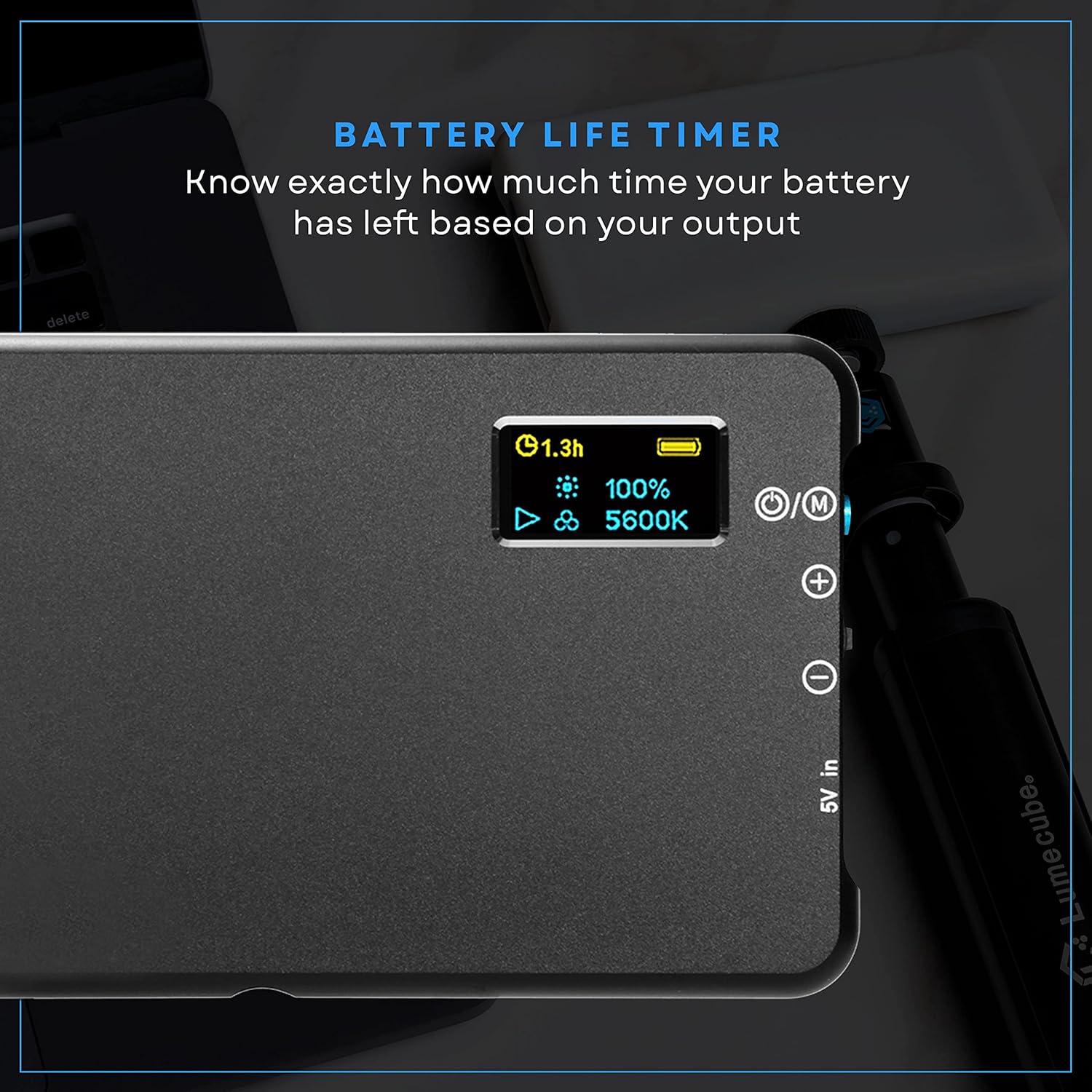
- Dostosuj jasność: Use the '+' and '-' buttons to increase or decrease the brightness level from 1% to 100%. The current brightness percentage will be displayed on the rear screen.
- Dostosuj temperaturę barwową: Press the 'M' button to switch to color temperature adjustment mode. Use the '+' and '-' buttons to change the color temperature from warm (3200K) to cool (5600K). The current Kelvin (K) value will be displayed.
- Monitoruj żywotność baterii: The rear screen displays the remaining battery life in hours and percentage, allowing you to anticipate charging needs.

Video 2: A demonstration of the Lume Cube Panel Mini's adjustable brightness and color temperature settings, along with its soft light diffuser.
4. Konserwacja
To ensure the longevity and optimal performance of your Lume Cube Broadcast Lighting Kit, follow these maintenance guidelines:
- Czyszczenie: Use a soft, dry cloth to clean the light panel and housing. Avoid abrasive cleaners or solvents that could damage the surface.
- Składowanie: Przechowuj zestaw w chłodnym, suchym miejscu, z dala od bezpośredniego światła słonecznego i ekstremalnych temperatur, gdy nie jest używany.
- Pielęgnacja baterii: For prolonged storage, ensure the battery is charged to approximately 50%. Avoid fully discharging the battery for extended periods.
- Kontrola kabla: Regularly check the USB-C cable for any signs of wear or damage. Replace if necessary to prevent electrical hazards.
5. Rozwiązywanie Problemów
If you encounter any issues with your Lume Cube Broadcast Lighting Kit, refer to the following common troubleshooting steps:
- Światło nie włącza się:
- Upewnij się, że bateria jest naładowana. Podłącz lampę do źródła zasilania za pomocą kabla USB-C.
- Naciśnij i przytrzymaj przycisk zasilania przez co najmniej 3 sekund.
- Light Not Bright Enough:
- Zwiększ jasność za pomocą przycisku „+”.
- Ensure the diffuser is properly seated and not obstructing the light output excessively.
- Inconsistent Light Color:
- Adjust the color temperature using the 'M' button and '+' / '-' controls.
- Ensure no external light sources are interfering with the desired color temperature.
- Problemy z montażem:
- For the laptop clip, ensure it is firmly gripping the screen without excessive pressure.
- For the tripod, ensure all legs are fully extended and locked, and the surface is stable.
6. Specyfikacje
| Funkcja | Szczegół |
|---|---|
| Numer modelu | LC-BLK |
| Wymiary produktu | 29 x 5 x 29 cala |
| Waga przedmiotu | 1.32 funta |
| Baterie | Wymagane 1 baterie litowo-polimerowe (w zestawie) |
| Technologia łączności | USB |
| Interfejs sprzętowy | USB |
| UPC | 810019500756 |
7. Gwarancja i wsparcie
For warranty information and customer support, please refer to the official Lume Cube webOdwiedź stronę internetową lub skontaktuj się bezpośrednio z działem obsługi klienta. Zachowaj dowód zakupu na wypadek roszczeń gwarancyjnych.