
Wstęp
This manual provides detailed instructions for the installation, operation, and maintenance of your Eogifee UC7083T Ceiling Fan Remote Control. This remote is designed as a replacement for original Hampton Bay UC7083T remotes and is compatible with various Hampton Bay and Harbor Breeze ceiling fans that utilize a receiver with matching dip switches. Please read this manual thoroughly before use to ensure proper function and safety.
Informacje dotyczące bezpieczeństwa
- Ensure the ceiling fan's power is turned off at the circuit breaker before any installation or maintenance.
- This remote control is a transmitter only. It requires an existing compatible receiver within your ceiling fan.
- Nie wystawiaj pilota na działanie wody ani nadmiernej wilgoci.
- Przechowuj baterie w miejscu niedostępnym dla dzieci.
- Zużytych baterii należy pozbywać się w sposób odpowiedzialny, zgodnie z lokalnymi przepisami.
Zawartość opakowania
- 1 x Eogifee UC7083T Remote Control Transmitter
- 1 x wspornikami do montażu ściennego
- 2 x śruby montażowe
Notatka: A 12V "A23" battery is required and is not included in this package. This package does not include a receiver.

Image: The Eogifee UC7083T remote control, its retail packaging, the wall mount bracket, and two mounting screws.
Produkt ponadview
Zapoznaj się z przyciskami i funkcjami swojego pilota.

Obraz: Przód view of the Eogifee UC7083T remote control, showing the fan speed buttons (HI, MED, LOW), light control button, and OFF button.
- Przycisk światła: Controls the ceiling fan light. Press to turn on/off. For incandescent bulbs, press and hold to dim.
- HI Button: Ustawia prędkość wentylatora na wysoką.
- MED Button: Ustawia prędkość wentylatora na średnią.
- LOW Button: Ustawia prędkość wentylatora na niską.
- Przycisk WYŁĄCZENIA: Turns the ceiling fan off.
- Kontrolka: Illuminates when a button is pressed. If it stays on, the battery may be low.
Organizować coś
1. Instalacja baterii
- Znajdź pokrywę komory baterii z tyłu pilota.
- Press firmly below the arrow on the cover and slide it off.
- Insert one 12V "A23" battery, ensuring correct polarity (+/-).
- Załóż z powrotem pokrywę komory baterii.

Image: The back of the remote control with the battery compartment open, revealing the slot for a 12V "A23" battery and the four dip switches.
2. Setting the Dip Switches
The remote control and your ceiling fan's receiver must have matching dip switch settings to communicate. There are 16 possible code combinations.
- Identify Receiver Dip Switches: Locate the dip switches on your ceiling fan's receiver. This is typically found within the fan's canopy or motor housing. Note the current ON/OFF (or UP/DOWN) positions of these switches.
- Access Remote Dip Switches: With the battery cover removed from your Eogifee UC7083T remote, you will see four small switches (numbered 1-4) inside the battery compartment.
- Match Settings: Using a small screwdriver or a pen, slide the dip switches on the remote control to match the exact ON/OFF (or UP/DOWN) positions of the dip switches on your ceiling fan's receiver. All four switches must match.
- Załóż pokrywę baterii na pilocie.
Ważna uwaga: Before setting the code, ensure your fan is operated in "HIGH speed" and the light is in the "ON" condition at the switch knob (if applicable) for optimal setup.

Image: The retail packaging for the Eogifee UC7083T remote control, displaying detailed instructions for setting the dip switches on both the transmitter and receiver.
3. Instalacja na ścianie
The included wall mount bracket allows for convenient storage of your remote control.
- Choose a suitable location on a wall, away from direct sunlight or heat sources.
- Use the wall mount bracket as a template to mark the positions for the two mounting screws.
- W razie potrzeby wywierć otwory pilotażowe.
- Przymocuj uchwyt ścienny do ściany za pomocą dołączonych śrub.
- Slide the remote control into the mounted bracket.

Image: The Eogifee UC7083T remote control shown alongside its wall mount bracket, illustrating how the remote fits into the bracket.
Instrukcja obsługi
Once the dip switches are matched and the battery is installed, your remote is ready for use.
- Kontrola prędkości wentylatora:
- Naciskać HI for high fan speed.
- Naciskać MED dla średniej prędkości wentylatora.
- Naciskać NISKI dla niskiej prędkości wentylatora.
- Naciskać WYŁĄCZONY aby wyłączyć wentylator.
- Sterowanie oświetleniem:
- Naciśnij Przycisk światła aby włączyć lub wyłączyć światło.
- If using incandescent bulbs, press and hold the Przycisk światła to dim or brighten the light. Release when the desired brightness is reached.
- Notatka: If using LED bulbs, the light button will typically only control on/off functionality and may not support dimming, depending on the LED bulb and fan receiver capabilities.
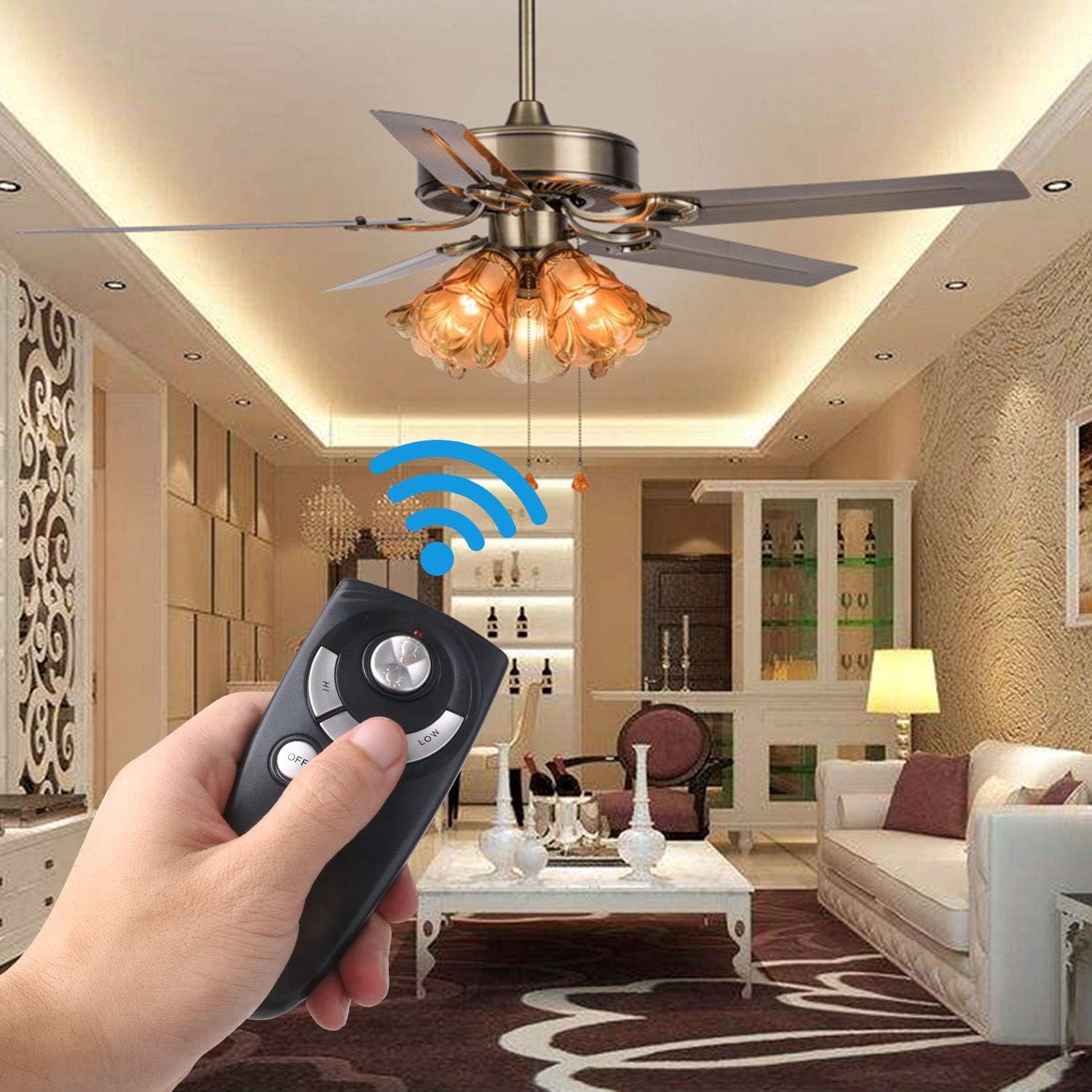
Image: A hand holding the Eogifee UC7083T remote control, with a ceiling fan and its lights visible in the background, illustrating the remote in active use.
Rozwiązywanie problemów
| Problem | Możliwa przyczyna | Rozwiązanie |
|---|---|---|
| Remote does not control the fan/light. |
|
|
| Kontrolka pozostaje włączona. | Niski poziom naładowania baterii. | Replace the 12V "A23" battery. |
| Światło nie przygasa. |
|
|
| Fan does not reverse direction. | This remote does not have a reverse function. | The UC7083T remote control does not support fan reverse. This function is typically controlled by a switch on the fan motor housing itself. |
Specyfikacje
- Model: UC7083T
- Marka: Eogifee
- Źródło zasilania: 1 x 12V "A23" battery (not included)
- Wymiary: Około 4 x 2 x 0.01 cala (10.16 x 5.08 x 0.025 cm)
- Waga: Około 3.2 uncji (90.7 gramów)
- Zgodność: Hampton Bay and Harbor Breeze ceiling fans with UC7083T compatible receivers.
- Cechy: 3-speed fan control (High, Medium, Low), Light On/Off, Light Dimming (for incandescent bulbs).
Konserwacja
- Czyść pilota miękką, suchą ściereczką. Nie używaj środków czyszczących ani rozpuszczalników o działaniu ściernym.
- If the remote will not be used for an extended period, remove the battery to prevent leakage.
- Replace the battery when the indicator light stays on or when the remote's range decreases.
Gwarancja i wsparcie
For warranty information or technical support, please refer to the seller's contact information or visit the Eogifee store on Amazon. Keep your purchase receipt for warranty claims.
Eogifee Store: Visit the Eogifee Store on Amazon