
Wstęp
Thank you for choosing the ACCUweight 211 Digital Kitchen Scale. This manual provides important information regarding the setup, operation, maintenance, and troubleshooting of your new kitchen scale. Please read it thoroughly before use to ensure proper functionality and to extend the lifespan of your device. This scale is designed for precise measurement of food ingredients and other small items, offering high accuracy and multiple convenient features.
Informacje dotyczące bezpieczeństwa
- Do not immerse the scale in water or other liquids. The scale is not waterproof.
- Wyczyść wagę za pomocą adamp ściereczka. Nie używaj środków czyszczących o właściwościach ściernych.
- Aby zapewnić dokładność pomiarów, ustaw wagę na twardej, płaskiej i stabilnej powierzchni. Unikaj miękkich i nierównych powierzchni.
- Nie przeciążaj wagi ponad jej maksymalny udźwig 5 kg (11 funtów).
- Avoid dropping the scale or subjecting it to strong impacts, as this may damage the internal sensors.
- Trzymaj wagę z dala od ekstremalnych temperatur i bezpośredniego światła słonecznego.
- Aby zapobiec wyciekowi, wyjmij baterie, jeśli waga nie będzie używana przez dłuższy czas.
- Waga przeznaczona jest wyłącznie do użytku domowego.
Produkt ponadview
The ACCUweight 211 is a compact and durable digital kitchen scale featuring a high-precision sensor and a backlit LCD display. It is constructed with a high-quality stainless steel platform and an ABS plastic frame.

Rysunek 1: Góra view of the ACCUweight 211 Digital Kitchen Scale. It features a brushed stainless steel weighing platform, a backlit LCD display, and two control buttons: Z/T (Zero/Tare) and UNIT.
Główne cechy:
- Czujnik o wysokiej precyzji: Measures with 1g resolution, minimum capacity 3g, maximum capacity 5kg.
- Multifunctional Units: Easily switch between g, kg, lb, oz, ml, and milk.ml.
- Funkcja tary: Umożliwia odjęcie ciężaru pojemnika w celu pomiaru masy netto.
- Podświetlany wyświetlacz LCD: Zapewnia wyraźne odczyty w różnych warunkach oświetleniowych.
- Funkcja automatycznego wyłączania: Conserves battery power by automatically turning off after 180 seconds of inactivity.
- Low Battery & Overload Indication: Alerts you to battery status and potential overload.
- Trwała konstrukcja: Stainless steel platform and ABS plastic frame.
- Anti-Fingerprint & Easy to Clean: Designed for simple maintenance.
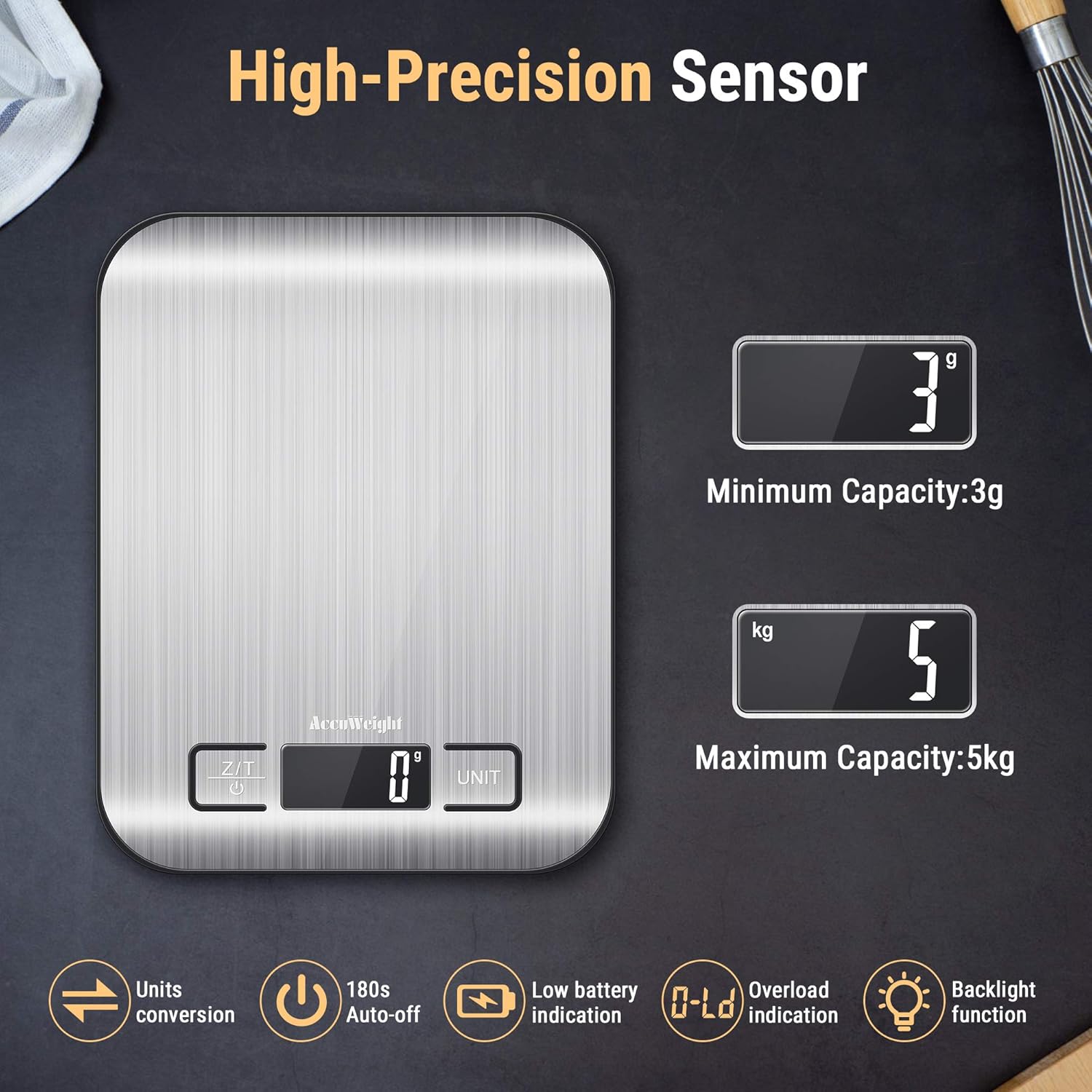
Figure 2: Illustration highlighting the high-precision sensor, showing a minimum capacity of 3g and a maximum capacity of 5kg. Icons also indicate unit conversion, 180s auto-off, low battery indication, overload indication, and backlight function.
Organizować coś
Montaż baterii:
- Znajdź komorę baterii na spodzie wagi.
- Otwórz pokrywę komory baterii.
- Włóż 2 baterie AAA, zwracając uwagę na prawidłową biegunowość (+/-), zgodnie ze wskazaniami wewnątrz komory.
- Dokładnie zamknij pokrywę komory baterii.
Notatka: For optimal performance, use new batteries. If the scale displays a "Lo" indicator, replace the batteries.
Instrukcja obsługi
1. Włączanie/wyłączanie zasilania:
- Aby włączyć wagę, naciśnij przycisk Z/T Na wyświetlaczu pojawi się „8888”, a następnie „0 g” (lub ostatnio używana jednostka).
- Aby wyłączyć wagę, naciśnij i przytrzymaj przycisk Z/T button for 3 seconds. The scale will also automatically turn off after 180 seconds of inactivity.
2. Konwersja jednostek:
- Po włączeniu wagi naciśnij przycisk JEDNOSTKA button to cycle through the available units: g, kg, lb, oz, ml, and milk.ml.
- Wybrana jednostka zostanie wyświetlona na ekranie LCD.

Figure 3: The scale demonstrating quick unit conversion, displaying various units such as grams (g), kilograms (kg), pounds (lb), ounces (oz), milliliters (ml), and milk milliliters (milk.ml).
3. Funkcja tarowania:
The tare function allows you to weigh ingredients in a container by subtracting the container's weight. This is useful for measuring multiple ingredients in the same bowl.
- Place an empty container on the center of the scale platform. The display will show the container's weight.
- Naciśnij Z/T przycisk. Wyświetlacz zresetuje się do „0 g” (lub aktualnej jednostki).
- Add the ingredients you wish to weigh into the container. The display will show the net weight of the ingredients.
- You can repeat the tare process multiple times to add different ingredients sequentially.

Figure 4: A visual representation of the tare function. First, an empty bowl is weighed (e.g., 230g). Then, the tare button is pressed to zero the scale. Finally, pet food is added, and only the weight of the food (e.g., 694g) is displayed.
4. Ważenie przedmiotów:
- Ensure the scale is on a flat, stable surface and powered on, displaying "0g".
- Umieść przedmiot(y) przeznaczony(e) do ważenia bezpośrednio na środku platformy ze stali nierdzewnej.
- Odczytaj wagę wyświetlaną na ekranie LCD.
5. Milk and Liquid Measuring:
The scale includes specific units for measuring liquids like water (ml) and milk (milk.ml), which account for their different densities for more accurate volume estimation.
- Place an empty container on the scale and use the tare function to zero it.
- Naciśnij JEDNOSTKA button until "ml" or "milk.ml" is displayed.
- Pour the liquid into the container. The display will show the volume in the selected unit.

Figure 5: The scale in use, measuring milk being poured into a bowl of cereal. The display shows the volume in milliliters (ml).
Konserwacja
Czyszczenie:
- Przetrzyj powierzchnię wagi miękką,amp ściereczka natychmiast po użyciu.
- For stubborn stains, use a mild detergent on the damp szmatką, a następnie wytrzyj czystą,amp płótno.
- Nie należy używać środków czyszczących o działaniu ściernym ani silnych środków chemicznych. Nie należy również zanurzać wagi w wodzie.
- Ensure the scale is completely dry before storage.

Figure 6: A hand wiping the stainless steel surface of the scale with a yellow sponge, illustrating its anti-fingerprint and easy-to-clean design.
Składowanie:
- Przechowuj wagę w chłodnym i suchym miejscu.
- Unikaj umieszczania ciężkich przedmiotów na wadze, gdy nie jest używana.
- If storing for an extended period, remove the batteries.
Rozwiązywanie problemów
| Problem | Możliwa przyczyna | Rozwiązanie |
|---|---|---|
| Waga nie włącza się. | Rozładowane lub nieprawidłowo zainstalowane baterie. | Sprawdź biegunowość baterii lub wymień je na nowe baterie AAA. |
| Wyświetla się "Lo". | Niski poziom naładowania baterii. | Wymień baterie. |
| Wyświetla się "O-Ld". | Skala przeciążona. | Natychmiast wyjmij przedmioty. Nie przekraczaj ładowności 5 kg. |
| Niedokładne odczyty. |
|
|
| Wyświetlacz migocze lub jest niestabilny. | Interference from electronic devices or unstable surface. | Move scale away from other electronics. Ensure stable surface. |
Specyfikacje
| Funkcja | Szczegół |
|---|---|
| Numer modelu | IC211 |
| Marka | ACCUWEIGHT |
| Pojemność | 5 kg (11 funta) |
| Minimalna waga | 3 gramów |
| Accuracy/Resolution | 1 gramów |
| Jednostki miary | g, kg, lb, oz, ml, milk.ml |
| Wyświetlacz | Podświetlany wyświetlacz LCD |
| Źródło zasilania | 2 baterii AAA (wymagane) |
| Automatyczne wyłączanie | 180 sekund |
| Tworzywo | Stainless Steel Platform, ABS Plastic Frame |
| Wymiary produktu (dł. x szer. x wys.) | 18 x 14 x 1 cm (7 x 5.5 x 0.6 cala) |
| Waga przedmiotu | 290 gramów |
| Kolor | Srebrny |
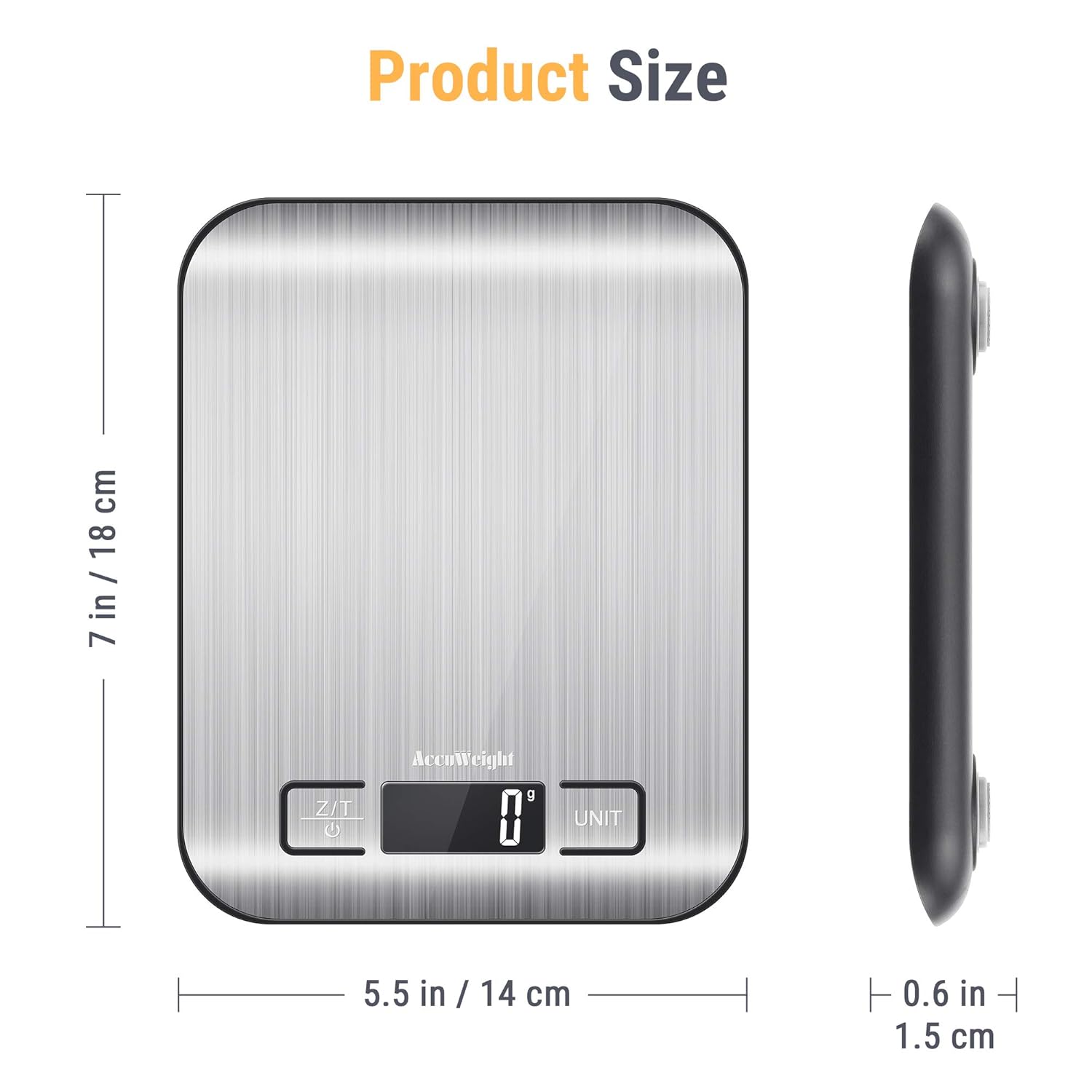
Figure 7: Diagram illustrating the dimensions of the ACCUweight 211 Digital Kitchen Scale: 7 inches (18 cm) in length, 5.5 inches (14 cm) in width, and 0.6 inches (1.5 cm) in thickness.
Gwarancja i wsparcie
ACCUWEIGHT products are manufactured to high-quality standards. For warranty information or technical support, please refer to the contact details provided with your purchase or visit the official ACCUWEIGHT webStrona. Zachowaj dowód zakupu na wypadek roszczeń gwarancyjnych.
Notatka: Availability of spare parts is currently unavailable as per product information.