
Racokky T10
Racokky T10 Wireless Bluetooth Earbuds User Manual
Model: T10
Wstęp
Thank you for choosing the Racokky T10 Wireless Bluetooth Earbuds. This manual provides detailed instructions on how to set up, operate, and maintain your earbuds to ensure optimal performance and longevity. Please read this manual carefully before use and retain it for future reference.
Zawartość opakowania
Proszę sprawdzić, czy w paczce znajdują się następujące elementy:
- Racokky T10 Wireless Bluetooth Earbuds (Left and Right)
- Etui ładujące
- Kabel ładujący USB
- 6 x Interchangeable Ear Tips (S, M, L sizes)
- Instrukcja obsługi
Produkt ponadview
The Racokky T10 earbuds feature a compact design with a portable charging case. The case includes an LED display to show battery status.

Image: Racokky T10 Wireless Bluetooth Earbuds in their charging case, displaying battery levels on the LED screen.
Dotykowy obszar sterowania
Each earbud is equipped with a touch-sensitive area for controlling various functions.

Image: Diagram illustrating the touch control functions on the earbuds, including play/pause, skip track, volume adjustment, call management, and voice assistant activation.
Organizować coś
1. Ładowanie etui i słuchawek
Przed pierwszym użyciem należy w pełni naładować etui ładujące i słuchawki.
- Ładowanie obudowy: Connect the USB charging cable to the charging port on the case and a power source. The LED display on the case will show the battery percentage. Pełne naładowanie trwa około 1.5 godzin.
- Ładowanie słuchawek: Place the earbuds into the charging slots inside the case. They will automatically begin charging. The LED display will indicate the charging status of each earbud. A full charge for the earbuds takes approximately 1 hour.

Image: Infographic detailing the battery life: 4 hours for earbuds, 120 hours total playtime with the 3000mAh charging case, and 1 hour earbud charging time.
2. Parowanie z urządzeniem
- Upewnij się, że słuchawki douszne są naładowane.
- Otwórz etui ładujące. Słuchawki automatycznie włączą się i przejdą w tryb parowania.
- Na swoim smartfonie lub urządzeniu z włączoną funkcją Bluetooth przejdź do ustawień Bluetooth.
- Szukaj available devices and select "CSD-T10" from the list.
- Po nawiązaniu połączenia usłyszysz komunikat potwierdzający, a słuchawki będą gotowe do użycia.

Image: A smartphone screen displaying Bluetooth settings, with "CSD-T10" listed as a connected device, demonstrating the pairing process.
Instrukcja obsługi
Włączanie/wyłączanie zasilania
- Włączanie: Open the charging case, and the earbuds will power on automatically. Alternatively, press and hold the touch control area on both earbuds for 3 seconds.
- Wyłączone: Place the earbuds back into the charging case and close the lid. They will power off automatically. Alternatively, press and hold the touch control area on both earbuds for 5 seconds.
Odtwarzanie muzyki
- Odtwórz/Pauza: Dotknij raz obszaru sterowania dotykowego na dowolnej słuchawce.
- Następny utwór: Trzykrotnie dotknij obszaru sterowania dotykowego na prawej słuchawce.
- Poprzedni utwór: Trzykrotnie dotknij obszaru sterowania dotykowego na lewej słuchawce.
Zarządzanie połączeniami
- Odbieranie/kończenie połączeń: Dotknij raz obszaru sterowania dotykowego na dowolnej słuchawce.
- Odrzuć połączenie: Naciśnij i przytrzymaj obszar sterowania dotykowego na dowolnej słuchawce przez 2 sekundy.
Kontrola głośności
- Zwiększenie głośności: Dwukrotnie dotknij obszaru sterowania dotykowego na prawej słuchawce.
- Ściszanie: Dwukrotnie dotknij obszaru sterowania dotykowego na lewej słuchawce.
Asystent głosowy
- Aktywuj Asystenta głosowego (Siri/Asystent Google): Naciśnij i przytrzymaj obszar sterowania dotykowego na dowolnej słuchawce przez 2 sekundy (gdy nie prowadzisz rozmowy).
Konserwacja
Proper maintenance ensures the longevity and performance of your Racokky T10 earbuds.
- Czyszczenie: Regularnie czyść słuchawki douszne i etui ładujące miękką, suchą i niepozostawiającą włókien ściereczką. Nie używaj silnych środków chemicznych ani materiałów ściernych.
- Końcówki douszne: Okresowo zdejmuj i czyść nakładki douszne. Przed ponownym założeniem upewnij się, że są całkowicie suche.
- Składowanie: Gdy nie używasz słuchawek, przechowuj je w etui ładującym, aby chronić je przed kurzem i uszkodzeniami.
- Wodoodporność: The earbuds are IPX7 waterproof, meaning they can withstand sweat and rain. However, they are not designed for swimming or prolonged submersion. Ensure the charging port is dry before charging.

Image: Two earbuds with water droplets on their surface, highlighting their IPX7 waterproof feature, suitable for protection against sweat and rain.
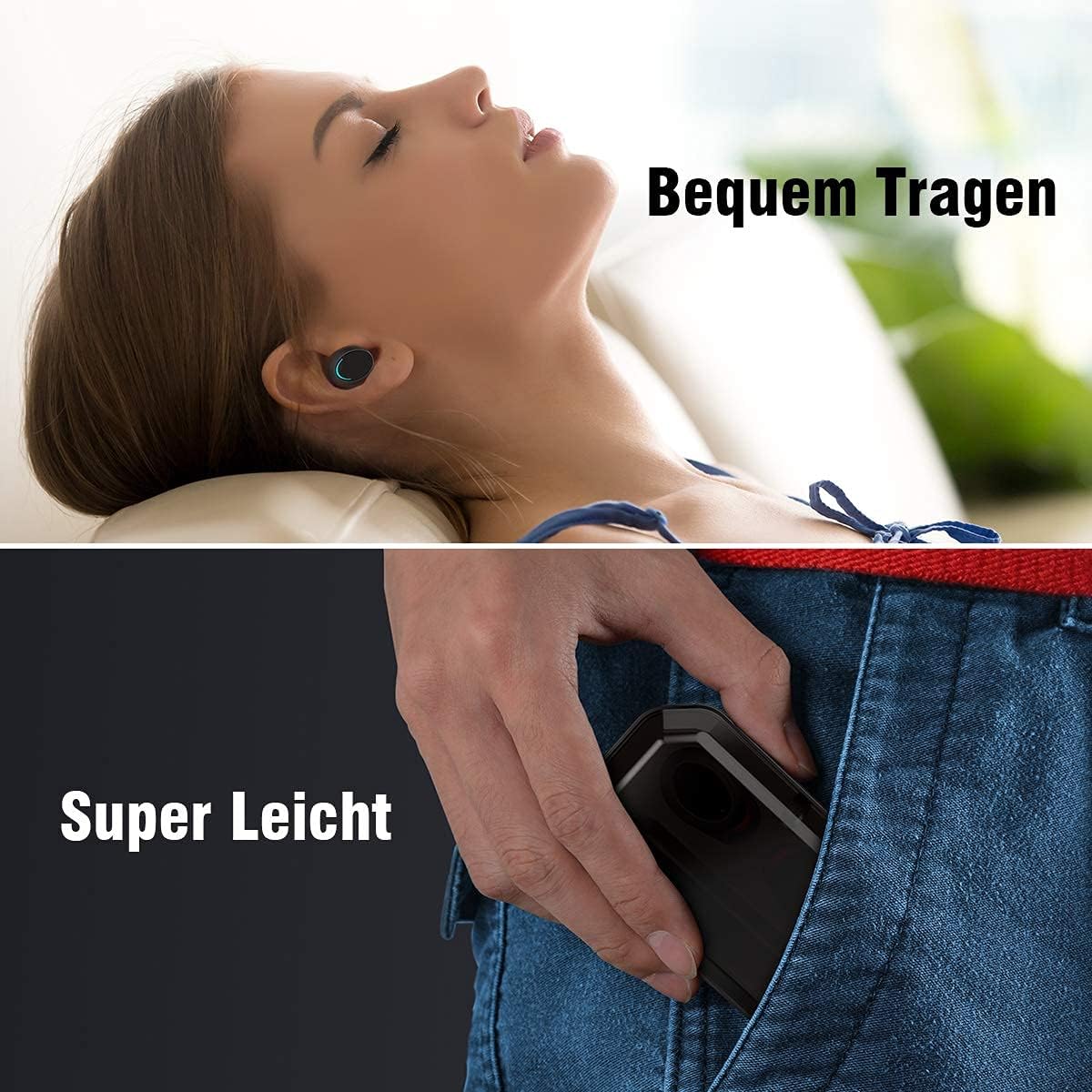
Image: A composite image showing a person comfortably wearing the earbuds and a hand easily placing the compact charging case into a pocket, emphasizing portability and comfort.
Rozwiązywanie problemów
Jeśli napotkasz jakiekolwiek problemy, zapoznaj się z poniższymi typowymi rozwiązaniami:
| Problem | Rozwiązanie |
|---|---|
| Słuchawki douszne nie parują się | Ensure earbuds are charged. Place them back in the case, close the lid, then open again. Delete "CSD-T10" from your device's Bluetooth list and try pairing again. |
| Działa tylko jedna wkładka douszna | Ensure both earbuds are charged. Try resetting the earbuds by placing them in the case, closing the lid, and then opening it. If the issue persists, try re-pairing. |
| Brak dźwięku | Check device volume and earbud volume. Ensure earbuds are properly connected to your device. Try playing different audio. |
| Etui ładujące nie ładuje się | Ensure the charging cable is securely connected to both the case and the power source. Try a different USB cable or power adapter. |
| Sterowanie dotykowe nie odpowiada | Upewnij się, że Twoje palce są czyste i suche. Spróbuj ponownie uruchomić słuchawki, umieszczając je w etui i wyjmując je ponownie. |
Specyfikacje
| Funkcja | Szczegół |
|---|---|
| Numer modelu | T10 |
| Wersja Bluetooth | 5.0 |
| Pojemność akumulatora etui ładującego | 3000 mAh |
| Czas odtwarzania słuchawek (pojedyncze ładowanie) | Do 4 godzin |
| Całkowity czas odtwarzania z etui ładującym | Do 120 godzin |
| Czas ładowania słuchawek | Około 1 godziny |
| Czas ładowania etui | Około 1.5 godzin |
| Ocena odporności na wodę | IPX7 |
| Metoda kontroli | Dotykać |
| Technologia mikrofonowa | Stereo with CVC&DSP Noise Reduction |
| Kompatybilne urządzenia | Android, iOS, Smartwatches, Tablets, Laptops, Computers |
| Tworzywo | Plastikowy |
Informacje dotyczące bezpieczeństwa
- Nie rozmontowuj i nie modyfikuj produktu.
- Trzymaj słuchawki douszne i etui ładujące z dala od ekstremalnych temperatur, bezpośredniego światła słonecznego i otwartego ognia.
- Unikać narażenia produktu na działanie żrących płynów.
- Aby zapobiec uszkodzeniu słuchu, nie należy korzystać ze słuchawek przy zbyt wysokiej głośności przez dłuższy czas.
- Przechowywać w miejscu niedostępnym dla dzieci i zwierząt domowych.
Gwarancja i wsparcie
Warranty information for the Racokky T10 Wireless Bluetooth Earbuds is not provided in this manual. For details regarding warranty coverage, technical support, or service inquiries, please contact the manufacturer or your point of purchase directly. Please have your product model number (T10) and proof of purchase ready when contacting support.
Ask a question about this manual
Ask about setup, troubleshooting, compatibility, parts, safety, or missing instructions. Manuals+ will review the question and use this page’s manual context to help answer it.