
Produkt ponadview
The FLEXISPOT EN2 Electric Standing Desk is designed to provide a versatile and ergonomic workspace. This whole-piece standing desk features a motorized height adjustment system, programmable memory presets, and integrated power solutions to enhance productivity and comfort.

Obraz: The FLEXISPOT EN2 Electric Standing Desk in a home office, showcasing its spacious black tabletop and black frame. Two computer monitors are set up on the desk, with a chair positioned for sitting. A water cooler is visible to the left.
Bezpieczeństwo i ważne informacje
- Zawsze dokładnie postępuj zgodnie z instrukcją montażu.
- Use the desk on a stable surface.
- Trzymaj biurko z dala od źródeł ciepła.
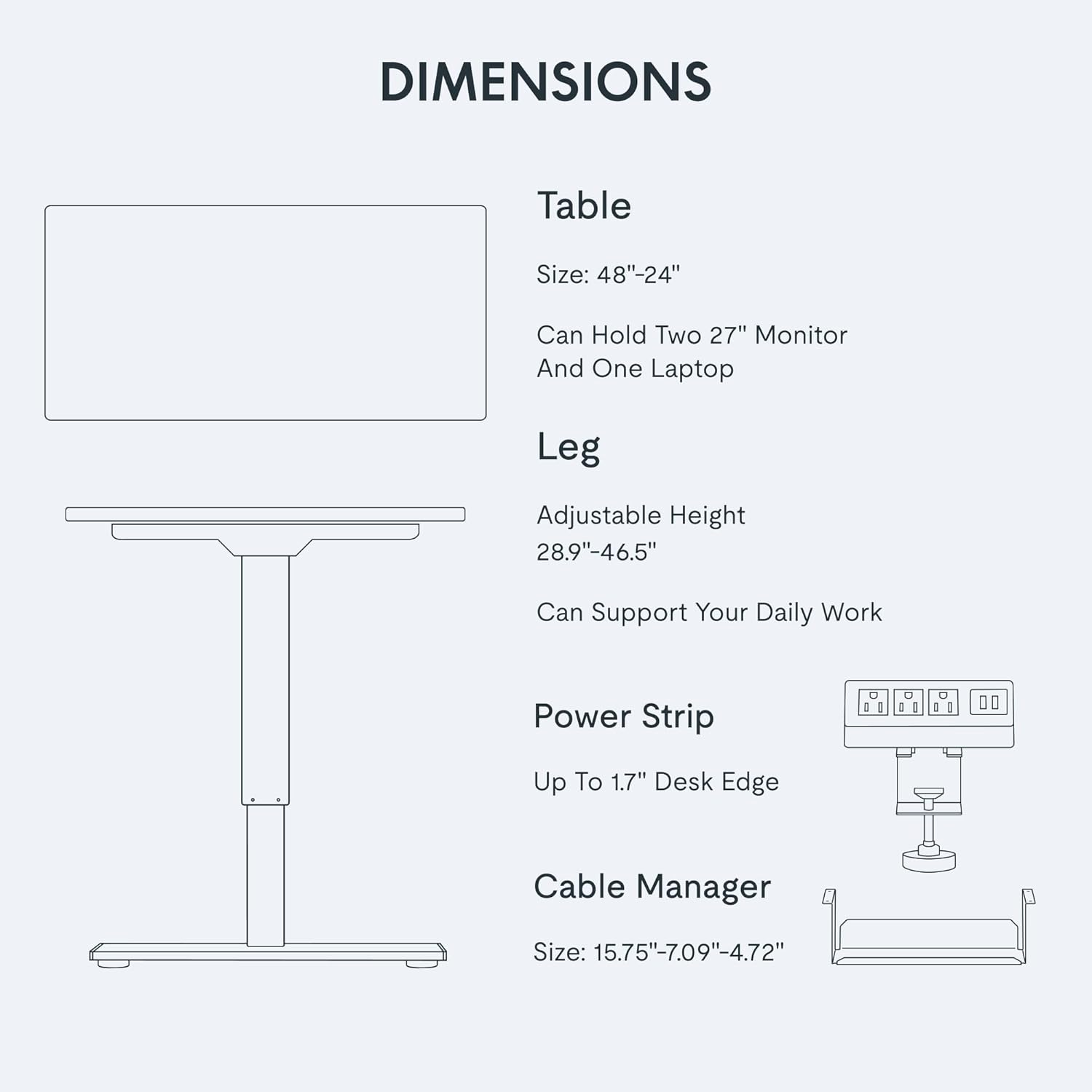
- Nie należy przekraczać maksymalnego zalecanego ciężaru powierzchni biurka wynoszącego 154 funtów (55 kg).
- Keep children and pets away from the desk when it is in motion.
- Assembly may require an electric drill, which is not included.
Konfiguracja i montaż
The FLEXISPOT EN2 desk is designed for straightforward assembly. Ensure all parts are present and refer to the detailed instructions provided in the packaging. An electric drill may be required for certain steps.
Kroki montażu powyżejview:
- Rozpakuj wszystkie komponenty i sprawdź je na liście części.
- Assemble the desk frame, attaching the feet and crossbeam.
- Attach the desktop to the assembled frame using the provided screws.
- Zainstaluj panel sterowania i podłącz wszystkie niezbędne kable.
- Attach the removable desktop power outlet and cable management device.
Wizualną instrukcję montażu znajdziesz na poniższym filmie:
Wideo: A seller-provided video demonstrating the assembly process of a FLEXISPOT electric standing desk, showing the frame construction and desktop attachment.
Instrukcja obsługi
Regulacja wysokości:
The desk features a 6-button digital controller for easy height adjustment. Use the up and down arrows to manually adjust the desk height. The motorized system adjusts smoothly from 28.1 inches to 45.7 inches.
Ustawienia pamięci:
The controller includes four programmable memory presets (buttons 1, 2, 3, 4). To set a preset:
- Dostosuj wysokość biurka do swoich potrzeb, korzystając ze strzałek w górę/w dół.
- Press and hold one of the number buttons (1-4) until the display flashes or beeps, indicating the height is saved.
- Aby przywołać zapisaną wysokość, wystarczy nacisnąć odpowiedni przycisk numeryczny.
Obraz: Zbliżenie view of the FLEXISPOT EN2's digital control panel, highlighting the LED display, up/down arrows, and four height setting buttons.
Removable Desktop Power Outlet:
The desktop is equipped with 3 AC power outlets and 2 USB charging ports. This unit can be clipped to the back or side of your desk for convenient access to power for your electronic devices.
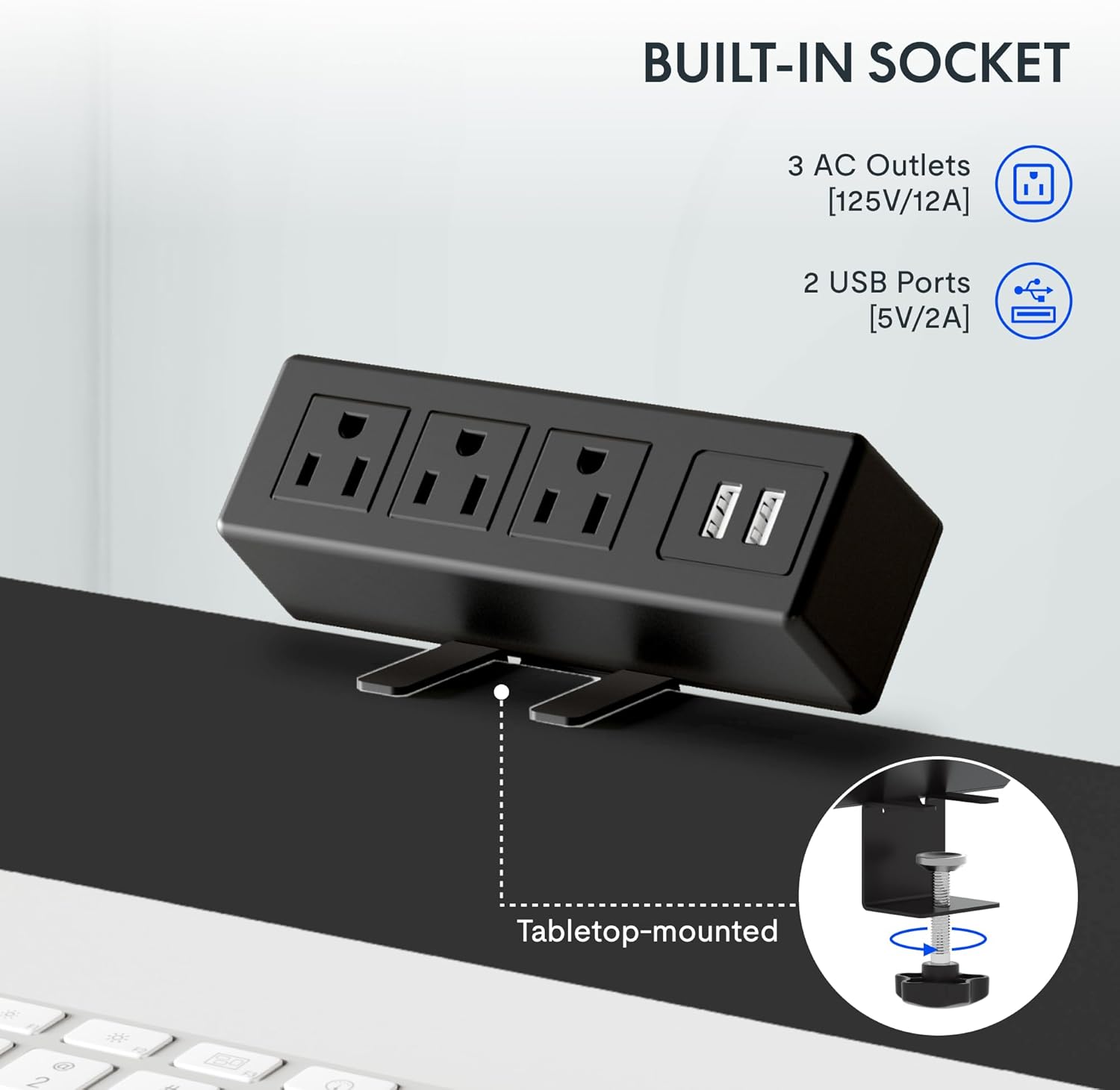
Obraz: A detailed shot of the removable desktop power outlet, showing its three AC outlets and two USB ports, designed to clamp onto the desk edge.
Konserwacja
To ensure the longevity and optimal performance of your FLEXISPOT EN2 desk, follow these maintenance guidelines:
- Czyszczenie: Przetrzyj powierzchnię biurka miękką szmatką.amp płótno. Unikaj ściernych środków czyszczących lub ostrych środków chemicznych, które mogą uszkodzić wykończenie.
- Pielęgnacja silnika: The motor is designed for quiet operation. Avoid obstructing the motor or lifting mechanisms.
- Zarządzanie kablami: Regularly check and organize cables using the provided cable management device to prevent tangles and damage.
- Rozkład masy: Distribute weight evenly across the desktop to prevent strain on the motor and frame.
Rozwiązywanie problemów
If you encounter any issues with your FLEXISPOT EN2 desk, refer to the following common troubleshooting tips:
- Biurko się nie rusza:
- Sprawdź, czy przewód zasilający jest prawidłowo podłączony do biurka i gniazdka ściennego.
- Upewnij się, że nic nie blokuje możliwości przesuwania biurka w górę lub w dół.
- Reset the system by unplugging the desk for 10 seconds and then plugging it back in.
- Nierównomierny ruch:
- Sprawdź, czy biurko jest ustawione na równej powierzchni.
- Ensure weight is evenly distributed on the desktop.
- Hałas podczas pracy:
- A quiet motor operation (less than 50 dB) is normal. Excessive noise may indicate an obstruction or loose component. Inspect the moving parts for any issues.
Jeśli problem nadal występuje, skontaktuj się z obsługą klienta.
Specyfikacje
| Funkcja | Szczegół |
|---|---|
| Marka | ELASTYCZNI |
| Numer modelu | EN2 |
| Wymiary pulpitu | 48" szer. x 24" gł. |
| Zakres regulacji wysokości | od 28.1" do 45.7" |
| Maksymalna nośność | 154 funtów (55 kg) |
| Materiał na biurko | Drewno z certyfikatem FSC |
| Materiał ramy | Industrial-grade Steel |
| Poziom hałasu | Mniej niż 50 dB |
| Gniazdo zasilania | 3 AC outlets, 2 USB charging ports |
| Typ kontrolera | 6-button digital with 4 memory presets |
Gwarancja i wsparcie
FLEXISPOT provides the following warranty for your EN2 Electric Standing Desk:
- 5-letnia gwarancja: Covers frames, motors, and other mechanical devices.
- 2-letnia gwarancja: Covers controllers, switches, and electronics.
For technical support, warranty claims, or any questions regarding your product, please visit the official FLEXISPOT website or contact their customer service department. Keep your purchase receipt for warranty validation.
Więcej informacji i wsparcia znajdziesz na stronie Sklep FLEXISPOT na Amazon.