
1. Wprowadzenie
Thank you for choosing the CREATE SILKAIR CONNECT 3-in-1 Mobile Air Conditioner. This versatile appliance is designed to provide cooling, dehumidification, and fan functions for your living space. With its Wi-Fi connectivity, you can conveniently control the unit via a mobile application. Please read this manual thoroughly before operation to ensure safe and efficient use.
Model: 64274_145198
Marka: TWORZYĆ
2. Informacje dotyczące bezpieczeństwa
Aby zmniejszyć ryzyko pożaru, porażenia prądem i obrażeń, należy zawsze przestrzegać podstawowych zasad bezpieczeństwa podczas korzystania z urządzeń elektrycznych.
- Upewnij się, że zasilanie jest zgodne z objtage podano na tabliczce znamionowej.
- Nie używaj urządzenia z uszkodzonym przewodem lub wtyczką.
- Trzymaj urządzenie z dala od źródeł ciepła i bezpośredniego światła słonecznego.
- Nie blokuj wlotów ani wylotów powietrza.
- Przed czyszczeniem lub konserwacją należy zawsze odłączyć urządzenie od zasilania.
- To urządzenie wykorzystuje czynnik chłodniczy R290. Nie przekłuwać układu chłodniczego.
- Nadzoruj dzieci i upewnij się, że nie bawią się urządzeniem.
3. Zawartość opakowania
Carefully unpack your air conditioner and check that all items are present and in good condition.
- CREATE SILKAIR CONNECT Mobile Air Conditioner Unit
- Wąż wydechowy
- Window Sealing Kit (Adjustable window slider, hose adapter)
- Zdalne sterowanie
- Instrukcja obsługi

Figure 1: The CREATE SILKAIR CONNECT Mobile Air Conditioner unit shown alongside a smartphone displaying its control application interface.
4. Koniec produktuview
4.1 Panel sterowania

Figure 2: Close-up of the top-mounted control panel, featuring an LED display and touch-sensitive buttons for various functions such as power, mode selection, fan speed, and timer.
4.2 Komponenty i wymiary
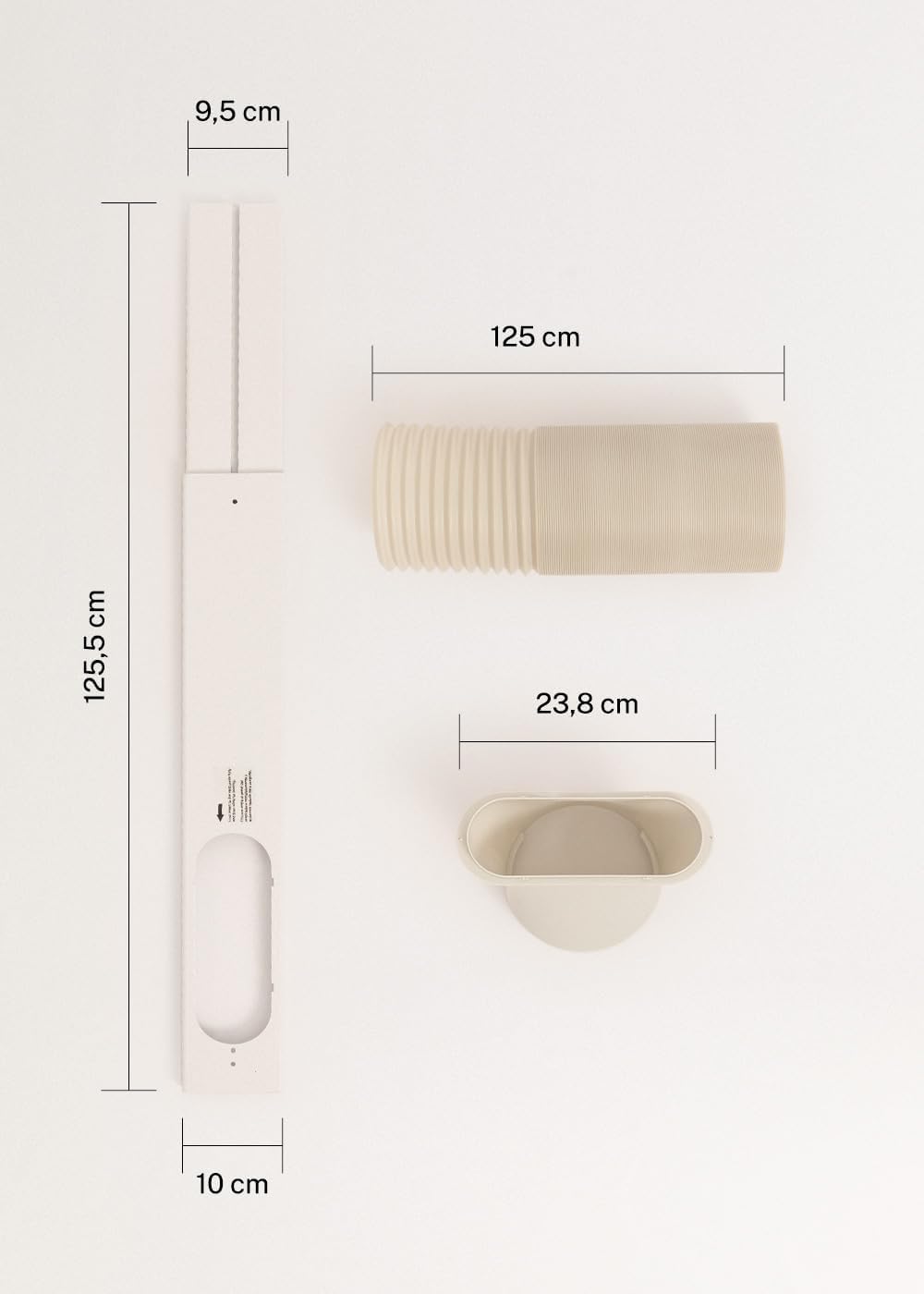
Figure 3: Detailed diagram illustrating the dimensions of the window sealing plate (125.5 cm length, 10 cm width, 9.5 cm adjustable width) and the exhaust hose (125 cm length) with its adapter (23.8 cm diameter).
5. Konfiguracja i instalacja
Proper installation is crucial for the efficient operation of your mobile air conditioner.
5.1 Umiejscowienie urządzenia
- Umieść urządzenie na płaskiej, stabilnej powierzchni.
- Aby zapewnić właściwy przepływ powietrza, należy zapewnić wokół urządzenia co najmniej 30 cm wolnej przestrzeni.
- Umieść urządzenie w pobliżu okna lub otworu na wąż wydechowy.
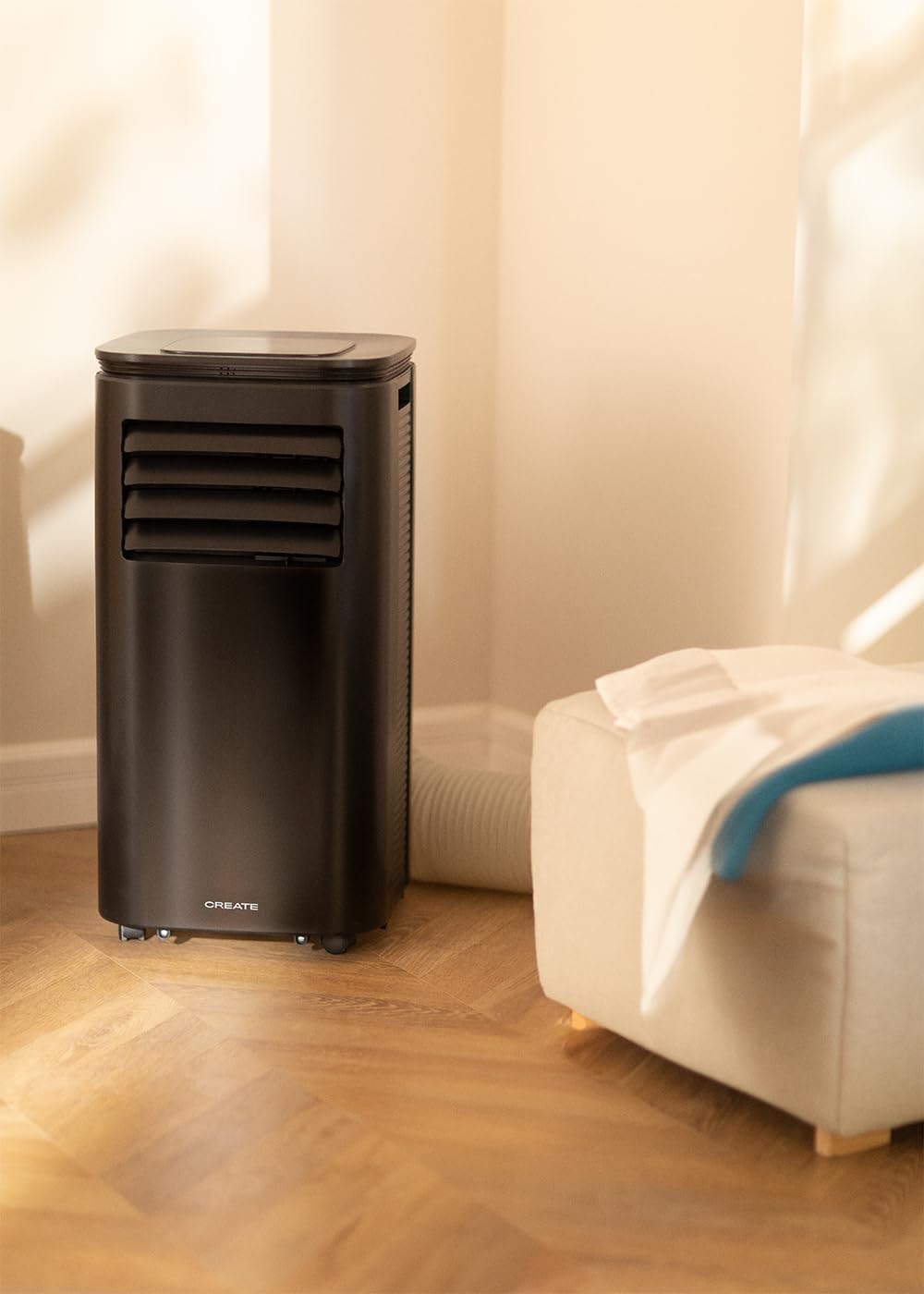
Figure 4: The air conditioner unit positioned in a room, demonstrating the typical setup with the exhaust hose directed towards a window for heat expulsion.
5.2 Installing the Exhaust Hose and Window Kit
- Podłącz adapter węża do jednego końca węża wydechowego.
- Podłącz drugi koniec węża wydechowego do wylotu powietrza z tyłu urządzenia.
- Install the adjustable window sealing kit in your window opening. Extend it to fit the window frame.
- Insert the hose adapter into the opening of the window sealing kit.

Figure 5: Illustrates the secure connection of the flexible exhaust hose to the designated port at the rear of the air conditioning unit.
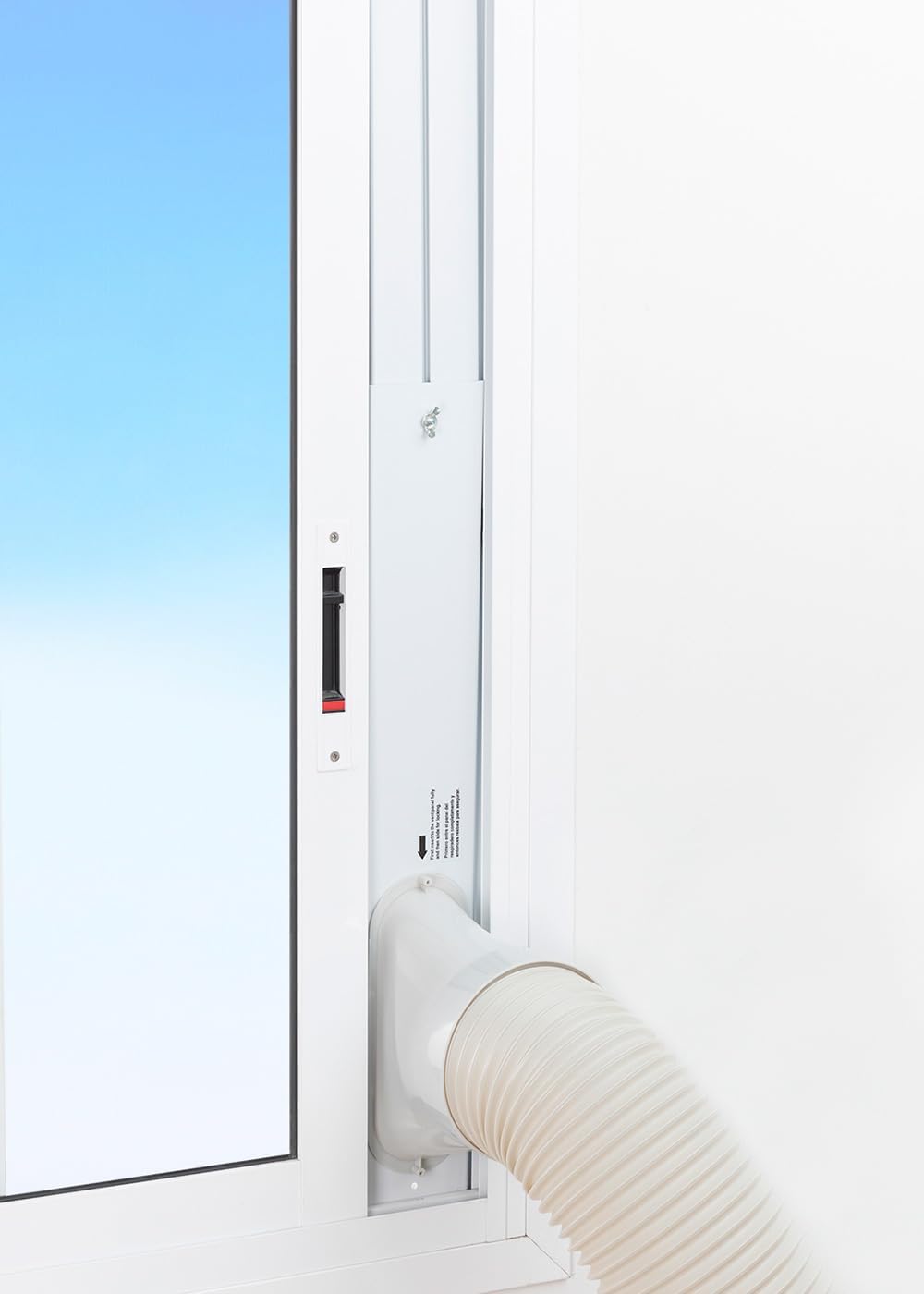
Figure 6: The window sealing kit is shown properly installed in a window frame, with the exhaust hose securely fitted into the kit's opening to vent hot air outside.
6. Instrukcja obsługi
6.1 Korzystanie z panelu sterowania
The control panel on top of the unit allows direct operation.
- Przycisk zasilania: Naciśnij, aby włączyć lub wyłączyć urządzenie.
- Przycisk trybu: Cycle through Cooling, Fan, and Dehumidifier modes.
- Przycisk prędkości wentylatora: Adjust fan speed (Low, High).
- Przyciski temperatury (+/-): Adjust desired temperature in Cooling mode.
- Przycisk timera: Set the auto-on or auto-off timer (up to 24 hours).
- Przycisk trybu uśpienia: Aktywuje cichszy tryb pracy do użytku w nocy.
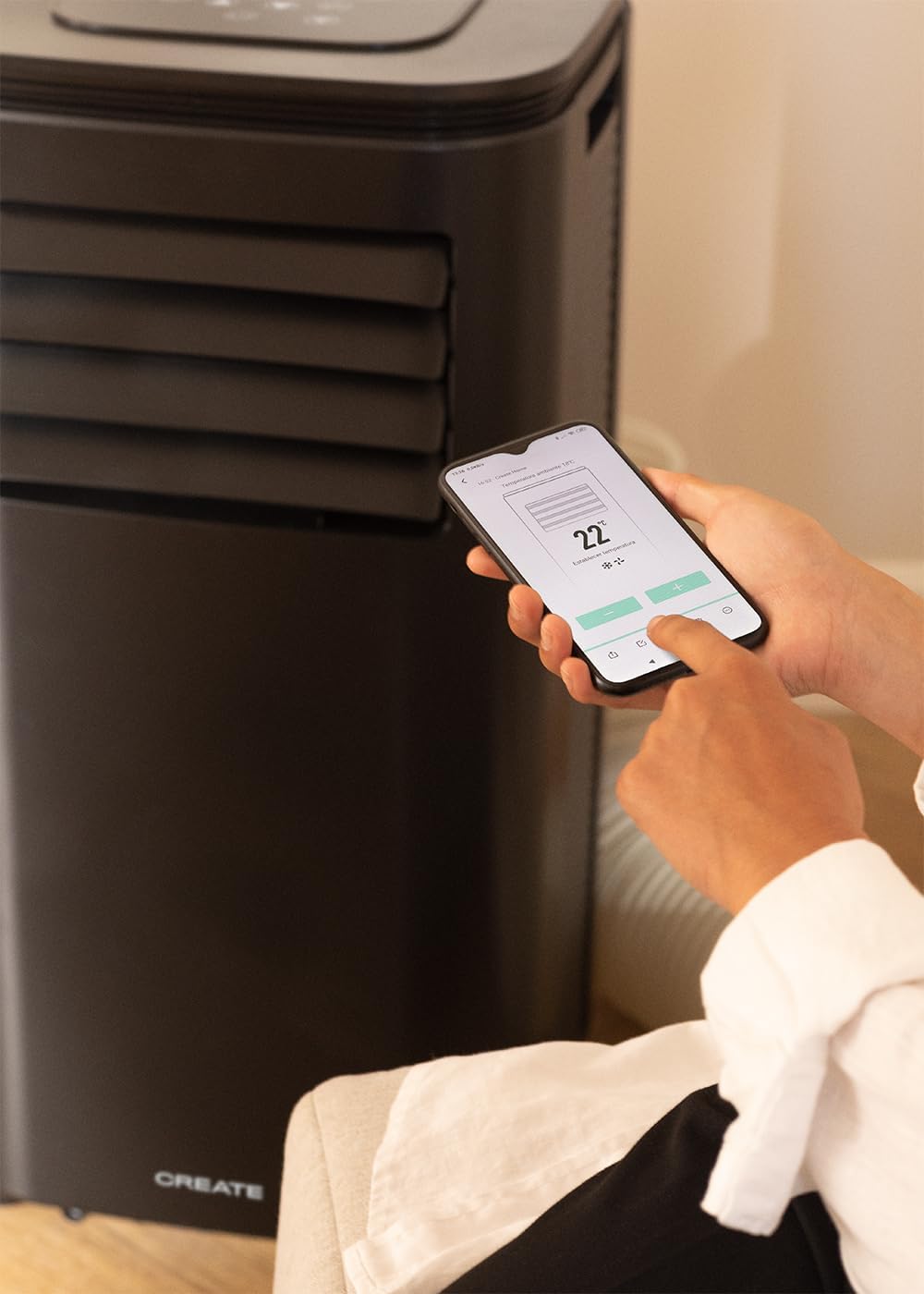
Figure 7: A user's hand interacting with the touch-sensitive control panel located on the top surface of the air conditioner, demonstrating direct manual operation.
6.2 Korzystanie z pilota zdalnego sterowania
Pilot zdalnego sterowania umożliwia wygodną obsługę urządzenia z odległości.

Figure 8: A hand holding the dedicated remote control for the air conditioner, illustrating its use for convenient operation from a distance.
6.3 Wi-Fi i sterowanie aplikacją
Download the CREATE Home app from your smartphone's app store. Follow the in-app instructions to connect your air conditioner to your home Wi-Fi network. Once connected, you can control all functions of the unit from your smartphone, including mode selection, temperature adjustment, fan speed, and timer settings.
Figure 9: A user interacting with the mobile application on a smartphone to remotely control the air conditioner, showcasing the Wi-Fi connectivity feature.
7. Konserwacja
Regularna konserwacja zapewnia optymalną wydajność i wydłuża żywotność urządzenia.
7.1 Czyszczenie filtra powietrza
Filtr powietrza należy czyścić co dwa tygodnie lub częściej, w zależności od intensywności użytkowania i jakości powietrza.
- Wyłącz urządzenie i odłącz je od gniazdka zasilania.
- Locate the air filter panel on the back of the unit.
- Delikatnie wyjmij filtr.
- Clean the filter with warm, soapy water or a vacuum cleaner. Rinse thoroughly and allow it to air dry completely before reinserting.

Figure 10: Demonstrates the process of removing the air filter from the rear of the air conditioner unit for cleaning or replacement.
7.2 Odprowadzanie wody
In Dehumidifier mode or high humidity conditions, the internal water tank may fill up. The unit will stop operating when the tank is full. Drain the water from the drainage port at the bottom rear of the unit.
8. Rozwiązywanie Problemów
| Problem | Możliwa przyczyna | Rozwiązanie |
|---|---|---|
| Jednostka się nie włącza | No power; Power cord not plugged in; Water tank full. | Check power outlet; Plug in power cord; Drain water tank. |
| Jednostka nie chłodzi skutecznie | Air filter dirty; Exhaust hose not properly installed; Room too large; Doors/windows open. | Clean air filter; Ensure hose is sealed; Use in recommended room size (14-25 m²); Close doors/windows. |
| Głośny hałas | Jednostka nie stoi na płaskiej powierzchni; przeszkoda w wentylatorze. | Place on flat surface; Check for obstructions. |
| Problemy z połączeniem Wi-Fi | Nieprawidłowe hasło Wi-Fi; Router jest za daleko; Problemy z aplikacją. | Verify password; Move unit closer to router; Restart app/unit. |
9. Specyfikacje
| Funkcja | Specyfikacja |
|---|---|
| Numer modelu | 64274_145198 |
| Wydajność chłodzenia | 9000 BTU / 2270 Watt |
| Wydajność osuszania | 24 litrów/dzień |
| Przepływ powietrza | Do 350 m³/h |
| Zalecany rozmiar pokoju | 14-25m² |
| Poziom hałasu | 65dB |
| Chłodziwo | R290 (ECO-friendly) |
| Tomtage | 240 wolty |
| Cotage | 2600 waty |
| Wymiary (dł. x szer. x wys.) | Wymiary 35.5 x 36.5 x 71.3 cm |
| Tworzywo | ABS |
| Klasa efektywności energetycznej | A |

Figure 11: The energy efficiency label for the CREATE SILKAIR CONNECT, indicating an A-class energy rating, 2.6 kW cooling capacity, and a noise level of 65 dB. More details can be found at eprel.ec.europa.eu/qr/1580267.
10. Gwarancja i wsparcie
Aby uzyskać informacje dotyczące gwarancji i pomocy technicznej, zapoznaj się z kartą gwarancyjną dołączoną do produktu lub odwiedź oficjalną stronę internetową CREATE webZachowaj paragon jako dowód zakupu.
Producent: TWORZYĆ
Kontakt: Refer to CREATE's official support channels.