
1. Wprowadzenie
This manual provides instructions for the CAIWEI WiFi Bluetooth Mini Projector, Model US2-C180AB-01F. This device is a portable LCD projector designed for displaying video, images, and other media. It features wireless connectivity options including WiFi for screen mirroring and Bluetooth for audio and peripheral device connections. The projector operates on an Android 6.0 system, allowing for direct application installation and internet browsing.
2. Zawartość opakowania
Sprawdź, czy wszystkie wymienione poniżej elementy znajdują się w Twojej paczce. Jeśli brakuje któregokolwiek z nich lub jest on uszkodzony, skontaktuj się z obsługą klienta.
- CAIWEI Mini Projector
- Zdalne sterowanie
- Kabel zasilający
- Kabel AV
- Kabel HDMI
- Instrukcja obsługi

Figure 2.1: Projector and Included Accessories. This image displays the projector along with its standard accessories: a remote control, AC power cable, AV cable, HDMI cable, and the user manual. The physical dimensions of the projector (204mm length, 150mm width, 88mm height) are also indicated.
3. Koniec produktuview
3.1 Projector Components and Controls
Familiarize yourself with the various ports and control buttons on the projector.

Figure 3.1: Projector Controls and Ports. This diagram illustrates the top panel controls including keystone adjustment, focus wheel, power key, menu, directional keys, return, and source selection. The side panel shows ports for Audio Out, AV, USB, HDMI, VGA, and the speaker grille, along with a vent.
3.2 Główne cechy
- Połączenie bezprzewodowe: Integrated Android 6.0 operating system with WiFi and Bluetooth 4.0 for direct app installation, internet browsing, and wireless screen mirroring from smartphones (Airplay/Miracast/DLNA).
- Wyświetlacz o wysokiej rozdzielczości: Native resolution of 1280x720 pixels, supporting up to 1920x1080. Features 3800 LED lumens brightness and a 4000:1 contrast ratio.
- Long-Life LED Lamp: The LED light source has an expected lifespan of approximately 50,000 hours.
- Kompatybilność multimediów: Obsługuje różne file formats including TXT, JPEG, BMP, PNG, MP3, WMA, ASF, OGG, AAC, WAV, 3GP, AVI, MKV, FLV, MOV, MP4, MPG, VOB, and RMVB.

Figure 3.2: Android OS and Wireless Connection. This image highlights the projector's Android 6.0 operating system interface, demonstrating its ability to run applications. It also illustrates the wireless connection feature, allowing screen mirroring from smartphones, tablets, and laptops without physical cables.
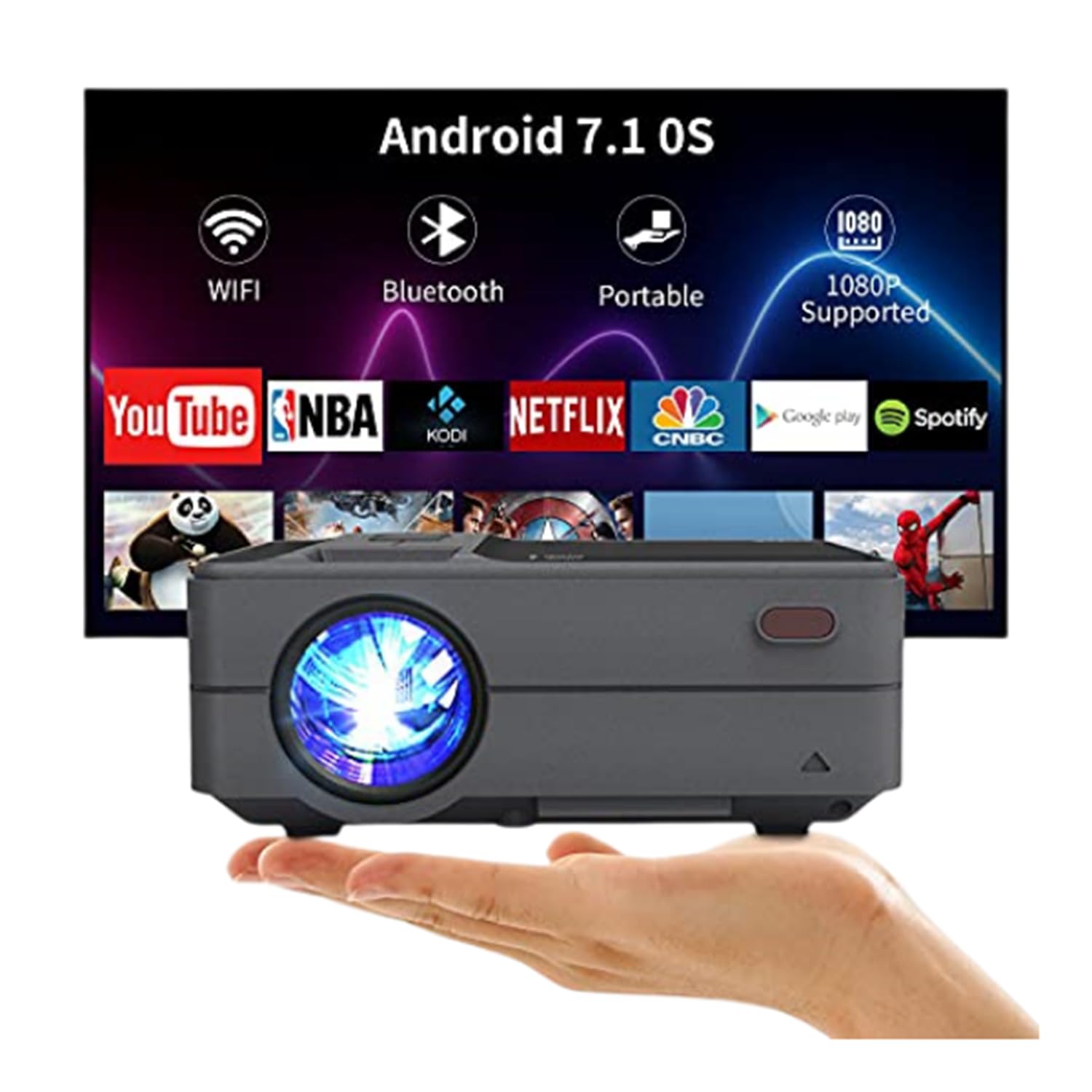
Figure 3.3: Bluetooth 4.0 Connectivity. This image demonstrates the projector's Bluetooth 4.0 capabilities, showing its compatibility with various Bluetooth devices such as external speakers, gamepads, keyboards, and mice for enhanced user interaction and audio output.
4. Konfiguracja
4.1 Połączenie zasilania
- Connect the AC power cable to the projector's power input port.
- Plug the other end of the AC power cable into a power outlet.
4.2 Pierwsze włączenie zasilania
- Naciśnij przycisk zasilania na projektorze lub pilocie, aby włączyć urządzenie.
- Allow a few moments for the projector to boot up and display the main interface.
4.3 Regulacja ostrości i zniekształcenia trapezowego
- Centrum: Rotate the focus ring located on the top of the projector until the projected image appears clear and sharp.
- Korekcja Keystone'a: Use the keystone adjustment control to correct trapezoidal distortion if the projector is not perfectly perpendicular to the screen. The projector supports manual ±15° keystone correction.
5. Instrukcja obsługi
5.1 Wybór źródła
Aby wybrać źródło wejściowe:
- Press the 'Source' button on the projector or remote control.
- Navigate through the available input options (HDMI, USB, AV, VGA) using the directional keys.
- Naciśnij „OK” lub „Enter”, aby potwierdzić swój wybór.
5.2 Bezprzewodowe przesyłanie obrazu z ekranu (WiFi)
The projector supports wireless screen casting for smartphones and tablets.
- Dla urządzeń iOS (Airplay): Ensure both the projector and your iOS device are connected to the same WiFi network. On your iOS device, open Control Center and select 'Screen Mirroring', then choose the projector from the list of available devices.
- For Android Devices (Miracast/DLNA): Ensure both the projector and your Android device are connected to the same WiFi network. On your Android device, enable 'Wireless Display', 'Screen Cast', or 'Smart View' (names may vary by device) and select the projector.
5.3 Połączenie Bluetooth
Aby podłączyć urządzenia Bluetooth:
- Go to the projector's settings menu and navigate to the Bluetooth section.
- Włącz Bluetooth w projektorze.
- Put your Bluetooth device (e.g., speaker, gamepad, keyboard, mouse) into pairing mode.
- Select your device from the list of available devices on the projector's screen to pair.
5.4 Media Playback from USB
Insert a USB flash drive into the USB port. The projector's media player will typically detect the drive automatically. Navigate through the filei wybierz żądany nośnik do odtworzenia.
6. Placement and Image Adjustment
6.1 Projection Distance and Size
The projector can produce an image size ranging from 24 to 200 inches, with an optimal projection distance between 3.41 and 19.84 feet. Refer to the table below for recommended distances for common screen sizes.
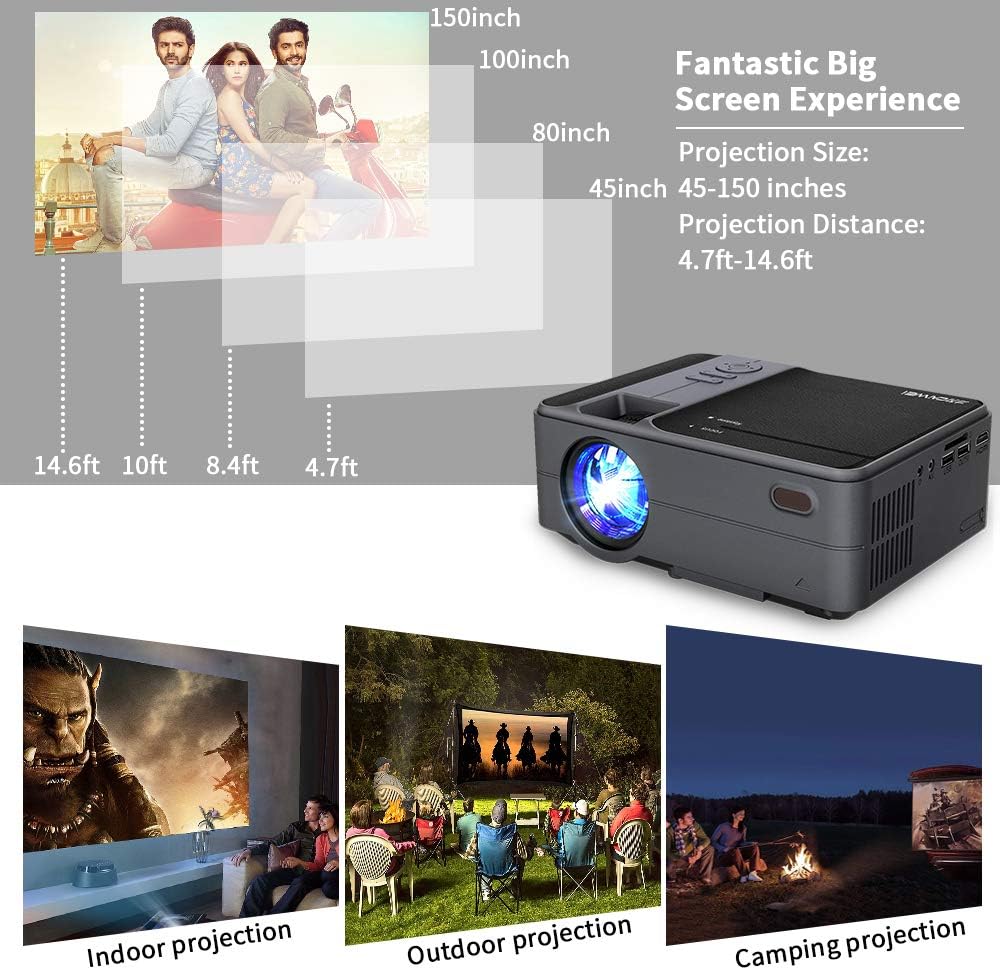
Figure 6.1: Projection Distance Guide. This chart provides recommended projection distances for achieving specific screen sizes, ranging from 45 inches at 4.7 feet to 150 inches at 14.6 feet.
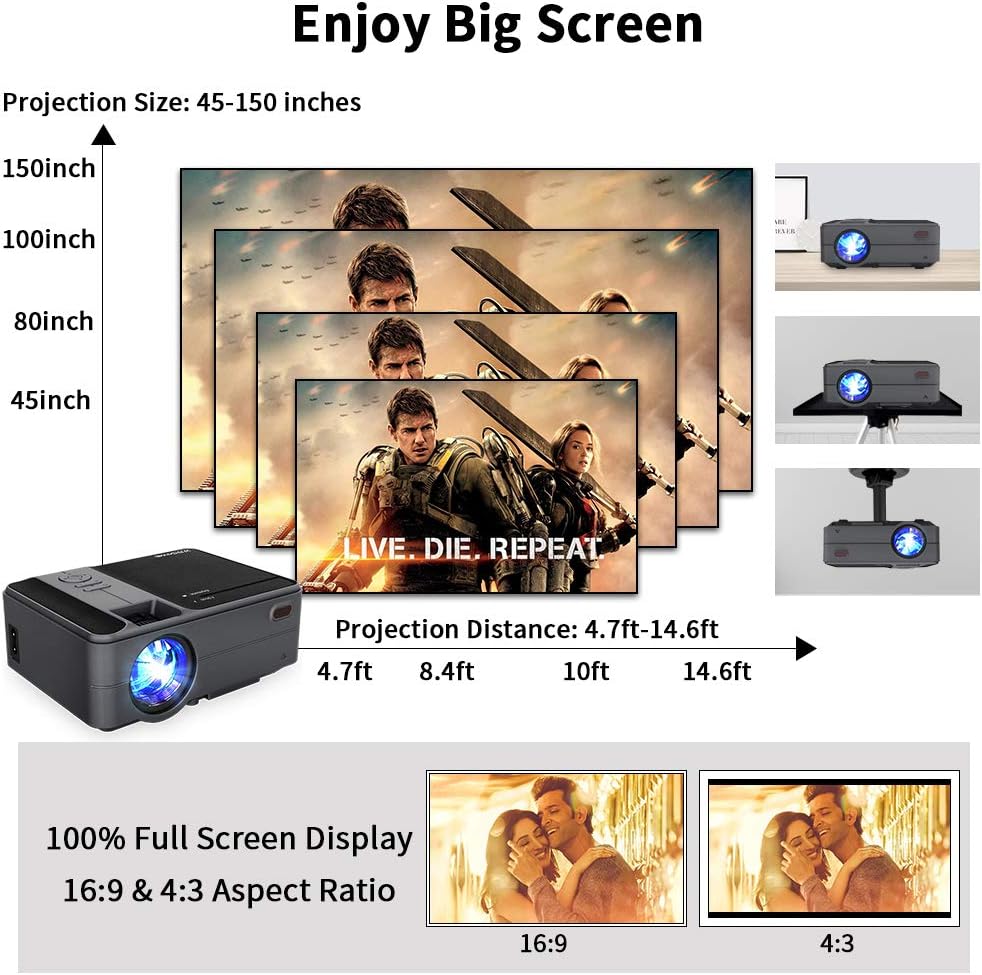
Figure 6.2: Projection Size Examples. This image visually represents various projection sizes (45, 80, 100, and 150 inches) and their respective projection distances, illustrating the scalability of the projected image.
6.2 Regulacja obrazu
The projector offers several options for adjusting the image to suit your viewśrodowiska.
- Zoom cyfrowy: The projector supports a 25% digital zoom function, allowing you to adjust the image size without physically moving the projector.
- Korekcja Keystone'a: Manual ±15° keystone correction is available to correct image distortion.
- Odwracanie obrazu: A 360-degree image flip function allows for flexible mounting options, including front, rear, and ceiling projection.

Figure 6.3: Image Adjustment Features. This image illustrates the projector's capabilities for 25% digital zoom, manual ±15° keystone correction, and 360-degree image flip, providing flexibility for various projection setups.
7. Konserwacja
Regular maintenance helps ensure optimal performance and extends the lifespan of your projector.
- Czyszczenie soczewek: Do delikatnego czyszczenia soczewki projektora używaj miękkiej, niepozostawiającej włókien ściereczki przeznaczonej specjalnie do soczewek optycznych. Unikaj materiałów ściernych i silnych środków chemicznych.
- Czyszczenie otworów wentylacyjnych: Periodically clean the air vents to prevent dust buildup, which can obstruct airflow and lead to overheating. Use a soft brush or compressed air.
- Składowanie: When not in use for extended periods, store the projector in a cool, dry, and dust-free environment.
8. Rozwiązywanie Problemów
Jeśli masz problemy z projektorem, zapoznaj się z poniższymi typowymi problemami i ich rozwiązaniami:
| Problem | Możliwa przyczyna | Rozwiązanie |
|---|---|---|
| Brak zasilania | Kabel zasilający nie jest podłączony; gniazdko elektryczne jest uszkodzone | Upewnij się, że kabel zasilający jest prawidłowo podłączony. Sprawdź gniazdko elektryczne, podłączając do niego inne urządzenie. |
| Brak obrazu | Incorrect input source; Cable connection loose; Device not powered on | Wybierz prawidłowe źródło sygnału. Sprawdź wszystkie połączenia kablowe. Upewnij się, że podłączone urządzenie jest włączone. |
| Rozmazany obraz | Focus not adjusted; Keystone not adjusted | Adjust the focus ring. Use keystone correction to square the image. |
| Brak dźwięku | Volume too low; Mute enabled; External audio device not connected/selected | Increase volume. Disable mute. Ensure external audio device is properly connected and selected. |
| Pilot nie działa | Niski poziom baterii/rozładowanie; przeszkoda między pilotem a projektorem | Wymień baterie. Upewnij się, że odbiornik podczerwieni projektora jest w dobrej widoczności. |
| Problemy z połączeniem bezprzewodowym | Incorrect WiFi password; Devices not on same network; Signal interference | Verify WiFi password. Ensure projector and device are on the same network. Reduce interference. |
9. Specyfikacje
| Funkcja | Specyfikacja |
|---|---|
| Model | US2-C180AB-01F |
| Typ silnika | LCD |
| Źródło światła | PROWADZONY |
| Jasność | 3800 lumenów |
| Współczynnik kontrastu | 4000:1 |
| Rozdzielczość natywna | 1280x720 |
| Maksymalna obsługiwana rozdzielczość | 1920x1080 |
| Rozmiar obrazu | 24 - 200 cali |
| Odległość projekcji | 3.41 - 19.84 stopy |
| Proporcje obrazu | 16:9 / 4:3 |
| Porty wejścia/wyjścia | HDMI, USB, VGA, AV, SD, 3.5mm Audio Out |
| System operacyjny | Android 6.0 |
| Procesor | ARM Cortec-A53 Quad-Core 1.7GHz |
| BARAN | 1 GB DDR3 |
| ROM | 8 GB pamięci EMMC |
| Łączność bezprzewodowa | Wi-Fi, Bluetooth 4.0 |
| Pobór mocy | 40 watów |
| Wymiary (dł. x szer. x wys.) | Wymiary: 204 x 148 x 80 mm |
| Waga | 1 kg (2.2 funta) |
10. Gwarancja i wsparcie
The CAIWEI Mini Projector comes with a 12-month warranty for free replacement parts. Lifetime technical support is also provided. For assistance or inquiries, please refer to the contact information provided with your purchase documentation.