
Wstęp
Welcome to your new Hotmoon Smart Light Bulbs. These RGBW LED bulbs offer 16 million colors, warm white (2700K), and smart control features. This manual provides detailed instructions for installation, operation, and troubleshooting to ensure optimal performance and a seamless smart lighting experience.
Ważne informacje dotyczące bezpieczeństwa
- Przeczytaj wszystkie instrukcje przed instalacją i użytkowaniem.
- Do not use with dimmers other than those controlled by the Smart Life app or compatible voice assistants.
- Ensure power is off at the switch before installing or removing the bulb.
- Suitable for indoor use in dry locations only.
- Objętość operacyjnatage: 100-240 V prądu przemiennego.
- Nie wystawiać na działanie wody lub wilgoci.
Zawartość opakowania
- 4 x Hotmoon 9W Smart LED Light Bulbs
- 1 x Instrukcja obsługi
Specyfikacje
| Cotage | 9W |
| Strumień świetlny | 900LM |
| Temperatura barwowa | 2700K + RGB |
| Typ żarówki | A19 |
| Typ bazowy | E26 |
| Wejście Voltage | 100-240V AC |
| Typ bezprzewodowy | Wi-Fi 2.4 GHz (5 GHz nie jest obsługiwane) |
| Średnie życie | Około 20,000 godzin |
| Metoda kontroli | App (Smart Life), Voice (Alexa, Google Home), IFTTT |
| Certyfikaty | CE, FCC |
Przewodnik po konfiguracji
1. Instalacja fizyczna
- Ensure the power switch to the light fixture is in the OFF position.
- Carefully screw the smart bulb into a standard E26 light socket.
- Turn on the power switch to the light fixture. The bulb should light up.
2. Pobierz aplikację Smart Life
- Szukaj "Smart Life" in your mobile device's app store (iOS App Store or Google Play Store).
- Pobierz i zainstaluj aplikację.
- Zarejestruj nowe konto lub zaloguj się, jeśli już je posiadasz.
3. Pair the Smart Bulb with Wi-Fi
- Open the Smart Life app on your mobile device.
- Tap the "+" icon in the top right corner or select "Add Device".
- Navigate to "Lighting" and select "Light Source (Wi-Fi)".
- Ensure the smart bulb is blinking rapidly. If it is not, turn the light switch OFF-ON-OFF-ON-OFF-ON (3 cycles) to reset the bulb until it blinks rapidly.
- Confirm the bulb is blinking rapidly in the app.
- Wprowadź nazwę i hasło swojej sieci Wi-Fi 2.4 GHz. Uwaga: sieci Wi-Fi 5 GHz nie są obsługiwane. Ensure your phone is connected to the 2.4GHz network during this process.
- Follow the on-screen instructions in the app to complete the pairing process. Once connected, you can rename your bulb for easier control.
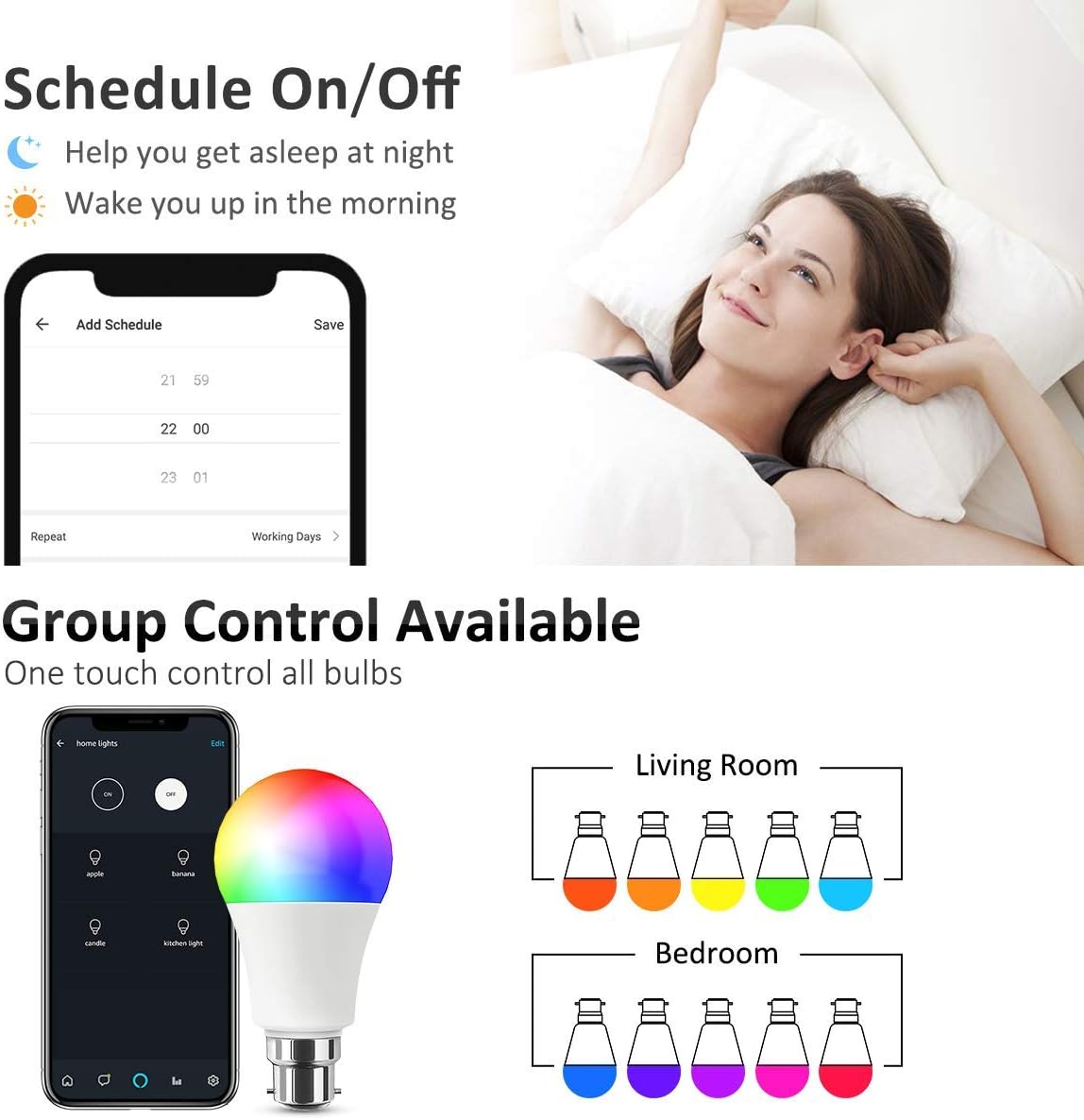
Image: Smart Life App interface for scheduling and group control.
4. Connect to Voice Assistants (Optional)
- Dla Amazon Alexa:
- Otwórz aplikację Amazon Alexa.
- Go to "Skills & Games", search for "Smart Life".
- Enable the skill and link your Smart Life account using your Smart Life app credentials.
- Discover devices. Alexa will find your smart bulbs.
- W przypadku Google Home:
- Otwórz aplikację Google Home.
- Tap the "+" icon -> "Set up device" -> "Works with Google".
- Szukaj "Smart Life" and link your account using your Smart Life app credentials.
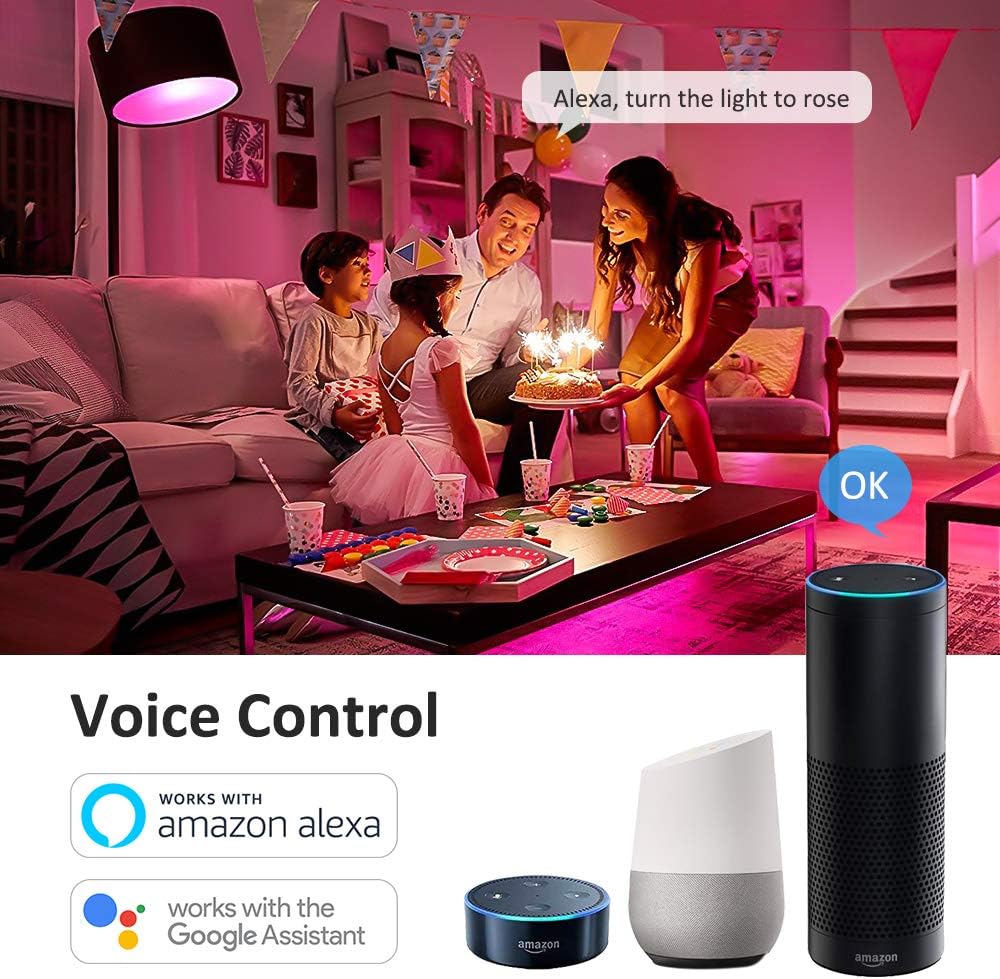
Obraz: Integracja sterowania głosowego z Amazon Alexa i Google Assistant.
Instrukcja obsługi
1. Basic Control via Smart Life App
- Włącz/Wyłącz: Tap the bulb icon in the app to toggle power.
- Jasność: Adjust the slider to set the desired brightness level (0-100%).
- Zmiana koloru: Select from 16 million colors using the intuitive color wheel.
- Ciepła biel: Adjust the color temperature slider to achieve various shades of warm white light (2700K).
- Tryby scen: Choose from 8 pre-set scene modes (e.g., Night, Read, Meeting, Leisure, Soft, Rainbow, Shine, Gorgeous) to instantly change the room's atmosphere.

Image: Smart Life App interface demonstrating Warm White, Color, and Scene modes.

Obraz: Byłyample of 16 million colors and 8 lighting scenes in a room setting.
2. Sterowanie głosowe
Once connected to Amazon Alexa or Google Home, you can control your smart bulbs using simple voice commands:
- "Alexa, turn on the [Bulb Name]."
- "Hey Google, set the [Bulb Name] to blue."
- "Alexa, dim the [Bulb Name] to 50%."
- "Hey Google, change [Bulb Name] to warm white."
3. Funkcje timera i harmonogramu
Utilize the Smart Life app to set custom schedules and timers for your bulbs:
- Harmonogram: Program your lights to turn on or off at specific times, such as waking you up in the morning or turning off when you leave home.
- Regulator czasowy: Set a countdown timer for the light to turn off after a specified duration.
4. Kontrola grupy
The Smart Life app allows you to group multiple smart bulbs together. This enables you to control all grouped bulbs simultaneously with a single command, creating a unified lighting experience for a room or area.

Image: Remote control and group control functionality via the Smart Life App.
Konserwacja
- Clean the bulb with a soft, dry cloth only. Do not use liquid cleaners or abrasive materials.
- There are no user-serviceable parts inside the bulb. Do not attempt to disassemble or repair the product.
- Ensure the bulb is cool before handling or cleaning.
Rozwiązywanie problemów
- Bulb not pairing/connecting to Wi-Fi:
- Upewnij się, że Twoja sieć Wi-Fi obsługuje częstotliwość 2.4 GHz. Sieci 5 GHz nie są obsługiwane.
- Check the Wi-Fi signal strength near the bulb. Move the bulb closer to your router if necessary.
- Reset the bulb by cycling the power switch OFF-ON-OFF-ON-OFF-ON (3 cycles) until it blinks rapidly, then attempt pairing again.
- Ensure your mobile device is connected to the same 2.4GHz Wi-Fi network during the pairing process.
- Sterowanie głosowe nie działa:
- Verify that the Smart Life skill/service is enabled and correctly linked to your Amazon Alexa or Google Home account.
- Ensure the device names in the Smart Life app match the names you are using for voice commands.
- Spróbuj na nowo odkryć urządzenia w aplikacji Alexa lub Google Home.
- Bulb not responding or showing incorrect colors:
- Check the bulb's power supply by turning the light switch off and on.
- Try resetting the bulb by cycling power (OFF-ON-OFF-ON-OFF-ON).
- Upewnij się, że aplikacja Smart Life jest zaktualizowana do najnowszej wersji.
- If a single bulb consistently malfunctions after troubleshooting, it may be defective.
Gwarancja i wsparcie
Hotmoon smart light bulbs come with a standard manufacturer's warranty. Please refer to the original purchase documentation or product packaging for specific warranty terms and duration.
For technical support, warranty claims, or any questions regarding your Hotmoon Smart Light Bulbs, please contact Hotmoon customer service through your retailer or the contact information provided with your purchase. Please have your model number (HM-LB07-RGBW-US-4-B) and proof of purchase ready when contacting support.