
1. Wprowadzenie
Thank you for choosing the LAXIHUB 1080P Full HD Outdoor Security Camera. This device is designed to provide reliable surveillance for your outdoor spaces, featuring high-definition video, two-way audio, motion and noise detection, and robust weatherproofing. Please read this manual thoroughly before installation and use to ensure proper operation and safety.
2. Koniec produktuview
2.1 Zawartość opakowania
- LAXIHUB Outdoor Security Camera
- Zasilacz
- Śruby montażowe i kotwy
- Instrukcja obsługi
- Karta Micro SD 32 GB (wstępnie zainstalowana lub dołączona osobno)
2.2 Główne cechy
- Wideo w jakości Full HD 1080P: Rejestruje wyraźne i szczegółowe dźwiękitage.
- Łączność Wi-Fi 2.4G: Łączy się z siecią domową w celu uzyskania zdalnego dostępu.
- Odporność na warunki atmosferyczne IP65: Designed to withstand outdoor conditions (operating temperature -20°C to 50°C / -4°F to 122°F).
- Ulepszone widzenie w nocy: Provides clear monitoring in low-light conditions up to 15 feet.
- Dwukierunkowy dźwięk: Umożliwia komunikację w czasie rzeczywistym poprzez kamerę.
- Motion & Noise Detection: Alerts you to activity and sound.
- Przechowywanie lokalne i w chmurze: Supports Micro SD card (up to 128GB, 32GB included) and optional cloud storage.
- Integracja inteligentnego domu: Kompatybilny z Amazon Alexa i Asystentem Google.
2.3 Komponenty kamery
Zapoznaj się z fizycznymi elementami aparatu:
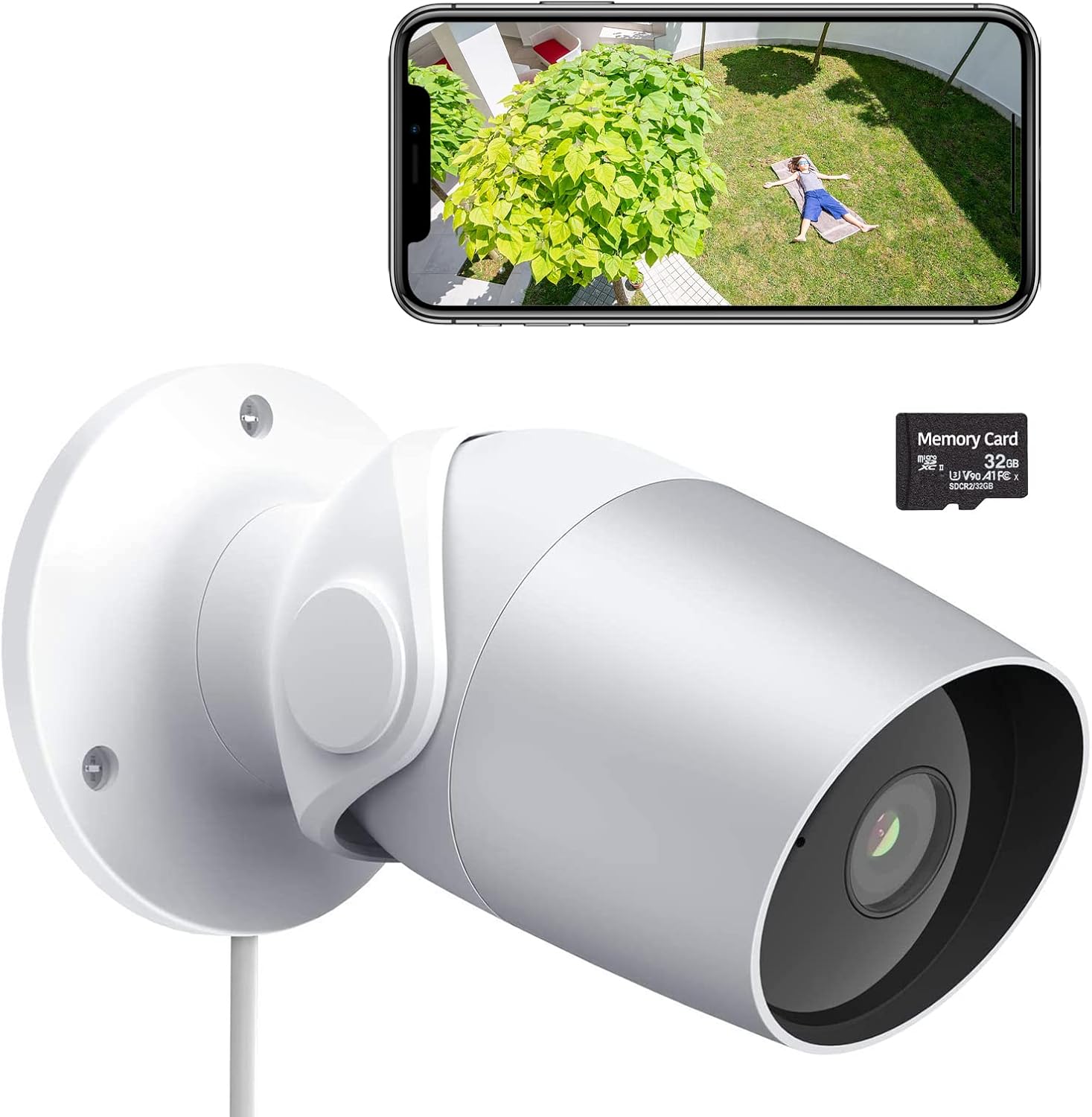
Figure 1: LAXIHUB Outdoor Security Camera with included 32GB Micro SD card and a smartphone displaying live feed.

Figure 2: Visual representation of the camera's main features.
3. Konfiguracja
3.1 Pobieranie aplikacji i tworzenie konta
- Download the 'Arenti' app from the App Store (iOS) or Google Play Store (Android).
- Otwórz aplikację i zarejestruj nowe konto lub zaloguj się, jeśli już je posiadasz.
3.2 Włączanie kamery
- Podłącz zasilacz do portu zasilania aparatu.
- Podłącz zasilacz do standardowego gniazdka elektrycznego.
- Poczekaj, aż kontrolka kamery zacznie migać, co oznacza, że kamera jest gotowa do parowania.
3.3 Łączenie z Wi-Fi
- In the Arenti app, tap the '+' icon to add a new device.
- Wybierz model aparatu z listy.
- Follow the on-screen instructions to connect the camera to your 2.4GHz Wi-Fi network. Ensure your phone is connected to the same 2.4GHz network during setup.
- Gdy pojawi się odpowiedni komunikat, zeskanuj obiektywem aparatu kod QR wyświetlony na ekranie telefonu.
- Po nawiązaniu połączenia kontrolka zacznie świecić światłem ciągłym.
3.4 Instalacja karty Micro SD
The camera supports a Micro SD card up to 128GB for local storage. A 32GB card is typically included.
- Locate the Micro SD card slot on the camera (refer to the product diagram if needed).
- Ostrożnie wsuń kartę Micro SD do gniazda, złotymi stykami skierowanymi w dół, aż do kliknięcia.
- In the app, navigate to camera settings and format the SD card for optimal performance.
3.5 Montaż kamery
The camera is designed for wall mounting.
- Wybierz odpowiednie miejsce montażu, zapewniając wolne pole widzenia. view i dostęp do gniazdka elektrycznego.
- Use the included mounting template (if provided) or mark the screw holes on the wall.
- W przypadku montażu w płycie gipsowo-kartonowej lub murze wywierć otwory wstępne i włóż kołki rozporowe.
- Przymocuj podstawę montażową kamery do ściany za pomocą dołączonych śrub.
- W razie potrzeby dostosuj kąt kamery, aby uzyskać optymalne pokrycie.
4. Obsługa aparatu
4.1 Na żywo View i odtwarzanie
- Open the Arenti app and select your camera to view kanał na żywo.
- Użyj funkcji odtwarzania, aby ponownieview nagrano footagsą przechowywane na karcie SD lub w chmurze.
4.2 Detekcja ruchu i hałasu

Figure 3: The camera's AI-powered human motion and sound detection capabilities.
- In the app settings, enable and configure motion and noise detection sensitivity.
- Set up detection zones to focus on specific areas.
- Receive push notifications on your smartphone when activity is detected.
4.3 Dźwięk dwukierunkowy

Rysunek 4: Example of two-way audio functionality for communication.
- Na żywo view, dotknij ikony mikrofonu, aby mówić przez kamerę.
- Kliknij ikonę głośnika, aby usłyszeć dźwięk z kamery.
4.4 Widzenie nocne
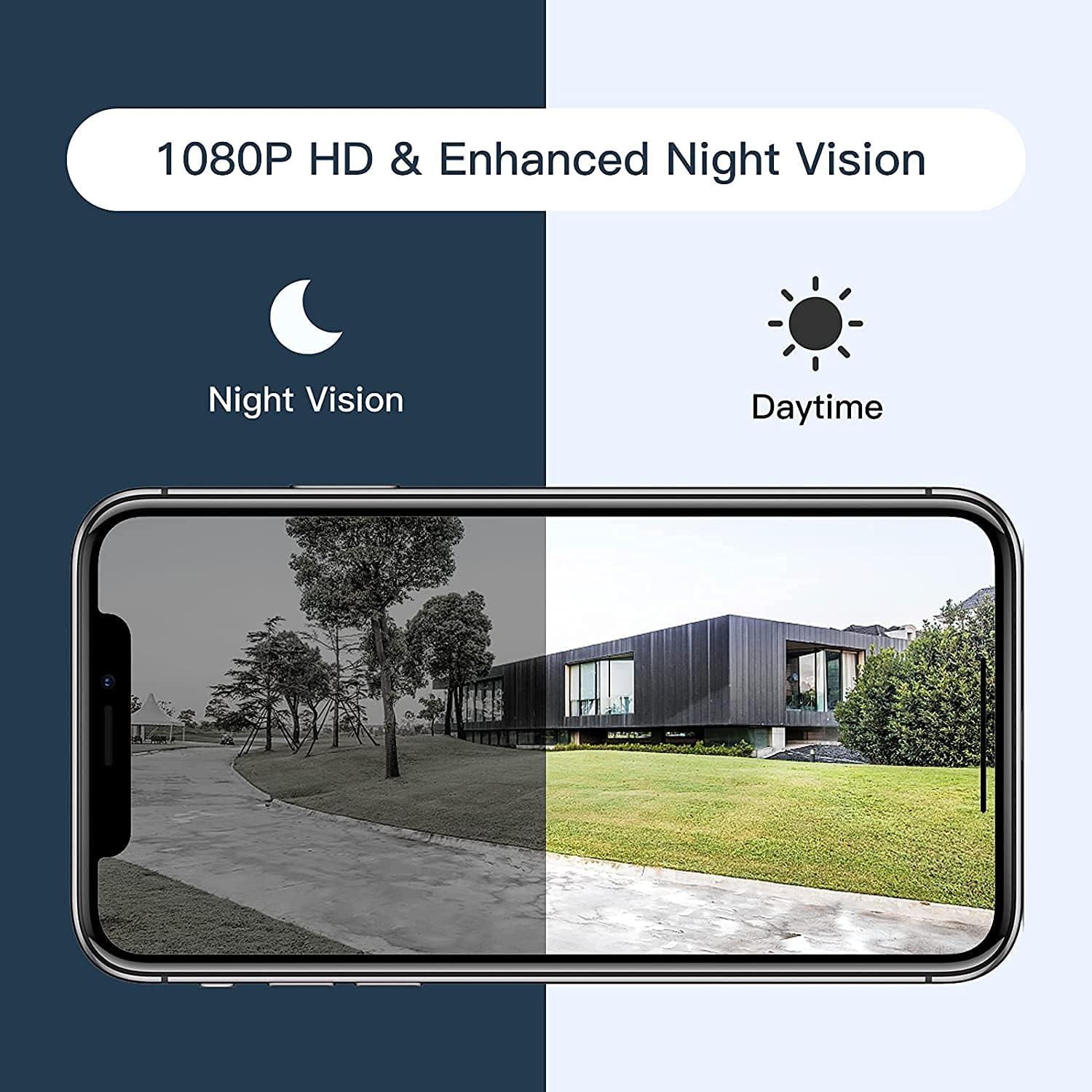
Figure 5: Comparison of daytime and night vision footage.
Kamera automatycznie przełącza się na tryb noktowizyjny w warunkach słabego oświetlenia, zapewniając wyraźny czarno-biały obraz.
4.5 Integracja inteligentnego domu

Figure 6: The camera's compatibility with Amazon Alexa for voice control and viewing.
- To connect with Amazon Alexa or Google Assistant, follow the instructions in the Arenti app's integration section.
- Po połączeniu możesz używać poleceń głosowych, aby: view obraz z kamery wyświetlany na kompatybilnych inteligentnych wyświetlaczach.
4.6 Udostępnianie dostępu

Figure 7: The camera supports sharing live view access with multiple family members.
You can share access to your camera's live feed with family members through the Arenti app. Navigate to the camera settings and select the sharing option to invite others.
5. Konserwacja
- Czyszczenie: Regularnie przecieraj obiektyw aparatu miękką, suchą ściereczką, aby zapewnić sobie dobrą jakość obrazu. Nie używaj silnych środków chemicznych.
- Aktualizacje oprogramowania układowego: Check the Arenti app periodically for available firmware updates. Keeping your camera's firmware updated ensures optimal performance and security.
- Podłączenie zasilania: Sprawdź, czy kabel zasilający i adapter są solidnie podłączone i nieuszkodzone.
- Ochrona przed warunkami atmosferycznymi: While IP65 rated, avoid directing high-pressure water jets directly at the camera. Ensure the power connection point is protected from excessive moisture.
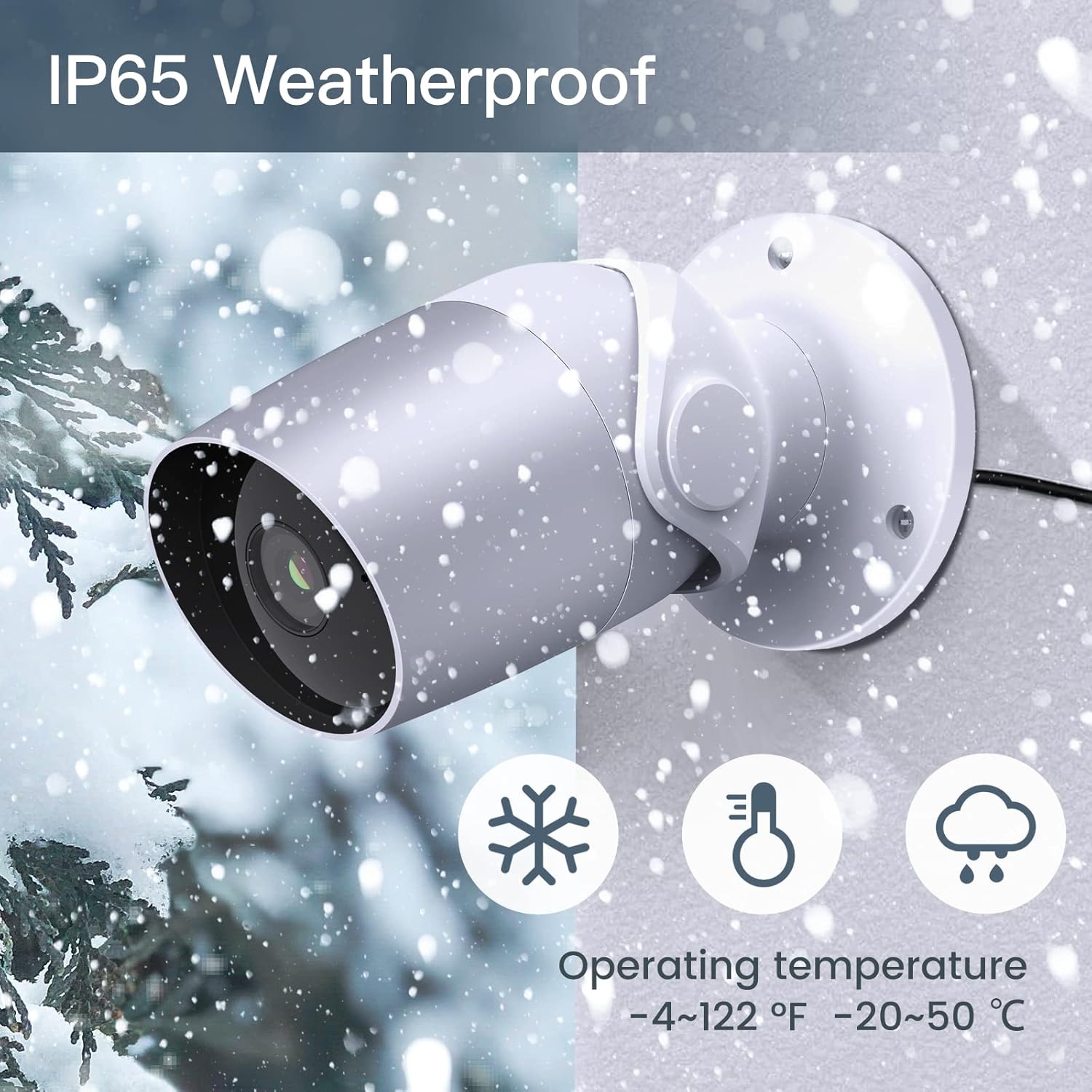
Figure 8: The camera's IP65 weatherproof rating ensures durability in various outdoor conditions.
6. Rozwiązywanie Problemów
- Kamera nie włącza się: Ensure the power adapter is correctly connected to the camera and a working power outlet. Try a different outlet or adapter if available.
- Nie można połączyć się z Wi-Fi:
- Upewnij się, że Twoja sieć Wi-Fi obsługuje częstotliwość 2.4 GHz. Kamera nie obsługuje Wi-Fi 5 GHz.
- Sprawdź, czy hasło Wi-Fi jest prawidłowe.
- Podczas konfiguracji przesuń kamerę bliżej routera Wi-Fi.
- Reset the camera (refer to the app or product for reset button location) and try pairing again.
- Słaba jakość wideo:
- Check your Wi-Fi signal strength. A weak signal can affect video streaming.
- Wyczyść obiektyw aparatu.
- Motion/Noise detection not working:
- Ensure detection is enabled in the app settings.
- Dostosuj poziomy czułości.
- Verify notification permissions for the Arenti app on your smartphone.
- Problemy z dwukierunkową transmisją dźwięku:
- Sprawdź ustawienia głośności w telefonie i w aplikacji.
- Ensure your phone's microphone is enabled for the Arenti app.
7. Specyfikacje
| Funkcja | Specyfikacja |
|---|---|
| Rozdzielczość przechwytywania wideo | 1080p Full HD |
| Protokół łączności | Wi-Fi (tylko 2.4 GHz) |
| Międzynarodowa Ocena Ochrony | IP65 atmosferyczne |
| Viewing kąt | 110 stopni |
| Zakres noktowizora | 15 stóp |
| Szybkość klatek | 25 klatek na sekundę |
| Źródło zasilania | Przewodowy elektryczny (12 V DC, 4.5 W) |
| Składowanie | Karta Micro SD (do 128 GB, 32 GB w zestawie), przechowywanie w chmurze |
| Tryb pracy | Detekcja dźwięku i ruchu |
| Kompatybilne urządzenia | Smartfon, Amazon Alexa, Asystent Google |
| Temperatura pracy | -20°C do 50°C (-4°F do 122°F) |
| Wymiary produktu | 8 x 3.66 x 6 cala |
| Waga przedmiotu | 14.1 uncji |
8. Informacje o gwarancji
Specific warranty details for your LAXIHUB Security Camera may vary by region and retailer. Please refer to the warranty card included with your product or contact LAXIHUB customer support directly for detailed information regarding warranty coverage and terms.
9. Obsługa klienta
If you encounter any issues or have questions not covered in this manual, please contact LAXIHUB customer support through the Arenti app or visit the official LAXIHUB website for assistance. You may also refer to the seller's support channels if purchased through a third-party retailer.