
1. Instrukcje konfiguracji
1.1 Zawartość opakowania
- Srihome SH004 USB Webkrzywka
- Kabel USB (zintegrowany)
1.2 Podłączanie Webkrzywka
The Srihome SH004 webcam is designed for plug-and-play operation, requiring no additional driver installation on most compatible systems.
- Podłącz do portu USB: Włóż webcam's USB cable into an available USB 2.0 or USB 3.0 port on your computer (PC, laptop, or desktop).
- Rozpoznawanie systemu: Your operating system (Windows 7/8/10, LINUX, Mac OS, Android TV) should automatically detect and configure the webcam. A notification may appear indicating successful device installation.
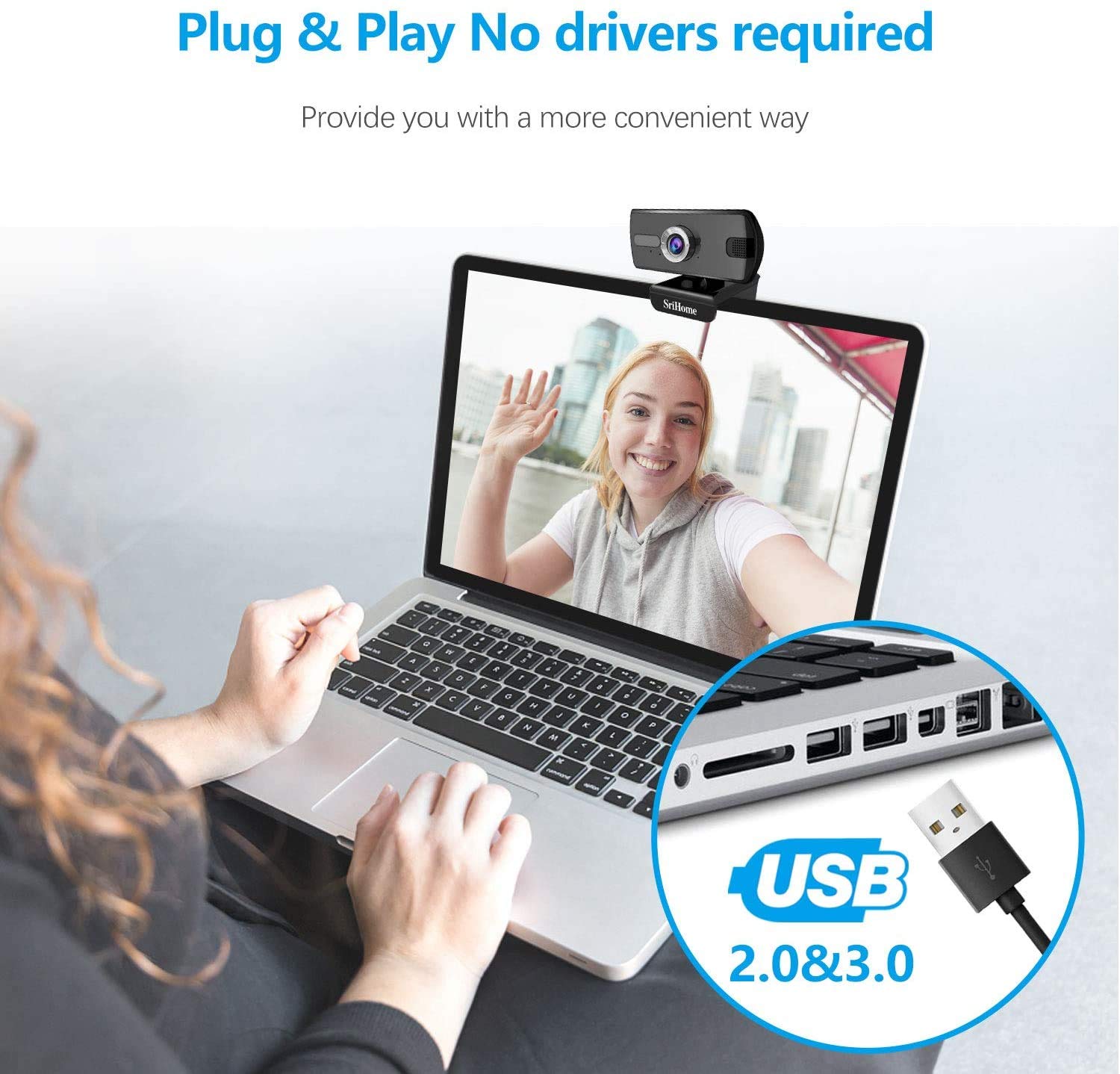
Rysunek 1: Podłączanie webcam to a USB port. The device is plug-and-play, requiring no driver installation.
1.3 Montaż Webkrzywka
Ten webcam features a versatile clip that allows it to be securely mounted on various devices, such as laptop screens, desktop monitors, or placed on a flat surface.
- Dostosuj klips: Open the clip to fit over the top edge of your monitor or laptop screen.
- Pozycja Webkrzywka: Zapewnij webkrzywka jest wyśrodkowana i stabilna.
- Rotate for Optimal Angle: Ten webcam's bracket allows for 360-degree rotation, enabling you to adjust the camera angle as needed.

Rysunek 2: webcam features a 360-degree rotatable bracket for flexible positioning.
1.4 Regulacja ostrości
For optimal image clarity, the webcam features a manual focus adjustment. If the image appears blurred, gently rotate the silver-colored ring around the lens until the picture becomes sharp.
2. Instrukcja obsługi
2.1 Video Calls and Conferencing
The Srihome SH004 webcam is suitable for various communication platforms and applications.
- Zgodność aplikacji: Use with popular applications such as Skype, Yahoo, FaceTime, Hangouts, YouTube, Zoom, and other video conferencing software.
- Wybór Webkrzywka: In your chosen application's settings, ensure "Srihome SH004" is selected as the primary video and audio input device.

Figure 3: Key features of the Srihome SH004 webcam, including HD video, 3MP resolution, wide-angle lens, built-in microphone, and plug-and-play functionality.
2.2 Image and Audio Quality
- Wideo w wysokiej rozdzielczości: Ten webcam provides a maximum resolution of 3 Megapixels (2048x1536) with H.264 video compression, ensuring clear and detailed images.
- Szerokie pole View: A 110° wide-angle lens captures a broad perspective, ideal for group calls or presentations.
- Wbudowany mikrofon: The integrated stereo microphone features noise cancellation, designed to capture your voice clearly even in moderately noisy environments.

Figure 4: The 110-degree wide-angle field of view provides extensive coverage.

Figure 5: The built-in microphone with noise cancellation enhances audio clarity.
3. Konserwacja
To ensure the longevity and optimal performance of your Srihome SH004 webcam, postępuj zgodnie z poniższymi prostymi wskazówkami dotyczącymi konserwacji:
- Czyszczenie obiektywu: Gently wipe the camera lens with a soft, lint-free cloth. Avoid using harsh chemicals or abrasive materials that could scratch the lens.
- Czyszczenie ciała: Użyj suchej lub lekko wilgotnej szmatki.amp soft cloth to clean the webcam's body. Do not immerse the device in water or any other liquid.
- Składowanie: Gdy nie jest używany, przechowuj webPrzechowywać w czystym, suchym miejscu, z dala od bezpośredniego światła słonecznego i ekstremalnych temperatur.
- Pielęgnacja kabli: Aby zapobiec uszkodzeniom wewnętrznym, nie należy nadmiernie zginać ani skręcać kabla USB.
4. Rozwiązywanie Problemów
If you encounter issues with your Srihome SH004 webcam, zapoznaj się z poniższymi typowymi problemami i rozwiązaniami:
- Problem: The system does not detect the webkamera
Rozwiązanie:
- Odłącz i podłącz ponownie kabel USB.
- Spróbuj połączyć webpodłącz kamerę do innego portu USB w komputerze.
- Restart the application you are trying to use with the webcam (e.g., Skype, Zoom).
- Uruchom ponownie komputer.
- Upewnij się, że Twój system operacyjny jest aktualny.
- Problem: The image appears blurred or out of focus.
Rozwiązanie:
- Gently rotate the silver-colored ring around the webcam lens to manually adjust the focus until the image is clear.
- Upewnij się, że soczewka jest czysta i wolna od smug i kurzu.
- Problem: webcam frequently disconnects during use.
Rozwiązanie:
- Upewnij się, że kabel USB jest bezpiecznie podłączony do obu urządzeń. webkamera i komputer.
- Try a different USB port, preferably a USB 3.0 port if available, to ensure sufficient power and stable connection.
- Avoid using long USB extension cables, which can sometimes cause connectivity issues.
- Problem: The built-in microphone is not working or audio quality is poor.
Rozwiązanie:
- Check your computer's sound settings to ensure the "Srihome SH004" is selected as the default recording device.
- Verify microphone settings within your video conferencing application (e.g., Zoom, Skype).
- Ensure there are no physical obstructions blocking the microphone on the webkamera
- Przetestuj mikrofon w cichszym otoczeniu, aby wykluczyć nadmierny hałas tła.
5. Specyfikacje produktu
| Funkcja | Szczegół |
|---|---|
| Marka | Srihome |
| Nazwa modelu | SH004 |
| Efektywna rozdzielczość obrazu nieruchomego | 3 MP |
| Rozdzielczość przechwytywania wideo | 2048x1536 (3MP), also supports 1080p, 720p, 480p |
| Szybkość przechwytywania obrazu | 30 klatek na sekundę |
| Technologia czujnika fotograficznego | CMOS |
| Typ soczewki | Wide Angle (3.6mm) |
| Pole View | 110° |
| Typ fokusu | Ręczne ustawianie ostrości |
| Technologia łączności | USB 2.0 / 3.0 |
| Wbudowany mikrofon | Yes, with Noise Cancellation |
| Kompatybilne urządzenia | PC, Laptop, Desktop, Android TV |
| Systemy operacyjne | Windows 7 / Win8 / Win10 / LINUX / Mac OS / Android TV |
| Funkcja specjalna | Wizja nocna |
| Kolor | Czarny |
| Waga przedmiotu | 250 gram |
6. Gwarancja i wsparcie
6.1 Informacje o gwarancji
The Srihome SH004 webcam comes with a standard manufacturer's warranty. Please refer to the warranty card included with your purchase or contact your retailer for specific terms and conditions regarding warranty coverage and duration.
6.2 Obsługa klienta
For technical assistance, product inquiries, or support, please contact Srihome customer service through their official website or the contact information provided in your product packaging. When contacting support, please have your product model (SH004) and purchase details ready.