
1. Koniec produktuview
The Billboard BB425 Gaming Headset is designed for an immersive audio experience across various gaming platforms. It features a boom microphone for clear communication, enhanced bass for rich sound, and convenient in-line controls for volume adjustment and instant muting. The headset is lightweight and adjustable, ensuring a comfortable fit during extended use, and comes with a durable fabric cord.
- Mikrofon na wysięgniku: Dla wyraźnej komunikacji głosowej.
- Ulepszony bas: Delivers a rich audio experience.
- In-line Control: Easily adjust volume and mute the microphone.
- Regulowana konstrukcja: Lightweight and comfortable for prolonged gaming sessions.
- Durable Fabric Cord: Designed for longevity.
2. Instrukcje konfiguracji
Follow these steps to connect your Billboard BB425 Gaming Headset to your device.
- Zidentyfikuj złącza: The headset features a single 3.5mm TRRS jack for combined audio and microphone functionality. An included Y-splitter cable separates this into two 3.5mm TRS jacks: one for audio output (typically green) and one for microphone input (typically pink).
- For Devices with a Single 3.5mm Port (e.g., most laptops, gaming controllers, smartphones):
- Plug the headset's single 3.5mm TRRS jack directly into your device's combined audio/microphone port.
- For Devices with Separate Audio and Microphone Ports (e.g., most desktop PCs):
- Connect the headset's single 3.5mm TRRS jack into the female end of the Y-splitter cable.
- Plug the audio output jack (often green) of the Y-splitter into your device's audio output port.
- Plug the microphone input jack (often pink) of the Y-splitter into your device's microphone input port.
- Dopasuj dopasowanie: Place the headset over your ears and adjust the headband for a comfortable and secure fit. Position the boom microphone near your mouth for optimal voice pickup.
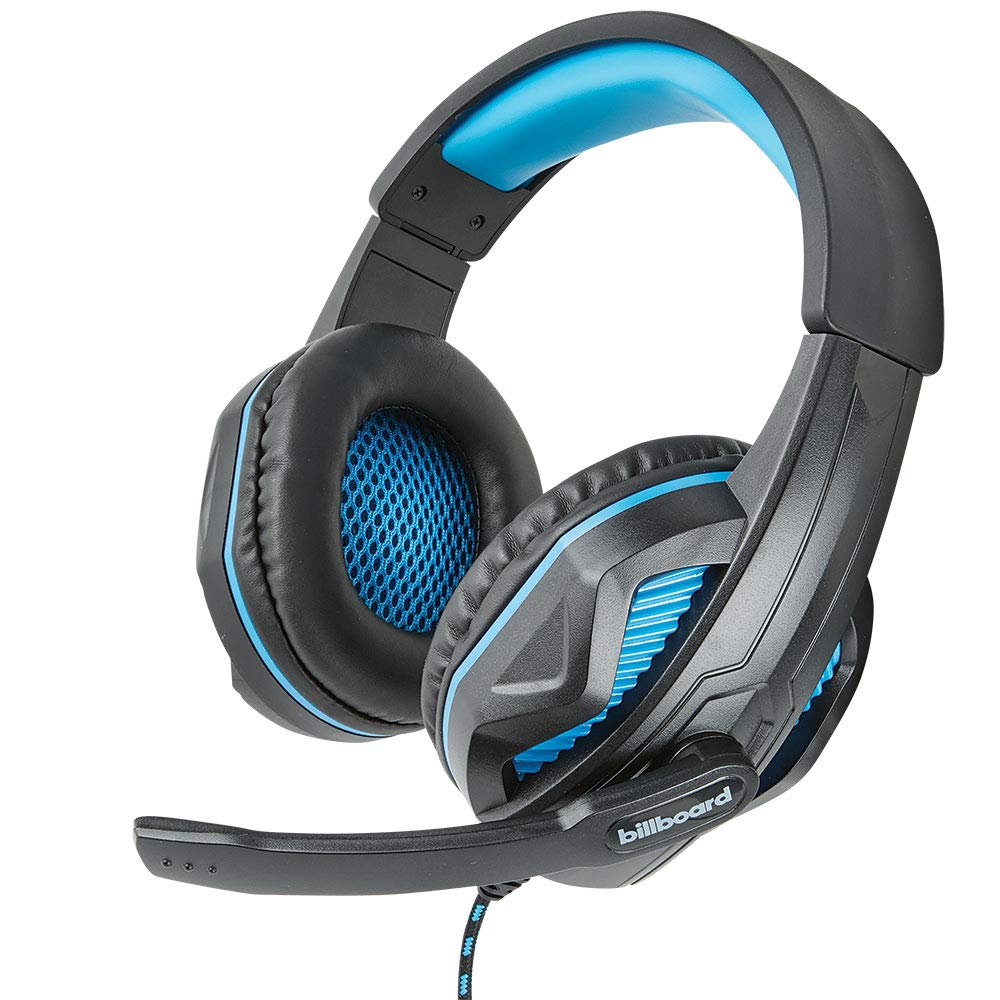
Image: The Billboard BB425 Gaming Headset's braided cable, in-line control unit, and the included Y-splitter cable with two 3.5mm TRS jacks for separate audio and microphone connections.
3. Instrukcja obsługi
The in-line control unit provides easy access to essential audio functions.
- Regulacja głośności: Use the scroll wheel on the in-line control unit to adjust the audio volume. Scroll up to increase volume and down to decrease it.
- Wyciszenie mikrofonu: The in-line control unit features a switch to mute or unmute the microphone. Slide the switch to the "OFF" position to mute your microphone, and to the "ON" position to enable it.
- Boom Microphone Adjustment: The flexible boom microphone can be positioned closer or further from your mouth to optimize voice clarity.
4. Konserwacja i pielęgnacja
Właściwa pielęgnacja przedłuży żywotność zestawu słuchawkowego.
- Czyszczenie: Do przecierania zestawu słuchawkowego użyj miękkiej, suchej ściereczki. W przypadku poduszek nausznych delikatnie przetrzyjamp Można użyć ściereczki zwilżonej łagodnym mydłem, ale przed użyciem należy upewnić się, że jest całkowicie sucha. Nie należy używać silnych środków chemicznych ani ściernych środków czyszczących.
- Składowanie: Przechowuj zestaw słuchawkowy w czystym, suchym miejscu, z dala od ekstremalnych temperatur i bezpośredniego światła słonecznego. Unikaj splątania kabla.
- Obsługiwanie: Nie ciągnij za kabel, aby odłączyć zestaw słuchawkowy. Zawsze mocno trzymaj wtyczkę. Unikaj upuszczania zestawu słuchawkowego i narażania go na silne uderzenia.
5. Rozwiązywanie Problemów
If you encounter issues with your Billboard BB425 Gaming Headset, refer to the following common solutions.
- Brak dźwięku lub niski poziom głośności:
- Ensure the headset's 3.5mm jack(s) are fully inserted into the correct port(s) on your device.
- Check the in-line volume control wheel and adjust it to an audible level.
- Verify your device's audio output settings. Ensure the headset is selected as the default playback device.
- Przetestuj zestaw słuchawkowy z innym urządzeniem, aby wykluczyć problem związany z danym urządzeniem.
- Mikrofon nie działa:
- Ensure the microphone mute switch on the in-line control unit is in the "ON" position.
- If using the Y-splitter, ensure the microphone jack (typically pink) is correctly plugged into your device's microphone input port.
- Check your device's microphone input settings. Ensure the headset microphone is selected as the default recording device and that its input volume is not muted or set too low.
- Przetestuj mikrofon za pomocą innej aplikacji lub urządzenia.
- Static or Distorted Audio:
- Sprawdź, czy wszystkie połączenia są solidne i wolne od kurzu i zanieczyszczeń.
- Try connecting the headset to a different audio port or device to check if the issue persists.
- Unikaj umieszczania kabla w pobliżu silnych źródeł zakłóceń elektromagnetycznych.
6. Specyfikacje
| Funkcja | Szczegół |
|---|---|
| Nazwa modelu | BB425 |
| Marka | Tablica ogłoszeń |
| Technologia łączności | Przewodowy |
| Gniazdo słuchawkowe | 3.5 mm Jack |
| Umieszczenie ucha | Na ucho |
| Współczynnik kształtu | Na ucho |
| Kompatybilne urządzenia | Gaming Consoles, Desktops, Laptops, Telephones |
| Cechy specjalne | Enhanced bass |
| Typ sterowania | In-line control (Volume, Mute) |
| Funkcja kabla | Retractable, Durable Fabric Cord |
| Tworzywo | Plastikowy |
| Kolor | Czarny |
| Wymiary produktu | Wymiary 25.15 x 22.86 x 8.89 cm |
| Waga przedmiotu | 386 gramów |
| Wymagane baterie | NIE |
7. Informacje o gwarancji
This product is covered by a manufacturer's warranty. For specific details regarding warranty coverage, duration, and terms, please refer to the warranty card included with your product or visit the official Billboard webZachowaj paragon jako dowód zakupu na wypadek ewentualnych roszczeń gwarancyjnych.
8. Obsługa klienta
If you require further assistance or have questions not addressed in this manual, please contact Billboard customer support. Contact information can typically be found on the product packaging or the official Billboard webstrona.
Producent: Obudowy i akcesoria ESI