
Wstęp
Dziękujemy za zakupasing the eKids Harry Potter Bluetooth Speaker. This portable wireless speaker is designed to provide clear audio from your Bluetooth-enabled devices. This manual provides essential information for setting up, operating, and maintaining your speaker.

Obraz: Przód view of the eKids Harry Potter Bluetooth Speaker, featuring the Harry Potter character design.
Informacje dotyczące bezpieczeństwa
Aby zapobiec obrażeniom lub uszkodzeniom, przed użyciem produktu należy przeczytać i zastosować się do wszystkich instrukcji bezpieczeństwa.
- Do not expose the unit to extreme temperatures, direct sunlight, or moisture.
- Do not immerse the unit in water. This product is not waterproof.
- Używaj wyłącznie dostarczonego kabla ładującego.
- Nie należy podejmować prób rozmontowywania lub modyfikowania urządzenia.
- Przechowywać w miejscu niedostępnym dla małych dzieci.
- Baterie należy utylizować zgodnie z lokalnymi przepisami.
Zawartość opakowania
Sprawdź, czy w opakowaniu znajdują się wszystkie elementy:
- Harry Potter Bluetooth Speaker
- Kabel ładujący Micro USB
- Pasek na nadgarstek
Produkt ponadview
Familiarize yourself with the components of your speaker:

Image: Diagram showing the speaker's dimensions (2.2 inches / 56mm height, 1.8 inches / 46mm width) and labeled parts including the speaker grille, slot to attach wrist strap, port for charging (Micro USB), and Power/Pairing Button.
- Kratka głośnika: Located at the top for audio output.
- Przycisk zasilania/parowania: Controls power and initiates Bluetooth pairing.
- Port ładowania: Port micro USB do podłączenia kabla ładującego.
- Miejsce na pasek na nadgarstek: Do zamocowania dołączonego paska na nadgarstek.
Ładowanie głośnika
The speaker is powered by a built-in rechargeable Lithium-Ion battery. Before first use, fully charge the speaker.
- Connect the small end of the Micro USB charging cable to the Charging Port on the speaker.
- Connect the large end of the Micro USB charging cable to a powered USB port (e.g., computer, USB wall adapter).
- The charging indicator light (if present, refer to product for exact location) will illuminate during charging and turn off when fully charged.
- Charging time may vary. Disconnect the cable once charging is complete.
Parowanie Bluetooth
Follow these steps to connect your speaker to a Bluetooth-enabled device:
- Upewnij się, że głośnik jest w pełni naładowany.
- Naciśnij i przytrzymaj Przycisk zasilania/parowania on the speaker until you hear an audible prompt or see an indicator light flashing, indicating it is in pairing mode.
- On your Bluetooth-enabled device (smartphone, tablet, computer, etc.), go to the Bluetooth settings menu.
- Włącz Bluetooth i wyszukaj dostępne urządzenia.
- Select "Harry Potter Speaker" (or similar name) from the list of devices.
- Once paired, you will hear a confirmation tone, and the indicator light will stop flashing.
- The speaker can wirelessly stream audio up to 30 feet from your device.
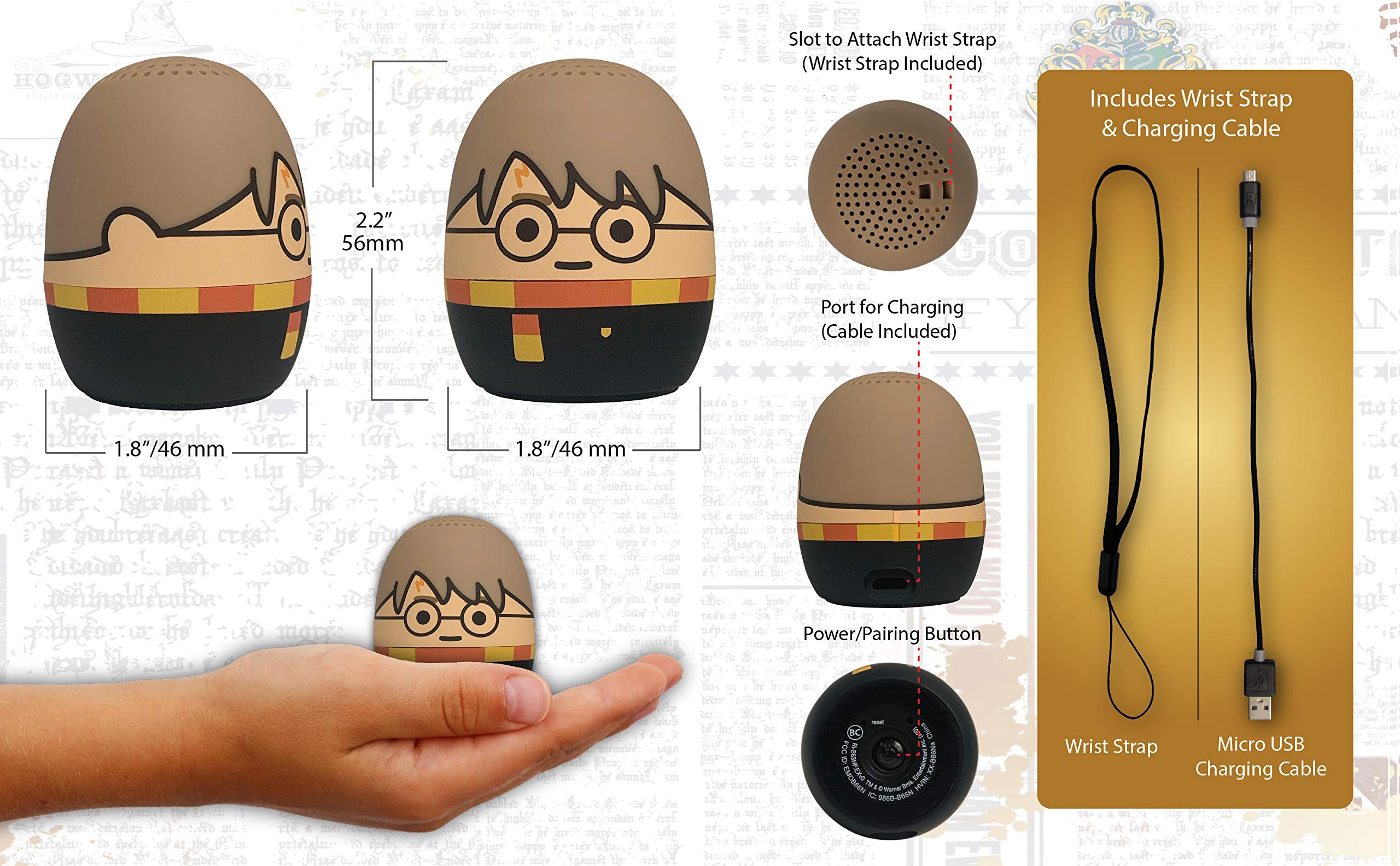
Image: The Harry Potter Bluetooth Speaker shown with icons representing compatible devices: mobile phone, tablet, notebook, PC, smart watch, and game device.
Działanie
After successful pairing, you can begin playing audio:
- Odtwarzanie dźwięku: Start playing music or other audio content on your paired device. The sound will be transmitted to the speaker.
- Regulacja głośności: Adjust the volume directly from your paired device.
- Włączanie/wyłączanie: Naciśnij i przytrzymaj Przycisk zasilania/parowania aby włączyć lub wyłączyć głośnik.
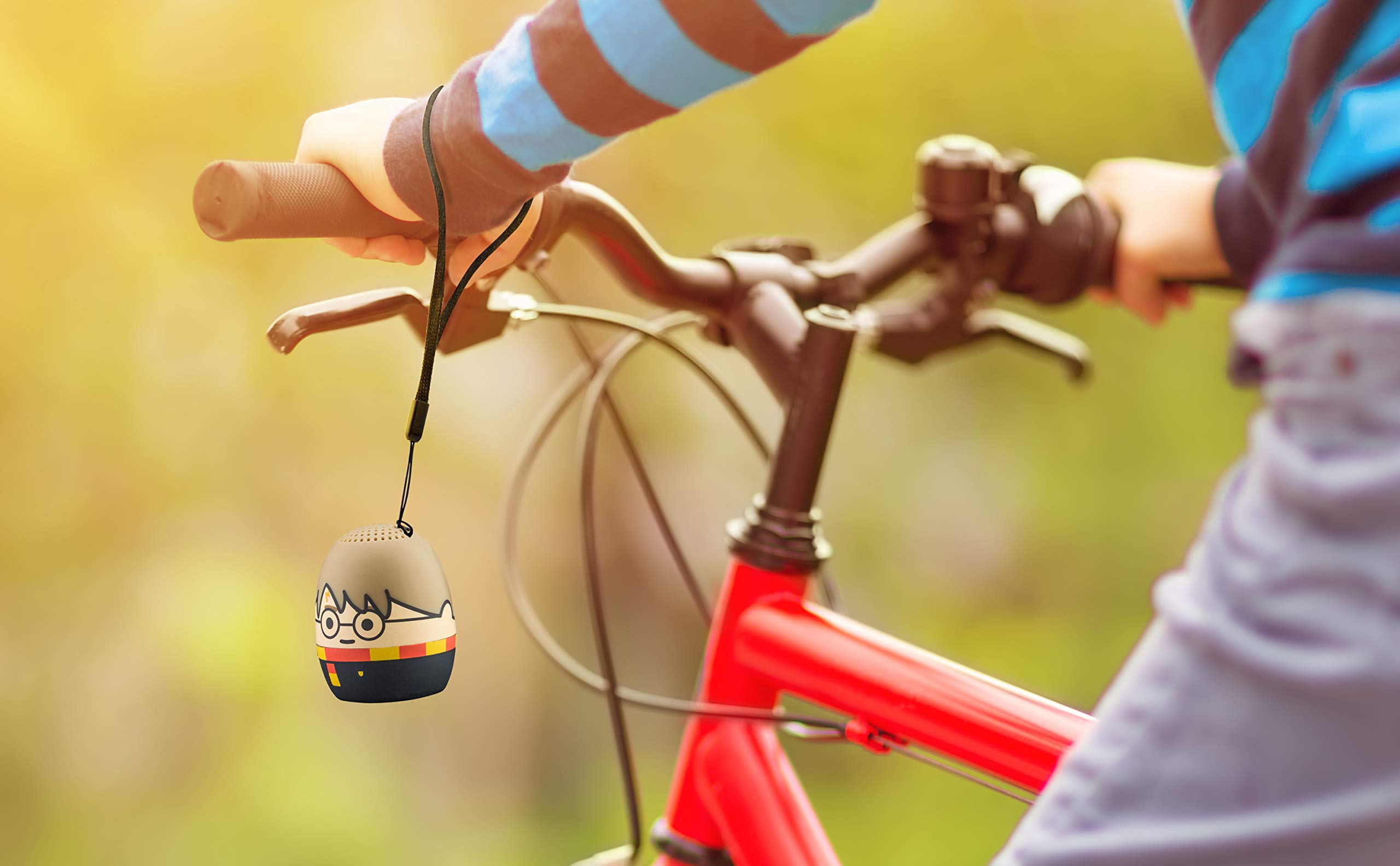
Image: The Harry Potter Bluetooth Speaker, with its wrist strap, attached to the handlebar of a bicycle, demonstrating its portability for outdoor use.
Konserwacja
To ensure the longevity of your speaker, follow these maintenance guidelines:
- Czyszczenie: Wipe the speaker with a soft, dry cloth. Do not use liquid cleaners or abrasive materials.
- Składowanie: Przechowuj głośnik w chłodnym, suchym miejscu, z dala od bezpośredniego światła słonecznego i ekstremalnych temperatur, jeśli nie będziesz go używać przez dłuższy czas.
- Pielęgnacja baterii: For optimal battery life, avoid fully discharging the battery frequently. Charge it regularly, even if not used often.
Rozwiązywanie problemów
If you encounter issues with your speaker, refer to the following table:
| Problem | Rozwiązanie |
|---|---|
| Głośnik nie włącza się. | Upewnij się, że bateria jest naładowana. Podłącz głośnik do źródła zasilania za pomocą kabla micro USB. |
| Nie można sparować z urządzeniem Bluetooth. |
|
| Brak dźwięku lub niski poziom głośności. |
|
| Niska jakość dźwięku. |
|
Specyfikacje
| Funkcja | Szczegół |
|---|---|
| Marka | e-dzieci |
| Nazwa modelu | Harry Potter |
| Technologia łączności | Bluetooth, USB |
| Maksymalna moc wyjściowa głośnika | 10 watów |
| Tryb wyjścia audio | Stereofoniczny |
| Typ głośnika | Przenośny |
| Metoda kontroli | Przycisk |
| Rozmiar głośnika | 40 milimetrów |
| Źródło zasilania | Zasilanie bateryjne (w zestawie 1 bateria litowo-jonowa) |
| Kompatybilne urządzenia | Personal Computer, Smartphone, Tablet, Television |
| jest wodoodporny | FAŁSZ |
| UPC | 092298948775 |
| ASIN | B087NFC293 |
Gwarancja i wsparcie
This product comes with a Limited Warranty. For specific warranty details, please refer to the documentation included with your purchase or contact eKids customer support.
For technical support or further assistance, please visit the eKids official webOdwiedź witrynę lub skontaktuj się z działem obsługi klienta. Zachowaj paragon zakupu na wypadek reklamacji.