
1. Wprowadzenie
This manual provides comprehensive instructions for the installation, setup, operation, and maintenance of your Sifely Digital Keyless Entry Deadbolt Smart Door Lock, model D323T. This smart lock offers multiple access methods including passcodes, key fobs, smartphone app control, and traditional physical keys, enhancing convenience and security for your property.
2. Informacje dotyczące bezpieczeństwa
- Przed instalacją i użytkowaniem przeczytaj uważnie wszystkie instrukcje.
- Nie próbuj demontować ani modyfikować zamka. Może to spowodować unieważnienie gwarancji i pogorszenie bezpieczeństwa.
- Używaj wyłącznie baterii określonego typu (4 baterie alkaliczne AA). Nie mieszaj starych i nowych baterii ani różnych typów baterii.
- Keep physical keys in a secure location away from the lock.
- Avoid exposing the lock to extreme temperatures or direct water immersion. While weatherproof, it is not submersible.
- Regularnie sprawdzaj poziom naładowania baterii i wymieniaj je, gdy będzie to wskazane.
3. Zawartość opakowania
Przed rozpoczęciem instalacji sprawdź, czy wszystkie komponenty są obecne:
- Front Panel (Exterior Keypad)
- Back Panel (Interior Thumb Turn)
- Płyta montażowa
- Śruby akcesoriów
- Klucz imbusowy
- Zatrzask
- Uszczelka gumowa
- Instrukcja instalacji (ten dokument)

Figure 3.1: Sifely D323T Smart Deadbolt Lock and included accessories.
4. Koniec produktuview
The Sifely D323T Smart Lock is designed for ease of use and robust security. It features a sleek exterior keypad and an interior thumb turn for manual operation. The lock is weatherproof, ensuring reliable performance in various environmental conditions.

Figure 4.1: Key features of the Sifely D323T Smart Lock.
5. Instalacja
Installation of the Sifely D323T Smart Lock is designed to be straightforward, requiring only a Philips screwdriver. No additional drilling is typically needed for standard door preparations.
5.1 Wymagane narzędzia
- Wkrętak krzyżakowy

Figure 5.1: A Philips screwdriver is the primary tool for installation.
5.2 Kroki instalacji (ogólne)
- Przygotuj drzwi: Ensure your door has standard deadbolt preparations. Refer to the diagram for dimensions.
- Zainstaluj zatrzask: Włóż zatrzask do krawędzi drzwi i przymocuj go śrubami.
- Install the Exterior Panel: Route the cable from the exterior panel through the door and align the panel with the latch.
- Zainstaluj płytę montażową: Secure the mounting plate to the interior side of the door, connecting it to the exterior panel.
- Connect Cables and Install Interior Panel: Connect the cable from the exterior panel to the interior panel. Attach the interior panel, ensuring the thumb turn spindle engages correctly with the latch mechanism. Secure with screws.
- Włóż baterie: Install 4 AA alkaline batteries into the battery compartment of the interior panel.
- Operacja testowa: Manually test the deadbolt operation with the thumb turn and a physical key to ensure smooth movement.

Figure 5.2: Door preparation and lock dimensions.
6. Konfiguracja i konfiguracja początkowa
After physical installation, configure your Sifely Smart Lock using the Sifely app.
6.1 Sifely App Download and Account Creation
- Download the Sifely Smart Lock app from your smartphone's app store (available for iOS and Android).
- Create a new user account and log in.
6.2 Pairing the Lock via Bluetooth
- Ensure Bluetooth is enabled on your smartphone and you are within close proximity to the lock.
- In the Sifely app, tap the "Add Device" or "+" icon.
- Select your Sifely D323T lock from the list of discoverable devices.
- Aby dokończyć proces parowania, postępuj zgodnie z instrukcjami wyświetlanymi na ekranie.

Figure 6.1: Sifely app interface for lock management.
6.3 Tworzenie kodów dostępu
The Sifely app allows you to generate various types of access codes:
- Kody niestandardowe: 4-6 digit codes that can be created for permanent access.
- Timed Codes: Codes valid only during specific dates and times.
- Kody powtarzające się: Codes valid on a scheduled basis (e.g., every Monday-Friday).
- Kody jednorazowe: Codes that work only once.

Figure 6.2: Types of access codes available.
7. Obsługa zamka
7.1 Using Passcodes
- Aby aktywować, dotknij klawiatury.
- Enter your 4-6 digit passcode.
- Press the "#" key to confirm. The lock will unlock.
7.2 Using Key Fobs
- Present the key fob to the center of the keypad.
- The lock will emit a sound and unlock.

Figure 7.1: Unlocking with a key fob.
7.3 Using the Sifely App
- Open the Sifely app on your smartphone.
- Ensure Bluetooth is active and you are within range of the lock.
- Tap the lock icon in the app to unlock or lock the door.
7.4 Using Physical Keys
In case of battery depletion or electronic malfunction, the lock can always be opened using the provided physical keys. Insert the key into the keyhole and turn to unlock.
8. Zaawansowane funkcje
8.1 Funkcja automatycznej blokady
The lock can be configured to automatically lock after a set period of time (e.g., 5-900 seconds) once the door is closed. This feature can be enabled and adjusted within the Sifely app settings for your specific lock.
8.2 Tryb przejścia
Passage Mode allows the lock to remain unlocked for a specified duration or permanently, eliminating the need to enter a code for every entry. This is useful for high-traffic periods. Activate and deactivate this mode via the Sifely app.
8.3 Remote Control / Wi-Fi Access (Optional)
For remote control functionality, including locking/unlocking from anywhere, setting codes remotely, and checking real-time access logs, the Sifely Wi-Fi Gateway (sold separately) is required. Once connected, the lock can also integrate with smart home systems like Amazon Alexa and Google Assistant.

Figure 8.1: Remote passcode generation via Sifely app.
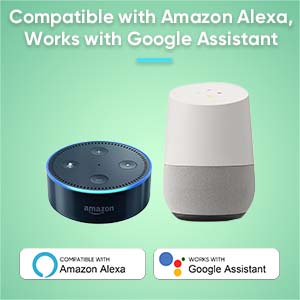
Figure 8.2: Compatibility with Amazon Alexa and Google Assistant (requires Sifely Wi-Fi Gateway).
9. Konserwacja
9.1 Wymiana baterii
The Sifely D323T lock is powered by 4 AA alkaline batteries, providing an average battery life of approximately one year. When battery levels are low, the lock will provide an audible or visual alert. To replace batteries:
- Remove the battery cover on the interior panel.
- Wyjmij stare baterie.
- Włóż 4 nowe baterie alkaliczne AA, zwracając uwagę na prawidłową biegunowość.
- Załóż z powrotem pokrywę baterii.
9.2 Czyszczenie
Wyczyść zewnętrzne powierzchnie zamka miękką,amp ściereczką. Unikaj stosowania środków czyszczących o działaniu ściernym, rozpuszczalników i silnych środków chemicznych, ponieważ mogą one uszkodzić powłokę i elementy elektroniczne.
10. Rozwiązywanie Problemów
- Zamek nie odpowiada: Check battery levels. Replace batteries if low. Ensure the keypad is activated by touching it.
- Kod dostępu nie działa: Verify the passcode is entered correctly. Check if the code is expired (for timed or one-time codes) or if the lock is in a specific mode (e.g., Lock Out Mode).
- Key fob not working: Ensure the fob is correctly registered in the app. Present the fob directly to the keypad.
- Lock not engaging fully: Check for any obstructions in the door frame or strike plate. Ensure the latch is properly aligned. A factory reset may be required if mechanical issues persist after checking alignment.
- Problemy z łącznością aplikacji: Ensure Bluetooth is enabled on your phone and you are within range. For Wi-Fi features, verify the Sifely Wi-Fi Gateway is properly installed and connected to your network.
11. Specyfikacje
| Funkcja | Specyfikacja |
|---|---|
| Marka | Sifely |
| Nazwa modelu | D323T |
| Typ zamka | Zasuwa |
| Tworzywo | Cynk |
| Kolor | Silver (Satin Nickel Finish) |
| Źródło zasilania | 4 baterie AA (alkaliczne) |
| Średnia żywotność baterii | 1 rok |
| Łączność | Bluetooth, Wi-Fi (z opcjonalną bramką) |
| Metoda kontroli | App, Keypad, Fob, Physical Key |
| Waga przedmiotu | 2.48 funta |
| Wymiary (dł. x szer. x wys.) | 3 x 3 x 1 cale (w przybliżeniu) |
| Temperatura pracy | -4°F do 140°F (-20°C do 60°C) |
12. Gwarancja i wsparcie
The Sifely D323T Smart Door Lock comes with a 1-letnia gwarancja na produkt from the date of purchase. Sifely also provides dożywotnie wsparcie klienta for its products. The Sifely app and associated software are free to use, with no hidden charges or long-term costs.
For technical assistance, troubleshooting, or warranty claims, please refer to the contact information provided with your product packaging or visit the official Sifely support webstrona.