
1. Wprowadzenie
This manual provides detailed instructions for the installation, operation, maintenance, and troubleshooting of the Akozon MPT-7210A MPPT Solar Controller. This device is designed to efficiently charge lithium batteries using solar panels, featuring advanced Maximum Power Point Tracking (MPPT) technology.
2. Informacje dotyczące bezpieczeństwa
Przed instalacją i uruchomieniem należy uważnie przeczytać wszystkie instrukcje bezpieczeństwa. Nieprzestrzeganie tych instrukcji może spowodować porażenie prądem, pożar lub poważne obrażenia.
- Przed podłączeniem zasilania należy upewnić się, że wszystkie połączenia są bezpieczne i prawidłowe.
- Nie rozmontowuj ani nie próbuj samodzielnie naprawiać kontrolera. W celu uzyskania pomocy skontaktuj się z wykwalifikowanym personelem.
- Zainstaluj kontroler w dobrze wentylowanym pomieszczeniu, z dala od materiałów łatwopalnych i wilgoci.
- Wear appropriate personal protective equipment (PPE) during installation, including insulated gloves and eye protection.
- Sprawdź pojemność bateriitage and polarity before connecting to the controller.
3. Koniec produktuview
The Akozon MPT-7210A is a high-performance MPPT solar charge controller designed for various battery types, including lithium batteries. It features an LCD display for real-time monitoring and user-friendly controls.
Główne cechy:
- Technologia MPPT: Innovative Maximum Power Point Tracking for improved energy generation efficiency.
- Szeroka kompatybilność: Supports 24V, 36V, 48V, 60V, and 72V battery pack systems.
- Regulowane wyjście: Objętość wyjściowatage (DC15-90V) and current (0-10A) are adjustable.
- Wyświetlacz LCD: 160*128 TFT color LCD displays current, voltage, power, and charging time.
- Podwójny tryb pracy: Selectable MPPT for photovoltaic panels and DC-DC for boost power supply.
- Funkcje ochronne: Overload protection and MOS reverse connection protection for both input and output.
- Wydajne chłodzenie: Advanced fan temperature control and aluminum alloy casing for excellent heat dissipation.
- Przechowywanie danych: Built-in 20 groups of data for user settings and storage.
Składniki produktu:
The controller unit includes the main body, an LCD display, control buttons, input/output terminals, and a cooling fan.
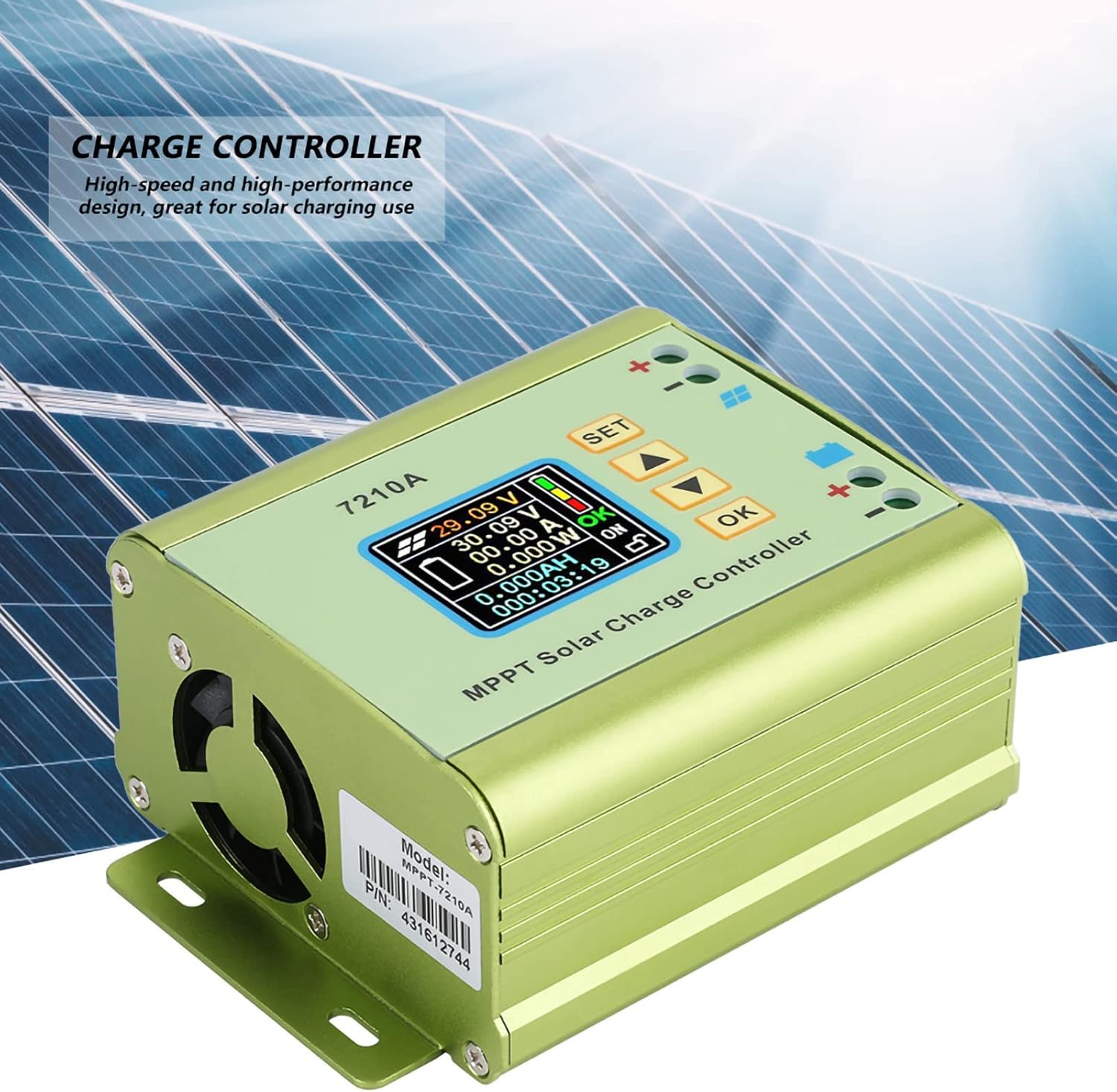
Rycina 1: Przód view of the Akozon MPT-7210A Solar Controller, showing the LCD display and control interface.
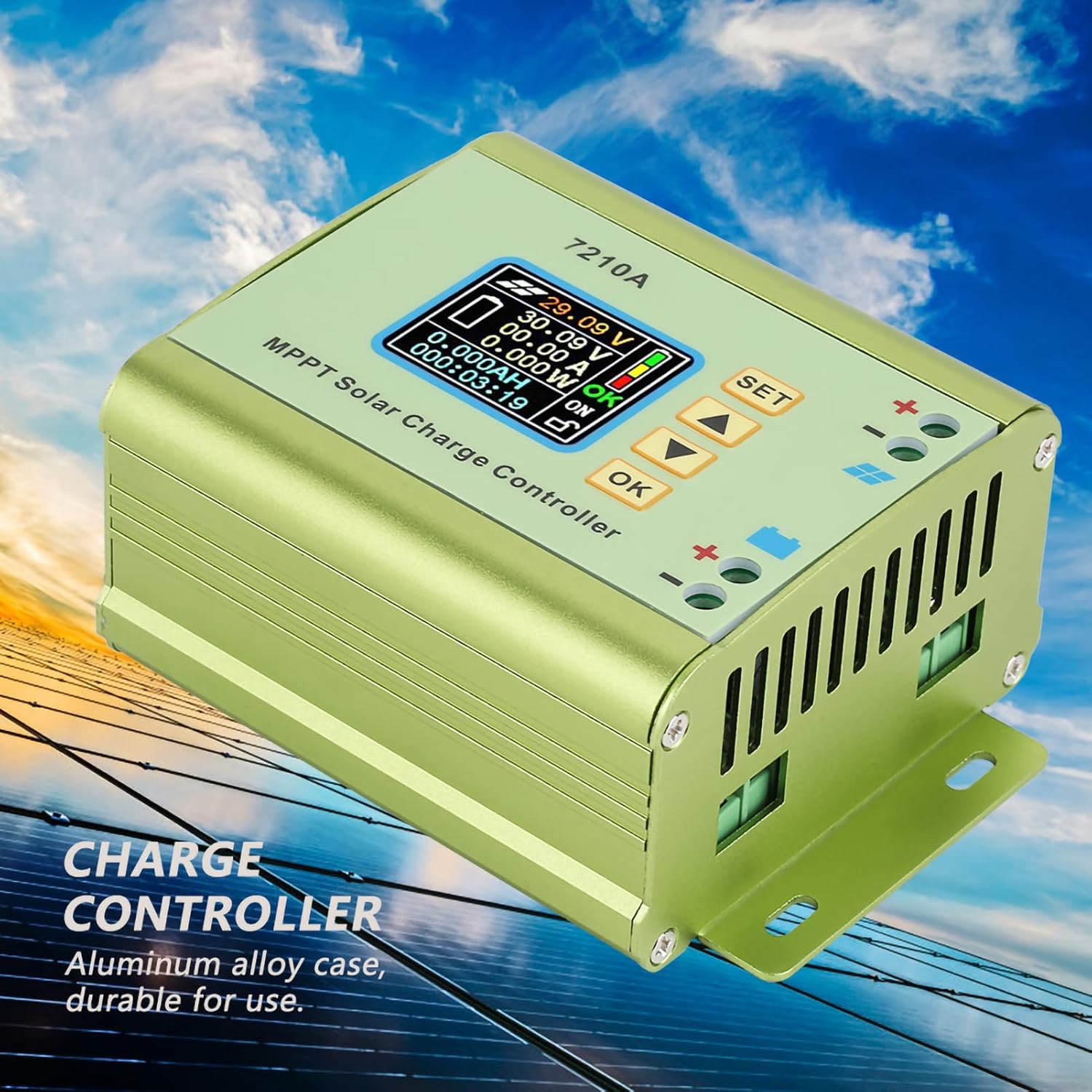
Rysunek 2: Strona view of the Akozon MPT-7210A Solar Controller, emphasizing its durable aluminum alloy casing and heat dissipation design.

Figure 3: Physical dimensions of the Akozon MPT-7210A Solar Controller, measuring approximately 13.1cm x 9.6cm x 5.5cm.
4. Specyfikacje
| Parametr | Wartość |
|---|---|
| Model | MPT-7210A |
| Tworzywo | Stop aluminium |
| Wyświetlacz | 160*128 TFT Color LCD |
| Wejście Voltage | DC 12-60V |
| Prąd wyjściowy | 0-10A (regulowane) |
| Moc wyjściowa | 20-600W |
| Tryb pracy | MPPT, DC-DC |
| Objętość wyjściatage | DC 15-90V (Adjustable for 24V/36V/48V/60V/72V battery systems) |
| Wymiary (dł.*szer.*wys.) | 131*96*55mm (5.2*3.8*2.2in) |
| Waga | Około. 440 g (15.5 uncji) |
5. Konfiguracja i instalacja
Follow these steps for proper installation of your Akozon MPT-7210A Solar Controller.
- Montowanie: Choose a suitable location for mounting the controller. Ensure it is dry, well-ventilated, and protected from direct sunlight and extreme temperatures. The controller has mounting brackets for secure installation.
- Podłączenie akumulatora:
- Connect the positive (+) terminal of the battery to the positive (+) battery terminal on the controller.
- Connect the negative (-) terminal of the battery to the negative (-) battery terminal on the controller.
- Ensure correct polarity. Reverse connection protection is built-in, but proper connection is always recommended.
- Podłączenie panelu słonecznego:
- Connect the positive (+) terminal of the solar panel to the positive (+) solar input terminal on the controller.
- Connect the negative (-) terminal of the solar panel to the negative (-) solar input terminal on the controller.
- Ensure correct polarity. The controller supports solar panels with an output power of 100W to 600W.

Figure 4: Wiring diagram for connecting the solar panel and battery to the MPT-7210A controller. Connect battery first, then solar panel.
Ważny: Always connect the battery to the controller first, and disconnect the solar panel before disconnecting the battery.
6. Instrukcja obsługi
The MPT-7210A features an intuitive LCD display and control buttons for easy operation.
6.1. Wyświetlacz LCDview
The 160*128 TFT color LCD displays real-time operational data, including input voltage, objętość wyjściowatage, current, power, and charging time. The display also indicates the selected working mode and battery status.
Rysunek 5: Szczegółowy view of the LCD display on the MPT-7210A, showing various operational parameters.
6.2. Przyciski sterujące
The controller features several buttons for navigation and setting adjustments:
- ZESTAW: Enters the settings menu or confirms a selection.
- Strzałki GÓRA/DÓŁ: Umożliwia poruszanie się po opcjach menu lub dostosowywanie wartości parametrów.
- OK: Confirms a setting or exits a menu.
6.3. Ustawianie głośności wyjściowejtage i Aktualne
The controller allows you to set the desired output voltage and current to match your battery pack requirements.
- Naciśnij USTAWIĆ przycisk, aby wejść do głównego menu ustawień.
- Użyj GÓRA/DÓŁ arrows to navigate to the "Output Voltage" or "Output Current" setting.
- Naciskać OK aby wybrać parametr.
- Użyj GÓRA/DÓŁ arrows to adjust the value.
- Naciskać OK aby potwierdzić nową wartość.
- Naciskać USTAWIĆ ponownie, aby wyjść z menu ustawień.
The controller supports output voltages adjustable from DC15-90V, suitable for 24V, 36V, 48V, 60V, and 72V battery systems. Output current is adjustable from 0-10A.
6.4. Selecting Working Mode
The MPT-7210A offers two working modes:
- Tryb MPPT: Optimized for photovoltaic panel applications to maximize power extraction.
- DC-DC Mode: Functions as a boost power supply.
To change the working mode:
- Naciśnij USTAWIĆ przycisk, aby wejść do głównego menu ustawień.
- Navigate to the "Working Mode" option using the GÓRA/DÓŁ strzałki.
- Naciskać OK aby wybrać.
- Użyj GÓRA/DÓŁ arrows to toggle between MPPT and DC-DC modes.
- Naciskać OK aby potwierdzić swój wybór.
- Naciskać USTAWIĆ ponownie, aby wyjść z menu ustawień.
6.5. Przechowywanie danych
The controller can store up to 20 groups of user-defined settings. Refer to the on-screen menu for instructions on saving and recalling these settings.
7. Konserwacja
Regular maintenance ensures optimal performance and longevity of your solar controller.
- Czyszczenie: Periodically clean the exterior of the controller with a dry, soft cloth. Do not use harsh chemicals or abrasive cleaners.
- Wentylacja: Ensure the cooling fan and ventilation openings are free from dust and debris to maintain proper heat dissipation.
- Znajomości: Regularly check all wiring connections for tightness and corrosion. Loose connections can lead to power loss or overheating.
- Środowisko: Verify that the installation environment remains dry and within the recommended temperature range.
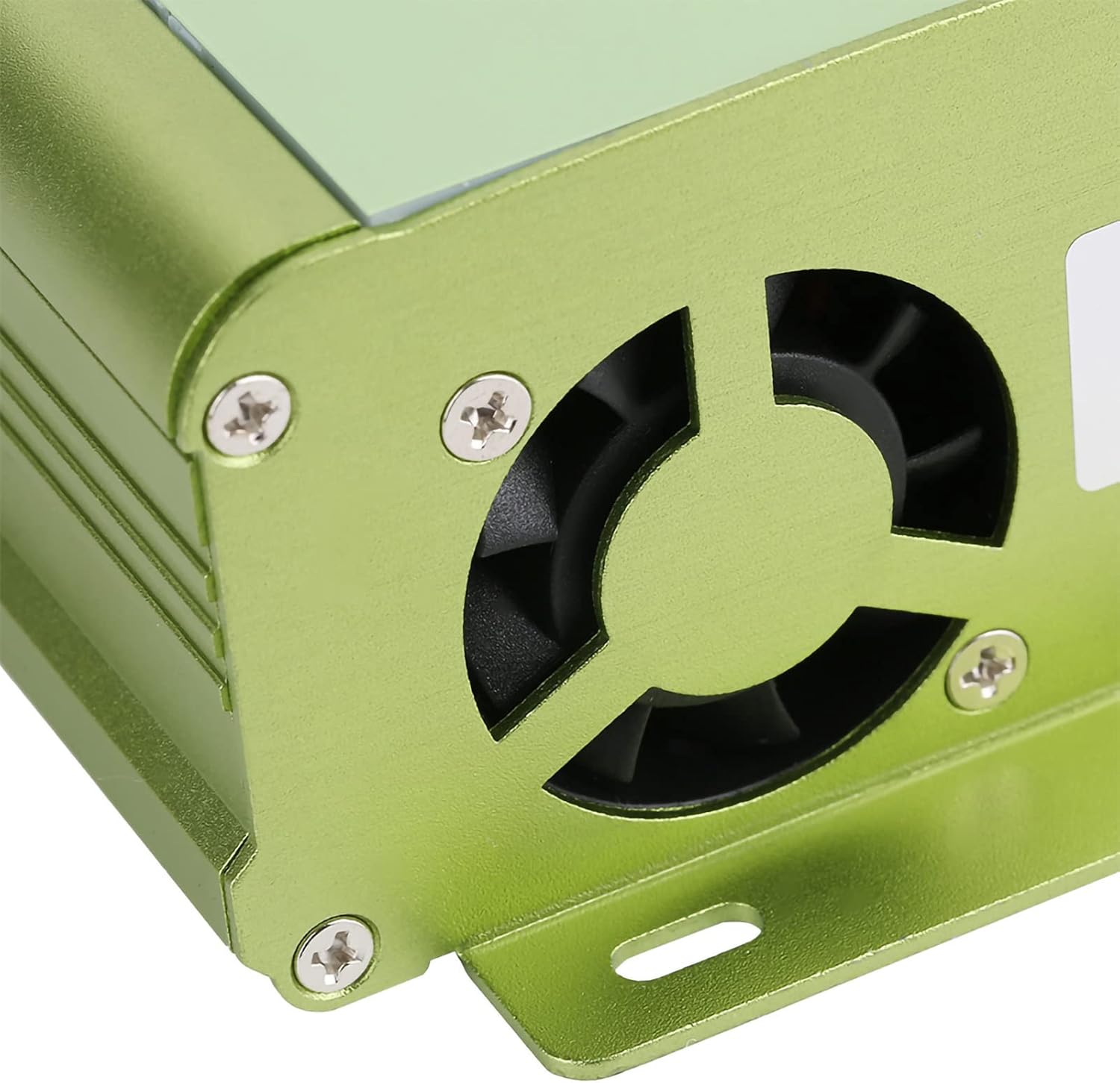
Rysunek 6: View of the cooling fan on the MPT-7210A, essential for maintaining optimal operating temperature.

Rysunek 7: Dół view of the MPT-7210A, illustrating the heat sink fins that aid in passive heat dissipation.
8. Rozwiązywanie Problemów
This section addresses common issues you might encounter with your solar controller.
| Problem | Możliwa przyczyna | Rozwiązanie |
|---|---|---|
| Wyświetlacz kontrolera jest wyłączony. | Brak zasilania z akumulatora lub panelu słonecznego; nieprawidłowe okablowanie. | Check battery and solar panel connections. Ensure battery is charged sufficiently to power the display. Verify polarity. |
| Akumulator się nie ładuje. | Solar panel not connected or insufficient sunlight; incorrect output settings; faulty wiring. | Ensure solar panel is connected and receiving adequate sunlight. Check output voltage and current settings to match battery requirements. Inspect all wiring for damage or loose connections. |
| Aktywowane zabezpieczenie przed przeciążeniem. | Output current exceeds the controller's maximum limit (10A). | Reduce the load connected to the battery or adjust the output current setting if applicable. The controller will automatically cut off if overloaded. |
| Nieprawidłowa objętośćtage/bieżące odczyty. | Sensor issue; calibration needed (unlikely for user); external interference. | Ensure connections are clean and secure. If problem persists, contact customer support. |
9. Gwarancja i wsparcie
For warranty information and technical support, please refer to the seller's policy or contact Akozon customer service directly. Keep your purchase receipt for warranty claims.
Producent: Akozon
Model: MPT-7210A
ASIN: B087C24Z2P
Aby uzyskać dalszą pomoc, możesz odwiedzić stronę Akozon Store on Amazon.