
1. Wprowadzenie
The ARENTI GO1 is a 100% wireless, battery-powered outdoor security camera designed to provide reliable surveillance for your home. Featuring 1080P Full HD video, night vision, two-way audio, and IP65 weather resistance, this camera offers comprehensive monitoring capabilities. Its AI motion detection ensures you receive relevant alerts, keeping you informed about activity around your property.
2. Co znajduje się w pudełku
Ostrożnie rozpakuj pudełko i upewnij się, że wszystkie elementy są obecne. Jeśli brakuje któregokolwiek z nich lub jest on uszkodzony, skontaktuj się z obsługą klienta.

Image: Contents of the ARENTI GO1 package, including the camera, mounting options, charging cable, power adapter, and quick start guide.
- ARENTI GO1 Camera (1X)
- Kabel USB (1x)
- Zasilacz (1x)
- Mounting Bracket (A) (1X)
- Mounting Bracket (B) (1X)
- Śruby (3X)
- Reset Key (1X)
- Quick Guide (1X)
Video: An unboxing of the ARENTI GO1 camera, showing all included components and accessories.
3. Koniec produktuview
The ARENTI GO1 camera is designed for ease of use and robust performance. It features a compact, wireless design with dual mounting options for flexible placement.

Image: The ARENTI GO1 camera shown with both the traditional outdoor stand and a magnetic stand for versatile installation.
Główne cechy:
- Wideo w jakości Full HD 1080P: Provides clear and detailed video recordings.
- Szeroki kąt 145° View: Captures a broad area for comprehensive surveillance.
- Widzenie nocne: Equipped with infrared sensors for clear monitoring in low-light conditions.
- Dwukierunkowy dźwięk: Allows for real-time communication with visitors or intruders.
- Wykrywanie ruchu AI: Intelligently detects human motion to reduce false alarms.
- Odporność na warunki atmosferyczne IP65: Trwała konstrukcja, odpowiednia do stosowania na zewnątrz w różnych warunkach pogodowych.
- Akumulator 6700mAh: Offers long-lasting operation (30-180 days depending on usage).
- Przechowywanie lokalne i w chmurze: Supports SD card storage and optional cloud service.
Video: An introductory video highlighting the key features and benefits of the ARENTI GO1 camera.
4. Konfiguracja
4.1. Ładowanie aparatu
Before initial use, fully charge the ARENTI GO1 camera using the provided USB cable and power adapter. The battery is rechargeable and designed for long-term use.
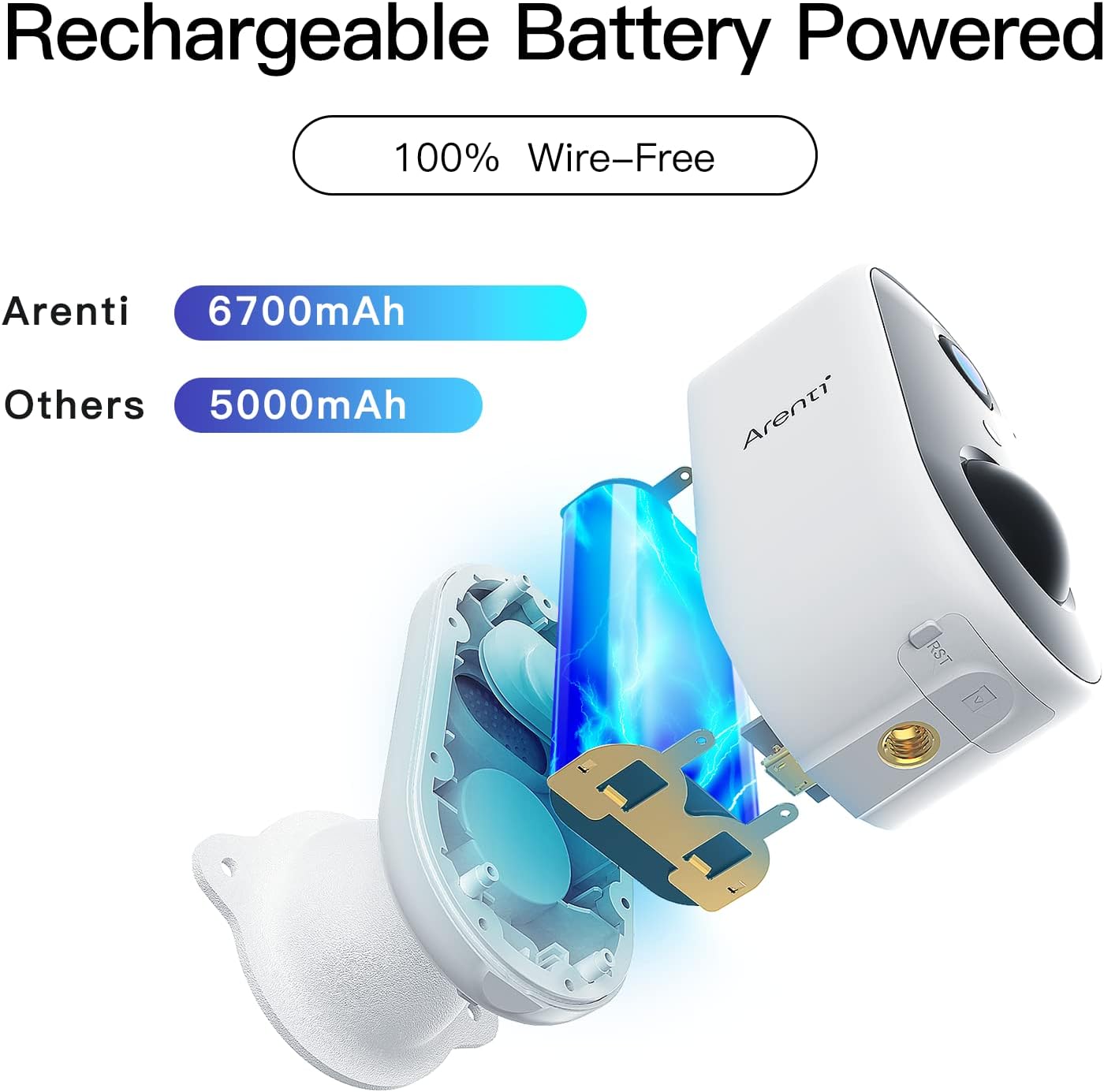
Obraz: Wnętrze view of the ARENTI GO1 camera, highlighting its 6700mAh rechargeable battery.
4.2. Instalacja aplikacji
Download the 'Arenti' app from your device's app store (Google Play Store for Android or Apple App Store for iOS). Ensure your smartphone is connected to a 2.4GHz Wi-Fi network, as the camera does not support 5GHz Wi-Fi.
4.3. Parowanie urządzeń
Follow these steps to pair your ARENTI GO1 camera with the app:
- Open the Arenti app and sign up or log in to your account.
- Kliknij ikonę „+”, aby dodać nowe urządzenie.
- Z listy urządzeń wybierz „Aparat bateryjny”.
- Przytrzymaj przycisk zasilania urządzenia, aby uruchomić urządzenie.
- Press the [battery camera] button to wake the device if it is asleep.
- Hold the RESET button on your device for 4-5 seconds (refer to the user manual for more details). Wait for a flashing RED indicator light.
- Wybierz sieć Wi-Fi 2.4 GHz i wprowadź hasło.
- Remove any protective film from the camera lens.
- Tap 'Next' to show a QR code on your phone.
- Hold your phone 5-8 inches (15-25cm) from the camera lens, allowing the camera to scan the QR code. A tone will be heard upon successful scan.
- The app will then connect and register the device.
Video: A step-by-step guide on how to connect the ARENTI GO1 camera to the Arenti app.
4.4. Opcje montażu
The ARENTI GO1 offers dual mounting options for versatile placement:
- Outdoor Stand: Use the metal bracket and screws for secure, permanent installation on walls or ceilings.
- Stojak magnetyczny: For temporary or easily adjustable placement, use the magnetic bracket. This allows for quick removal for charging.
5. Obsługa aparatu
5.1. Na żywo View & Nagrywanie
Once connected, access the live feed from your camera through the Arenti app. You can view real-time video and manually initiate recordings. The camera supports both event recording and 24-hour continuous recording to an SD card or cloud storage.

Image: The ARENTI GO1 camera illustrating its support for both cloud storage and local SD card storage.
5.2. Dźwięk dwukierunkowy
The camera features a built-in microphone and speaker, enabling two-way communication. Use the app to speak through the camera and hear responses from the other end.

Image: A user communicating with a delivery person via the ARENTI GO1 camera's two-way audio feature.
5.3. Detekcja ruchu i alerty
The ARENTI GO1 utilizes AI motion detection to identify human activity. When motion is detected, you will receive instant push notifications on your smartphone, allowing you to monitor suspicious activity promptly.
Video: Demonstrates the night vision capabilities of the ARENTI GO1 camera, showing clear footage w warunkach słabego oświetlenia.
5.4. Wizja nocna
Kamera automatycznie przełącza się na tryb widzenia nocnego w warunkach słabego oświetlenia, zapewniając wyraźny obraz czarno-biały.tagdo 32 stóp.
5.5. Integracja inteligentnego domu
The ARENTI GO1 camera is compatible with Amazon Alexa and Google Assistant. You can use voice commands to view obraz z kamery wyświetlany na kompatybilnych inteligentnych wyświetlaczach.
Video: Instructions on how to connect and use the ARENTI GO1 camera with Amazon Alexa.
5.6. Udostępnianie urządzenia
You can share access to your camera's live feed with family members through the Arenti app, allowing multiple users to monitor the property simultaneously.

Image: Illustration of multiple family members sharing and viewing the camera feed on various mobile devices.
6. Konserwacja
6.1. Zarządzanie baterią
The 6700mAh rechargeable battery provides 30-180 days of operation depending on environmental factors and the number of wake-ups. Recharge the camera when the battery level is low. The app will notify you when charging is required.
6.2. Odporność na warunki atmosferyczne
The ARENTI GO1 camera has an IP65 rating, making it resistant to dust and water. It is designed to withstand various weather conditions, ensuring year-round security.

Image: The ARENTI GO1 camera installed on an exterior wall, shown enduring rainfall, highlighting its IP65 weather resistance.
7. Rozwiązywanie Problemów
- Kamera nie łączy się z siecią Wi-Fi: Ensure your Wi-Fi network is 2.4GHz. Move the camera closer to the router for a stronger signal. Reset the camera using the reset key and try pairing again.
- Słabe widzenie w nocy: Ensure the camera lens is clean. Check for any obstructions that might reflect infrared light back into the lens.
- Krótka żywotność baterii: Reduce motion detection sensitivity or frequency of alerts. Ensure the camera is not placed in an area with constant motion (e.g., tree branches moving in the wind).
- Nie otrzymano żadnych alertów: Check app notification settings on your smartphone and within the Arenti app. Ensure the camera is connected to Wi-Fi.
8. Specyfikacje
| Funkcja | Szczegół |
|---|---|
| Nazwa modelu | GO1 |
| Rozdzielczość wideo | 1080P Full HD |
| Viewing kąt | 145 stopni |
| Zakres noktowizora | 32 stóp |
| Pojemność baterii | Bateria litowo-jonowa 6700 mAh |
| Odporność na warunki atmosferyczne | IP65 |
| Łączność | 2.4GHz Wi-Fi (not 5GHz) |
| Opcje przechowywania | Karta SD (do 128 GB), przechowywanie w chmurze |
| Audio | Dźwięk dwukierunkowy |
| Wykrywanie ruchu | Wykrywanie ruchu AI |
| Zgodność z inteligentnym domem | Amazon Alexa, Asystent Google |
| Wymiary | 2.05 x 1.97 x 3.74 cala |
| Waga | 6.7 uncji |
9. Gwarancja i pomoc techniczna
The ARENTI GO1 camera comes with a manufacturer's warranty. Please refer to the warranty card included in your package for specific terms and conditions. For technical support, troubleshooting, or any inquiries, please visit the official ARENTI webodwiedź witrynę lub skontaktuj się bezpośrednio z działem obsługi klienta.


