
1. Wprowadzenie
Dziękujemy za zakupasing the Vonyx CVB215 Active Speaker. This powerful 1600W speaker features dual 15-inch woofers, Bluetooth connectivity, and MP3 playback capabilities, making it ideal for various audio applications including music playback, parties, and public announcements. This manual provides essential information for safe operation, setup, and maintenance of your speaker. Please read it thoroughly before use and retain it for future reference.
2. Instrukcje bezpieczeństwa
- Zasilanie: Ensure the speaker is connected to a power outlet with the correct voltage (230V AC / 50Hz).
- Wilgoć: Do not expose the speaker to rain or moisture to prevent electric shock.
- Wentylacja: Ensure adequate ventilation around the speaker. Do not block ventilation openings.
- Źródła ciepła: Trzymaj głośnik z dala od źródeł ciepła, takich jak kaloryfery, kratki wentylacyjne, piece i inne urządzenia wytwarzające ciepło.
- Czyszczenie: Disconnect from power before cleaning. Use a dry cloth.
- Serwisowanie: Nie próbuj samodzielnie naprawiać głośnika. Wszelkie prace serwisowe zleć wykwalifikowanemu personelowi.
- Umieszczenie: Aby zapobiec jego upadkowi, należy ustawić głośnik na stabilnej, płaskiej powierzchni.
3. Koniec produktuview
The Vonyx CVB215 is a robust active speaker designed for high-quality audio output. It features a durable enclosure with a metal grille protecting the dual 15-inch woofers and tweeters. Integrated handles allow for easier transport.
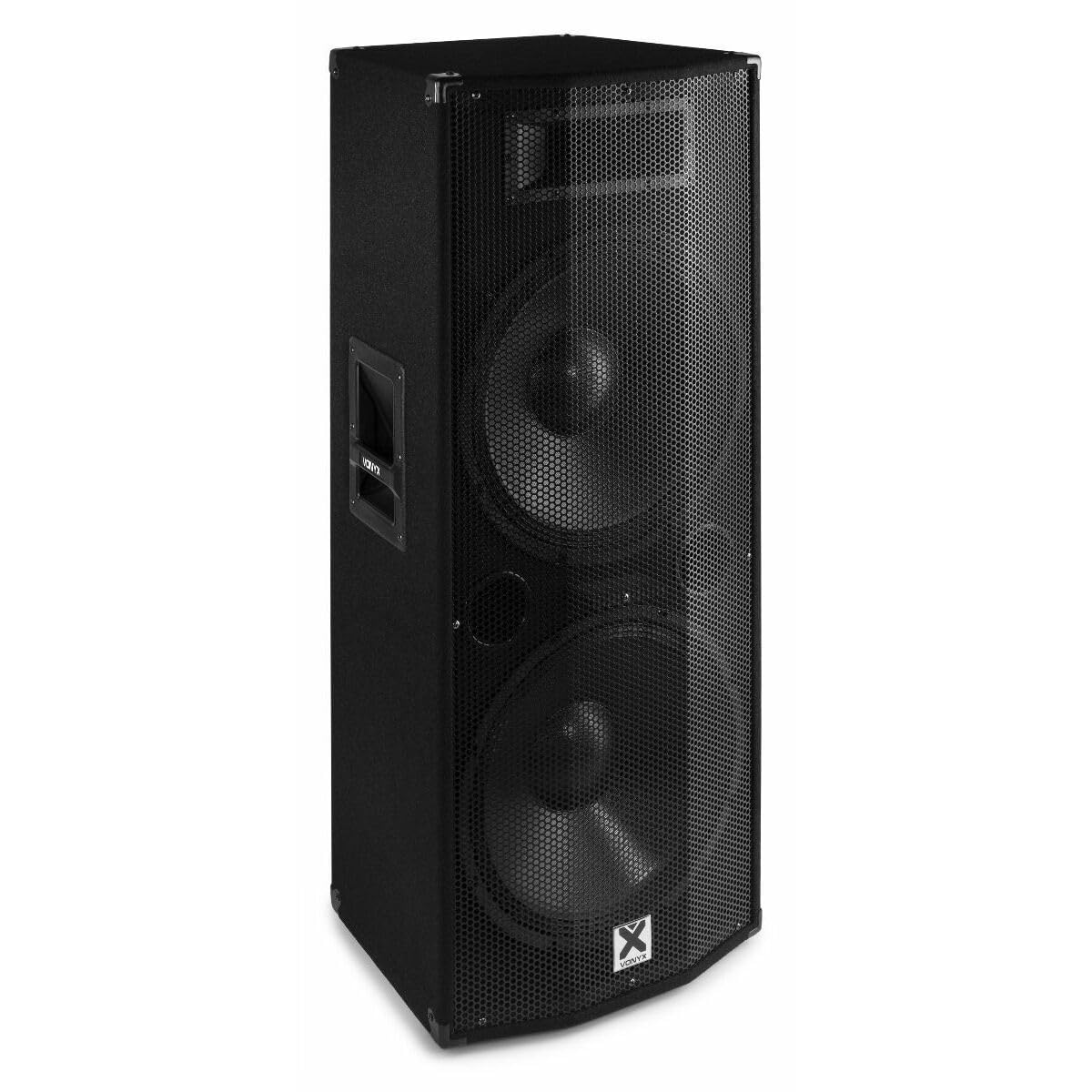
Obraz 3.1: Przód view of the Vonyx CVB215 active speaker. This image displays the speaker's front, highlighting the protective metal grille and the Vonyx logo.
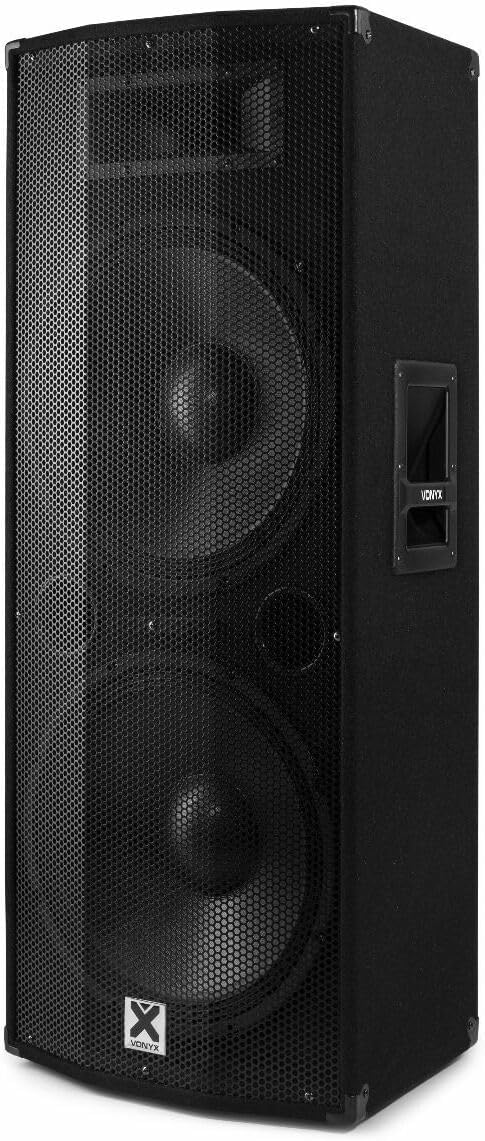
Obraz 3.2: Kątowy view of the Vonyx CVB215 active speaker. This perspective shows the speaker's side with an integrated handle, designed for portability.
Elementy sterujące i złącza na tylnym panelu
The rear panel houses all input/output connections and control knobs for audio adjustment.

Obraz 3.3: Rear panel of the Vonyx CVB215 active speaker. This image provides an overview of all connections and controls located on the back of the unit.
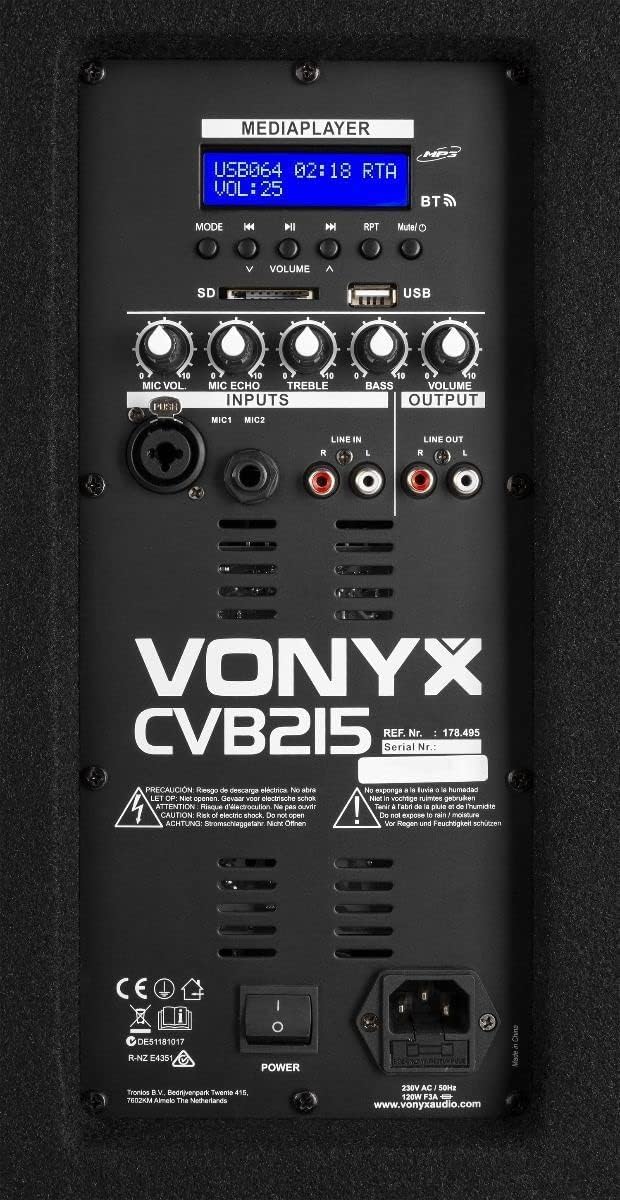
Obraz 3.4: Szczegółowy view of the Vonyx CVB215 rear panel controls. This close-up highlights the media player interface, USB and SD card slots, microphone inputs (MIC1, MIC2), Line In (RCA), Line Out (RCA), and various adjustment knobs.
- MEDIAPLAYER Display: Pokazuje aktualny tryb, informacje o utworze i poziom głośności.
- Gniazda kart USB/SD: For MP3 playback from USB drives or SD cards.
- Przycisk TRYB: Switches between Bluetooth, USB, SD, and Line-in modes.
- VOLUME Knobs: Adjusts overall volume, microphone volume (MIC VOL), microphone echo (MIC ECHO), treble, and bass.
- Wejścia MIC1/MIC2: Wejścia mikrofonowe typu jack 6.3 mm.
- WEJŚCIE LINIOWE (RCA): Stereo RCA inputs for connecting external audio sources (e.g., mixer, CD player).
- WYJŚCIE LINIOWE (RCA): Stereo RCA outputs for connecting to another active speaker or ampliyfikator.
- Przycisk zasilania: Włącza/wyłącza głośnik.
- WEJŚCIE AC: Podłączenie kabla zasilającego.
Zdalne sterowanie
The speaker comes with a remote control for convenient operation of the media player functions.

Obraz 3.5: Remote control for the Vonyx CVB215 speaker. This image displays the layout of the remote control, including buttons for media playback, volume adjustment, and mode selection.
4. Konfiguracja
- Rozpakowywanie: Ostrożnie wyjmij głośnik z opakowania. Zachowaj opakowanie do transportu lub przechowywania w przyszłości.
- Umieszczenie: Place the speaker on a stable, level floor. Ensure there is sufficient space around the speaker for proper ventilation. The speaker is designed for floorstanding use.
- Podłączenie zasilania: Connect the supplied power cable to the AC IN socket on the rear panel of the speaker and then to a suitable power outlet.
- Pierwsze włączenie: Ensure all volume controls are set to minimum before turning on the speaker using the POWER switch.
5. Obsługa
5.1. Połączenie Bluetooth
- Włącz głośnik.
- Naciśnij TRYB button on the rear panel or remote control until "BT" (Bluetooth) appears on the MEDIAPLAYER display. The speaker will enter pairing mode.
- Na urządzeniu z włączoną funkcją Bluetooth (smartfon, tablet, laptop) wyszukaj dostępne urządzenia Bluetooth.
- Select "Vonyx" or a similar name from the list.
- Once paired, you will hear a confirmation sound, and the display will indicate a successful connection.
- You can now play audio from your device through the speaker. The Bluetooth range is approximately 10 meters (33 feet).
5.2. MP3 Playback (USB/SD)
- Insert a USB flash drive or SD card (containing MP3 files) into the corresponding slot on the rear panel.
- The speaker will automatically switch to USB or SD mode and begin playing the first track. If not, press the TRYB button to select USB or SD mode.
- Use the playback controls (Play/Pause, Previous, Next) on the rear panel or remote control to manage your music.
- Dostosuj TOM knob to control the playback level.
5.3. Line-in Connection (RCA)
- Connect your external audio source (e.g., mixer, CD player, TV) to the WEJŚCIE LINIOWE (RCA) inputs on the rear panel using appropriate RCA cables.
- Naciśnij TRYB button until "LINE" or "AUX" appears on the display.
- Play audio from your connected device and adjust the main TOM knob on the speaker.
5.4. Użycie mikrofonu
- Connect your microphone(s) to the MIC1 or MIC2 6.3mm jack inputs.
- Dostosuj GŁOŚNOŚĆ MIKROFONU pokrętło do regulacji głośności mikrofonu.
- Użyj ECHO MIKROF knob to add an echo effect to the microphone signal, if desired.
5.5. Kontrola tonów
- Użyj POTROIĆ knob to adjust the high frequencies of the audio.
- Użyj BASS knob to adjust the low frequencies of the audio.
6. Konserwacja
- Czyszczenie: Disconnect the speaker from the power supply before cleaning. Use a soft, dry cloth to wipe the exterior surfaces. Do not use abrasive cleaners or solvents.
- Składowanie: If not in use for an extended period, store the speaker in a dry, dust-free environment. It is recommended to use the original packaging for protection.
- Kontrola: Periodically check the power cable for any signs of damage. If damaged, replace it immediately with an approved cable.
7. Rozwiązywanie Problemów
| Problem | Możliwa przyczyna | Rozwiązanie |
|---|---|---|
| Brak zasilania | Power cable not connected; Power switch off; Outlet fault | Check power cable connection; Turn power switch on; Test outlet with another device |
| Brak dźwięku | Volume too low; Incorrect input mode selected; Audio source issue; Cables not connected properly | Increase master volume; Select correct input mode (Bluetooth, USB, Line); Check audio source; Ensure all cables are securely connected |
| Bluetooth nie łączy się | Speaker not in pairing mode; Device too far; Bluetooth off on source device | Ensure speaker is in BT mode; Move device closer (within 10m); Enable Bluetooth on your device and re-scan |
| Zniekształcony dźwięk | Volume too high (clipping); Poor audio source quality; Damaged cables | Reduce volume on speaker and source; Use high-quality audio files; Replace damaged cables |
| Problemy z odtwarzaniem plików MP3 | Nieobsługiwane file format; Corrupt USB/SD card; Incorrect mode | Zapewnić files are MP3 format; Try a different USB/SD card; Select USB/SD mode |
8. Specyfikacje

Obraz 8.1: Dimensions of the Vonyx CVB215 active speaker. This diagram illustrates the height, width, and depth of the speaker for placement planning.
- Marka: Wonyks
- Numer modelu: 178.495
- Maksymalna moc wyjściowa: 1600 waty
- Typ głośnika: Multimedia, Active, Floorstanding
- Średnica głośnika niskotonowego: 2 x 15 cali
- Tryb wyjścia audio: Stereofoniczny
- Technologia łączności: Bluetooth, RCA, USB
- Zasięg Bluetooth: 10 metrów
- Total USB 2.0 Ports: 1
- Zgodne urządzenia: Laptop, MP3-player, Smartphone, Tablet, Television
- Metoda sterowania: Zdalne sterowanie
- Źródło zasilania: Corded Electric (230V AC / 50Hz)
- Wymiary produktu (dł. x szer. x wys.): Wymiary 46.5 x 40 x 112.5 cm
- Zawartość zestawu: Handles, metal grille, remote control
9. Gwarancja i wsparcie
Aby uzyskać informacje o gwarancji i pomocy technicznej, zapoznaj się z dokumentacją dołączoną do zakupu lub skontaktuj się ze sprzedawcą. Zachowaj dowód zakupu na wypadek roszczeń gwarancyjnych.