
1. Wprowadzenie
This manual provides detailed instructions for the installation, operation, and maintenance of your JOOAN 3MP Wireless Security Camera System, Model 703. This system is designed to provide reliable surveillance with features such as 3MP resolution, AI human detection, audio recording, and remote access.

Obraz 1.1: Koniecview of the JOOAN Wireless Security Camera System components.
2. Komponenty systemu
The JOOAN 3MP Wireless Security Camera System typically includes the following components:
- NVR (Network Video Recorder) with pre-installed 1TB HDD
- Wireless IP Cameras (4 units)
- Zasilacze do rejestratorów NVR i kamer
- Mysz USB
- Kabel Ethernet
- Śruby montażowe i kotwy
- Instrukcja obsługi (ten dokument)

Image 2.1: The 1TB Hard Disk Drive included with the NVR for video storage.
3. Przewodnik konfiguracji
3.1 Pierwsze uruchomienie i podłączenie
- Podłącz rejestrator NVR do monitora za pomocą kabla HDMI lub VGA.
- Podłącz mysz USB do rejestratora NVR.
- Connect the NVR to power using its adapter.
- Podłącz każdą kamerę do odpowiedniego zasilacza.
- The cameras will automatically pair with the NVR upon power-up.

Image 3.1: Illustration of the 'Auto Pair, Plug N Play' setup process for the camera system.
The system is designed for 'Plug N Play' functionality, meaning cameras should automatically connect to the NVR once powered. For optimal wireless signal, consider the NVR's built-in router capabilities.

Image 3.2: The NVR features a built-in router, providing up to 200ft range with one wall obstruction and up to 1640ft in open spaces.
3.2 Remote Access Setup (Eseecloud App)
Do view your cameras remotely on mobile devices or PC, download the Eseecloud application.
- Download the Eseecloud app from your mobile app store (iOS/Android) or the Eseecloud software for PC.
- Zarejestruj konto i zaloguj się.
- On the NVR interface, navigate to Network Setup to find the Cloud ID (QR code).
- In the Eseecloud app, scan the Cloud ID QR code or manually enter the ID to add your device.
- Ensure your NVR is connected to the internet for remote viewing.

Obraz 3.3: Zdalny viewing setup showing the Eseecloud app on mobile and PC for multi-device access.
Video 3.1: Demonstrates how to get a local image within one minute, showcasing the quick setup process.
Wideo 3.2: Overview of the Jooan 3MP Super HD Wireless System, highlighting its features and ease of use.
4. Instrukcja obsługi
4.1 Na żywo View i odtwarzanie
Po skonfigurowaniu systemu możesz: view żyćtage on your connected monitor or through the Eseecloud app. Recorded footage can be accessed via the NVR interface or the app for playback.
4.2 Detekcja ruchu i alerty
The system features advanced AI Human Detection to minimize false alarms. When motion or a human shape is detected, the system can trigger various alerts:
- NVR Buzzer
- Powiadomienie e-mail
- APP Notification (Push Alert)

Image 4.1: Demonstrates motion detection and the corresponding app push alerts and email notifications.
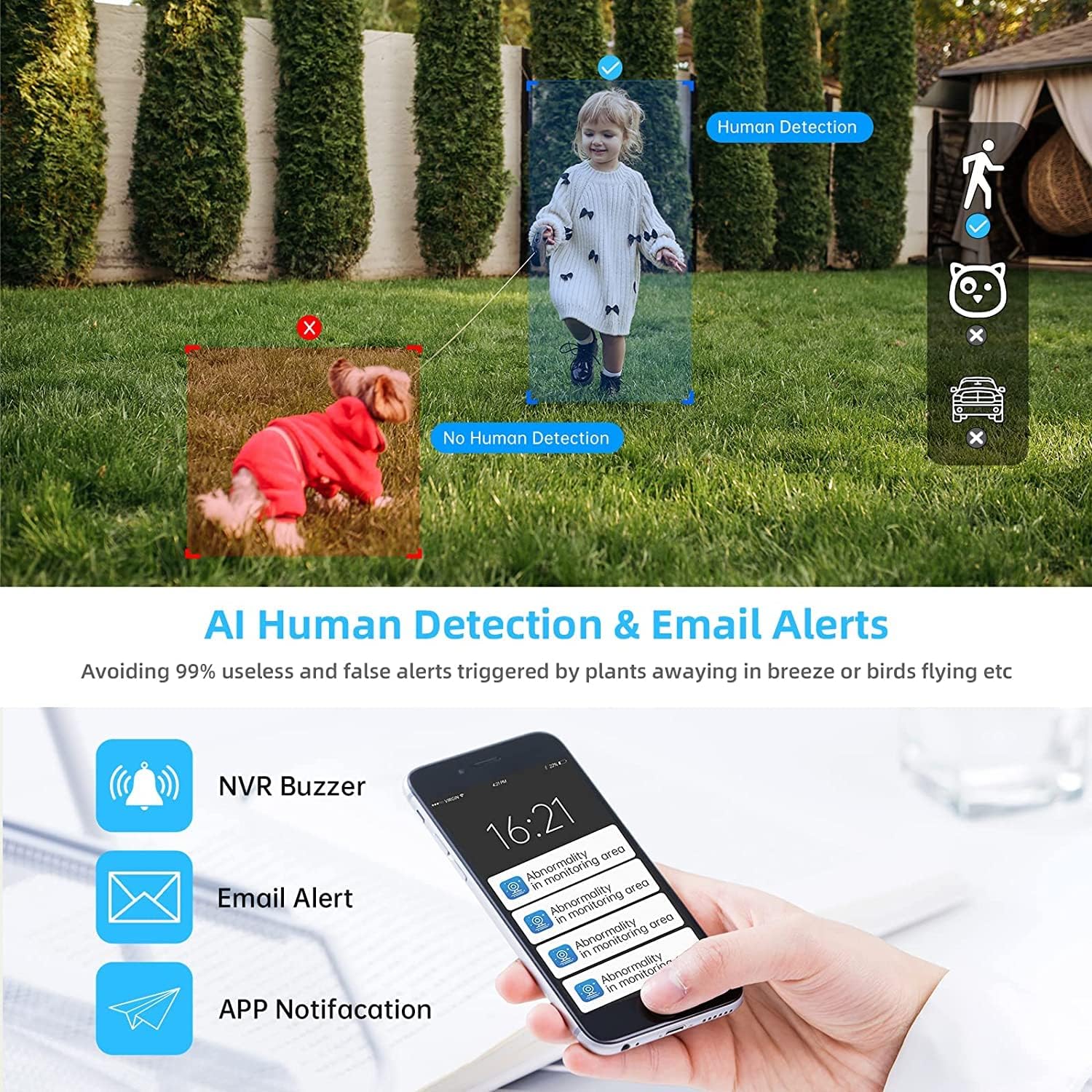
Image 4.2: AI Human Detection feature, distinguishing human shapes from other movements to reduce false alarms.
4.3 Audio Recording (One-Way Audio)
Each camera is equipped with a microphone, allowing for one-way audio recording. You can hear the sound from the monitoring scene during live viewwłączanie i odtwarzanie.
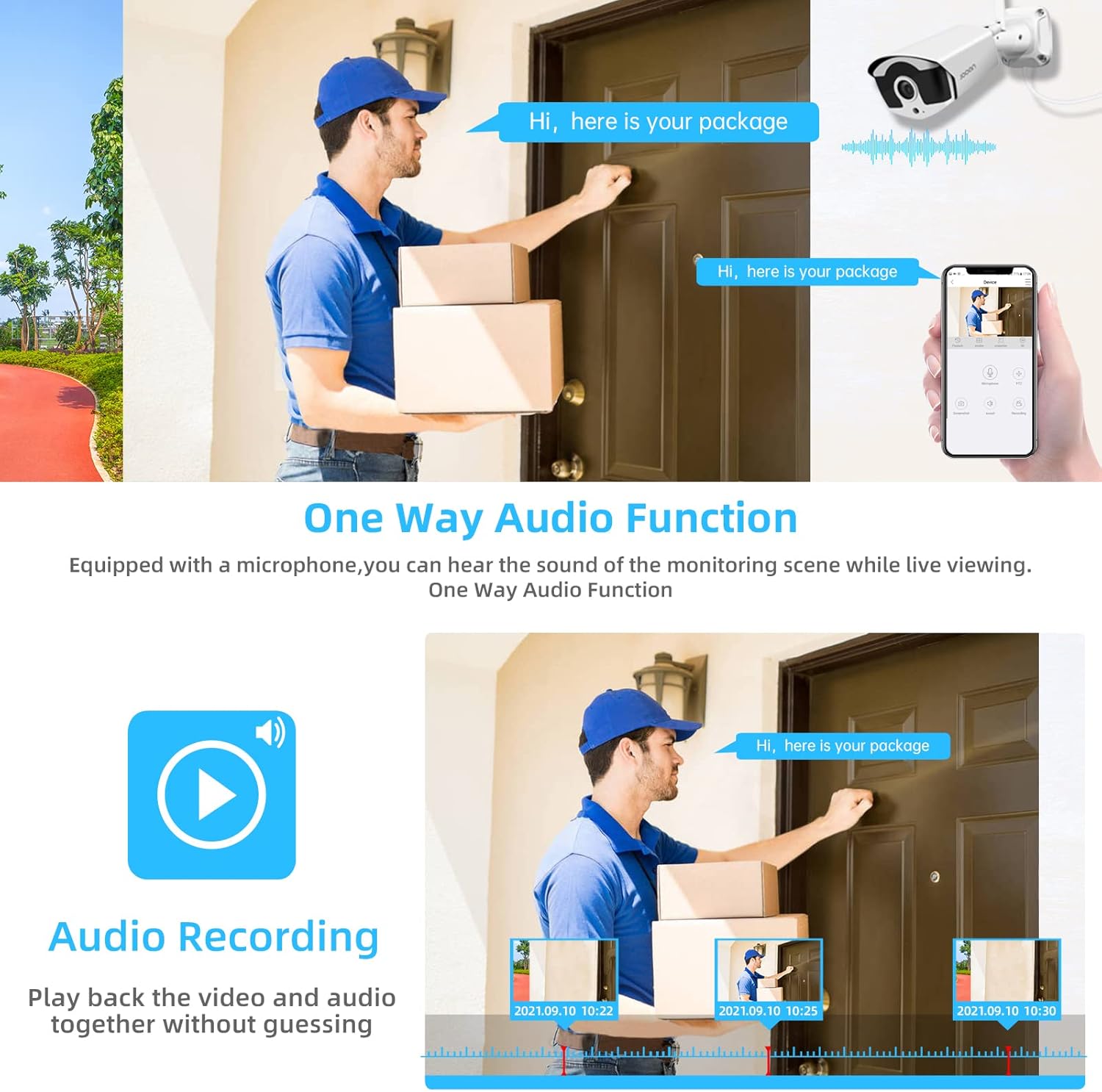
Image 4.3: Illustration of the one-way audio function, showing a delivery person speaking and the audio being recorded.
4.4 Widzenie nocne
The cameras provide clear night vision, ensuring continuous surveillance even in low-light conditions.

Image 4.4: Depiction of the camera's night vision feature, providing clear images in darkness.
Video 4.1: A short clip demonstrating the night time monitoring capabilities of the camera system.
4.5 Kompresja wideo H.265+
The system utilizes advanced H.265+ video compression technology, which significantly reduces storage space requirements while maintaining high video quality. This allows for longer recording times on the 1TB HDD.

Image 4.5: Comparison showing how H.265+ compression saves storage space compared to H.264 and H.265.
5. Konserwacja
Regularna konserwacja zapewnia długowieczność i optymalną wydajność Twojego systemu bezpieczeństwa.
- Czyszczenie obiektywu aparatu: Okresowo czyść obiektywy aparatu miękką,amp Do usuwania kurzu i smug należy używać ściereczki. Unikać środków czyszczących o działaniu ściernym.
- Zarządzanie kablami: Upewnij się, że wszystkie kable są solidnie podłączone i zabezpieczone przed szkodliwym działaniem czynników środowiskowych.
- Aktualizacje oprogramowania: Sprawdź producenta website or the Eseecloud app for firmware updates for the NVR and cameras to ensure the latest features and security patches.
- Ochrona środowiska: While cameras are IP67 waterproof, extreme weather conditions can still affect performance. Ensure cameras are mounted securely and protected where possible.

Image 5.1: The IP67 waterproof rating ensures the camera's durability against various weather conditions, including rain, snow, and dust.
6. Rozwiązywanie Problemów
If you encounter issues with your JOOAN Security Camera System, refer to the following common troubleshooting steps:
6.1 Brak wyświetlania obrazu
- Sprawdź moc: Upewnij się, że rejestrator NVR i wszystkie kamery są prawidłowo włączone.
- Połączenie monitora: Sprawdź połączenie kabla HDMI/VGA pomiędzy rejestratorem NVR a monitorem.
- Parowanie aparatu: If a specific camera has no video, check its power and ensure it's within range of the NVR for wireless connection. Re-pair if necessary (refer to NVR manual for specific re-pairing steps).
6.2 Problemy ze zdalnym dostępem
- Połączenie internetowe: Ensure the NVR is connected to the internet via an Ethernet cable.
- Logowanie do aplikacji: Verify your Eseecloud app login credentials.
- Identyfikator chmury: Double-check that the correct Cloud ID is entered in the app.
- Ustawienia sieciowe: Ensure your router settings are not blocking the NVR's internet access.
6.3 Problemy z nagrywaniem
- Status dysku twardego: Check the NVR's settings to ensure the 1TB HDD is detected and functioning correctly.
- Harmonogram nagrywania: Verify that the recording schedule is properly configured.
- Ustawienia wykrywania ruchu: If using motion-triggered recording, ensure motion detection is enabled and sensitivity is adjusted appropriately.
7. Specyfikacje
| Funkcja | Specyfikacja |
|---|---|
| Marka | Joanna |
| Numer modelu | 703 |
| Rozdzielczość przechwytywania wideo | 3MP (Clearer than 1080p) |
| Liczba kanałów | 8 |
| Wizja nocna | Night color (up to 100ft) |
| Tryb nagrywania | Ciągły, wykrywanie ruchu, zdarzenie |
| Interfejs sprzętowy | 802.11 ac/b/g/n (Wireless) |
| Wejście wideo | VGA, HDMI |
| Technologia czujnika optycznego | CMOS |
| Stopień wodoodporności | IP67 |
| HDD Included | 1TB |
8. Gwarancja i wsparcie
Aby uzyskać informacje dotyczące gwarancji i pomocy technicznej, zapoznaj się z oficjalną stroną JOOAN webOdwiedź stronę internetową lub skontaktuj się bezpośrednio z działem obsługi klienta. Zachowaj paragon jako dowód zakupu na wypadek reklamacji.
Dodatkowe zasoby i odpowiedzi na często zadawane pytania można znaleźć na stronie Sklep JOOAN na Amazon.