
1. Wprowadzenie
The Cosmic Byte CB-GK-14 Sirius is a versatile mechanical keyboard designed for both wired and wireless use. Featuring Outemu Blue switches, per-key RGB backlighting, and multi-device Bluetooth connectivity, it offers a responsive and customizable typing and gaming experience. This manual provides detailed instructions for setup, operation, customization, and maintenance to ensure optimal performance.
2. Główne cechy
- Podwójna łączność: Supports both wired (USB) and Bluetooth modes for flexible usage across various devices.
- Ochrona przed duchami: Full N-key rollover in wired mode and 6-key anti-ghosting in Bluetooth mode ensure accurate input during intense sessions.
- Outemu Blue Switches: Provides a tactile and audible click feedback, ideal for typing and gaming.
- Per Key RGB Backlighting: Offers 18 pre-set backlight effects and 15 levels of brightness adjustment. Customize and store individual key backlighting.
- Long Key Life: Each key is rated for over 60 million operations, ensuring durability.
- Multi-Device Bluetooth: Connects to up to three different Bluetooth devices simultaneously, allowing for easy switching.
- Szeroka kompatybilność: Compatible with Windows, Android, Linux, and iOS operating systems.
- Zintegrowana bateria: 1000mAh rechargeable lithium-ion battery for wireless operation with a range of up to 10 meters.
3. Instrukcje konfiguracji
3.1 Połączenie przewodowe
- Znajdź kabel USB dołączony do klawiatury.
- Podłącz jeden koniec kabla USB do portu USB klawiatury.
- Podłącz drugi koniec kabla USB do wolnego portu USB w komputerze.
- Klawiatura zostanie automatycznie wykryta i będzie gotowa do użycia.
3.2 Połączenie Bluetooth
The keyboard supports up to three Bluetooth devices. Ensure the keyboard is charged before attempting Bluetooth pairing.
- Turn on the keyboard using the power switch, usually located on the back or side.
- Naciśnij i przytrzymaj FN + P, FN+W, Lub FN + E keys for 3-5 seconds to enter Bluetooth pairing mode for the respective channel (Q, W, or E). The indicator light for the selected channel will flash rapidly.
- On your device (PC, mobile, tablet), enable Bluetooth and search for available devices.
- Select "CB-GK-14 Sirius" from the list of found devices.
- Follow any on-screen prompts to complete the pairing process. The indicator light will stop flashing once successfully paired.
- Repeat these steps for other devices using FN+W I FN + E for the other two Bluetooth channels.

Obraz: Góra view of the Cosmic Byte CB-GK-14 Sirius Mechanical Keyboard with RGB lighting active.
4. Instrukcja obsługi
4.1 Przełączanie między trybami
- Tryb przewodowy: Connect the USB cable. The keyboard will automatically switch to wired mode.
- Tryb Bluetooth: Disconnect the USB cable. The keyboard will operate wirelessly. To switch between paired Bluetooth devices, press FN + P, FN+W, Lub FN + E briefly to select the desired channel.
4.2 Klawisze multimedialne i funkcyjne
The keyboard features dedicated multimedia keys and function key shortcuts. Refer to the keycaps for specific icons. Typically, these are accessed by pressing the FN klawisz w połączeniu z klawiszami F1-F12 lub innymi wyznaczonymi klawiszami.
- Regulacja głośności: Use the dedicated rotary dial on the right side of the keyboard to adjust volume. Press the dial to mute/unmute.
- Intensywność podświetlenia: Use the dedicated rotary dial on the left side of the keyboard to adjust backlight brightness. Press the dial to cycle through backlight patterns.

Obraz: kątowy view of the keyboard highlighting the RGB lighting and the control dials.
5. Personalizacja RGB
The CB-GK-14 Sirius offers extensive RGB backlighting options:
- Efekty wstępnie ustawione: Cycle through 18 different backlight effects using the dedicated backlight intensity dial (press to change patterns) or specific FN key combinations (refer to keyboard markings).
- Regulacja jasności: Adjust the brightness of the backlighting using the dedicated backlight intensity dial (rotate). There are 15 levels of brightness.
- Custom Backlight Mode: The keyboard features an inbuilt flash memory to store your custom LED configurations. To customize individual key backlighting, refer to the specific instructions provided in the full product manual or Cosmic Byte's support resources.
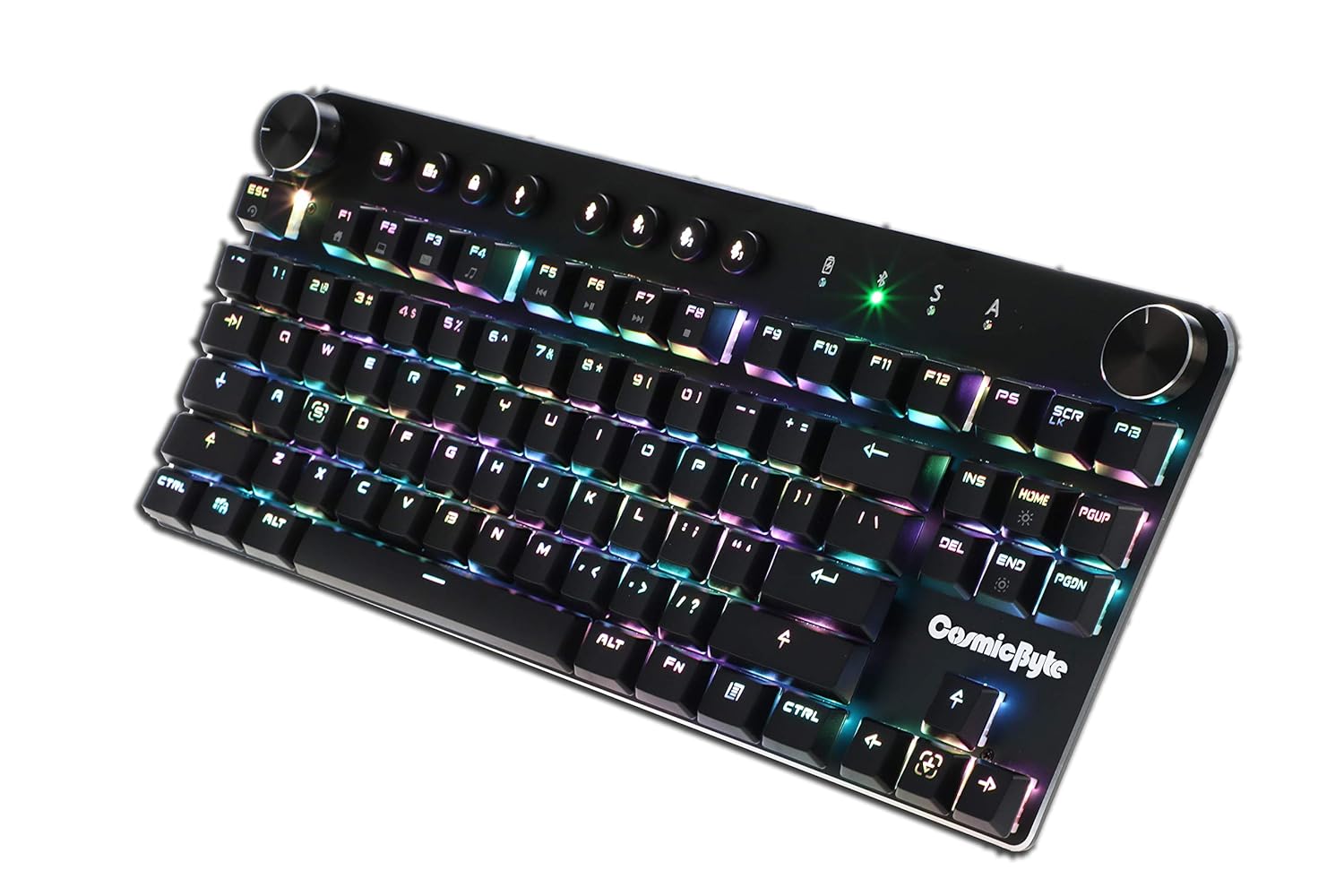
Image: Close-up angled view pokazu klawiaturyasing the vibrant RGB lighting on the keys.
6. Konserwacja
Aby zapewnić długą żywotność i optymalną wydajność klawiatury:
- Czyszczenie: Use a soft, dry cloth to wipe down the keyboard. For deeper cleaning, use compressed air to remove dust and debris from between the keycaps. Avoid using harsh chemicals or abrasive materials.
- Pielęgnacja baterii: For wireless use, charge the keyboard regularly. Avoid completely draining the battery frequently to prolong its lifespan.
- Składowanie: Przechowuj klawiaturę w chłodnym, suchym miejscu, z dala od bezpośredniego światła słonecznego i ekstremalnych temperatur.
7. Rozwiązywanie Problemów
- Klawiatura nie reaguje (po podłączeniu przewodowym):
- Sprawdź, czy kabel USB jest prawidłowo podłączony do klawiatury i komputera.
- Spróbuj podłączyć do innego portu USB w komputerze.
- Przetestuj klawiaturę na innym komputerze, aby wykluczyć problemy specyficzne dla systemu.
- Problemy z połączeniem Bluetooth:
- Upewnij się, że klawiatura jest w trybie parowania Bluetooth (kontrolka miga).
- Sprawdź, czy Bluetooth jest włączony w Twoim urządzeniu i czy jest ono wykrywalne.
- Remove any previous pairings of the keyboard from your device's Bluetooth settings and attempt to re-pair.
- Sprawdź, czy bateria klawiatury jest odpowiednio naładowana.
- Keep the keyboard within the 10-meter Bluetooth range of your device.
- Backlight Not Working/Customization Issues:
- Check the brightness level using the dedicated dial.
- Ensure the keyboard is not in a mode where backlighting is disabled.
- For custom backlight issues, ensure the settings were saved correctly.
- Klucze nie są rejestrowane:
- Wyczyść uszkodzone klawisze, aby usunąć wszelkie zanieczyszczenia.
- If using Bluetooth, ensure anti-ghosting limits (6-key) are not being exceeded for simultaneous presses.
8. Specyfikacje
| Funkcja | Szczegół |
|---|---|
| Marka | Kosmiczny bajt |
| Nazwa modelu | Sirius Blue Switch |
| Technologia łączności | Bezprzewodowy (Bluetooth), przewodowy (USB) |
| Opis klawiatury | Klawiatura mechaniczna do gier |
| Typ przełącznika | Outemu Blue Switches |
| Podświetlenie | Per Key RGB with 18 effects, 15 brightness levels |
| Anty-ghosting | All key (wired), 6-key (Bluetooth) |
| Bateria | Akumulator litowo-jonowy 1000 mAh |
| Zasięg Bluetooth | 10 metrów |
| Kompatybilne urządzenia | Laptop, PC, Mobiles, Tablets |
| System operacyjny | Windows, Android, Linux, iOS |
| Waga przedmiotu | 800 gramów |
| Wymiary produktu | Wymiary 34 x 14 x 50 cm |
9. Gwarancja i pomoc techniczna
9.1 Informacje o gwarancji
The Cosmic Byte CB-GK-14 Sirius Mechanical Keyboard comes with a 1-letnia gwarancja against manufacturing defects. Please note that physical damage, water damage, and tampered products are not covered under this warranty.
9.2 Obsługa klienta
For any warranty claims or technical assistance, please contact Cosmic Byte customer support. You can raise a ticket through their customer support portal or directly email them.
Video: This video illustrates the Cosmic Byte warranty claim process, detailing steps for submitting a claim and product replacement procedures. (Note: Actual video URL not provided in JSON, placeholder used.)
When contacting support, be prepared to provide your purchase invoice, product images from all angles, and a short video demonstrating the issue, if applicable. This will help expedite the support process.