
1. Wprowadzenie
The Gentex Electrochromic Rearview Mirror is designed to enhance driving safety and convenience by automatically dimming to eliminate dangerous glare from rear-approaching headlights. This sophisticated accessory also features an accurate self-calibrating compass and an exterior temperature display with an ICE indicator to warn when outside temperature is at or below 37 degrees Fahrenheit.
1.1 Informacje dotyczące bezpieczeństwa
- Przeczytaj uważnie wszystkie instrukcje przed instalacją i obsługą.
- Aby zagwarantować prawidłowe działanie i bezpieczeństwo, instalację powinien wykonać wykwalifikowany specjalista.
- Do not obstruct the mirror's sensors, as this may impair its auto-dimming function.
- Ensure all wiring is properly secured and routed to prevent interference with vehicle controls or airbags.
- Do not attempt to disassemble or modify the mirror. Refer all servicing to authorized personnel.
2. Zawartość opakowania
Sprawdź, czy w opakowaniu znajdują się wszystkie komponenty:
- Lustro
- Uprząż
- Karta gwarancyjna
- Instrukcja instalacji
- Etykieta
- Skrzynka
- Drive Card
3. Konfiguracja i instalacja
This section provides general guidelines for the installation of your Gentex Electrochromic Rearview Mirror. For detailed, vehicle-specific instructions, always refer to the included installation manual and consult a professional installer.
3.1 Montaż lustra
The mirror is designed for windshield mount installation. Ensure the mounting surface is clean and free from obstructions. Secure the mirror firmly to the existing windshield mount or follow instructions for installing a new mount if required.
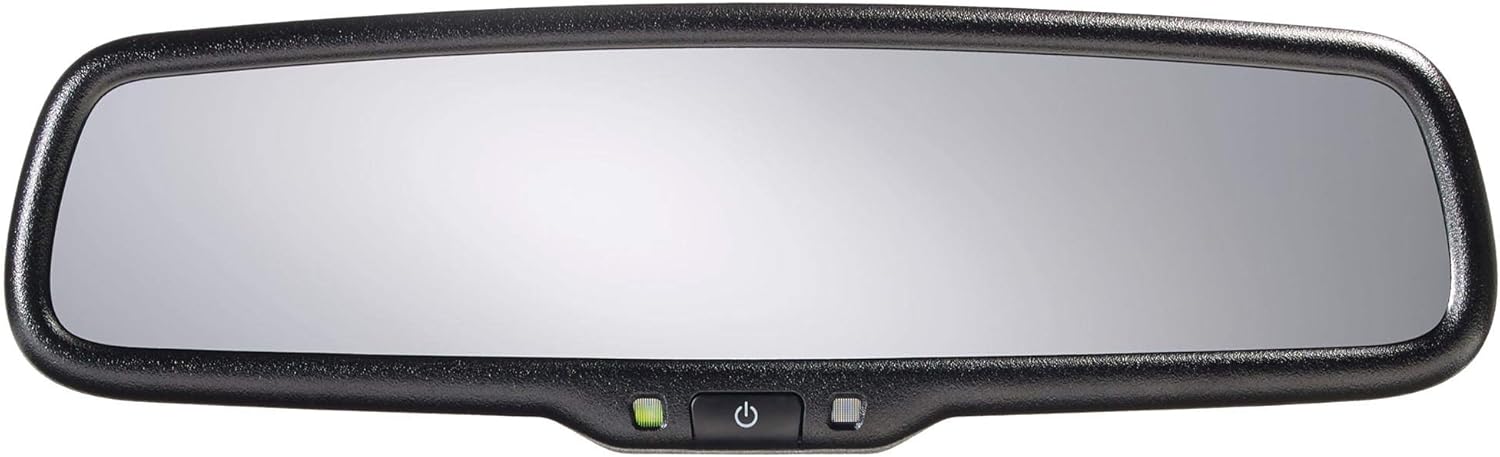
Rysunek 3.1: Koniecview of the Gentex Electrochromic Rearview Mirror, showing its rectangular shape and integrated controls at the bottom center.
3.2 Podłączenie elektryczne
Connect the provided wiring harness to the vehicle's electrical system according to the installation manual. This typically involves connecting to ignition power, ground, and reverse light circuits. Proper wiring is crucial for the auto-dimming and display functions.

Rysunek 3.2: Zbliżenie view of the control buttons located on the bottom of the mirror. These include a power button, a green indicator light, and other control buttons for various functions.
4. Instrukcja obsługi
4.1 Auto-Dimming Feature
The mirror automatically detects glare from headlights behind your vehicle using integrated sensors. When glare is detected, the mirror's electrochromic surface will darken to reduce the intensity of the light. This feature activates automatically when the vehicle is running and the mirror is powered on. The green indicator light (visible in Figure 3.2) typically indicates that the auto-dimming function is active.
To manually disable or enable the auto-dimming function, press the power button (often marked with a circle and vertical line, as seen in Figure 3.2) located on the bottom of the mirror. When disabled, the green indicator light may turn off or change color.
4.2 Compass Display
The mirror includes a self-calibrating compass that displays your current heading (e.g., N, NE, E). The compass will typically calibrate automatically as you drive. If calibration is needed, drive in a circle at a slow speed in an open area until the compass display stabilizes and shows accurate readings.
4.3 Wyświetlacz temperatury
The mirror displays the exterior temperature. An ICE indicator will activate when the outside temperature is at or below 37 degrees Fahrenheit (approximately 3 degrees Celsius) to alert the driver to potential icy road conditions.
5. Konserwacja
Proper care will ensure the longevity and optimal performance of your rearview lustro.
- Czyszczenie powierzchni lustra: Use a soft, lint-free cloth and a non-abrasive glass cleaner. Spray the cleaner onto the cloth, not directly onto the mirror, to avoid liquid seeping into the electronics.
- Czyszczenie czujników: Ensure the front and rear light sensors (small circles on the mirror surface and back) are kept clean and free from obstructions (e.g., stickers, dirt, or debris) to ensure proper auto-dimming function.
- Unikaj silnych środków chemicznych: Do not use ammonia-based cleaners, abrasive cleaners, or solvents, as these can damage the mirror's surface or electronic components.
6. Rozwiązywanie Problemów
This section addresses common issues you might encounter with your mirror.
| Problem | Możliwa przyczyna | Rozwiązanie |
|---|---|---|
| Mirror does not dim. | Auto-dimming feature is turned off. Sensors are obstructed. Insufficient light for dimming to activate. Problem z zasilaniem. | Press the power button to enable auto-dimming. Clean the front and rear sensors. Test in low light conditions with bright lights behind. Check wiring harness connection and vehicle's fuse box. |
| Compass displays inaccurate readings. | Wymaga kalibracji. Magnetic interference. | Drive in a slow circle in an open area for calibration. Ensure no strong magnetic sources (e.g., speakers, metal objects) are near the mirror. |
| Temperature display is incorrect or not showing. | Temperature sensor issue or not connected. | Verify the external temperature sensor is properly installed and connected. Consult the installation manual. |
| No power to the mirror. | Luźne połączenie okablowania. Przepalony bezpiecznik. | Check all harness connections. Inspect and replace any blown fuses in the vehicle's fuse box related to the mirror's power supply. |
7. Specyfikacje
| Funkcja | Szczegół |
|---|---|
| Numer modelu | 50-GENK7PW |
| Marka | Nadejście |
| Automatyczne położenie części | Inside Center |
| Typ montażu | Mocowanie do przedniej szyby |
| Cechy specjalne | Auto-dimming, Temperature Sensor, Compass |
| Waga przedmiotu | 2 funta (ok. 0.91 kg) |
| Kształt | Prostokątny |
| Krzywizna soczewki | Wypukły |
| UPC | 841992144651 |
8. Gwarancja i wsparcie
This product comes with a warranty. Please refer to the included Warranty Card in your package for detailed information regarding warranty coverage, terms, and conditions. The warranty typically covers manufacturing defects for a specified period from the date of purchase.
For technical support, troubleshooting assistance beyond this manual, or warranty claims, please contact the manufacturer or your authorized dealer. Keep your purchase receipt and warranty card readily available when seeking support.
Note: Specific contact information for support is typically provided on the warranty card or manufacturer's official webstrona.


