
ToLuLu Webkrzywka
ToLuLu 1080P HD WebInstrukcja obsługi kamery
Model: Webkrzywka
1. Wprowadzenie
Thank you for choosing the ToLuLu 1080P HD Webcam. This manual provides detailed instructions for the proper setup, operation, and maintenance of your webcam. Designed for professional-quality video calls, recording, conferencing, and gaming, this webcam delivers crisp images and clear video at 30 frames per second. It features automatic light correction, HDR technology, and a built-in noise-reduction microphone to ensure optimal performance in various lighting conditions.
2. Co znajduje się w pudełku
- ToLuLu 1080P HD Webkrzywka
- Instrukcja obsługi
- Ochrona prywatności
- statyw
3. Koniec produktuview
The ToLuLu 1080P HD Webcam is equipped with a full HD glass lens and an integrated digital stereo microphone. It features a flexible clip for mounting on various displays and a standard tripod thread for the included tripod stand. A privacy cover is also provided for enhanced security.

Image 3.1: ToLuLu 1080P Webcam with included privacy cover and tripod.

Obraz 3.2: Webcam with privacy cover and tripod stand. The privacy cover can be closed when the webkrzywka nie jest używana.
4. Instrukcje konfiguracji
- Montaż Webkrzywka:
Ten webcam features an adjustable universal clip. You can place it securely on top of your laptop screen, desktop monitor, or any flat surface. For alternative placement, attach the webcam to the included tripod stand using the standard tripod thread at the bottom of the clip. - Łączenie się z komputerem:
Podłącz kabel USB do webcam to an available USB port on your computer (laptop, desktop, Mac, PC). The webcam is designed for plug-and-play functionality, meaning no additional drivers are typically required for most operating systems. - Pierwsze rozpoznanie:
Twój komputer powinien automatycznie wykryć i zainstalować webcam. A notification may appear indicating that the device is ready for use. - Konfiguracja oprogramowania:
Open your preferred video conferencing or streaming application (e.g., Zoom, Skype, OBS, YouTube, Facetime). Navigate to the video and audio settings within the application and select the "ToLuLu Webcam" as your video input device and its integrated microphone as your audio input device.

Rysunek 4.1: Podłączanie webcam via USB for plug-and-play setup.
5. Instrukcja obsługi
- Jakość wideo: The 1080P Full HD glass lens delivers clear video at 30 frames per second. The webcam features automatic light correction and HDR technology, which adjusts color and brightness for natural lighting, even in dim or poorly backlit environments.
- Jakość dźwięku: The built-in digital stereo microphone includes automatic noise reduction, ensuring your voice is captured clearly from up to 10 feet away.
- Panoramiczny View: The fixed-focus lens provides a 110-degree wide-angle view, suitable for individual use or group video conferencing.
- Ochrona prywatności: Use the included privacy cover to physically block the camera lens when not in use. This protects your privacy and prevents unauthorized access to your video feed.

Image 5.1: Comparison illustrating the clarity of the 1080P Full HD webkamera

Obraz 5.2: webcam's 110-degree wide-angle view, suitable for multiple participants.
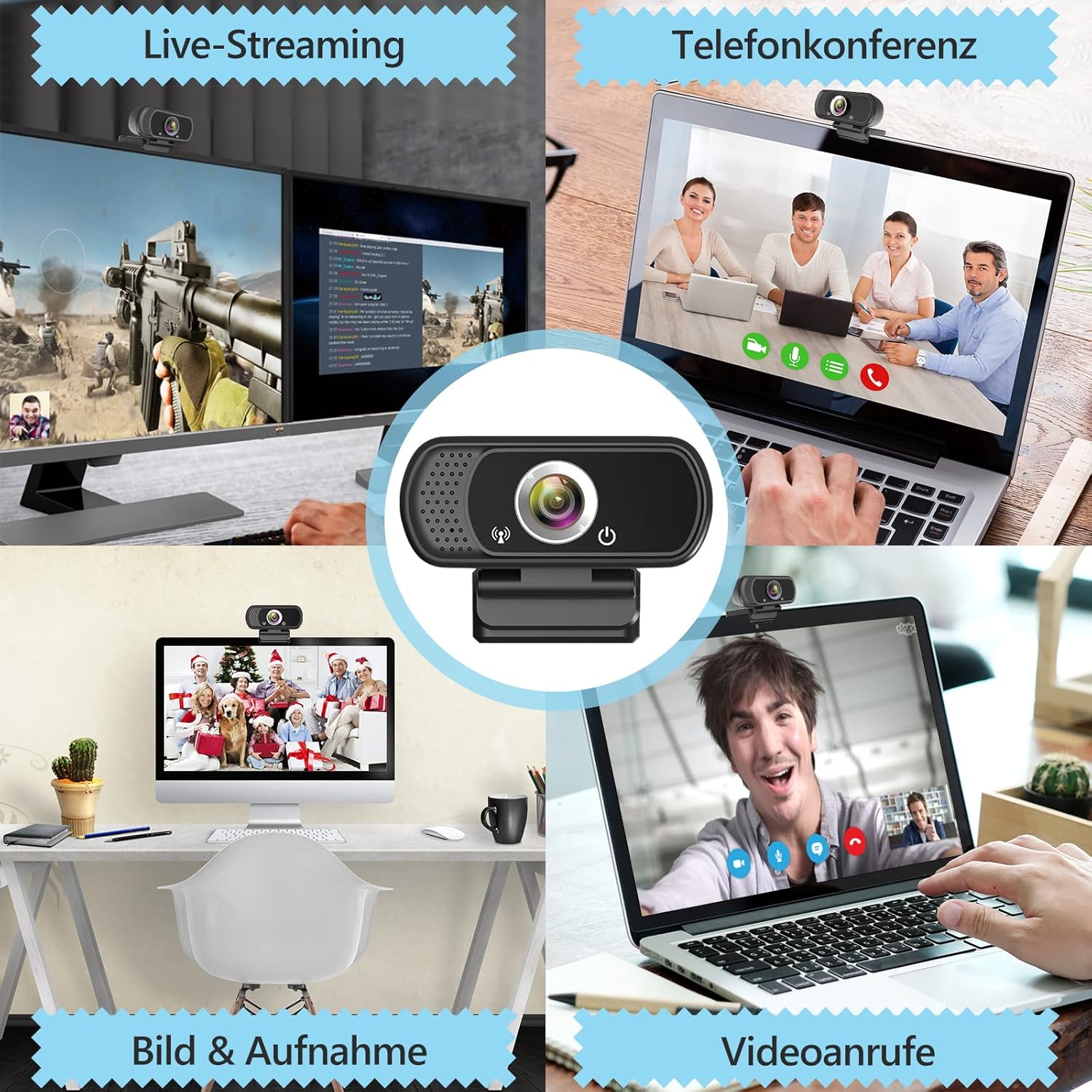
Obraz 5.3: Examples z webcam use in live streaming, teleconferencing, and video calls.
6. Zgodność
The ToLuLu 1080P HD Webcam offers broad compatibility with various operating systems and applications:
- Systemy operacyjne: Windows 2000, XP, 7, 8, 10 and above; macOS 10.6 and above; Chrome OS 29.0.1547 or above; Android V5.0 or above; Smart TV.
- Hardware Platforms: Mac, PC, Laptops, Desktops, Smart TVs.
- Zgodne aplikacje: Skype, OBS, YouTube, Facebook, Twitch, Facetime, Zoom, Xbox One, Hangouts, and more.

Obraz 6.1: webcam is compatible with multiple operating systems and popular communication platforms.
7. Konserwacja
- Czyszczenie obiektywu: Do delikatnego przecierania soczewek optycznych należy używać miękkiej, niepozostawiającej włókien ściereczki przeznaczonej specjalnie do soczewek optycznych. webcam lens. Avoid abrasive materials or harsh chemicals, which can scratch or damage the lens.
- Ogólne sprzątanie: Wytrzyj korpus webkrzywka z miękkim damp cloth. Ensure no moisture enters the device.
- Składowanie: Gdy nie jest używany, przechowuj webPrzechowuj kamerę w czystym, suchym miejscu. Użyj osłony prywatności, aby chronić obiektyw przed kurzem i zarysowaniami.
- Pielęgnacja kabli: Aby zapobiec uszkodzeniom wewnętrznym, nie należy nadmiernie zginać ani skręcać kabla USB.
8. Rozwiązywanie Problemów
| Problem | Możliwa przyczyna | Rozwiązanie |
|---|---|---|
| Webkamera nie wykryta / brak obrazu | USB connection issue, driver conflict, or incorrect software selection. |
|
| Poor image quality (blurry, dark, grainy) | Insufficient lighting, dirty lens, or software settings. |
|
| Microphone not working / Poor audio quality | Microphone not selected, system audio settings, or environmental noise. |
|
| Przerywane problemy z połączeniem | Loose USB connection, USB port power issues, or system resource conflicts. |
|
9. Specyfikacje
| Funkcja | Szczegół |
|---|---|
| Rozdzielczość przechwytywania wideo | 1080p Full HD (1920 x 1080) at 30fps |
| Typ soczewki | Full HD Glass Lens, Fixed Focus |
| Pole View | 110 Degrees Widescreen |
| Mikrofon | Built-in Digital Stereo Microphone with Automatic Noise Reduction |
| Korekta światła | Automatic Light Correction, HDR Technology |
| Łączność | USB Plug & Play (1.8m / 6 feet USB cable) |
| Montowanie | Adjustable Universal Clip, Tripod Ready |
| Systemy operacyjne | Windows 2000/XP/7/8/10+, macOS, Chrome OS, Android, Smart TV |
| Wymiary (dł. x szer. x wys.) | 3.8 x 3.1 x 2.5 cala |
| Waga przedmiotu | 6.3 uncji |
10. Gwarancja i wsparcie
ToLuLu is committed to providing quality products and customer satisfaction.
- Zasady zwrotu: This product is eligible for return within 30 days for an exchange or refund, subject to the retailer's return policy.
- Wsparcie techniczne: ToLuLu offers lifetime professional technical team support for this product.
For further assistance or inquiries, please refer to the contact information provided with your purchase or visit the official ToLuLu support channels.
Ask a question about this manual
Ask about setup, troubleshooting, compatibility, parts, safety, or missing instructions. Manuals+ will review the question and use this page’s manual context to help answer it.