
1. Wprowadzenie
This manual provides instructions for the ZdalaMit XRT136 Replacement Remote Control. This remote is designed to function as a direct replacement for your original Vizio Smart TV remote without requiring any programming or pairing.
Compatible Vizio Smart TV Models:
- M657-G0
- M557-G0
- PX65-G1
- P659-G1
- P759-G1
- D60-F3
2. Zawartość opakowania
Sprawdź, czy w przesyłce znajdują się wszystkie elementy:
- 1 x ZdalaMit XRT136 Replacement Remote Control
3. Konfiguracja
3.1 Instalacja baterii
The remote control requires two (2) AAA alkaline batteries (not included) for operation.
- Znajdź komorę baterii z tyłu pilota.
- Przesuń pokrywę komory baterii w dół, aby ją otworzyć.
- Włóż dwie nowe baterie AAA, upewniając się, że bieguny dodatni (+) i ujemny (-) są prawidłowo ustawione względem oznaczeń wewnątrz komory.
- Przesuń pokrywę komory baterii z powrotem na miejsce, aż zatrzaśnie się pewnie.

Obraz: Tył view of the XRT136 remote control, illustrating the battery compartment location.
Once batteries are installed, the remote is ready for use. No programming or pairing is required.
4. Instrukcja obsługi
To operate your Vizio Smart TV, point the ZdalaMit XRT136 remote control directly at the television's infrared receiver. Press the desired buttons to control your TV's functions.

Obraz: Przód view of the XRT136 remote control, displaying the layout of all buttons.
4.1 Funkcje kluczoweview
The remote features standard television control buttons, including:
- Przycisk zasilania: Włącza lub wyłącza telewizor.
- Przycisk wprowadzania: Selects video input sources (HDMI, AV, etc.).
- Panel nawigacyjny (góra, dół, lewo, prawo, OK): Do nawigacji po menu i dokonywania wyborów.
- Zwiększanie/zmniejszanie głośności: Regulacja głośności telewizora.
- Kanał w górę/w dół: Zmienia kanały telewizyjne.
- Przycisk wyciszenia: Silences the television audio.
- Klawiatura numeryczna (0-9): Do bezpośredniego wejścia na kanał.
- Przyciski Wstecz/Wyjście: Navigates back in menus or exits current functions.
- Menu/Info Buttons: Accesses TV menus and displays information.
- Dedykowane przyciski aplikacji: Quick access to streaming services (e.g., VUDU, Netflix, Amazon, Xumo, Crackle, iHeartRadio).

Image: A user holding the XRT136 remote control, demonstrating typical usage by pointing it at a television.
5. Konserwacja
5.1 Czyszczenie
To clean the remote control, use a soft, dry cloth. Do not use liquid cleaners, sprays, or abrasive materials, as these may damage the remote's surface or internal components.
5.2 Pielęgnacja baterii
- Replace batteries when the remote's performance diminishes or stops working.
- Nie mieszaj starych i nowych baterii ani różnych typów baterii.
- Jeżeli pilot nie będzie używany przez dłuższy czas, wyjmij baterie, aby zapobiec wyciekowi.
- Zużyte baterie należy utylizować zgodnie z lokalnymi przepisami.
6. Rozwiązywanie Problemów
6.1 Pilot nie odpowiada
- Sprawdź baterie: Sprawdź, czy baterie zostały włożone prawidłowo, z zachowaniem właściwej polaryzacji (+/-).
- Wymień baterie: If the batteries are old or depleted, replace them with two new AAA alkaline batteries.
- Linia wzroku: Ensure there are no obstructions between the remote control and the TV's infrared receiver. Point the remote directly at the TV.
- Dystans: Confirm you are within the effective operating range (up to 33 feet).
6.2 Ograniczona funkcjonalność
- Verify that your Vizio Smart TV model is listed under the compatible models in Section 1.
- Some advanced TV features or smart functions may require the original remote or specific TV settings. This remote is designed for primary control functions.
7. Specyfikacje
| Marka | Zdala Mit |
| Nazwa modelu | XRT136 (Mfr Part Number: fghea-593) |
| Kompatybilne urządzenia | Vizio Smart Televisions (M657-G0, M557-G0, PX65-G1, P659-G1, P759-G1, D60-F3) |
| Technologia łączności | Podczerwony |
| Typ kontrolera | Sterowanie przyciskami |
| Liczba przycisków | 18 |
| Zasilacz | 2 baterie alkaliczne AAA 1.5 V |
| Maksymalny zasięg | 33 stóp (10 m) |
| Pozycja Wymiary (dł. x szer. x wys.) | 6.75" x 1.79" x 0.55" (17.15 cm x 4.55 cm x 1.4 cm) |
| Waga przedmiotu | 1.6 uncji (45 gramów) |
| Funkcja specjalna | Ergonomiczna konstrukcja |
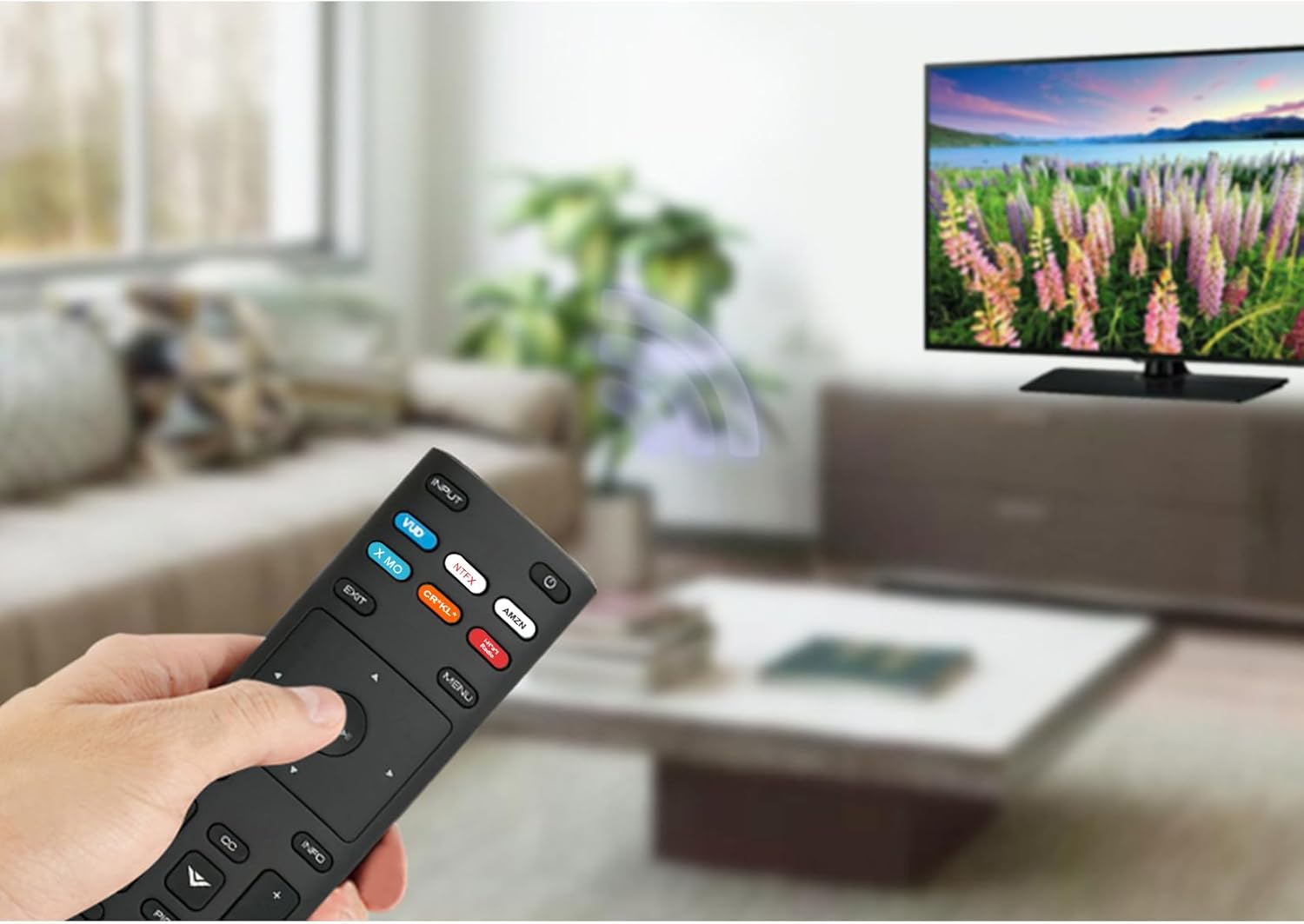
Image: The XRT136 remote control with its physical dimensions highlighted.
8. Informacje o gwarancji
This ZdalaMit product comes with a 1-letnia gwarancja from the date of purchase. This warranty covers manufacturing defects under normal use. It does not cover damage caused by misuse, accidents, unauthorized modifications, or battery leakage.
9. Wsparcie
If you encounter any issues or have questions regarding your ZdalaMit XRT136 Replacement Remote Control that are not addressed in this manual, please contact the seller or manufacturer for assistance. Provide your product model (XRT136) and a detailed description of the issue for efficient support.