
NETVUE Vigil
NETVUE Vigil Outdoor Security Camera User Manual
Model: Vigil | Brand: NETVUE
1. Wprowadzenie
The NETVUE Vigil Outdoor Security Camera is designed to provide reliable surveillance for your property. Featuring 1080p Full HD video, advanced night vision, two-way audio communication, and smart motion detection, this camera ensures comprehensive monitoring day and night. Its robust, weather-resistant design allows for outdoor installation in various conditions.

Image: The NETVUE Vigil camera provides clear 1080p video both during the day and at night, as illustrated by the comparison of a driveway scene.
2. Zawartość opakowania
Sprawdź, czy w przesyłce znajdują się wszystkie elementy:
- NETVUE Vigil Outdoor Security Camera
- Zasilacz
- Śruby montażowe i kotwy ścienne
- Szablon montażowy
- Instrukcja obsługi (ten dokument)
3. Konfiguracja i instalacja
3.1 przed instalacją
- Ensure your Wi-Fi network operates on the 2.4GHz band. The camera does not support 5GHz Wi-Fi.
- Position the camera within range of your Wi-Fi router for a stable connection. The camera features an enhanced 5dBi antenna for improved signal strength.
- Prepare a power outlet near the intended installation location.
3.2 Fizyczna instalacja
The NETVUE Vigil camera can be mounted on a wall or ceiling/roof. Choose a location that provides the desired viewing angle and is within reach of a power source.
- Za pomocą dołączonego szablonu montażowego zaznacz miejsca wywiercenia otworów na wybranej powierzchni.
- W przypadku montażu na murze wywierć otwory i włóż kotwy ścienne.
- Secure the camera's mounting base using the screws.
- W razie potrzeby dostosuj kąt kamery.
- Podłącz zasilacz do aparatu i podłącz go do gniazdka elektrycznego.

Image: The NETVUE Vigil camera offers flexible installation options for both wall and roof mounting.

Image: The camera features a 5dBi antenna designed for a more stable Wi-Fi connection.
3.3 Konfiguracja aplikacji
- Download the 'Netvue' app from your mobile device's app store (iOS or Android).
- Utwórz nowe konto lub zaloguj się, jeśli już je posiadasz.
- Follow the in-app instructions to add your new NETVUE Vigil camera. This typically involves scanning a QR code on the camera or manually entering its details.
- Podłącz kamerę do sieci Wi-Fi 2.4 GHz zgodnie z instrukcjami wyświetlanymi przez aplikację.
4. Obsługa aparatu
4.1 Na żywo View i zdalny dostęp
Access your camera's live feed anytime, anywhere through the Netvue app on your smartphone or tablet. You can also integrate the camera with Amazon Alexa for voice control and viewna kompatybilnych urządzeniach.
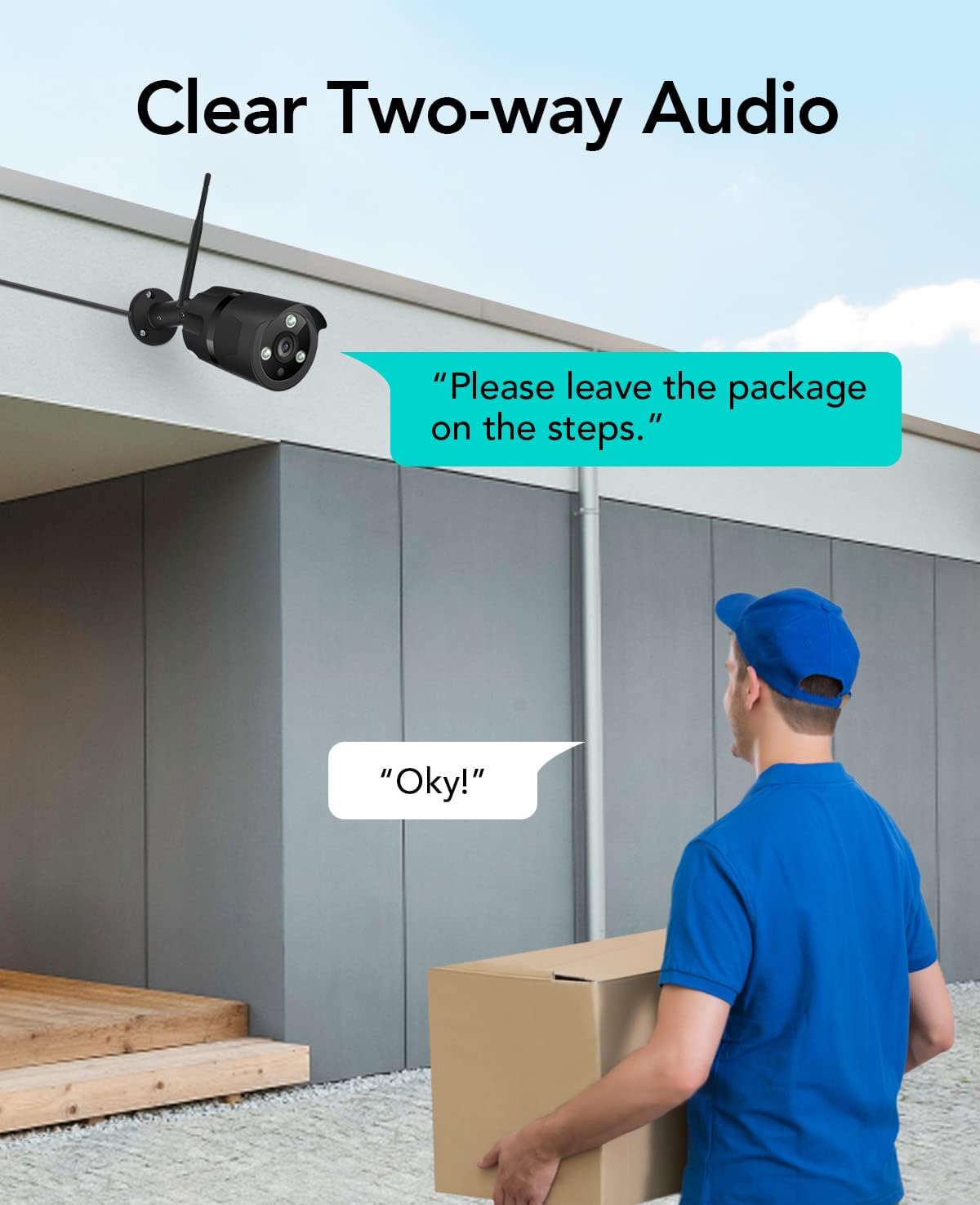
Image: The NETVUE Vigil camera is compatible with Amazon Alexa, allowing you to view the live feed on devices like the Echo Show.
4.2 Dźwięk dwukierunkowy
The built-in microphone and speaker allow for two-way communication. Use this feature to speak with visitors or deter unwanted guests directly through the Netvue app.

Image: Engage in clear two-way audio communication with individuals near your camera, such as a delivery person.
4.3 Detekcja ruchu i alerty
The camera features smart motion detection. When motion is detected, you will receive instant notifications on your mobile phone. You can customize motion detection zones, sensitivity levels, and alert schedules within the Netvue app to focus on areas of importance.

Image: The camera sends smart motion alerts to your phone when activity is detected, as shown with a person at a door.
4.4 Widzenie nocne
Equipped with infrared LEDs and IR-Cut technology, the camera automatically switches to night vision mode in low-light conditions, providing clear video up to 19.8 meters (65 feet) in complete darkness.
4.5 Przechowywanie wideo
The NETVUE Vigil camera supports two storage options:
- Pamięć lokalna: Insert a microSD card (up to 128GB, not included) into the camera for continuous recording or event-triggered recordings. You can view playback directly from the Netvue app.
- Przechowywanie w chmurze: Optional cloud storage plans are available through the Netvue app for secure, off-site video backup and advanced AI features like person/vehicle detection. Subscription fees apply for cloud services.

Image: The camera supports both local storage via an SD card and optional cloud storage for video recordings.
5. Konserwacja
- Czyszczenie: Okresowo czyść obiektyw aparatu miękką, suchą ściereczką, aby zapewnić dobrą jakość obrazu. Nie używaj silnych środków chemicznych.
- Aktualizacje oprogramowania układowego: Keep your camera's firmware updated through the Netvue app to ensure optimal performance and access to new features.
- Kontrola połączenia: Regularly verify the camera's Wi-Fi connection status in the app to ensure continuous operation.
6. Rozwiązywanie Problemów
6.1 Kamera nie łączy się z siecią Wi-Fi
- Upewnij się, że Twoja sieć Wi-Fi obsługuje częstotliwość 2.4 GHz.
- Check if the camera is within range of your router.
- Sprawdź, czy hasło Wi-Fi wprowadzone w aplikacji jest prawidłowe.
- Uruchom ponownie router i kamerę.
6.2 Słaba jakość obrazu
- Wyczyść obiektyw aparatu.
- Zapewnij odpowiednie oświetlenie, by zapewnić optymalną widoczność w ciągu dnia.
- Sprawdź prędkość swojego połączenia internetowego.
6.3 No Motion Alerts
- Verify motion detection is enabled in the Netvue app.
- Check motion detection zone settings and sensitivity.
- Sprawdź, czy powiadomienia aplikacji są włączone w Twoim telefonie.
For further assistance, please refer to the support section or contact NETVUE customer service.
7. Specyfikacje
| Funkcja | Specyfikacja |
|---|---|
| Numer modelu | Czuwanie |
| Rozdzielczość wideo | 1080p (1920 x 1080 pikseli) |
| Rozdzielczość czujnika fotograficznego | 2 MP |
| Zakres noktowizora | Do 19.8 metrów (65 stóp) |
| Łączność | Wireless (2.4GHz Wi-Fi), Ethernet |
| Odporność na warunki atmosferyczne | IP66 (wodoodporne) |
| Temperatura pracy | -15.6 °C to 50.0 °C (-20 °C to 50 °C) |
| Źródło zasilania | AC |
| Kompatybilne urządzenia | Smartfon (iOS/Android), Amazon Alexa |
| Opcje przechowywania | Karta MicroSD (do 128 GB), przechowywanie w chmurze (wymagana subskrypcja) |
| Wymiary | Wymiary 20.1 x 12.4 x 8.1 cm |
8. Gwarancja i wsparcie
NETVUE products come with a limited warranty. Please refer to the warranty card included in your package or visit the official NETVUE webSzczegółowe warunki gwarancji można znaleźć na naszej stronie.
For technical support, product inquiries, or warranty claims, please contact NETVUE customer service through their official website or the contact information provided in the Netvue app. Our support team is available to assist you with any questions or issues you may encounter.
Zasoby internetowe:
- Official NETVUE Webstrona: www.netvue.com
- Netvue App: Available on Apple App Store and Google Play Store
Ask a question about this manual
Ask about setup, troubleshooting, compatibility, parts, safety, or missing instructions. Manuals+ will review the question and use this page’s manual context to help answer it.