
OUKITEL WP5
Instrukcja obsługi wytrzymałego smartfona OUKITEL WP5
Model: WP5
Marka: OUKITEL
Wstęp
Welcome to the user manual for your OUKITEL WP5 Rugged Smartphone. This device is engineered for exceptional durability and performance in demanding conditions. It combines advanced smartphone features with robust protection against water, dust, and drops, ensuring reliability wherever you go.

Główne cechy
The OUKITEL WP5 is equipped with a range of features designed for resilience and functionality:
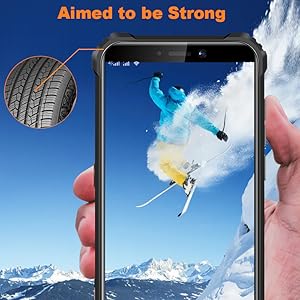
- Ekstremalna trwałość: IP68 waterproof, IP69K dustproof, and MIL-STD-810G certified for drop resistance up to 1.5 meters.
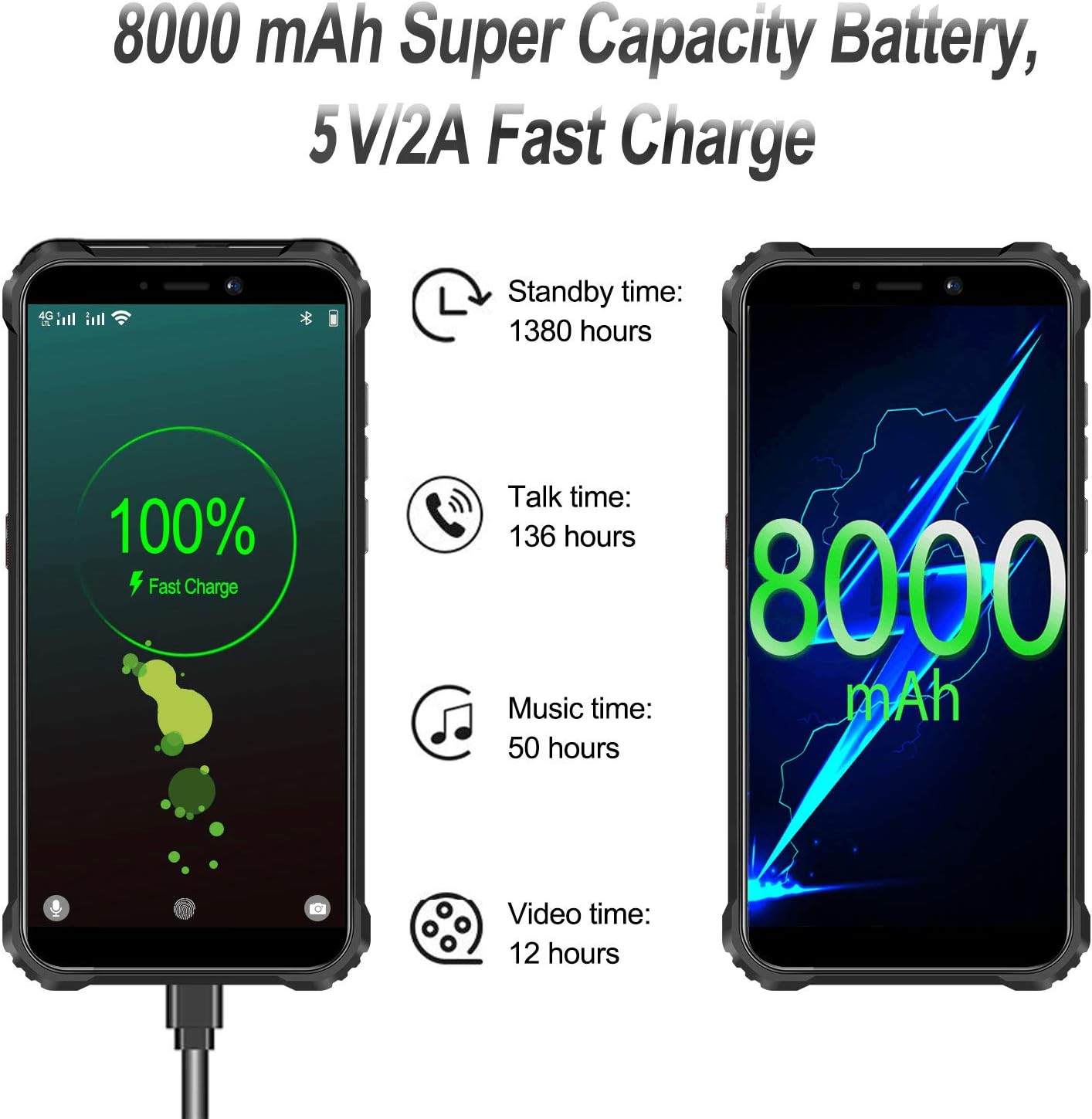
- Długotrwała bateria: An impressive 8000mAh battery provides extended usage times.
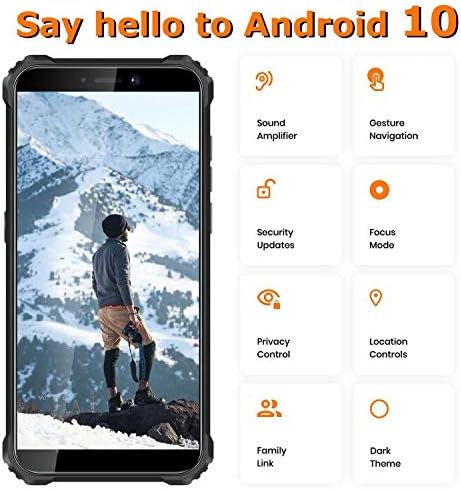
- System operacyjny Android 10: Enjoy a smooth and intuitive user experience with the latest Android features.
- Potrójny system kamer: Capture clear photos and videos with the integrated triple camera.
- Superpower LED Flashlight: A powerful 4-LED flashlight for illuminating your surroundings.
- Obsługa dwóch kart SIM: Flexibility for managing two phone numbers or separate data plans.

Organizować coś
Inserting SIM/SD Cards
Aby włożyć kartę(y) SIM i/lub kartę microSD:
- Znajdź tackę na kartę SIM znajdującą się z boku telefonu.
- Otwórz tackę za pomocą dołączonego narzędzia do wyjmowania karty SIM.
- Carefully place your Nano-SIM cards and/or microSD card into the designated slots on the tray. Ensure they are correctly oriented.
- Delikatnie wsuń tackę z powrotem do telefonu, aż będzie przylegać do obudowy urządzenia.
Pierwsze włączenie zasilania
Naciśnij i przytrzymaj przycisk zasilania z boku urządzenia, aż pojawi się logo OUKITEL. Postępuj zgodnie z instrukcjami wyświetlanymi na ekranie, aby dokończyć konfigurację początkową, w tym wybrać język, nawiązać połączenie Wi-Fi i skonfigurować konto Google.
Ładowanie urządzenia
Connect the provided USB cable to the charging port at the bottom of the phone and the other end to the power adapter. Plug the adapter into a wall outlet. The battery indicator on the screen will show charging progress. For optimal battery life, it is recommended to use the original charger and cable.
Obsługa urządzenia
Podstawowa nawigacja
The OUKITEL WP5 runs on Android 10, offering a user-friendly interface. Navigate through apps and settings using gestures or on-screen buttons. Swipe up from the bottom to access the app drawer, swipe down from the top for notifications and quick settings.
Korzystanie z latarki
The WP5 features a powerful 4-LED flashlight. To activate it, swipe down from the top of the screen to open the quick settings panel and tap the flashlight icon. Alternatively, some devices may have a dedicated customizable button for quick access.

GPS i nawigacja
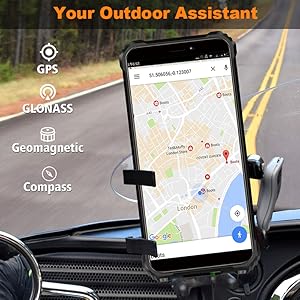
The device supports GPS, GLONASS, and features a geomagnetic compass, making it an ideal outdoor assistant for navigation and location tracking. Utilize pre-installed map applications or download your preferred navigation tools from the Google Play Store.

Multi-functional Toolbox
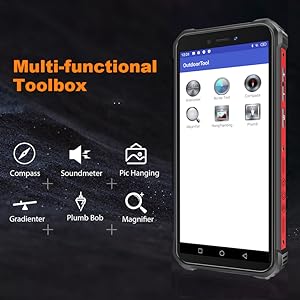
The OUKITEL WP5 includes a pre-installed 'Outdoor Tool' application, offering various utilities such as a compass, soundmeter, picture hanging assistant, gradienter, plumb bob, and magnifier. These tools enhance the phone's utility for outdoor activities and practical tasks.

Pomiar temperatury
The OUKITEL WP5 (or similar models like WP13 shown) may feature an infrared thermometer function, allowing you to measure the temperature of objects or even body temperature. This feature is typically accessed via a dedicated application. Follow the in-app instructions for accurate readings.
Demonstration of temperature measurement using the OUKITEL WP13, showcasing its ability to measure coffee temperature, body temperature, and refrigerator temperature, with records saved for reference. The video also highlights the phone's water resistance during temperature measurement in water.
Konserwacja
Phone Maintenance
- Wyczyść soczewkę i wyświetlacz czystą, suchą i miękką ściereczką.
- Do not use chemical solvents or detergents to clean the phone. Wipe the phone case with a soft cotton cloth moistened with water or mild soap.
- The screen is made of Corning Gorilla Glass, designed to withstand accidental drops. However, avoid dropping the phone screen directly on sharp corners to prevent damage.
Konserwacja akumulatora
- Jeśli ładowarka nie jest używana, należy odłączyć ją od gniazdka sieciowego.
- Do not connect a fully charged battery to the charger for extended periods of time.
- Aby uniknąć uszkodzenia baterii lub urządzenia, nie należy wymieniać baterii samodzielnie.
- Nie należy używać niezatwierdzonych lub niekompatybilnych źródeł zasilania.
- Do not drop, crush, scratch, or puncture the battery; do not disassemble or reset the battery.
- Aby uniknąć wycieku baterii, nie zanurzaj jej w wodzie ani innych płynach.
Rozwiązywanie problemów
W tej sekcji znajdziesz rozwiązania typowych problemów, które możesz napotkać w swoim urządzeniu OUKITEL WP5.
Urządzenie nie włącza się
If your device does not power on, ensure it is fully charged. Connect it to the charger and wait for at least 15-30 minutes before attempting to power it on again. If the issue persists, try holding the power button for an extended period (10-15 seconds) to force a restart.
Connectivity Issues (Wi-Fi/Cellular)
For Wi-Fi or cellular network problems, first try restarting the device. If cellular network is not detected, verify that your SIM card is correctly inserted and activated with your carrier. For Wi-Fi, ensure you are within range of a known network and that the password is correct.
Ekran nie reaguje lub jest zamrożony
If the screen becomes unresponsive or the device freezes, perform a forced restart. Press and hold the Power button for approximately 10-15 seconds until the device powers off and then restarts. This often resolves temporary software glitches.
Apps Crashing or Slow Performance
If applications are frequently crashing or the phone is performing slowly, try clearing the cache of the problematic apps via Settings > Apps > [App Name] > Storage > Clear Cache. Regularly restarting your phone can also help improve performance. If issues persist, consider a factory reset (back up your data first).
Specyfikacje
Key technical specifications for the OUKITEL WP5 Rugged Smartphone:
| Funkcja | Specyfikacja |
|---|---|
| Nazwa modelu | WP5 |
| System operacyjny | Android 10.0 |
| BARAN | 4 GB |
| Pojemność pamięci masowej | 32 GB (z możliwością rozszerzenia) |
| Rozmiar ekranu | 5.5 cali |
| Rezolucja | 720x1440 |
| Pojemność baterii | 8000 mlnamp Godziny |
| Wymiary produktu | 6.06 x 2.84 x 0.71 cala |
| Waga przedmiotu | 9.8 uncji (276.5 grama) |
| Technologie komunikacji bezprzewodowej | Komórkowy, Wi-Fi |
| Technologia komórkowa | 4G |
| Kolor | POMARAŃCZOWY |
| Co jest w pudełku | Adapter |
Gwarancja i wsparcie
OUKITEL provides a standard manufacturer's warranty for the WP5 Rugged Smartphone. For specific warranty terms and conditions, please refer to the warranty card included in your product packaging or visit the official OUKITEL webstrona.
For technical support, troubleshooting assistance, or service inquiries, please contact OUKITEL customer support through their official channels. Details can typically be found on the OUKITEL webmiejscu lub w dokumentacji produktu.