
Amazon Basics L6LM-N-G
Amazon Basics Fast Charging USB-A to Lightning Nylon Braided Charger Cable User Manual
Model: L6LM-N-G
1. Wprowadzenie
This user manual provides essential information for the safe and effective use of your Amazon Basics Fast Charging USB-A to Lightning Nylon Braided Charger Cable. This MFi certified cable is designed for charging and syncing Apple devices with a Lightning port to devices with a USB-A port.

Figure 1: Amazon Basics USB-A to Lightning Nylon Braided Charger Cable.
2. Informacje dotyczące bezpieczeństwa
- Do not expose the cable to liquids or extreme temperatures.
- Aby zapobiec uszkodzeniom, należy unikać nadmiernego zginania lub skręcania kabla, zwłaszcza w pobliżu złączy.
- Nie należy podejmować prób demontażu ani modyfikacji kabla.
- Przechowywać w miejscu niedostępnym dla dzieci.
- Disconnect the cable from power sources when not in use.
- If the cable shows signs of damage (e.g., fraying, exposed wires), discontinue use immediately.
3. Konfiguracja i połączenie
The Amazon Basics USB-A to Lightning cable is designed for simple plug-and-play operation.
- Locate a compatible USB-A port on your charging adapter, computer, or other power source.
- Insert the USB-A end of the cable (Rysunek 2a) firmly into the USB-A port.
- Locate the Lightning port on your Apple iPhone, iPad, or iPod.
- Insert the Lightning end of the cable (Rysunek 2b) firmly into the Lightning port of your device.
- Ensure both connections are secure for proper charging and data transfer.

Rysunek 2: Zbliżenie view of the USB-A and Lightning connectors.
Figure 2a: The USB-A connector (left) and Figure 2b: The Lightning connector (right).

Figure 3: Proper connection of the Lightning cable to a smartphone.
4. Instrukcja obsługi
4.1 Ładowanie urządzenia
Once connected to a power source, the cable will begin charging your Apple device. This cable supports fast charging up to 2.4 amps, allowing for efficient power delivery.
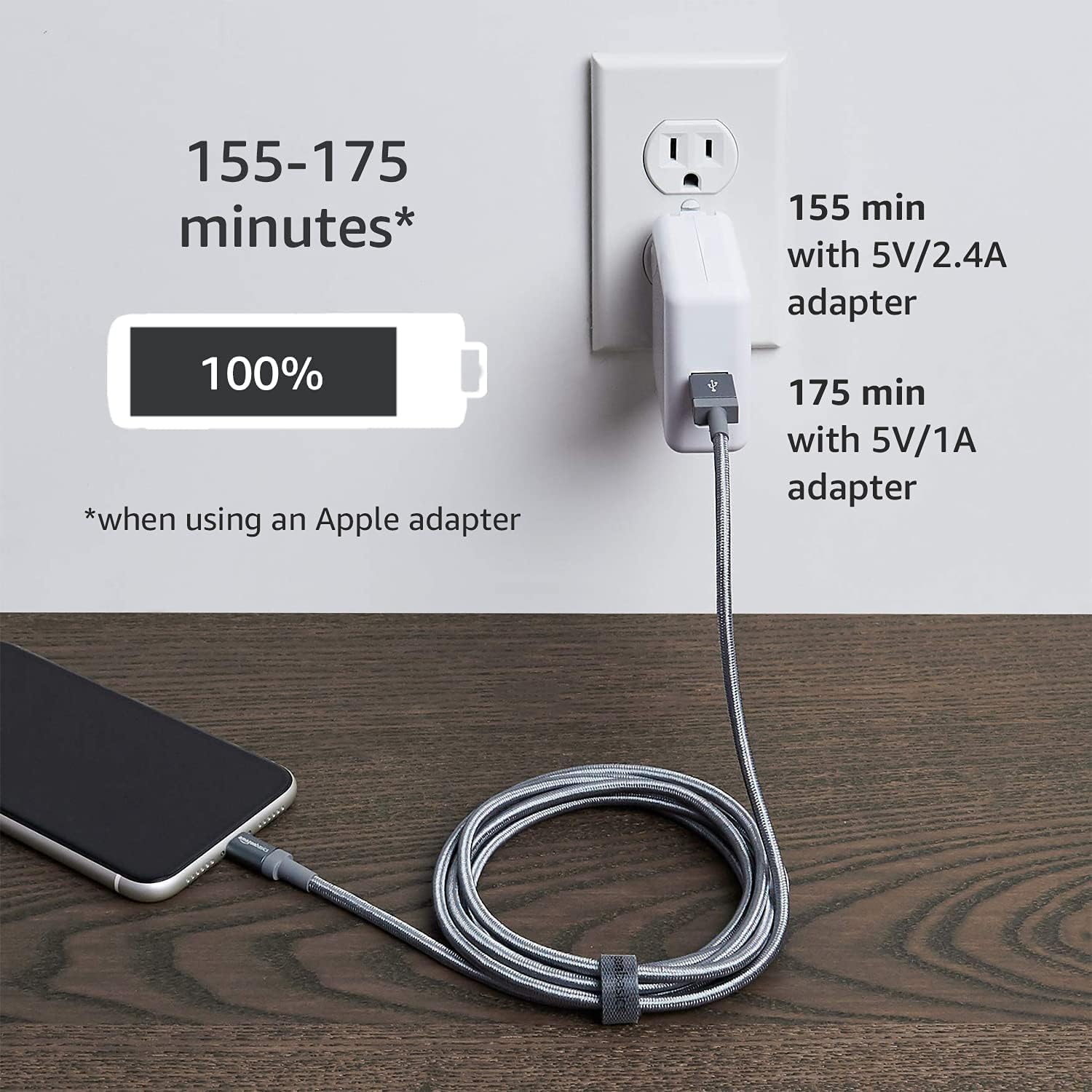
Figure 4: Illustrates charging times using different power adapters. For example, a 5V/2.4A adapter can charge a device to 100% in approximately 155 minutes, while a 5V/1A adapter takes about 175 minutes.
4.2 Przesyłanie danych
Connect the USB-A end of the cable to a computer's USB-A port and the Lightning end to your Apple device. You can then transfer data such as music, photos, and videos at speeds up to 480 Mbps.

Figure 5: The cable connected to a laptop, demonstrating its capability for high-speed data transfer.
4.3 Zgodność
This cable is MFi certified, ensuring compatibility with a wide range of Apple devices. Refer to the specifications section for a detailed list of compatible models.

Figure 6: Illustrates the diverse compatibility of the cable with various Apple devices (iPhone, iPad, iPod) and power sources (charger, desktop, laptop).
5. Konserwacja
- Clean the cable and connectors periodically with a dry, soft cloth.
- Avoid pulling the cable by the cord; always grasp the connector when plugging or unplugging.
- Przechowuj kabel w chłodnym i suchym miejscu, z dala od bezpośredniego światła słonecznego i ekstremalnych temperatur.
- Do not coil the cable too tightly to prevent internal wire damage.
6. Rozwiązywanie Problemów
| Problem | Możliwa przyczyna | Rozwiązanie |
|---|---|---|
| Urządzenie się nie ładuje. | Loose connection, faulty power source, damaged cable, incompatible device. | Ensure both ends of the cable are securely connected. Try a different USB-A port or power adapter. Inspect the cable for visible damage. Verify device compatibility. |
| Powolne ładowanie. | Low-power USB port, non-fast charging adapter. | Use a power adapter that supports 2.4A output. Connect to a high-power USB port (e.g., on a wall charger or dedicated charging port on a computer). |
| Problemy z przesyłaniem danych. | Loose connection, driver issues on computer, device not recognized. | Reconnect the cable. Restart your computer and Apple device. Ensure your computer's drivers are up to date. Check if your device prompts for "Trust This Computer." |
| Cable fraying or damage. | Wear and tear, improper handling. | Discontinue use immediately to prevent electrical hazards. Replace the cable. |
7. Specyfikacje
| Funkcja | Szczegół |
|---|---|
| Marka | Podstawy Amazon |
| Nazwa modelu | MFi Certified Charger for Apple iPhone - Nylon |
| Numer modelu | L6LM-N-G |
| Typ złącza | Błyskawica, USB-A |
| Typ kabla | USB |
| Szybkość przesyłu danych | Do 480 Mb/s |
| Prąd ładowania | Do 2.4 Amps |
| Materiał zewnętrzny | Nylon pleciony |
| Kolor | Ciemnoszary |
| Długość | 3 stóp (0.9 m) |
| Certyfikat MFi | Tak |
| Kompatybilne urządzenia | iPhone 14/13/12/11/X/XR/XS/8/7/6/6s/5/5s/5c, iPhone Pro 14/13/12/11, IPhone Pro Max 14/13/12/11/XS, iPhone Plus 14/8/7/6/6s, iPhone SE 1st Gen/2nd Gen/3rd Gen, iPhone mini 13/12, iPad Pro 10.5 in/9.7 in, iPad Air 3/2/1, iPad mini 5/4/3/2/1, iPad 9th Gen and older, iPod Touch 5th Gen and older, iPod nano 7th Gen and Beats Pill+ |
8. Gwarancja i wsparcie
For warranty information and customer support, please refer to the official Amazon Basics webodwiedź witrynę lub skontaktuj się z obsługą klienta Amazon.
- Urzędnik Webstrona: Amazon.com/amazonbasics
- Dokument gwarancyjny: A PDF document for warranty information may be available for download. Please check the product page on Amazon.com for the latest version.
- Obsługa klienta: For direct assistance, please visit the Amazon customer service portal.

Figure 7: Product packaging displaying the Amazon Basics website address for support and information.