
Wstęp
Welcome to the BioShock Ultimate Rapture Edition for Xbox 360. This comprehensive package includes the critically acclaimed original BioShock and BioShock 2, along with all associated downloadable content, offering a complete experience of the dystopian underwater city of Rapture. This manual provides essential information for setup, gameplay, maintenance, and troubleshooting to ensure an optimal gaming experience.
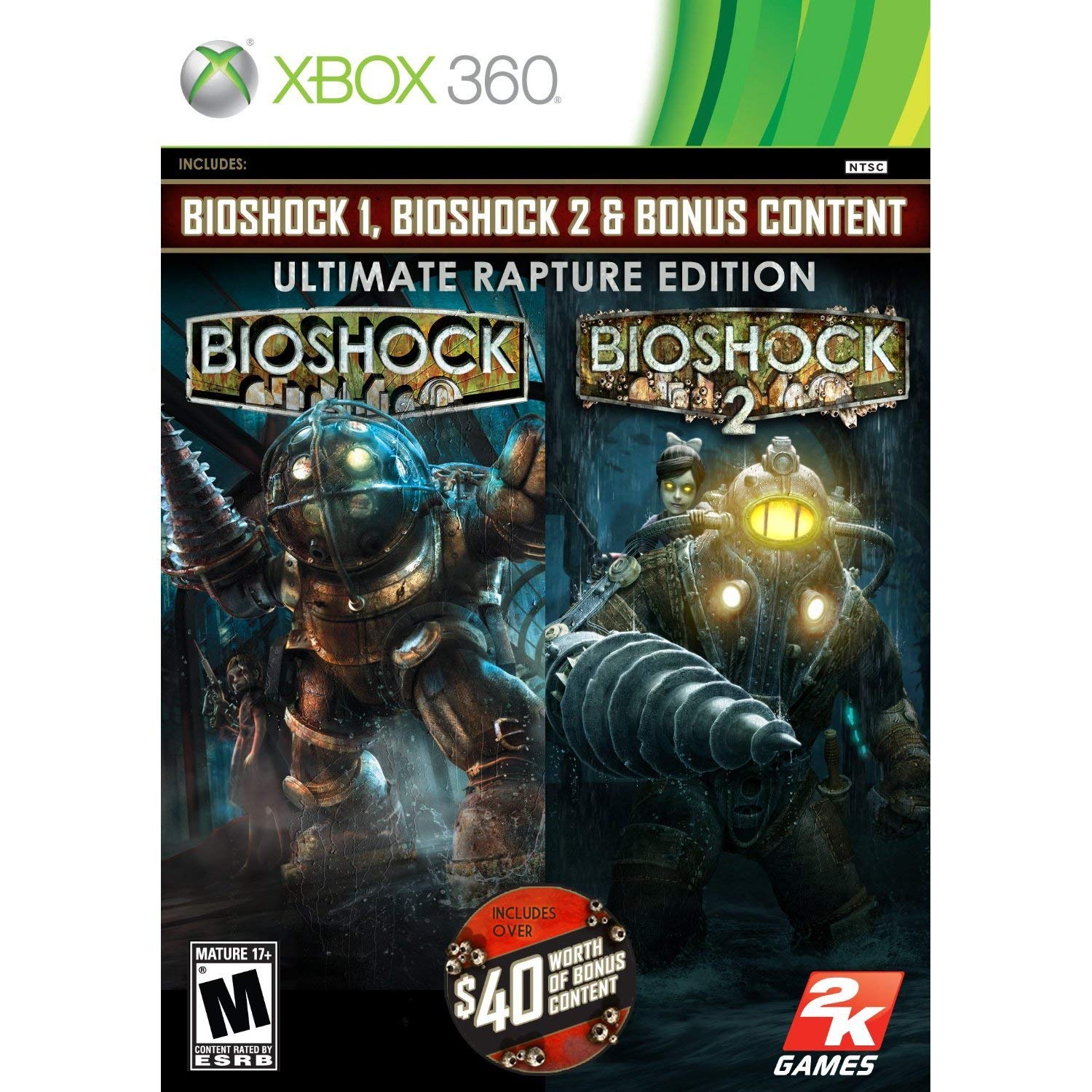
The game cover for BioShock Ultimate Rapture Edition on Xbox 360, featuring iconic characters from the BioShock universe, including a Big Daddy and a Little Sister. The cover indicates it includes BioShock 1, BioShock 2, and bonus content, and is rated Mature 17+ by the ESRB.
Organizować coś
Follow these steps to install and begin playing BioShock Ultimate Rapture Edition on your Xbox 360 console:
- Włóż płytę z grą: Power on your Xbox 360 console. Open the disc tray and carefully place the BioShock Ultimate Rapture Edition game disc into the tray, label side up. Close the disc tray.
- Instalacja automatyczna: The Xbox 360 system should automatically detect the game disc. If prompted, follow the on-screen instructions to install the game data to your console's hard drive. This process may take several minutes.
- Rozpocznij grę: Once installation is complete, the game will typically launch automatically. If not, navigate to the 'Games' section on your Xbox 360 dashboard and select 'BioShock Ultimate Rapture Edition' to start playing.
- Aktualizacje systemu: Ensure your Xbox 360 console has the latest system updates installed for optimal performance and compatibility. Connect your console to the internet and check for updates if necessary.
Operating & Gameplay
BioShock Ultimate Rapture Edition offers a rich narrative and immersive gameplay experience across two full titles and their expansions. Familiarize yourself with the basic controls to navigate Rapture effectively.
Basic Xbox 360 Controls
- Lewy drążek analogowy: Movement (forward, backward, strafe)
- Prawy drążek analogowy: Camera Control / Aiming
- Przycisk: Jump / Interact
- Przycisk B: Melee Attack
- Przycisk X: Reload Weapon / Use Plasmid/Tonic
- Przycisk Y: Switch Weapon / Plasmid
- Lewy spust (LT): Aim Down Sights / Use Plasmid
- Prawy spust (RT): Broń palna
- Lewy zderzak (LB): Cycle Plasmids / Weapons
- Prawy zderzak (RB): Use Health Pack / EVE Hypo
- Przycisk Start: Menu pauzy / Ekwipunek
- Przycisk Wstecz: Mapa / Cele
- Pad kierunkowy: Quick Slot Selection (Weapons/Plasmids)
Specific control schemes may vary slightly between BioShock 1 and BioShock 2, and can often be customized within the game's options menu.
Konserwacja
Proper care of your game disc and console can extend their lifespan and ensure consistent performance.
- Pielęgnacja dysków: Always handle the game disc by its edges. Store it in its original case when not in use to prevent scratches. If the disc becomes dirty, gently wipe it with a soft, lint-free cloth from the center outwards. Do not use abrasive cleaners.
- Wentylacja konsoli: Ensure your Xbox 360 console has adequate ventilation. Do not block air vents or place the console in an enclosed space. Overheating can lead to performance issues or hardware failure.
- Aktualizacje oprogramowania: Regularly check for and install system updates for your Xbox 360 console. These updates often include performance improvements and bug fixes.
- Składowanie: Keep the game disc and console away from extreme temperatures, direct sunlight, and high humidity.
Rozwiązywanie problemów
Jeśli podczas gry w BioShock Ultimate Rapture Edition natrafisz na jakieś problemy, rozważ poniższe, typowe rozwiązania:
- Błąd odczytu dysku:
- Clean the game disc gently with a soft cloth.
- Ensure the disc is inserted correctly into the disc tray.
- Try another game disc to determine if the issue is with the console's disc drive.
- Zawieszanie się/awaria gry:
- Uruchom ponownie konsolę Xbox 360.
- Ensure your console has sufficient ventilation to prevent overheating.
- Clear the system cache on your Xbox 360 (consult your console's manual for instructions).
- If the game is installed to the hard drive, try deleting and reinstalling it.
- Brak dźwięku/wideo:
- Check all audio and video cables are securely connected to both the console and your display/audio system.
- Verify your TV/monitor input settings are correct.
- Adjust volume settings on your TV and console.
- Kontroler nie odpowiada:
- Ensure your controller has fresh batteries or is fully charged.
- Resync your wireless controller with the console.
- Try a different controller if available.
Specyfikacje
| Tytuł produktu | BioShock Ultimate Rapture Edition - Xbox 360 (Renewed) |
| UPC | 760575637222 |
| ASIN | B082P823LH |
| Kompatybilne modele konsoli | Microsoft Xbox 360, Microsoft Xbox 360 E |
| Typ przedmiotu | Płyta CD-ROM |
| Oceniony | Mature (ESRB 17+) |
| Wymiary produktu | 7.5 x 5.5 x 0.9 cala |
| Waga przedmiotu | 9.2 uncji |
| Producent | 2K |
| Data pierwszej dostępności | 12 grudnia 2019 r. |
Gwarancja i wsparcie
As a renewed product, this item is typically covered by a specific return and replacement policy rather than a standard manufacturer's warranty. Please refer to the retailer's return policy for details regarding refunds or replacements.
For technical support related to gameplay or in-game issues, you may visit the official 2K Games support website. For issues concerning the physical product or its renewed condition, please contact the seller or the platform from which it was purchased. This renewed product includes a 90-day refund/replacement policy from the point of purchase.