
Wstęp
This manual provides essential information and instructions for using your new OPPO F23 5G smartphone. Please read this manual thoroughly before using the device to ensure proper operation and to maximize its features. Keep this manual for future reference.
1. Konfiguracja
1.1 Rozpakowanie i zawartość opakowania
Sprawdź, czy w opakowaniu znajdują się wszystkie elementy:
- OPPO F23 5G Smartphone
- Adapter
- Kabel USB
- Etui na telefon
- Wysuwacz tacy na kartę SIM
- Folia ochronna na ekran (wstępnie nałożona lub w pudełku)

Image: Contents of the OPPO F23 5G retail box, showing the smartphone, charger, USB cable, protective case, and SIM ejector tool.
1.2 Instalacja karty SIM
The OPPO F23 5G supports Dual Hybrid 5G SIM cards (Nano-SIM size).
- Znajdź tackę na kartę SIM znajdującą się z boku urządzenia.
- Włóż narzędzie do wyjmowania tacki karty SIM w mały otwór obok tacki i delikatnie naciśnij, aż tacka wyskoczy.
- Place your Nano-SIM card(s) and/or microSD card (for storage expansion up to 1TB) into the tray with the gold contacts facing down. Ensure they are correctly seated.
- Ostrożnie włóż tackę z powrotem do telefonu.

Obraz: Zbliżenie view of the side of the OPPO F23 5G, highlighting the SIM card tray slot.
1.3 Pierwsze włączenie i konfiguracja
To power on your device, press and hold the Power button located on the side until the OPPO logo appears. Follow the on-screen instructions to complete the initial setup, which includes selecting your language, connecting to Wi-Fi, and setting up your Google account.
1.4 Ładowanie akumulatora
The OPPO F23 5G is equipped with a 5000 mAh battery and supports 67W SUPERVOOC charging. Use the provided adapter and USB Type-C cable for optimal charging speed.
- Connect the USB cable to the adapter and then to the phone's USB Type-C port.
- Podłącz adapter do gniazdka elektrycznego.
- A charging animation will appear on the screen.

Image: The OPPO F23 5G connected to its 67W SUPERVOOC charger, displaying a fast-charging animation on the screen.
2. Obsługa urządzenia
2.1 Wyświetlacz i nawigacja
The device features a 6.72-inch FHD+ display with a 120Hz refresh rate, providing a smooth visual experience. Navigate using touch gestures or the on-screen navigation bar.
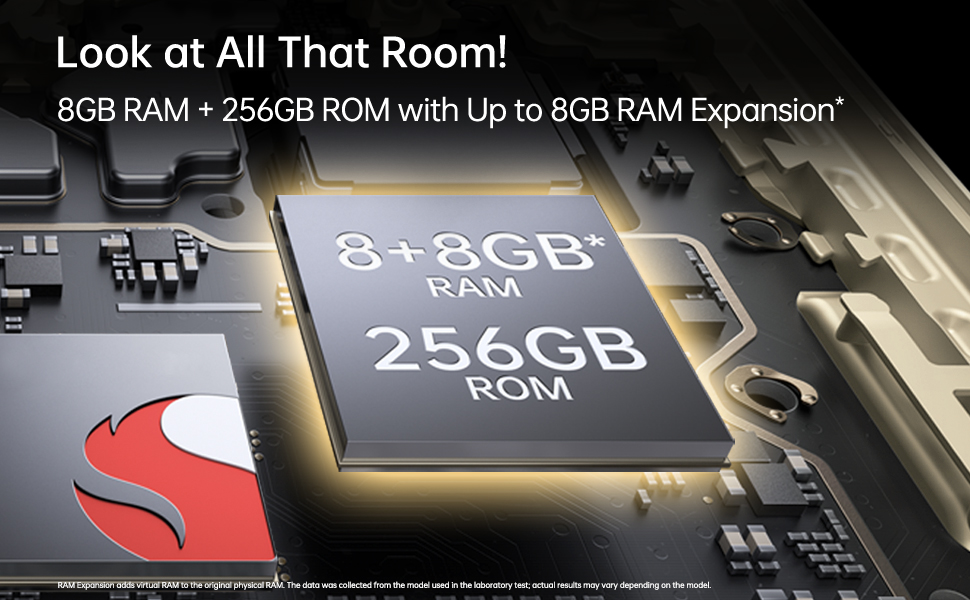
Image: The OPPO F23 5G display showcasing its 120Hz refresh rate and 6.72-inch FHD+ screen.
2.2 Funkcje aparatu
The OPPO F23 5G is equipped with a versatile camera system:
- Kamera tylna: 64MP Main, 2MP Monochrome, 2MP Microscope lens. Features include AI Color Portrait and Dual View Wideo.
- Przednia kamera: 32MP for high-resolution selfies.
To access the camera, tap the Camera icon on your home screen. Select different modes like Photo, Video, Portrait, and Microscope from the interface.
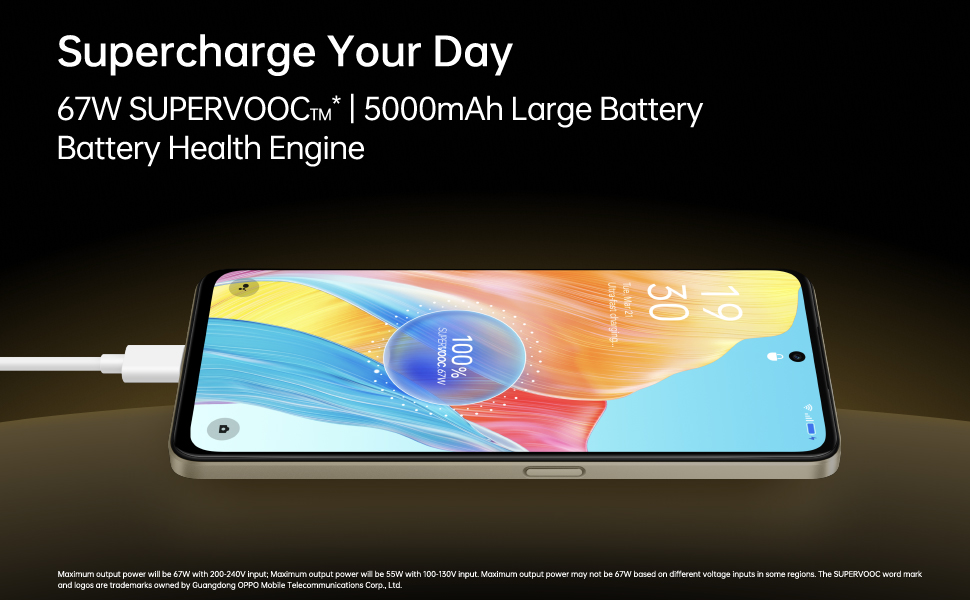
Image: A composite image demonstrating the OPPO F23 5G's camera capabilities, including a person taking a selfie with the 32MP front camera, a sample image from the 64MP AI camera, and a close-up shot using the 40x microlens.

Obraz: szczegółowy view of the OPPO F23 5G's rear camera module, highlighting the triple camera setup and the 40x microscope lens.
2.3 Pamięć i przechowywanie
The device comes with 8GB RAM and 256GB internal storage (ROM). RAM can be expanded virtually by up to an additional 8GB. Storage is expandable up to 1TB via a microSD card.
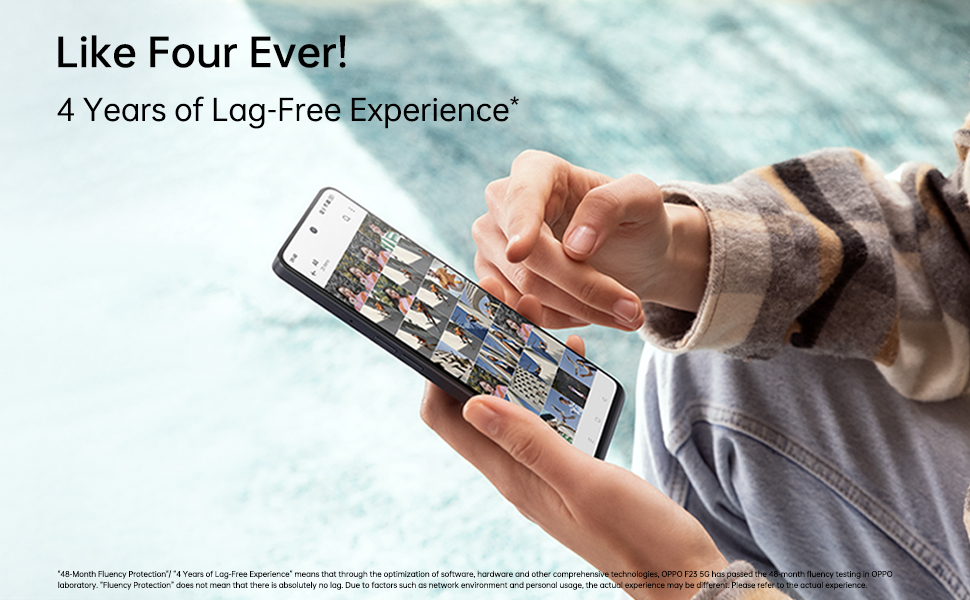
Image: An illustration depicting the OPPO F23 5G's memory and storage capabilities, showing 8GB RAM, 256GB ROM, and the option for 8GB RAM expansion.
2.4 Funkcje bezpieczeństwa
Odblokuj bezpiecznie swój telefon za pomocą:
- Czujnik odcisków palców: Integrated into the power button for quick and convenient access.
- Rozpoznawanie twarzy: Odblokuj urządzenie za pomocą twarzy.
Set up these features in Ustawienia > Hasło i biometria.
2.5 Łączność
The OPPO F23 5G supports various connectivity options:
- Komórkowy: 5G network compatibility.
- Bezprzewodowy: Wi-Fi i Bluetooth.
- wired: USB Type-C port for charging and data transfer, 3.5 mm headphone jack.
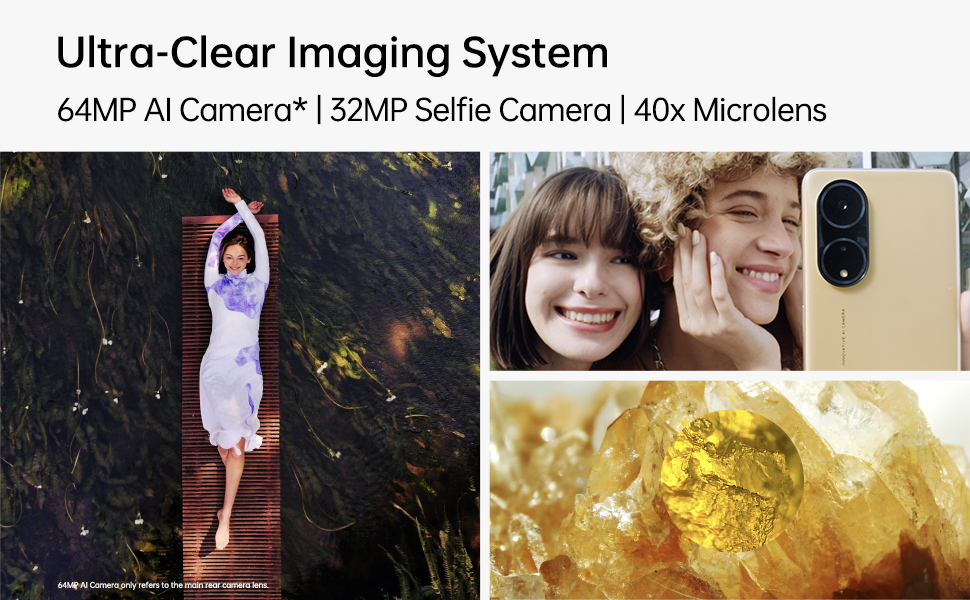
Image: A person interacting with the OPPO F23 5G, demonstrating the device's smooth performance and user experience.
3. Konserwacja
3.1 Pielęgnacja baterii
To prolong battery life and maintain performance:
- Unikaj ekstremalnych temperatur.
- Use only the original OPPO charger and cable.
- The device features a Battery Health Engine to optimize charging and extend battery lifespan.
3.2 Aktualizacje oprogramowania
Regularnie sprawdzaj dostępność aktualizacji oprogramowania i instaluj je, aby mieć pewność, że Twoje urządzenie ma najnowsze funkcje, poprawki zabezpieczeń i udoskonalenia wydajności. Przejdź do Ustawienia > Informacje o urządzeniu > Aktualne aby sprawdzić dostępność aktualizacji.
3.3 Czyszczenie urządzenia
Use a soft, lint-free cloth to clean the screen and body of your phone. Avoid using harsh chemicals or abrasive materials. The device has a Water Resistant level, but avoid submerging it in water.
4. Rozwiązywanie Problemów
4.1 Typowe problemy i rozwiązania
- Urządzenie się nie włącza: Upewnij się, że bateria jest naładowana. Naciśnij i przytrzymaj przycisk zasilania przez co najmniej 10 sekund, aby wymusić ponowne uruchomienie.
- Problemy z ładowaniem: Check if the charger and cable are securely connected. Try a different power outlet.
- Problemy z łącznością sieciową: Ensure SIM card is correctly inserted. Try restarting the device. Check network settings in Ustawienia > Sieć komórkowa.
- Aplikacje ulegają awarii lub zawieszają się: Zamknij i ponownie otwórz aplikację. Wyczyść pamięć podręczną aplikacji (Ustawienia > Aplikacje > Zarządzanie aplikacjami > [Nazwa aplikacji] > Wykorzystanie pamięci > Wyczyść pamięć podręczną) Uruchom ponownie telefon.
4.2 Przywracanie ustawień fabrycznych
Jeśli doświadczasz powtarzających się problemów, przywrócenie ustawień fabrycznych może je rozwiązać. Ostrzeżenie: Spowoduje to usunięcie wszystkich danych z telefonu. Przed kontynuowaniem wykonaj kopię zapasową ważnych danych. Przejdź do Ustawienia > Ustawienia systemowe > Kopia zapasowa i resetowanie > Resetuj telefon > Wymaż wszystkie dane.
5. Specyfikacje
| Funkcja | Szczegół |
|---|---|
| Marka | OPPO |
| Model | F23 5G |
| System operacyjny | Android 13.0 |
| BARAN | 8 GB (+ up to 8GB RAM Expansion) |
| Pamięć wewnętrzna | 256 GB pamięci ROM (z możliwością rozszerzenia do 1 TB) |
| Model procesora | Snapdragon (2.4 GHz) |
| Pojemność baterii | 5000 mAh litowo-jonowy |
| Ładowanie | 67W SUPERVOOC (approx. 18 mins for full charge) |
| Kamera tylna | 64MP Main + 2MP Monochrome + 2MP Microscope |
| Przednia kamera | 32MP |
| Rozmiar wyświetlacza | 6.72 inches (17.07 cm) FHD+ Punch-hole |
| Częstotliwość odświeżania | 120 Hz |
| Rezolucja | 2400 x 1080 pikseli (1080p) |
| Typ karty SIM | Dual Hybrid 5G SIM (Nano) |
| Łączność | 5G, Wi-Fi, Bluetooth, USB Type C, 3.5 mm Jack |
| Bezpieczeństwo | Fingerprint Sensor, Face Recognition |
| Odporność na wodę | Wodoodporny |
| Wymiary | 16.6 x 7.6 x 0.8 centymetrów |
| Waga | 192 gram |
6. Gwarancja i wsparcie
6.1 Informacje o gwarancji
Your OPPO F23 5G comes with a limited warranty:
- Słuchawka: 12 miesięcy od daty zakupu.
- Adapter & Cable: 6 miesięcy od daty zakupu.
Proszę zachować dowód zakupu na potrzeby roszczeń gwarancyjnych.
6.2 Obsługa klienta
Aby uzyskać pomoc techniczną, serwis lub zadać dalsze pytania, skontaktuj się z obsługą klienta OPPO:
- Producent: OPPO Mobiles India Pvt Ltd
- Adres: 5. PIĘTRO, Wieża B, BUDYNEK, N-8, DLF Cyber City, DLF faza 2, Gurugram, Haryana 122002
- Numer bezpłatny: 18001032777