1. Wprowadzenie
This user manual provides detailed instructions for the DOOGEE S68 Pro rugged smartphone. It covers essential information regarding device setup, operation, maintenance, and troubleshooting to ensure optimal performance and longevity of your device. Please read this manual thoroughly before using your new smartphone.
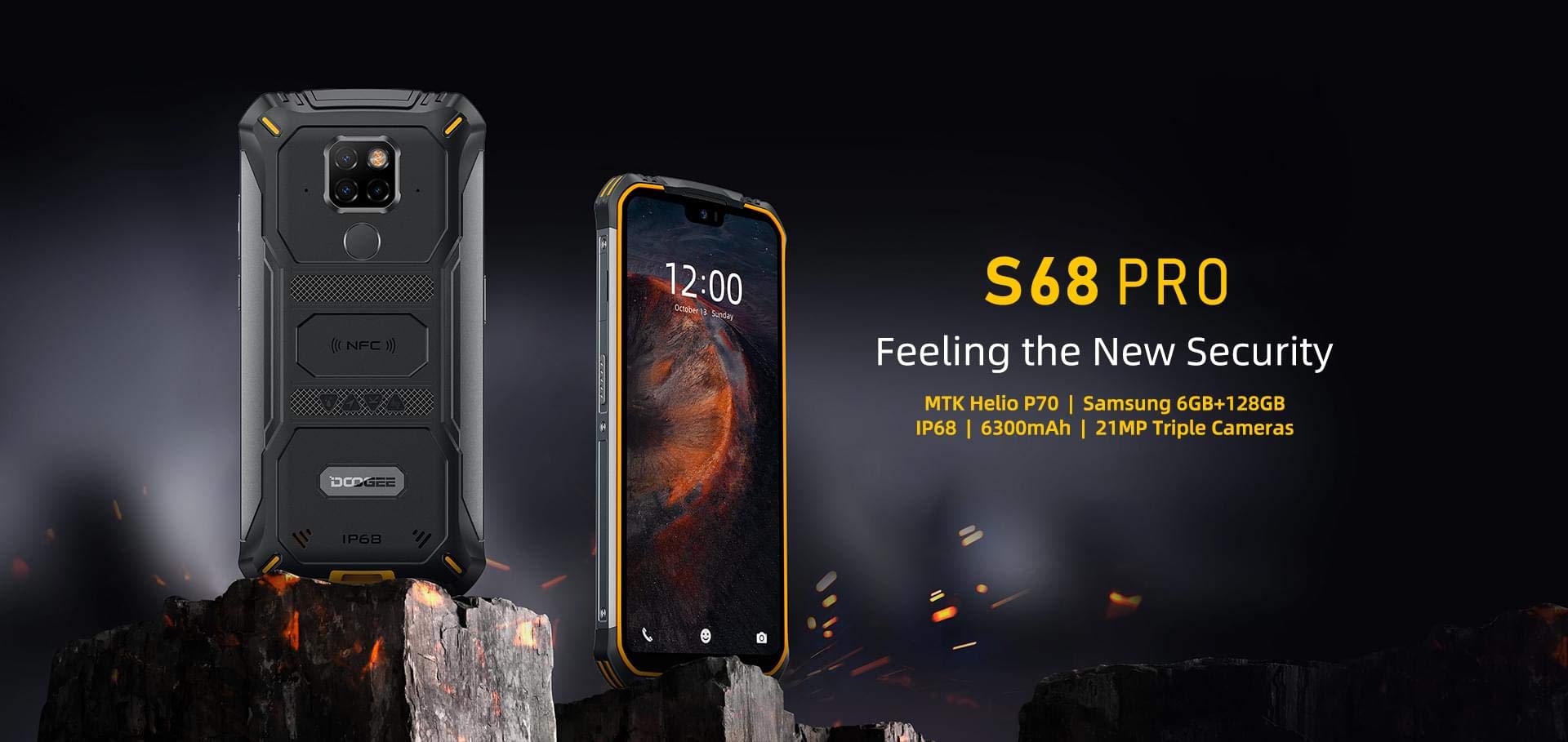
Image: The DOOGEE S68 Pro rugged smartphone, showcasing jego solidna konstrukcja.
2. Koniec produktuview
The DOOGEE S68 Pro is a rugged smartphone designed for durability and high performance. It features a 5.9-inch FHD+ display, a powerful Helio P70 Octa Core processor, 6GB RAM, and 128GB internal storage. The device is equipped with a triple rear camera system, NFC for payments, and a large 6300mAh battery with wireless charging capabilities. Its robust construction ensures resistance to water, dust, and drops.

Obraz: Ponadview of the DOOGEE S68 Pro's key features, including its display, processor, memory, battery, and camera.
2.1 Cechy fizyczne
- Wyświetlacz: 5.9-inch FHD+ Notch Screen (1080*2280 pixels, ~428 ppi density).
- System kamer tylnych: Triple camera setup including a 21MP standard lens, 8MP telephoto lens, and 8MP 130° wide-angle lens, accompanied by a dual flash.
- Przednia kamera: 16MP wide-angle lens.
- NFC: Integrated for contactless payments and data transfer.
- Port ładowania: USB typu C.
- Czujniki: G-sensor, Proximity sensor.
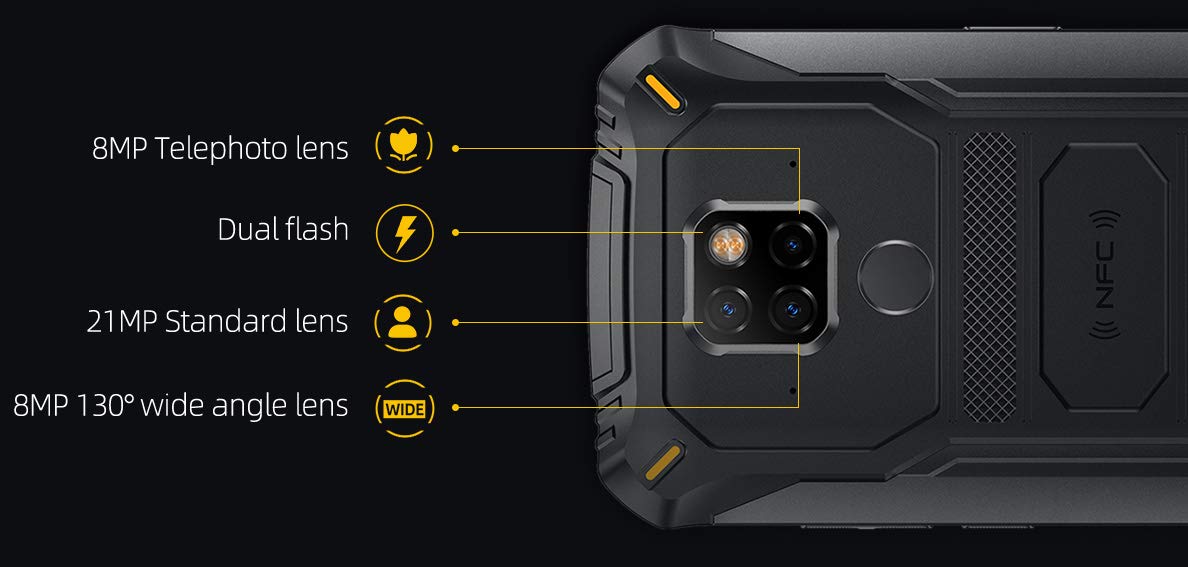
Obraz: Szczegółowy view of the DOOGEE S68 Pro's triple rear camera system, highlighting the telephoto, standard, and wide-angle lenses, along with the dual flash and NFC area.
3. Konfiguracja
3.1 Instalacja karty SIM i karty TF
- Znajdź tackę na kartę SIM znajdującą się z boku urządzenia.
- Włóż narzędzie do wyjmowania karty SIM do małego otworu obok tacki i delikatnie naciskaj, aż tacka wyskoczy.
- Place your Nano SIM card(s) and/or TF card (microSD, up to 128GB) into the designated slots on the tray. Ensure the gold contacts are facing down.
- Ostrożnie włóż tackę z powrotem do telefonu, aż zatrzaśnie się na swoim miejscu.
3.2 Pierwsze włączenie zasilania
- Naciśnij i przytrzymaj przycisk zasilania (zazwyczaj po prawej stronie), aż na ekranie pojawi się logo DOOGEE.
- Postępuj zgodnie z instrukcjami wyświetlanymi na ekranie, aby dokończyć konfigurację początkową, obejmującą wybór języka, połączenie Wi-Fi, logowanie do konta Google i ustawienia zabezpieczeń.
4. Instrukcja obsługi
System operacyjny 4.1
DOOGEE S68 Pro działa na Android 9.0 Pie, offering a user-friendly interface and access to a wide range of applications through the Google Play Store.
4.2 Wydajność
The device is powered by a Helio P70 Octa Core processor (4xCortex-A53 up to 2.0GHz, 4xCortex-A73 up to 2.0GHz) and an ARM Mali-G72-MP2 700MHz GPU, providing efficient performance for multitasking and gaming.

Image: The DOOGEE S68 Pro being used for gaming, demonstrating its processing capabilities.
4.3 Pamięć i przechowywanie
W zestawie jest 6 GB pamięci RAM for smooth operation and 128 GB pamięci ROM for storing your files and applications. Storage can be expanded up to 128GB via a microSD card.
4.4 Łączność
- Wi-Fi: Połącz się z siecią bezprzewodową, aby uzyskać dostęp do Internetu.
- Bluetooth: Można go sparować z innymi urządzeniami obsługującymi technologię Bluetooth, np. słuchawkami lub głośnikami.
- NFC: Use for quick pairing, data exchange, and mobile payments.
- GPS: Do nawigacji i usług lokalizacyjnych.
- OTG (w podróży): Connect USB devices such as flash drives or keyboards.
4.5 Funkcje aparatu
The triple rear camera system allows for versatile photography, including standard shots, wide-angle landscapes, and telephoto close-ups. The 16MP front camera is suitable for selfies and video calls. The LED flash assists in low-light conditions.
4.6 Bateria i ładowanie
Urządzenie wyposażone jest w Bateria 6300mAh, providing extended usage time. It supports 12V2A fast charging I Ładowanie bezprzewodowe 10W. Additionally, it features Ładowanie bezprzewodowe wsteczne 5 W, allowing you to charge other compatible devices.
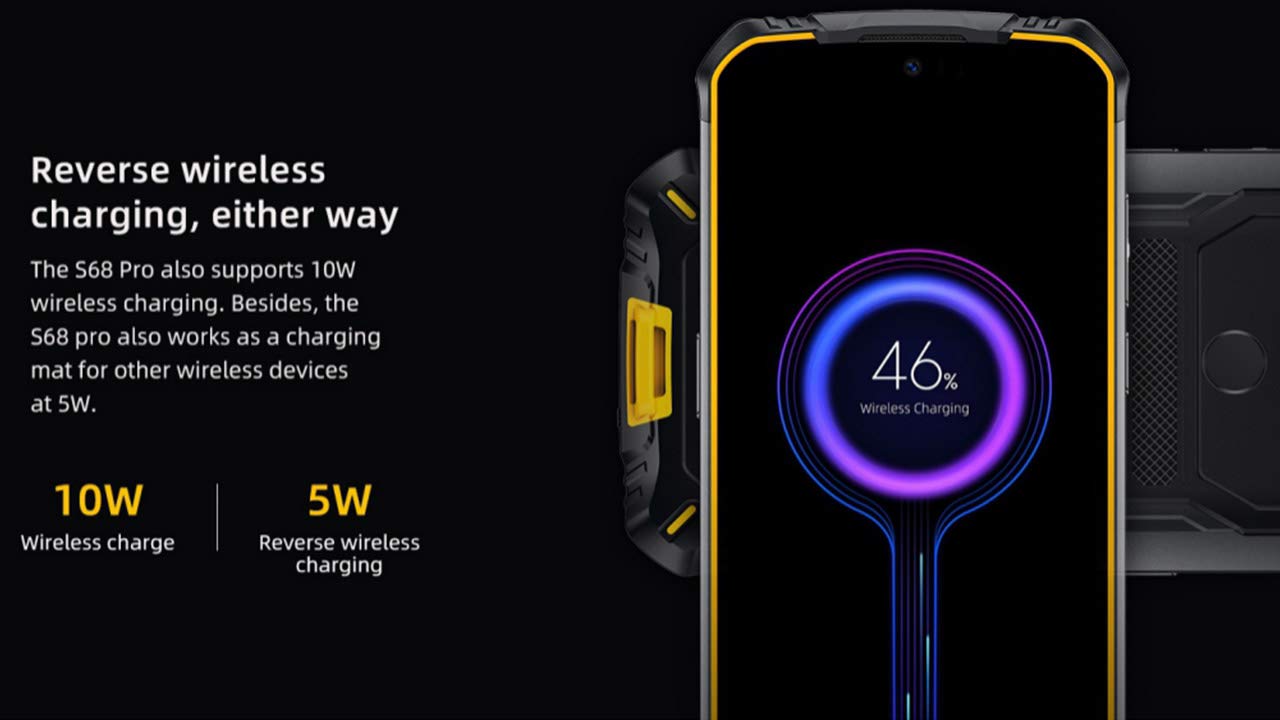
Image: The DOOGEE S68 Pro demonstrating its reverse wireless charging capability, charging another device.
4.7 Wytrzymałe funkcje
The DOOGEE S68 Pro is designed to withstand harsh environments. It boasts an Stopień ochrony IP68 for water and dust resistance and is built to be drop-proof, making it suitable for outdoor activities and demanding work conditions.

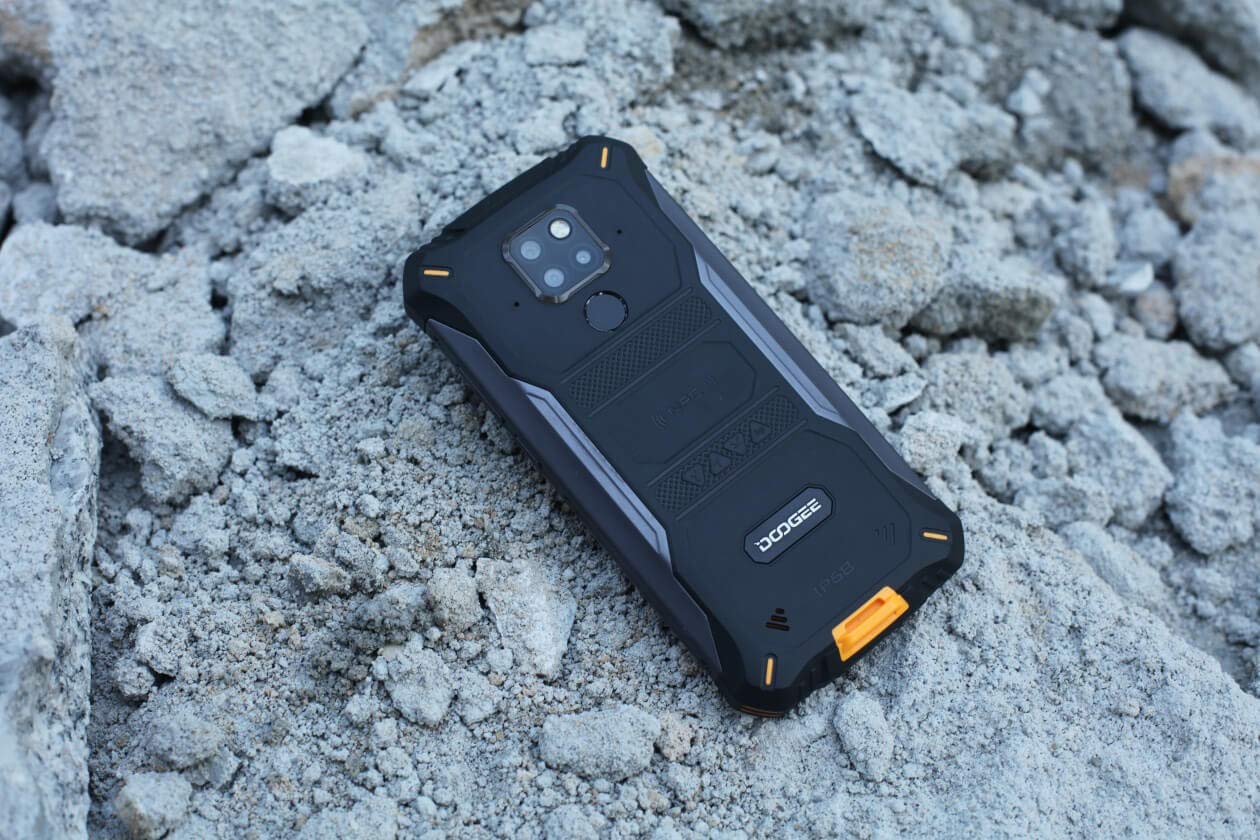
Images: The DOOGEE S68 Pro demonstrating its ruggedness by being submerged in mud and resting on rough terrain.
5. Konserwacja
To maintain your DOOGEE S68 Pro in optimal condition, follow these guidelines:
- Czyszczenie: Użyj miękkiego, damp cloth to clean the device. For stubborn dirt, especially after exposure to mud or dust, rinse gently with clean water and ensure all ports are dry before charging.
- Unikaj ekstremalnych temperatur: Do not expose the phone to excessively high or low temperatures for prolonged periods.
- Ochrona portu: Jeśli telefon będzie narażony na działanie wody lub kurzu, należy upewnić się, że wszystkie pokrywy portów są szczelnie zamknięte.
- Aktualizacje oprogramowania: Regularly update your device's software to benefit from the latest security patches and performance improvements.
6. Rozwiązywanie Problemów
If you encounter issues with your DOOGEE S68 Pro, refer to the following common solutions:
- Urządzenie się nie włącza: Upewnij się, że bateria jest naładowana. Podłącz telefon do ładowarki i odczekaj kilka minut przed ponownym włączeniem.
- Problemy z ładowaniem: Check the charging cable and adapter for damage. Ensure the Type-C port is clean and free of debris. Try a different charger if available.
- Słaby sygnał sieciowy: Move to an area with better network coverage. Check if your SIM card is properly inserted.
- Aplikacje ulegają awarii: Wyczyść pamięć podręczną i dane problematycznej aplikacji w Ustawieniach > Aplikacje. Jeśli problem nadal występuje, odinstaluj i zainstaluj aplikację ponownie.
- Brak reakcji ekranu dotykowego: Restart the device. If the issue continues, perform a factory reset (note: this will erase all data).
7. Specyfikacje
| Funkcja | Specyfikacja |
|---|---|
| System operacyjny | Android 9.0 Pie |
| Edytor | Helio P70 Octa Core (4xCortex-A53, 4xCortex-A73) |
| BARAN | 6 GB |
| Pamięć wewnętrzna (ROM) | 128 GB |
| Możliwość rozbudowy pamięci masowej | microSD do 128GB |
| Rozmiar wyświetlacza | 5.9 inch FHD+ Notch Screen |
| Rozdzielczość wyświetlacza | 1080*2280 pixels (~428 ppi) |
| Kamera tylna | Potrójny aparat 21 MP + 8 MP + 8 MP |
| Przednia kamera | 16MP |
| Pojemność baterii | 6300mAh |
| Ładowanie | 12V2A Fast Charge, 10W Wireless Charge, 5W Reverse Wireless Charge |
| Łączność | Wi-Fi, Bluetooth, NFC, GPS, OTG |
| Wytrzymałość | IP68 Water & Dust Resistant, Drop-proof |
| Wymiary | Wymiary 16.35 x 8 x 1.64 cm |
| Waga | 260 gramów |
8. Gwarancja i wsparcie
Your DOOGEE S68 Pro comes with a standard brand warranty. For detailed warranty information, service, and support, please refer to the official DOOGEE website or the product detail page on the retailer's webstrona.
For further information, visit the product detail page: DOOGEE S68 Pro Product Page
9. Film o produkcieview
Wideo: Oficjalnyview of the DOOGEE S68 Pro Rugged Phone, highlighting its key features and specifications.