
1. Koniec produktuview
Thank you for choosing the TOTAL Cordless Impact Driver. This powerful and versatile tool is designed for a wide range of fastening and loosening applications, from DIY projects to automotive repairs. Its robust brushless motor ensures long-lasting performance and efficiency. Please read this manual thoroughly before operation to ensure safe and effective use.

Image 1.1: The TOTAL Cordless Impact Driver kit, including the tool, two batteries, charger, sockets, and a carrying bag.
2. Instrukcje bezpieczeństwa
Zawsze należy przestrzegać podstawowych zasad bezpieczeństwa, aby zmniejszyć ryzyko pożaru, porażenia prądem elektrycznym i obrażeń ciała.
- Bezpieczeństwo w miejscu pracy: Utrzymuj swoje miejsce pracy w czystości i dobrym oświetleniu. Zagracone lub ciemne pomieszczenia sprzyjają wypadkom. Nie używaj elektronarzędzi w atmosferach wybuchowych, takich jak łatwopalne ciecze, gazy lub pyły.
- Bezpieczeństwo elektryczne: Unikaj kontaktu ciała z powierzchniami uziemionymi (np. rurami, grzejnikami, kuchenkami, lodówkami). Nie wystawiaj elektronarzędzi na działanie deszczu ani wilgoci.
- Bezpieczeństwo osobiste: Zawsze noś okulary ochronne. Podczas długotrwałej pracy stosuj ochronę słuchu. Ubieraj się stosownie; nie noś luźnej odzieży ani biżuterii. Trzymaj włosy, ubranie i rękawice z dala od ruchomych części.
- Używanie i konserwacja narzędzia: Do not force the power tool. Use the correct tool for your application. Disconnect the battery pack from the power tool before making any adjustments, changing accessories, or storing power tools.
- Użytkowanie i konserwacja akumulatora: Ładuj wyłącznie za pomocą ładowarki wskazanej przez producenta. Nie używaj akumulatorów z innymi elektronarzędziami. Nie zwieraj akumulatora.
3. Zawartość opakowania
Sprawdź, czy wszystkie elementy znajdują się w opakowaniu i są w dobrym stanie po jego otwarciu:
- 1 x TOTAL Cordless Impact Driver
- 2 x 20 V 2.0 Ah akumulatory litowo-jonowe
- 1 x Szybka ładowarka
- 4 x Screw Bits (sockets)
- 1 x torba płócienna
- 1 x Instrukcja obsługi
4. Funkcje produktu
- Silnik bezszczotkowy: Ensures longer tool life, reduced wear, and increased efficiency compared to traditional brushed motors.
- Wysoki moment obrotowy: Delivers 300 NM of torque, suitable for demanding fastening and loosening tasks.
- Regulacja prędkości zmiennej: Speed ranges from 0 to 2300 RPM for precise control over various applications.
- 1/2" Hexagonal Chuck: Umożliwia szybką i łatwą wymianę bitów.
- Zintegrowane oświetlenie robocze LED: Oświetla miejsce pracy, zapewniając lepszą widoczność w warunkach słabego oświetlenia.
- Wskaźnik naładowania baterii: Displays the remaining battery power level.
- Ergonomiczna i lekka konstrukcja: Provides comfortable handling and reduces user fatigue.
- Hak na pasek: Można wygodnie przymocować narzędzie do paska, aby mieć do niego łatwy dostęp.
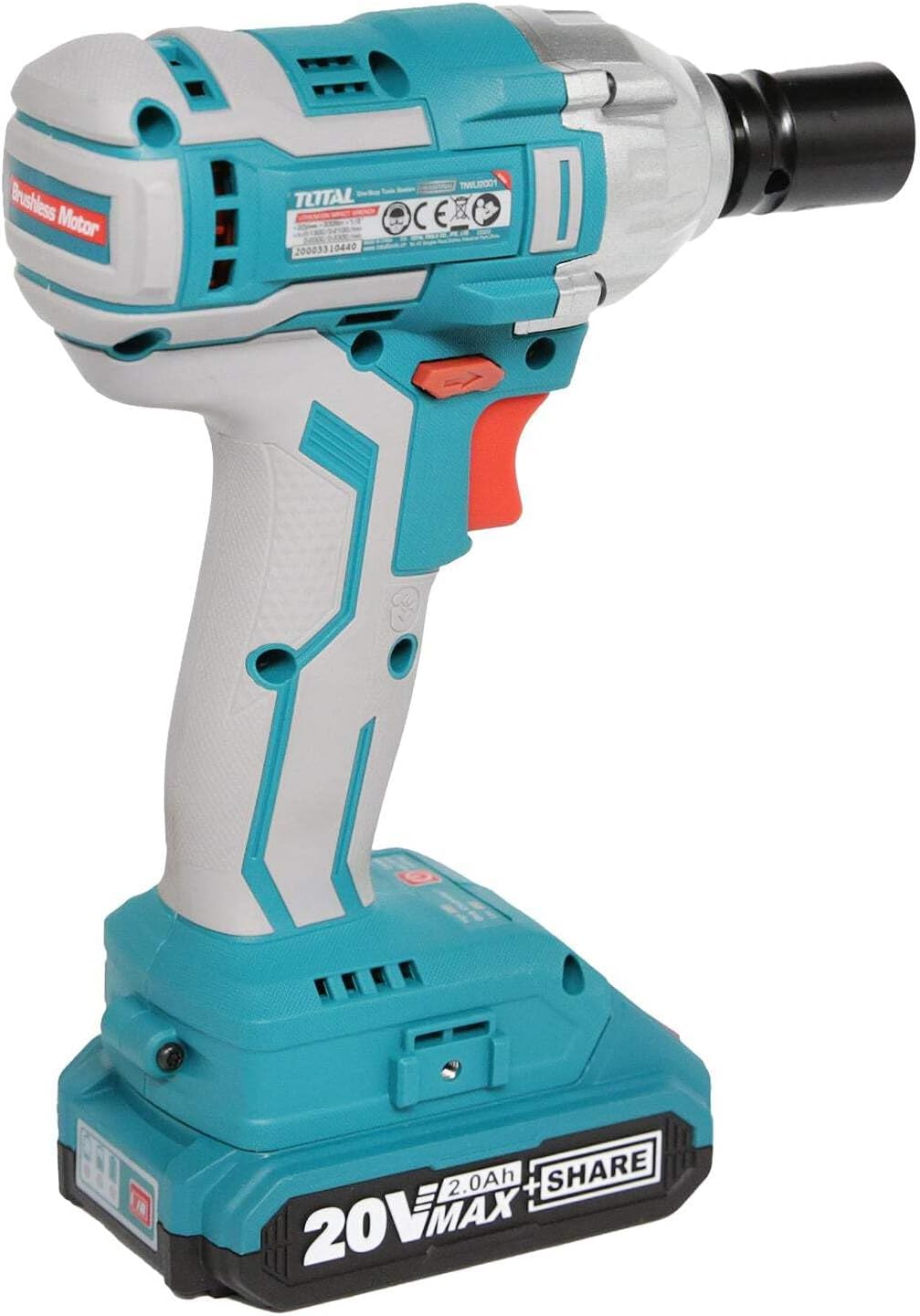
Obraz 4.1: Bok view highlighting the brushless motor technology.
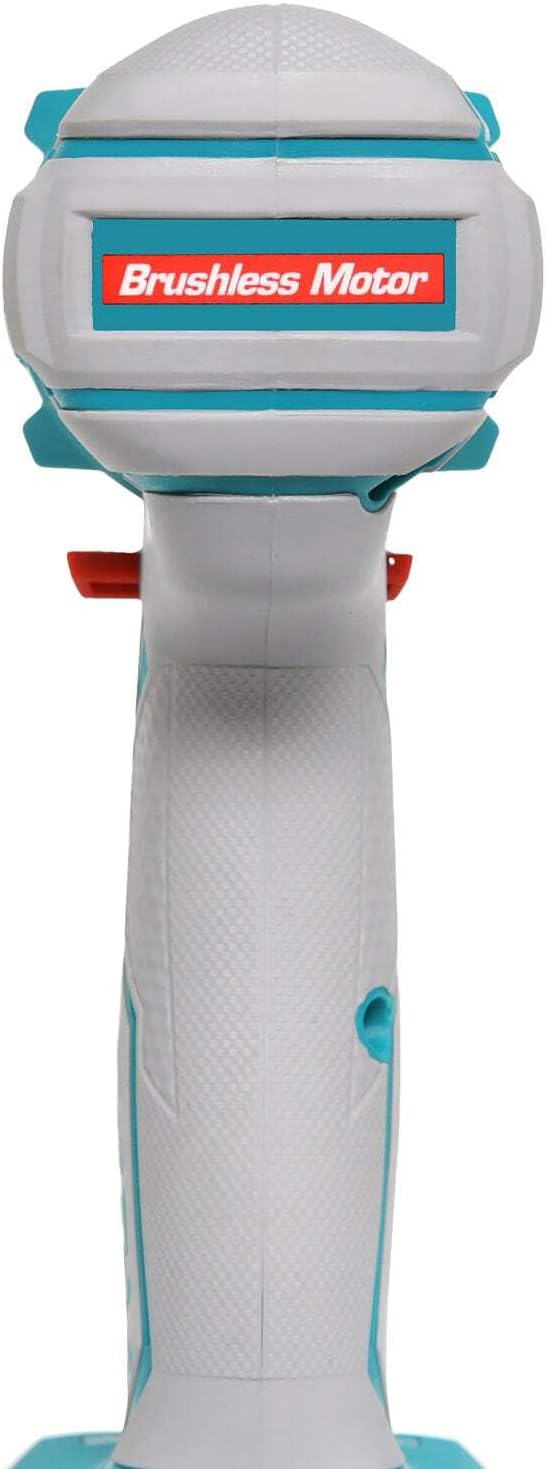
Image 4.2: Detail of the battery charge indicator and operational mode switch.

Image 4.3: The integrated belt hook for convenient carrying.
5. Specyfikacje
| Specyfikacja | Wartość |
|---|---|
| Producent | INECO |
| Numer modelu | TIWLI2001 |
| Wymiary (dł. x szer. x wys.) | Wymiary 34.5 x 19 x 9.6 cm |
| Waga | 3.1 kilograma |
| Typ baterii | Litowo-jonowy |
| Pojemność bateriitage | 20 V |
| Pojemność baterii | 2.0 Ah |
| Prędkość bez obciążenia | 0 - 2300 obr./min |
| Maksymalny moment obrotowy | 300 niutonometrów |
| Rodzaj uchwytu | Napęd kwadratowy 1/2" |
| Tworzywo | Stal nierdzewna |
6. Konfiguracja
6.1. Ładowanie akumulatora
- Podłącz szybką ładowarkę do standardowego gniazdka elektrycznego.
- Wsuń akumulator do ładowarki, aż zatrzaśnie się na miejscu.
- The charger indicator light will show the charging status. A full charge typically takes about one hour.
- Po całkowitym naładowaniu wyjmij akumulator z ładowarki.

Image 6.1: Charging the lithium-ion batteries using the quick charger.
6.2. Instalowanie baterii
- Align the charged battery pack with the battery port on the base of the impact driver handle.
- Slide the battery pack firmly into place until you hear a click, indicating it is securely locked.
- Aby wyjąć baterię, naciśnij przycisk(i) zwalniający(e) po bokach akumulatora i wysuń go.

Image 6.2: Proper installation of the battery pack into the tool.
6.3. Installing/Removing Accessories (Sockets/Bits)
- Ensure the tool is off and the battery is removed before installing or removing accessories.
- Push the desired 1/2" square drive socket or bit firmly onto the anvil of the impact driver until it locks into place.
- To remove, simply pull the socket or bit off the anvil.

Image 6.3: Attaching a socket to the impact driver's anvil.
7. Instrukcja obsługi
7.1. Włączanie/wyłączanie i kontrola prędkości
- To turn the tool ON, press the trigger switch. The LED work light will illuminate.
- To turn the tool OFF, release the trigger switch.
- The tool features variable speed control. The further the trigger is pressed, the higher the speed.
7.2. Obrót do przodu/do tyłu
- The direction of rotation is controlled by the forward/reverse lever located above the trigger.
- For forward (tightening) rotation, push the lever to the left.
- For reverse (loosening) rotation, push the lever to the right.
- When the lever is in the center position, the trigger is locked, preventing accidental starting.
7.3. Korzystanie z haka na pasek
The integrated belt hook allows you to conveniently hang the tool from your belt or a sturdy surface when not in immediate use, keeping it within reach and freeing your hands.
8. Konserwacja
8.1. Czyszczenie
- Przed czyszczeniem należy zawsze odłączyć akumulator.
- Użyj czystego, damp Ściereczką przetrzyj zewnętrzną część narzędzia. Nie używaj silnych środków chemicznych ani ściernych środków czyszczących.
- Utrzymuj otwory wentylacyjne wolne od kurzu i zanieczyszczeń, aby zapobiec przegrzaniu. W razie potrzeby użyj sprężonego powietrza.
8.2. Przechowywanie
- Przechowuj narzędzie i akumulatory w chłodnym i suchym miejscu, z dala od bezpośredniego światła słonecznego i ekstremalnych temperatur.
- Przechowywać w miejscu niedostępnym dla dzieci.
- W przypadku długoterminowego przechowywania należy upewnić się, że baterie są częściowo naładowane (około 50%), aby wydłużyć ich żywotność.

Image 8.1: Ensure ventilation openings are clear for proper tool maintenance.
9. Rozwiązywanie Problemów
| Problem | Możliwa przyczyna | Rozwiązanie |
|---|---|---|
| Narzędzie nie uruchamia się | Battery not charged or not properly installed. Forward/reverse lever in center (locked) position. | Charge battery and ensure it is clicked into place. Move lever to forward or reverse position. |
| Zmniejszona moc/moment obrotowy | Niski poziom naładowania akumulatora. Przegrzanie. | Recharge battery. Allow tool to cool down. |
| Nadmierne wibracje/hałas | Loose accessory. Damaged internal components. | Ensure accessory is securely attached. If problem persists, contact customer support. |
| Bateria się nie ładuje | Ładowarka nie jest podłączona. Uszkodzony akumulator lub ładowarka. | Check power connection. Try another battery if available. Contact customer support if issues persist. |
10. Gwarancja i wsparcie
TOTAL products are manufactured to high-quality standards. While specific warranty details may vary by region, we are committed to providing reliable tools. For any questions, technical assistance, or warranty claims, please contact your local TOTAL distributor or the point of purchase. Keep your purchase receipt as proof of purchase.
For further information, you may visit the official TOTAL tools webstronie lub skontaktuj się z działem obsługi klienta.