
Wstęp
Thank you for choosing the CACTUS CAC-109-M01 Kids Digital LCD Watch. This manual provides essential information for setting up, operating, and maintaining your watch. This digital watch features a clear LCD display, stopwatch, alarm, and a backlight for visibility in low light conditions. It is also water resistant up to 10 ATM, making it suitable for various activities.
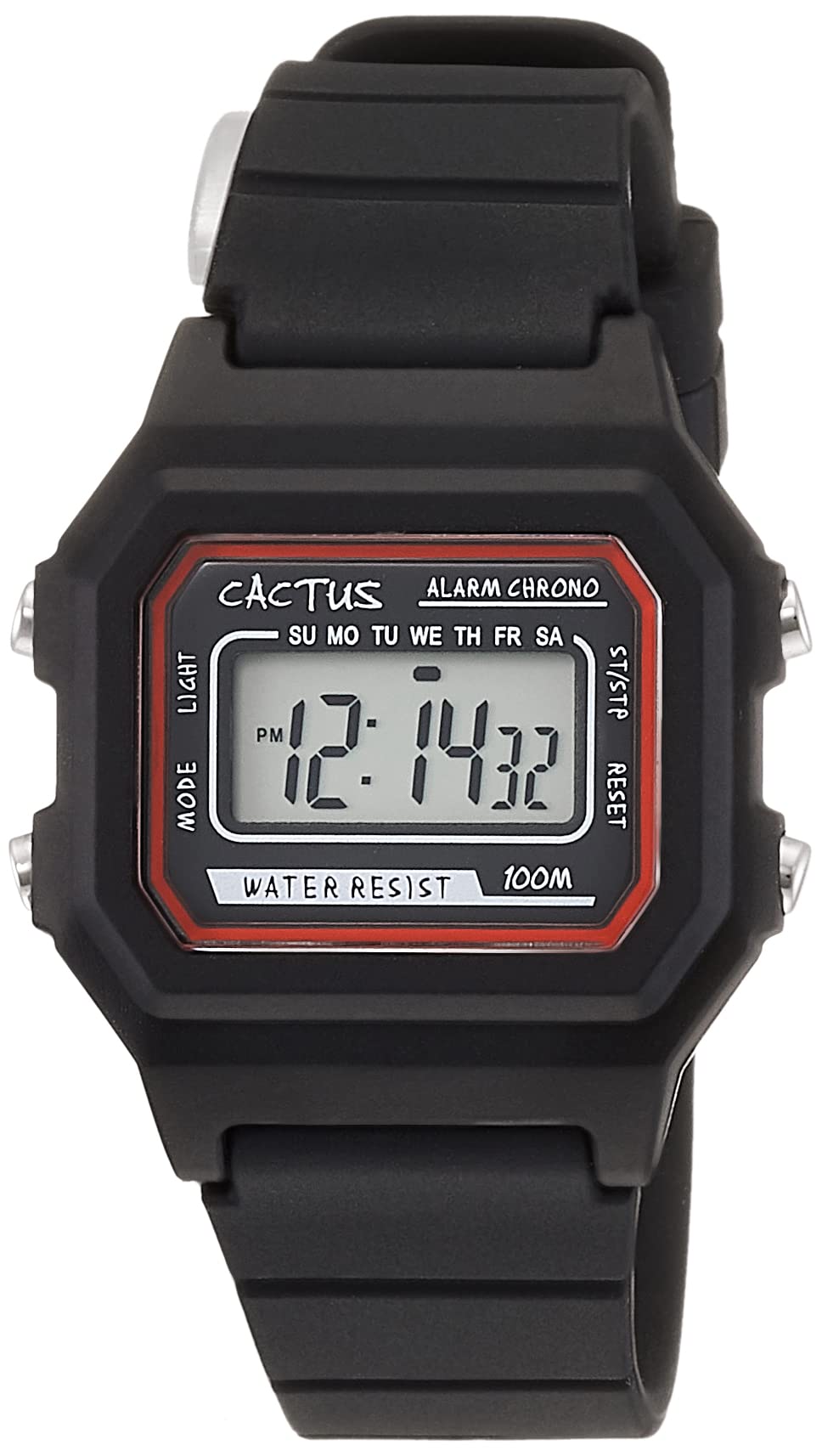
Rysunek 1: Przód pod kątem view of the CACTUS CAC-109-M01 Digital Watch. This image shows the watch face with its digital display, buttons on the side, and the black silicone strap.
Organizować coś
Ustawianie czasu i daty
To ensure accurate timekeeping, follow these steps to set the time and date on your watch.

Rycina 2: Zbliżenie z przodu view of the watch display and control buttons. The buttons are labeled MODE (top left), LIGHT (bottom left), RESET (top right), and START (bottom right).
- W normalnym trybie wyświetlania czasu naciśnij przycisk TRYB Naciśnij przycisk trzy razy, aby wejść w tryb ustawiania czasu. Cyfry sekund zaczną migać.
- Naciśnij NASTAWIĆ przycisk, aby wyzerować sekundy.
- Naciśnij START button to advance to the next setting (hours, minutes, month, date, day of the week).
- Podczas migania cyfry naciśnij NASTAWIĆ przycisk, aby dostosować wartość.
- Repeat step 3 and 4 until all desired settings (hours, minutes, month, date, day of the week) are adjusted.
- Naciśnij TRYB button once to exit the setting mode and return to normal time display.
Instrukcja obsługi
Funkcje przycisków
- Przycisk MODE (lewy górny róg): Cycles through display modes (Time, Alarm, Stopwatch, Time Setting).
- LIGHT Button (Bottom Left): Activates the backlight for a few seconds.
- Przycisk RESET (prawy górny róg): Used to reset values or select items during setting.
- Przycisk START (prawy dolny róg): Used to start/stop functions or advance through settings.
Funkcja alarmu
Your watch includes an alarm feature.
- W trybie wyświetlania czasu normalnego naciśnij TRYB Naciśnij przycisk raz, aby przejść do trybu alarmu. Wyświetli się godzina alarmu.
- Naciśnij NASTAWIĆ Przycisk do włączania/wyłączania alarmu. Po aktywacji pojawi się ikona alarmu.
- Aby ustawić godzinę alarmu, naciśnij przycisk TRYB button twice from normal time display to enter alarm setting mode. The hour digits will flash.
- Naciśnij NASTAWIĆ przycisk, aby ustawić godzinę.
- Naciśnij START przycisk, aby przejść do ustawiania minut.
- Naciśnij NASTAWIĆ przycisk, aby ustawić minuty.
- Naciśnij TRYB przycisk, aby wyjść z trybu ustawiania alarmu.
Funkcja stopera
The stopwatch allows you to measure elapsed time.
- W trybie wyświetlania czasu normalnego naciśnij TRYB Naciśnij przycisk dwa razy, aby przejść do trybu stopera. Na wyświetlaczu pojawi się „00:00:00”.
- Naciśnij START przycisk, aby rozpocząć odliczanie czasu.
- Naciśnij START naciśnij przycisk ponownie, aby wstrzymać odliczanie.
- Naciśnij NASTAWIĆ button while paused to reset the stopwatch to "00:00:00".
- Naciśnij TRYB przycisk, aby wyjść z trybu stopera.
Funkcja światła
Aby podświetlić wyświetlacz w warunkach ciemności, naciśnij przycisk ŚWIATŁO button (bottom left). The backlight will activate for a few seconds.
Odporność na wodę
This watch is water resistant up to 10 ATM (100 meters). This means it is suitable for swimming, showering, and snorkeling. However, it is not recommended for diving. Avoid pressing buttons underwater, as this can compromise the water resistance seal.

Figure 3: The CACTUS CAC-109-M01 watch displayed on a wrist, showing its size and fit.
Pielęgnacja i konserwacja
Czyszczenie
Aby wyczyścić zegarek, przetrzyj go delikatnie miękką szmatką.amp cloth. Avoid using harsh chemicals, solvents, or abrasive cleaners, as these can damage the watch's finish or internal components. For the silicone strap, mild soap and water can be used, ensuring it is thoroughly rinsed and dried.
Wymiana baterii
When the display becomes dim or the watch stops functioning, the battery may need replacement. Battery replacement should ideally be performed by a qualified watch technician to ensure the water resistance seal is maintained. Attempting to replace the battery yourself may void the warranty and compromise the watch's water resistance.
Składowanie
Przechowuj zegarek w chłodnym i suchym miejscu, z dala od bezpośredniego światła słonecznego, ekstremalnych temperatur i silnych pól magnetycznych.
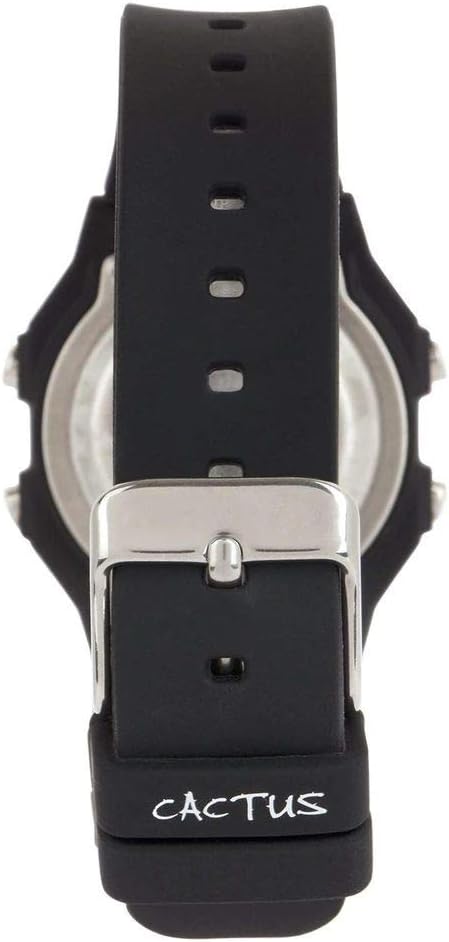
Rysunek 4: Tył view of the watch, illustrating the stainless steel case back and the buckle mechanism of the silicone strap.
Rozwiązywanie problemów
Jeśli napotkasz jakiekolwiek problemy z zegarkiem, zapoznaj się z poniższymi typowymi problemami i ich rozwiązaniami:
- Wyświetlacz zegarka jest pusty lub przyciemniony: This usually indicates a low battery. Refer to the "Battery Replacement" section.
- Przyciski nie reagują: Ensure the watch is not in a locked mode (if applicable, though this model typically does not have one). If the issue persists, a battery replacement might be needed, or a soft reset by removing and reinserting the battery (recommended to be done by a professional).
- Czas jest nieprawidłowy: Re-set the time and date following the "Setting Time and Date" instructions. Ensure you are in the correct time zone.
- Woda wewnątrz zegarka: If water appears inside the watch, immediately stop using it and take it to a professional watch repair service. This indicates a compromised water resistance seal.
Specyfikacja produktu
| Numer modelu | CAC-109-M01 |
| Typ ruchu | Cyfrowy kwarc |
| Typ wyświetlacza | Cyfrowy LCD |
| Materiał obudowy | Żywica |
| Materiał paska | Silikon |
| Głębokość wodoodporności | 100 Metres (10 ATM) |
| Dodatkowe funkcje | Alarm, Stopwatch, Light |
| Średnica koperty | 32 milimetrów |
| Grubość obudowy | 11 milimetrów |
| Waga przedmiotu | 24 gram |
Gwarancja i wsparcie
For warranty information or technical support, please refer to the documentation provided with your purchase or contact the retailer where the watch was acquired. Keep your proof of purchase for warranty claims.