
Wstęp
This manual provides detailed instructions for the XINJIA Digital Quartz Watch, Model 2400017-001. Please read this guide thoroughly to understand the watch's features, setup, operation, and maintenance. Proper use and care will ensure the longevity and optimal performance of your watch.
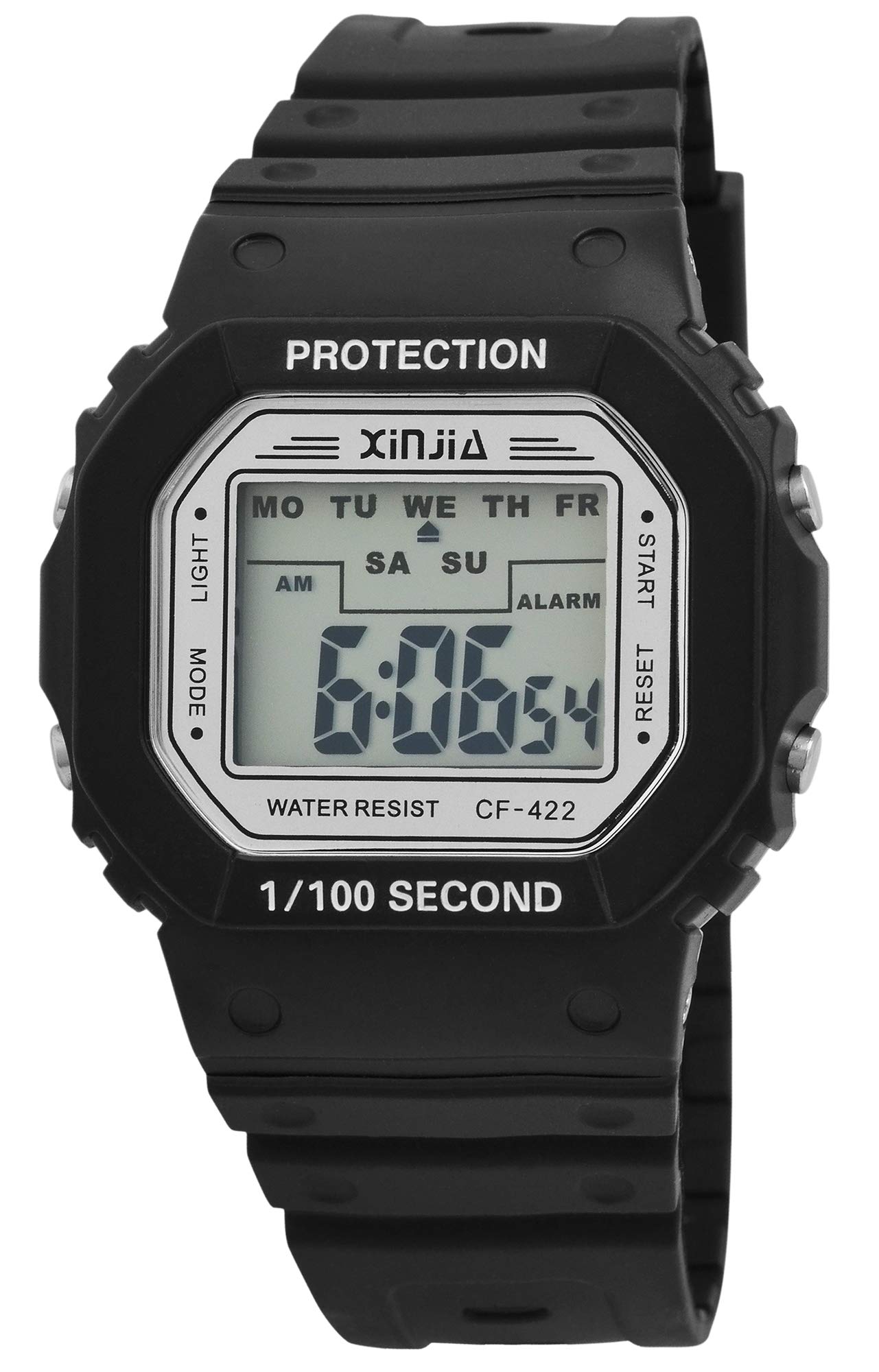
This image displays the XINJIA Digital Quartz Watch, featuring a black silicone strap and a clear rectangular digital display.
Organizować coś
Początkowe ustawienie czasu i daty
Your XINJIA Digital Quartz Watch comes with a pre-installed battery. To set the time and date:
- Naciśnij TRYB button (usually on the bottom left) repeatedly until the time display starts flashing.
- Użyj USTAWIĆ button (usually on the top right) to adjust the flashing digit (hours, minutes, seconds).
- Naciśnij TRYB button again to move to the next setting (e.g., minutes, then month, day, year).
- Po wprowadzeniu wszystkich prawidłowych ustawień naciśnij przycisk TRYB Naciśnij przycisk po raz ostatni, aby wyjść z trybu ustawień.
Regulacja paska
The watch features a silicone strap with a buckle clasp. Adjust the strap by inserting the pin into the desired hole for a comfortable and secure fit on your wrist.
Instrukcja obsługi
Wyświetlanie czasu i daty
In normal mode, the watch displays the current time (hours, minutes, seconds). Press the TRYB button once to cycle through different display modes, which may include date (month, day, year).
Funkcja alarmu
Aby ustawić alarm:
- Naciśnij TRYB button until the alarm setting screen appears (often indicated by 'AL' or a bell icon).
- Użyj USTAWIĆ przycisk umożliwiający dostosowanie godziny i minut alarmu.
- Naciskać TRYB aby potwierdzić i wyjść.
Aby aktywować/dezaktywować alarm, naciśnij przycisk USTAWIĆ button while in the alarm display mode.
Funkcja stopera
Aby skorzystać ze stopera:
- Naciśnij TRYB button until the stopwatch screen appears (often indicated by 'ST' or 'STOP').
- Naciśnij USTAWIĆ przycisk, aby uruchomić stoper.
- Naciskać USTAWIĆ ponownie, aby wstrzymać/wznowić.
- Aby zresetować, naciśnij ŚWIATŁO button (if available) while the stopwatch is paused.
Podświetlenie
Naciśnij ŚWIATŁO button (usually on the top left) to illuminate the display for a few seconds in low-light conditions.
Konserwacja
Czyszczenie
Przetrzyj kopertę i pasek zegarka miękką ściereczką.amp szmatką. Unikaj stosowania silnych środków chemicznych lub materiałów ściernych, ponieważ mogą one uszkodzić elementy plastikowe i silikonowe.
Odporność na wodę
While the watch is designed for daily wear, specific water resistance ratings are not provided. Avoid prolonged exposure to water, swimming, or showering to prevent internal damage.
Wymiana baterii
The watch is powered by a quartz movement with one battery. When the display dims or functions become erratic, it may be time to replace the battery. It is recommended to have battery replacement performed by a qualified watch technician to ensure proper sealing and function.
Rozwiązywanie problemów
- Zegarek nie wyświetla czasu: Check if the battery needs replacement. Ensure no buttons are stuck.
- Nieprawidłowa godzina/data: Follow the 'Initial Time and Date Setting' instructions to reset.
- Alarm nie działa: Ensure the alarm is activated in the alarm setting mode. Check battery level.
- Wyświetlacz jest przyciemniony: This usually indicates a low battery. Replace the battery.
If problems persist after attempting these solutions, contact customer support or a professional watch repair service.
Specyfikacje
| Marka | XINJIA |
| Numer modelu | 2400017-001 |
| Typ wyświetlacza | Cyfrowy |
| Typ ruchu | Kwarc |
| Źródło zasilania | Zasilany bateryjnie |
| Materiał obudowy | Plastikowy |
| Materiał paska | Silikon |
| Rodzaj zapięcia | Klamra |
| Średnica koperty | 44 milimetrów |
| Grubość obudowy | 12.00 milimetrów |
| Przepustowość łącza | 30 milimetrów |
| Długość paska | 240 milimetrów |
| Waga przedmiotu | 54.43 gram |
Gwarancja i wsparcie
Specific warranty information for the XINJIA Digital Quartz Watch, Model 2400017-001, is not provided in the product data. For details regarding warranty coverage, service, or technical support, please refer to the product packaging or contact the manufacturer directly.