Wstęp
This manual provides detailed instructions for the Snpurdiri ST-M1 PRO Wired Lightweight Gaming Mouse. Please read this manual carefully before using the product to ensure proper operation and to maximize your gaming experience.
The Snpurdiri ST-M1 PRO is designed for precision and comfort, featuring a lightweight honeycomb shell, a high-DPI optical sensor, and customizable buttons.
Zawartość opakowania
- Snpurdiri ST-M1 PRO Gaming Mouse
- Instrukcja obsługi (ten dokument)
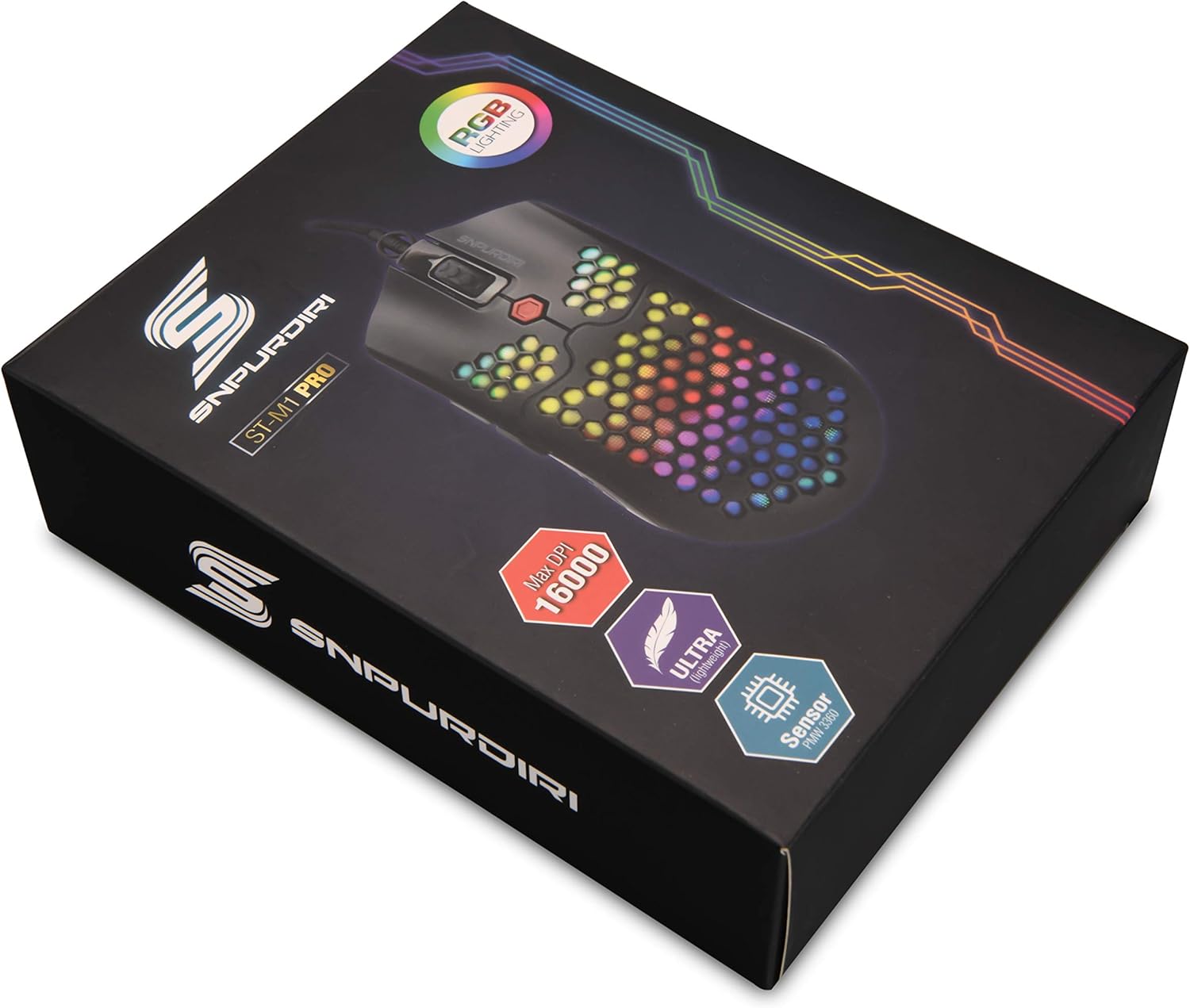
Image: The Snpurdiri ST-M1 PRO Gaming Mouse packaging box, showing the mouse with RGB lighting and key features.
Produkt ponadview

Obraz: widok z góry view of the Snpurdiri ST-M1 PRO Gaming Mouse, highlighting its honeycomb shell design and central scroll wheel.

Obraz: kątowy view of the Snpurdiri ST-M1 PRO Gaming Mouse, showcasing its vibrant RGB lighting through the honeycomb shell.
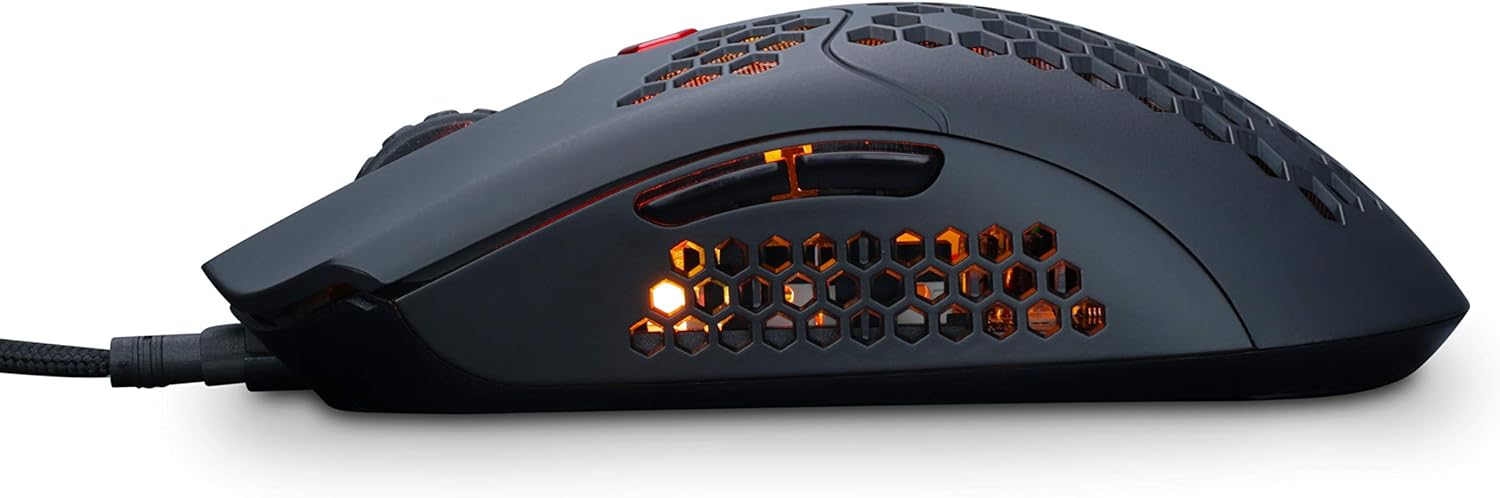
Obraz: Bok view of the Snpurdiri ST-M1 PRO Gaming Mouse, showing the ergonomic shape and side buttons.

Obraz: Wewnętrzny view of the Snpurdiri ST-M1 PRO Gaming Mouse, revealing its internal components and circuit board.

Obraz: Dół view of the Snpurdiri ST-M1 PRO Gaming Mouse, showing the optical sensor, power switch, and model number ST-M1 PRO.
Instrukcje konfiguracji
- Podłącz mysz: Plug the USB connector of the Snpurdiri ST-M1 PRO mouse into an available USB port on your computer.
- Instalacja sterownika: The mouse is plug-and-play for basic functionality. For advanced features and button programming, download the official driver software from the Snpurdiri webstrona.
- Zgodność systemu: The mouse is compatible with Windows 7 and later operating systems.
Instrukcja obsługi
Funkcje przycisków
The Snpurdiri ST-M1 PRO features 7 programmable buttons:
- Lewy przycisk myszy
- Prawy przycisk myszy
- Kółko przewijania (klikalne)
- DPI Cycle Button (usually located behind the scroll wheel)
- Przycisk boczny do przodu
- Przycisk boczny do tyłu
- Additional Programmable Button (location may vary, often on the side or top)
Note: Specific button assignments can be customized using the driver software.
Regulacja DPI
The mouse offers 6 adjustable DPI speeds. Press the DPI cycle button to switch between the following settings:
- 800 DPI
- 1600 DPI
- 2400 DPI
- 4000 DPI
- 6000 DPI
- 16000 DPI (maksymalnie)
Each DPI setting may be indicated by a specific LED color on the mouse (refer to driver software for details).
Tryby oświetlenia RGB
The Snpurdiri ST-M1 PRO features 10 cool RGB lighting modes and 1 office mode. These modes can typically be cycled through using a dedicated button (often combined with the DPI button or a side button) or customized via the driver software.
Konserwacja
- Czyszczenie: Use a soft, dry cloth to clean the mouse surface. For honeycomb areas, a soft brush or compressed air can remove dust. Avoid using harsh chemicals or abrasive materials.
- Pielęgnacja czujnika: Keep the optical sensor on the bottom of the mouse clean and free from obstructions for optimal tracking performance.
- Zarządzanie kablami: Aby zapobiec uszkodzeniom kabla USB, należy unikać jego ostrego zginania i nadmiernego ciągnięcia.
Rozwiązywanie problemów
| Problem | Rozwiązanie |
|---|---|
| Mysz nie reaguje |
|
| Niedokładne śledzenie lub opóźnienie kursora |
|
| Nie działa oświetlenie RGB |
|
| Przyciski nieprogramowalne |
|
Specyfikacje
| Funkcja | Szczegół |
|---|---|
| Model | ST-M1 PRO |
| Wymiary produktu | 128.5mm x 67mm x 38mm |
| Waga produktu | 65g ± 3g (mouse only) |
| Długość kabla | 1.8 metrów |
| Liczba przycisków | 7 (Programowalne) |
| Powłoka | Matowy |
| Przyśpieszenie | 50 gramów |
| Współczynnik sondowania | 125Hz - 1000Hz |
| Śledzenie prędkości | 400 IPS |
| Ustawienia DPI | 800, 1600, 2400, 4000, 6000, 16000 (regulowane) |
| Oświetlenie RGB | 10 RGB Modes + 1 Office Mode |
| Łączność | Przewodowy USB |
| Wykrywanie ruchu | Optical (PMW3360 sensor) |
| Zgodność | Windows 7 i nowsze |
| Producent | DIRI |
| Data pierwszej dostępności | 12 listopada 2019 r. |
Informacje o gwarancji
Snpurdiri products are manufactured to high quality standards. This product is covered by a limited warranty against defects in materials and workmanship from the date of purchase. Please retain your proof of purchase for warranty claims. Specific warranty terms and conditions may vary by region. For detailed warranty information, please refer to the official Snpurdiri webodwiedź witrynę lub skontaktuj się z działem obsługi klienta.
Wsparcie
For further assistance, technical support, or to download the latest driver software, please visit the official Snpurdiri webstrona:
Visit the Snpurdiri Store on Amazon
You may also find answers to common questions in the FAQ section of the Snpurdiri webstrona.