
1. Wprowadzenie
Welcome to the H2O Audio Interval Waterproof In-Ear Swimming Headphones user manual. These headphones are designed to enhance your swimming experience by providing high-quality audio directly from your Apple Watch. Please read this manual carefully to ensure proper setup, operation, and maintenance of your device.

Image: H2O Audio Interval Waterproof In-Ear Swimming Headphones for Apple Watch, showing the main unit with earbuds.
2. Konfiguracja
2.1. Attaching Your Apple Watch to the Interval Unit
- Remove Watch Bands: Carefully remove both bands from your Apple Watch. Locate the small buttons on the back of the watch to release the bands.
- Insert Apple Watch: The Interval unit features a slot designed to securely hold your Apple Watch. Align the grooves on your Apple Watch with the corresponding pins on the Interval unit. Gently slide the top groove onto the metal pin, then push or slide the watch until the bottom groove connects with the Interval unit.
Video: Detailed instructions on how to remove the Apple Watch band and attach the Apple Watch to the H2O Audio Interval unit.
2.2. Attaching the Interval Unit to Swim Goggles
The Interval unit is designed to clip onto your swim goggles for a secure fit during aquatic activities.
- Locate Hooks: The Interval unit has two hooks or slots on its sides.
- Thread Goggle Strap: Gently stretch your goggle strap and thread it through the small opening at the bottom of each hook on the Interval unit. Ensure the goggle strap goes behind the watch for a snug fit.
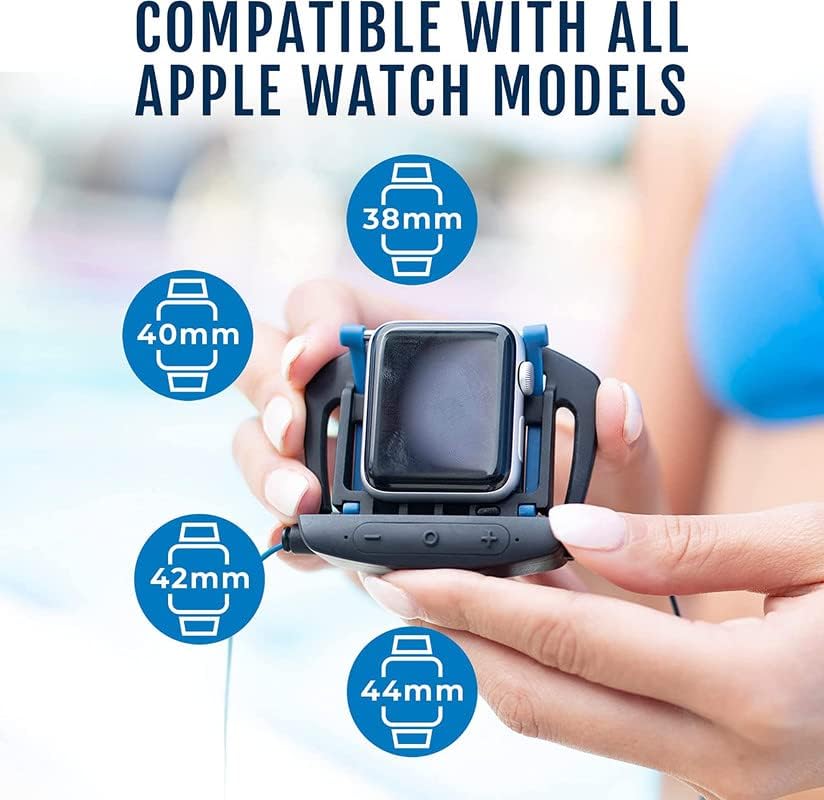
Image: The H2O Audio Interval unit showing compatibility with 38mm, 40mm, 42mm, and 44mm Apple Watch models.
2.3. Parowanie Bluetooth
To pair your H2O Audio Interval headphones with your Apple Watch:
- Ensure Interval is Off: Make sure your Interval unit is powered off.
- Access Apple Watch Settings: On your Apple Watch, go to the Settings app and select 'Bluetooth'. The watch will begin searching for devices.
- Wejdź w tryb parowania: Press and hold the center (multi-function) button on the Interval unit for approximately 8 seconds. The LED indicator will rapidly flash red and blue, indicating it is in pairing mode.
- Łączyć: Your Apple Watch should now detect 'H2O Interval'. Select it to complete the pairing process. Once successfully paired, the LED indicator on the Interval unit will flash blue every two seconds.
Wideo: Ponadview of the H2O Audio Interval Swim Headphones for Apple Watch, demonstrating its use in swimming and key features.
3. Instrukcja obsługi
3.1. Funkcje przycisków
The Interval unit features three buttons for controlling your audio playback, even underwater:
- Środkowy przycisk:
- Długie naciśnięcie: Zasilanie włącz / wyłącz.
- Krótkie naciśnięcie: Odtwórz/wstrzymaj muzykę.
- Podwójne kliknięcie: Call last dialed number (if Apple Watch has cellular connection).
- Long Press & Hold (from off): Przejdź do trybu parowania.
- Przyciski '+' / '-':
- Krótkie naciśnięcie: Zwiększanie/zmniejszanie głośności.
- Długie naciśnięcie: Skip Track (forward or backward).
3.2. Using with Apple Watch Apps
The H2O Audio Interval allows you to enjoy music, audiobooks, and tracking apps directly from your Apple Watch while swimming. Ensure your desired content (e.g., Spotify playlists, Audible books) is downloaded to your Apple Watch for offline playback.
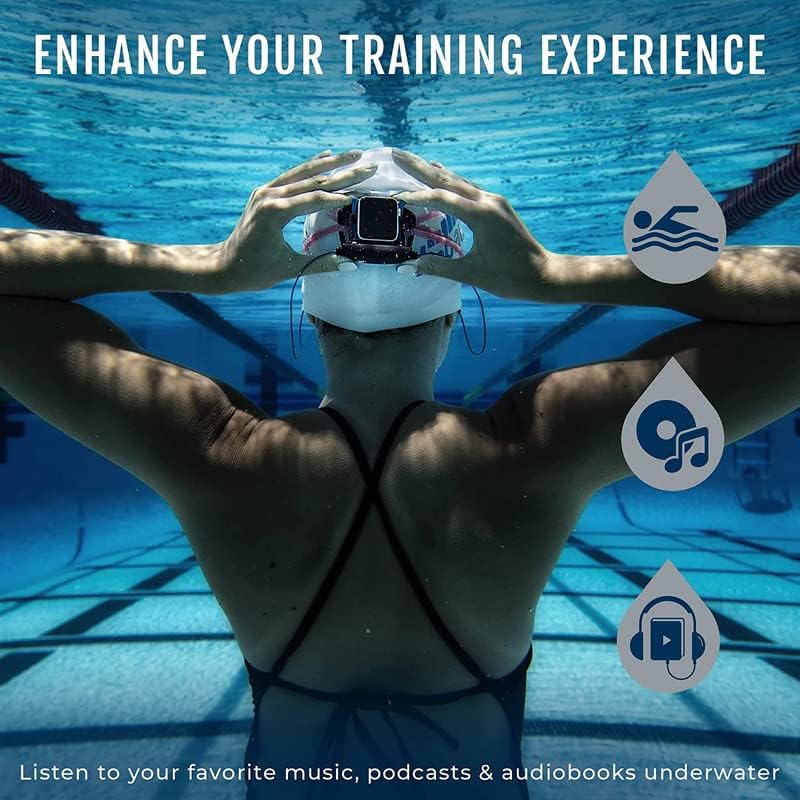
Image: A swimmer underwater using the H2O Audio Interval headphones, illustrating the ability to listen to music, podcasts, and audiobooks.
3.3. Water Lock Feature
While swimming, it is recommended to enable the Water Lock feature on your Apple Watch. This prevents accidental screen touches from water and ensures uninterrupted playback. You can still control your music using the physical buttons on the Interval unit.
Video: A swimmer demonstrating the use of H2O Audio Interval headphones during lap swimming, highlighting waterproof features and app compatibility.
4. Konserwacja
4.1. Ładowanie akumulatora
To charge the Interval unit:
- Access USB Port: Locate and open the USB port cover on the Interval unit.
- Podłącz ładowarkę: Insert the provided micro USB cable into the port. The LED indicator will turn red while charging.
- Ładowanie zakończone: Once fully charged, the LED indicator will turn blue. Disconnect the cable.
- Secure Port: After charging, ensure the USB port cover is securely closed to maintain the waterproof seal.
A fully charged battery provides approximately 6 hours of playtime.
4.2. Czyszczenie
After each use, rinse the Interval unit and earbuds with fresh water to remove chlorine or salt. Allow it to air dry completely before storage.
4.3. Wkładki douszne
The Interval headphones come with multiple eartip sizes (XS, S, M, L, XL rounded tips and S, M, L tree tips) to ensure a perfect and comfortable fit. Experiment with different sizes to find the best seal for optimal sound quality and water resistance.

Image: Various sizes and styles of eartips (rounded and tree tips) provided with the H2O Audio Interval headphones for a customized fit.
5. Rozwiązywanie Problemów
- Trudność parowania: Ensure the Interval unit is in pairing mode (rapidly flashing red and blue LED). On your Apple Watch, ensure Bluetooth is enabled and try restarting both devices if issues persist.
- Brak dźwięku/przerywany dźwięk:
- Verify the Interval unit is powered on and successfully paired.
- Check the volume levels on both the Interval unit and your Apple Watch.
- Ensure media content is downloaded to your Apple Watch for offline playback, as Bluetooth range is limited underwater.
- Allow a minute or two after turning on the device for a stable Bluetooth connection to establish before starting music.
- Spotify/App Content Not Playing: Ensure that the specific playlists or audiobooks you wish to listen to are downloaded directly to your Apple Watch. Sometimes a restart of both your iPhone and Apple Watch is required for app content to sync correctly.
- Uncomfortable Fit/Water Leakage: Experiment with the different sizes and types of eartips provided to find the best seal for your ears. A proper seal is crucial for both comfort and sound quality underwater.
6. Specyfikacje
| Funkcja | Szczegół |
|---|---|
| Marka | Dźwięk H2O |
| Numer modelu | SŁUCHAWKI |
| Nazwa modelu | INT5-AW-SG8-BCH-FBA-PARENT |
| Umieszczenie ucha | W uchu |
| Współczynnik kształtu | W uchu |
| Poziom wodoodporności | Wodoodporny (IPX8) |
| Technologia łączności | Bluetooth 5.0 |
| Zasięg Bluetooth | 10 metrów |
| Średnia żywotność baterii | 6 godzin |
| Typ sterowania | Sterowanie multimediami (dotyk) |
| Kompatybilne urządzenia | Apple Watch (Series 2, 3, 4, 5, 6, 7, SE, ULTRA) |
| Waga przedmiotu | 10 gram |
7. Informacje o gwarancji
Finnovate Group, LLC d/b/a H2O Audio provides a warranty for H2O Audio-branded products (collectively the “H2O Products”) against defects in materials and workmanship under normal use for a period of one (1) year from the date of purchase by the original end user (the “Warranty Period”).
In the event that you discover a defect in materials or workmanship relating to the H2O Products, and you deliver to H2O Audio the defective H2O Products prior to the expiration of the Warranty Period, H2O Audio will, at its sole discretion:
- Repair the defect in materials or workmanship at no charge to you, or
- Provide you with replacement H2O Products that are substantially similar to the defective H2O Products, or
- Provide a refund of your purchase price for the H2O Products.
8. Obsługa klienta
For further assistance or inquiries, please contact H2O Audio customer support:
- Numer bezpłatny (USA): 858 771 4410
- E-mail: support@h2oaudio.com

Image: H2O Audio Customer Support details, including phone number and email address.