
Wstęp
Thank you for choosing the TIMEMORE Basic 2.0 Digital Coffee Scale. This manual provides detailed instructions for the setup, operation, and maintenance of your new coffee scale. Designed for precision and versatility, this scale features accurate weighing, an integrated timer, automatic tare, and flow rate display, making it ideal for various coffee brewing methods including espresso and pour-over.
Główne cechy
- Precise Weighing: Equipped with a high-precision sensor, offering measurements up to 2000g (70oz) with 0.1g (0.01oz) accuracy.
- Zintegrowany timer: Allows simultaneous measurement of weight and brewing time for consistent results.
- Multiple Brewing Methods: Suitable for pour-over, espresso, French press, Aeropress, and more, thanks to its high capacity, accuracy, and flow rate display.
- Przyjazny dla użytkownika interfejs: Features a clear LCD screen for instant and accurate readings, intuitive controls, automatic tare, and auto-off function.
- Przenośny i ładowalny: Compact design with a built-in rechargeable battery and Type-C charging port for convenience at home or on the go.
Organizować coś
- Rozpakowywanie: Ostrożnie wyjmij wagę i wszystkie akcesoria z opakowania.
- Opłata początkowa: Before first use, fully charge the scale using the provided Type-C cable. The battery indicator on the display will show charging status.
- Umieszczenie: Place the scale on a flat, stable surface to ensure accurate readings.
- Włączanie: Press the Power ON/OFF switch button (usually labeled ⏻ or similar) to turn on the scale.

Image: The TIMEMORE Basic 2.0 Coffee Scale, ready for use.
Instrukcja obsługi
1. Włączanie/wyłączanie zasilania
Naciśnij Włączanie/wyłączanie zasilania button (usually on the side or bottom) to turn the scale on. Press and hold the same button to turn it off.
2. Unit Conversion (g/oz)
Naciśnij "U" button to switch between grams (g) and ounces (oz).

Image: The scale displaying weight in grams, with an option to switch to ounces.
3. Funkcja tarowania
Postaw pusty pojemnik na wadze. Naciśnij przycisk "T" button (often integrated with the power button) to reset the weight to zero before adding ingredients.
4. Manual Timer Mode
In manual timer mode, press the Odtwórz/Pauza button (often labeled with a triangle icon) to start or pause the timer. Press the "T" button to reset the timer and weight to zero.
Video: Demonstrating the manual timer mode and tare function on the coffee scale.
5. Automatic Timer Mode (Espresso/Pour-Over)
The scale can automatically detect when water is poured and start the timer. Place your brewing setup (e.g., portafilter with cup, pour-over dripper with server) on the scale. After taring, the timer will start automatically once liquid is detected. The display will show both time and weight, and for some models, flow rate.

Image: The scale automatically starting the timer when water is poured for pour-over coffee.
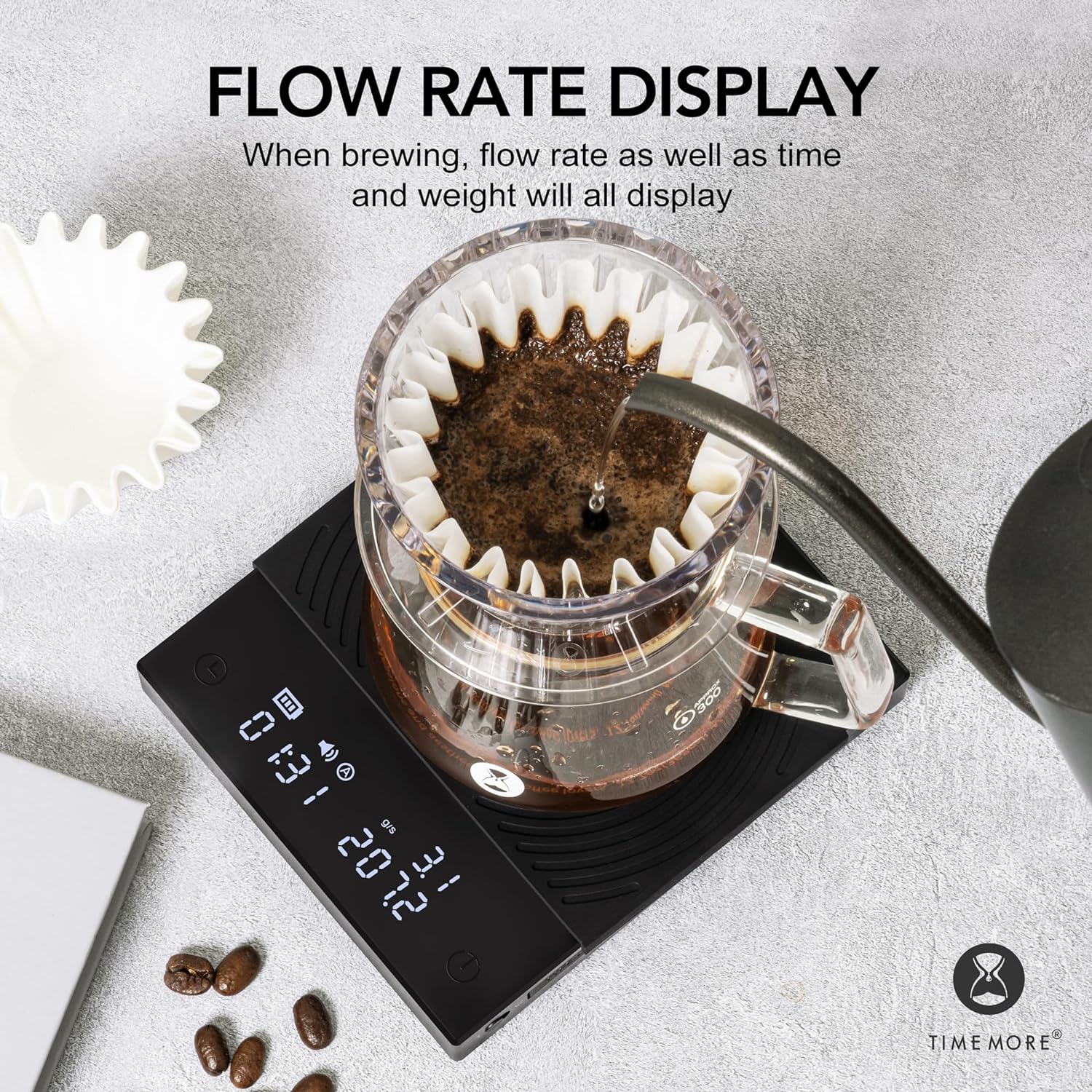
Image: The scale displaying flow rate, time, and weight during brewing.
Konserwacja
- Czyszczenie: Przetrzyj powierzchnię wagi miękką,amp ściereczką. Nie używaj środków czyszczących o właściwościach ściernych ani nie zanurzaj wagi w wodzie.
- Podkładka silikonowa: The heat-resistant and waterproof silicone pad can be removed for cleaning. Ensure it is dry before placing it back on the scale.
- Składowanie: Store the scale in a dry place away from extreme temperatures and direct sunlight.
- Pielęgnacja baterii: Recharge the battery when the low battery indicator appears. Avoid fully draining the battery frequently to prolong its lifespan.

Image: The removable heat-resistant and waterproof silicone pad for easy cleaning.

Image: The Type-C charging port and built-in rechargeable battery for convenience.
Rozwiązywanie problemów
| Problem | Możliwa przyczyna | Rozwiązanie |
|---|---|---|
| Waga się nie włącza | Niski poziom naładowania baterii lub przycisk zasilania nie został wciśnięty prawidłowo. | Charge the scale using the Type-C cable. Press and hold the power button firmly. |
| Niedokładne odczyty | Uneven surface, scale overloaded, or external interference. | Place on a flat, stable surface. Ensure weight does not exceed 2000g. Avoid strong vibrations or air currents. |
| Timer not starting automatically | Not in automatic timer mode or insufficient liquid flow detected. | Ensure the scale is in the correct mode. Pour liquid steadily to trigger the sensor. |
| Na wyświetlaczu pojawia się „Lo” | Niski poziom naładowania baterii. | Naładuj wagę. |
| Na wyświetlaczu pojawia się „O-Ld” | Przeciążać. | Remove items from the scale immediately to prevent damage. Do not exceed 2000g. |
Specyfikacje
| Funkcja | Szczegół |
|---|---|
| Marka | WIĘCEJ CZASU |
| Numer modelu | TM56 |
| Wymiary produktu | 14.99 x 14.99 x 3.94 cm (około 5.9 x 5.9 x 1.55 cala) |
| Waga przedmiotu | 391.22 gramów (około 13.8 uncji) |
| Kolor | Basic 2.0 (Black) |
| Zalecane zastosowania | Parzenie kawy |
| Cechy specjalne | Automatyczne wyłączanie, Timer |
| Typ wyświetlacza | LCD |
| Ograniczenie wagowe | 2 kilograma (2000 g) |
| Współczynnik kształtu | Handheld (Portable) |
| Tworzywo | Akryl |
| Dokładność odczytu | +/- 0.1 gramów |
Gwarancja i wsparcie
For warranty information or technical support, please refer to the warranty card included with your product or contact TIMEMORE customer service directly. Keep your purchase receipt as proof of purchase.
For further assistance, you may visit the official TIMEMORE webodwiedź witrynę lub skontaktuj się z lokalnym dystrybutorem.