
1. Wprowadzenie
This manual provides detailed instructions for the operation and maintenance of your Microware EZCAP230 Cassette to MP3 Converter. This device allows you to convert your old cassette tapes into digital MP3 format, preserving your audio memories. It can function as a standalone converter or connect to a computer for conversion and playback.
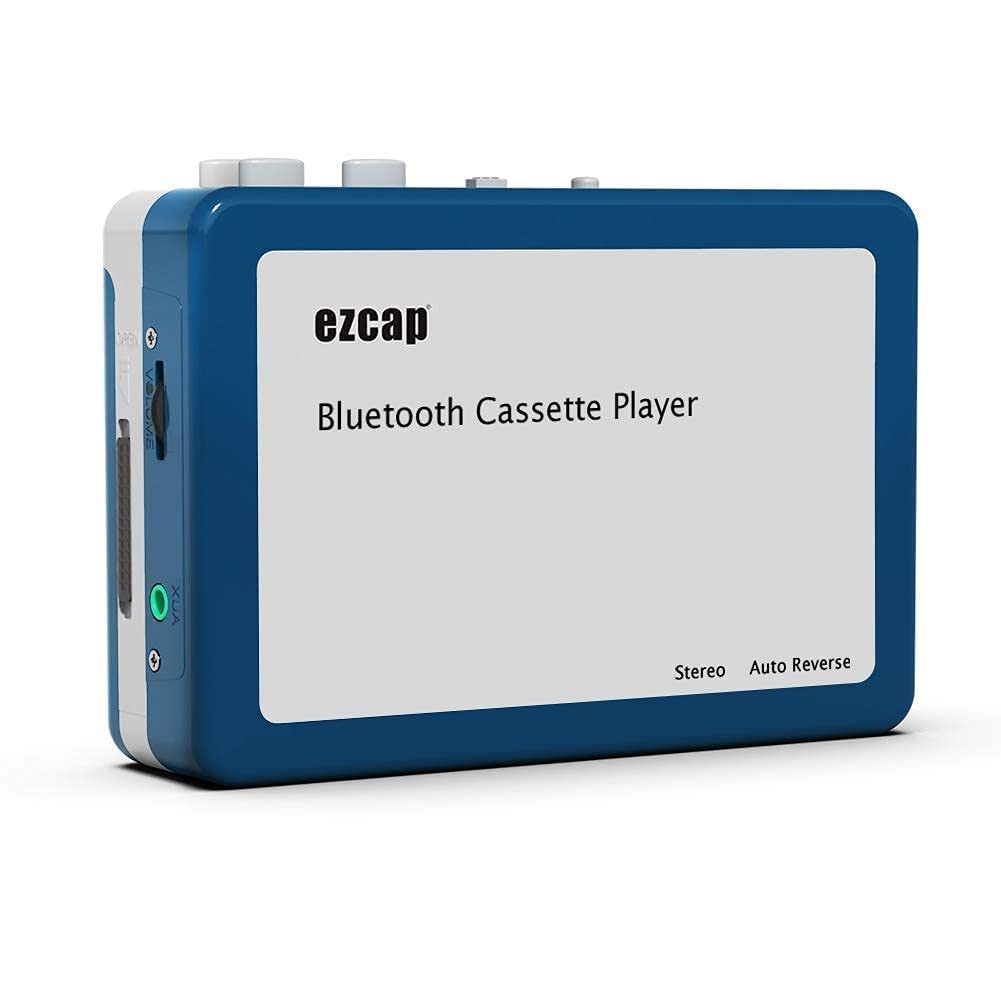
Image 1.1: The Microware EZCAP230 Cassette to MP3 Converter.
2. Koniec produktuview
2.1 Główne cechy
- Converts cassette tapes to MP3 format.
- Standalone operation: No computer required for conversion.
- USB connectivity for power and data transfer.
- Playback function to check recorded music.
- Kompaktowa i przenośna konstrukcja.
- Supports FAT, FAT32, exFAT USB formats up to 64GB. NTFS format is not supported.
2.2 Zawartość opakowania
- Microware EZCAP230 Cassette to MP3 Converter
- Kabel USB
- Słuchawki
- Instrukcja obsługi (ten dokument)

Image 2.1: The converter unit, USB cable, and earphones.
3. Konfiguracja
3.1 Zasilanie
Urządzenie można zasilać na dwa sposoby:
- Zasilanie USB: Connect the provided USB cable to the device and a computer USB port or a 5V DC power adapter (not included).
- Moc baterii: Włóż 2 baterie AA (nie ma ich w zestawie) do komory baterii.
3.2 Wkładanie kasety magnetofonowej
- Otwórz pokrywę kieszeni kasety.
- Insert your cassette tape with the open side facing up.
- Zamknij dokładnie pokrywę komory kasety.

Image 3.1: Proper insertion of a cassette tape.
3.3 Connecting Earphones/Speakers and USB Flash Drive
- Connect the earphones to the 3.5mm audio output jack for private listening.
- To save converted MP3 files, insert a USB flash drive into the USB port. The device supports FAT, FAT32, and exFAT formats up to 64GB.

Image 3.2: Connecting earphones and a USB flash drive to the converter.
4. Instrukcja obsługi
4.1 Standalone Cassette to MP3 Conversion
Follow these steps to convert your cassette tapes directly to MP3 format without a computer:
- Włączanie: Ensure the device is powered via USB or batteries.
- Włóż kasetę: Place a cassette tape into the compartment.
- Podłącz dysk USB: Insert a USB flash drive into the USB port. A green light will flash, indicating it's ready.
- Rozpocznij odtwarzanie: Press the "Play" button on top of the device to begin playing the tape.
- Rozpocznij nagrywanie: Press the "Record" button to start recording. The default mode is manual division. To divide tracks, press the "Record/Stop" button each time you want a new MP3 file.
- Zatrzymaj nagrywanie: Press the "Record" button again to stop recording. The MP3 files will be saved to your USB flash drive.

Image 4.1: Step-by-step guide for independent cassette to MP3 conversion.
4.2 Odtwarzanie kaset magnetofonowych
To use the device as a cassette player:
- Włóż kasetę magnetofonową.
- Connect earphones or external speakers to the 3.5mm audio output jack.
- Press the "Play" button.
- Dostosuj głośność za pomocą regulatora głośności.
4.3 Podłączanie do komputera
The device can be connected to a computer via USB for power and to transfer recorded MP3 files. While the device primarily functions for standalone conversion, you can manage the converted filena Twoim komputerze.
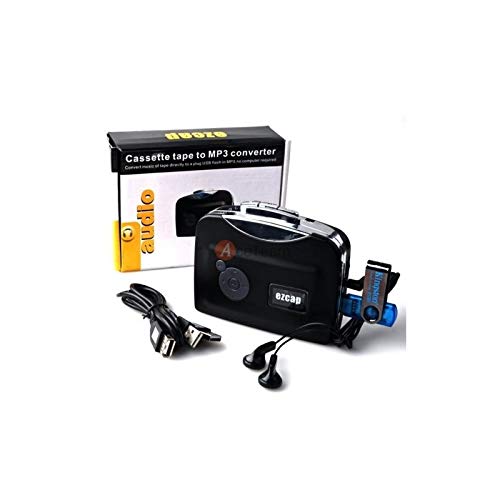
Image 4.2: The converter connected to a laptop, illustrating the digital conversion process.
4.4 Funkcja odtwarzania
The device includes a playback function to review the recorded MP3 files directly on the device. This allows you to verify the quality of your conversions.
Wideo 4.1: Overview of the Microware Cassette to MP3 Converter's features and operation, demonstrating its ease of use for digitizing old tapes.
5. Konserwacja
- Utrzymuj urządzenie w czystości i zapobiegaj jego zakurzaniu. Do czyszczenia używaj miękkiej, suchej ściereczki.
- Unikaj wystawiania urządzenia na działanie ekstremalnych temperatur, wilgoci lub bezpośredniego światła słonecznego.
- Nie należy używać środków czyszczących o właściwościach ściernych ani rozpuszczalników.
- Jeśli nie używasz urządzenia przez dłuższy czas, wyjmij baterie, aby zapobiec wyciekowi.
6. Rozwiązywanie Problemów
6.1 Brak zasilania
- Check if the USB cable is securely connected to a power source.
- Jeśli używasz baterii, upewnij się, że są prawidłowo włożone i nie są wyczerpane.
6.2 Poor Audio Quality During Playback/Recording
- Ensure the cassette tape is clean and in good condition.
- Check earphone connections.
- Clean the tape head and pinch rollers with a cotton swab lightly dampnasączone alkoholem izopropylowym.
6.3 MP3 Files Not Saving to USB Drive
- Sprawdź, czy dysk flash USB jest prawidłowo włożony.
- Verify that the USB drive is formatted to FAT, FAT32, or exFAT. NTFS is not supported.
- Sprawdź czy na dysku USB jest wystarczająca ilość wolnego miejsca.
7. Specyfikacje
| Funkcja | Specyfikacja |
|---|---|
| Marka | MIKROWARTOŚĆ |
| Model | EZCAP230 |
| Waga przedmiotu | 150 gramów |
| Wymiary opakowania | Wymiary 14 x 10.01 x 5.99 cm |
| Źródło zasilania | USB Power (5V DC) or 2 x AA Batteries |
| USB Format Support | FAT, FAT32, exFAT (up to 64GB). NTFS not supported. |
8. Gwarancja i wsparcie
Aby uzyskać informacje dotyczące gwarancji i pomocy technicznej, zapoznaj się z oficjalną stroną MICROWARE webOdwiedź witrynę lub skontaktuj się ze sprzedawcą. Zachowaj paragon jako dowód zakupu.
Producent: MIKROWARTOŚĆ
Data pierwszej dostępności: 24 września 2019
Aby uzyskać dalszą pomoc, odwiedź stronę Sklep MICROWARE na Amazon.