
FITINDEX FT-26BB-B
Instrukcja obsługi inteligentnej wagi do pomiaru składu ciała FITINDEX
Model: FT-26BB-B
Wstęp
The FITINDEX Smart Body Composition Scale is designed to provide comprehensive insights into your body health. This digital scale utilizes advanced technology to measure 13 essential body composition metrics, including weight, BMI, body fat, and muscle mass. It seamlessly syncs with the FITINDEX App on your smartphone, allowing for easy tracking and monitoring of your health and fitness progress.
Główne cechy
- 13 niezbędnych pomiarów: This scale provides precise measurements of 13 key body composition metrics, including weight, BMI, body fat, muscle mass, and body age. Track and monitor data conveniently with the FITINDEX App for insights into your health and fitness progress.
- Dokładne pomiary: Utilizing advanced Bioelectric Impedance Analysis (BIA) technology with 4 high-sensitivity sensors and electrodes, this FITINDEX scale provides precise body composition analysis with immediate readings upon stepping on.
- Works with Popular Fitness Apps: This smart scale seamlessly syncs with Samsung Health, Apple Health, FitBit, and Apple Watch via the "FITINDEX" App, available on the Apple Store and Google Play for easy daily data recording and monitoring.
- One Scale for the Whole Family: Share the weight scale with multiple users, each managing their profiles independently through the FITINDEX app, including a baby mode for tracking baby's growth.
- Kompaktowa konstrukcja: Our scale is crafted from high-quality tempered glass, featuring a sleek, easy-to-clean surface and backlit LED display for clear readability.
Przewodnik po konfiguracji
1. Zainstaluj baterie
Open the battery compartment on the back of the scale and insert 3 AAA batteries, ensuring correct polarity. The scale comes with batteries included.
2. Download the FITINDEX App
Szukaj "FITINDEX" in the Apple App Store or Google Play Store and download the application to your smartphone. Create an account and set up your personal profile.

The FITINDEX App seamlessly integrates with popular fitness applications like Samsung Health, Apple Health, Fitbit, and Health Connect.
3. Sparuj wagę przez Bluetooth
Ensure Bluetooth is enabled on your smartphone. Open the FITINDEX App. Step onto the scale barefoot to activate it. The app should automatically detect and pair with the scale. Follow any on-screen prompts within the app to complete the pairing process.

The FITINDEX Smart Scale displaying a weight reading, with a smartphone showing the connected app interface and a smartwatch indicating a measurement in progress.
Instrukcja obsługi
Dokonywanie pomiaru
Place the scale on a hard, flat surface (avoid carpets). Step onto the scale barefoot. Stand still until the display shows your stable weight. The measurement data will automatically sync to the FITINDEX App on your smartphone.

Track your data on your phone: Detailed graphs and data provide a bird's-eye view of your progress over time for weight, BMI, and body fat.
Zrozumienie Twoich danych
The FITINDEX App provides 13 essential body composition metrics. Navigate through the app to view your weight, BMI, body fat percentage, muscle mass, body water, bone mass, subcutaneous fat, protein, skeletal muscle, visceral fat, fat-free body weight, BMR (Basal Metabolic Rate), and metabolic age.
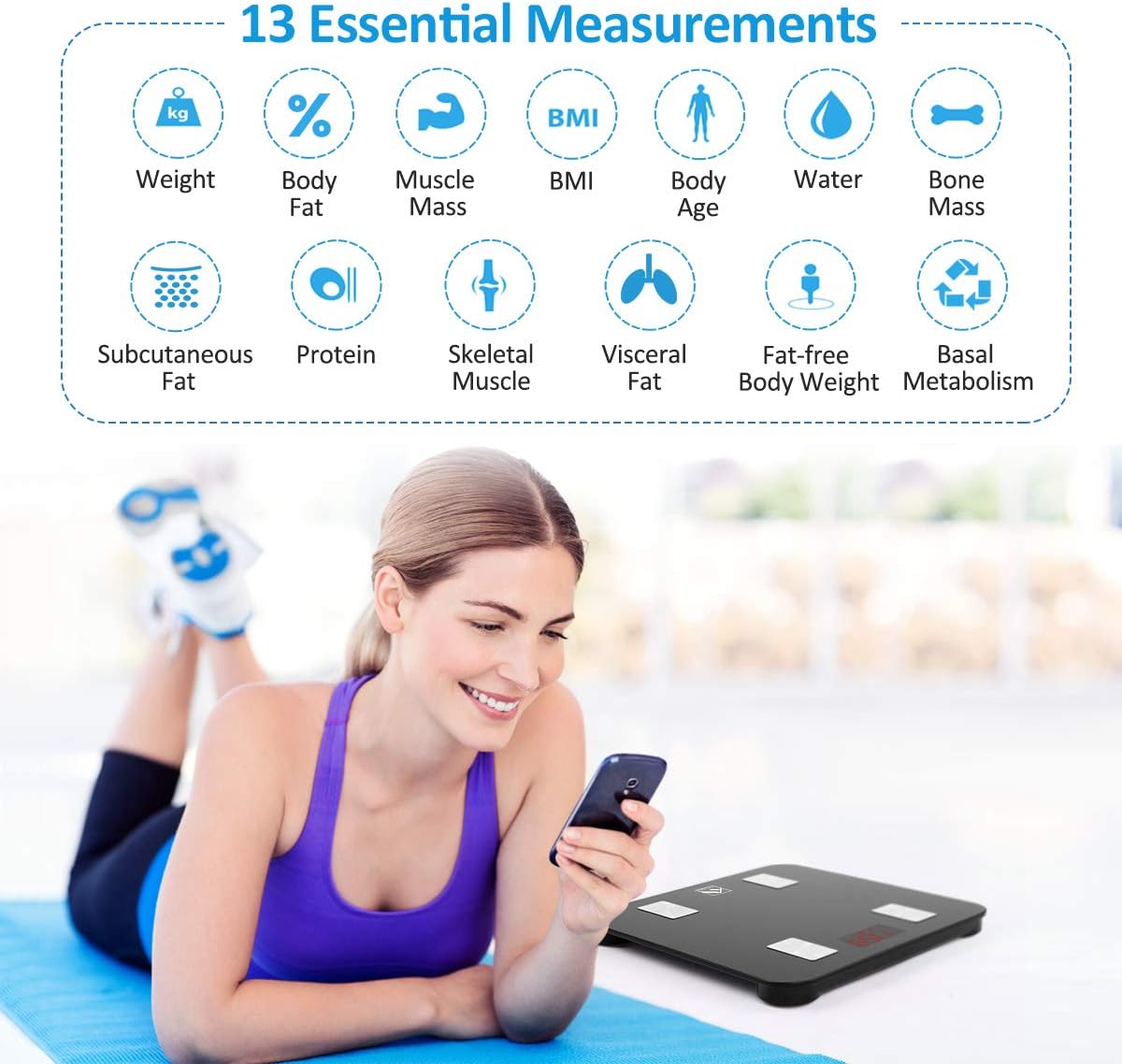
The FITINDEX Smart Scale measures 13 essential body composition metrics, including Weight, Body Fat, Muscle Mass, BMI, Body Age, Water, Bone Mass, Subcutaneous Fat, Protein, Skeletal Muscle, Visceral Fat, Fat-free Body Weight, and Basal Metabolism.
Tryb trzymania dziecka
To weigh a baby or pet, first weigh yourself on the scale. Once your weight is stable, step off. Then, pick up the baby/pet and step back onto the scale. The app will calculate the baby/pet's weight by subtracting your initial weight from the combined weight.

The Baby Mode in the FITINDEX app allows for convenient measurement of your baby's or pet's weight by holding them while stepping on the scale.
Funkcjonalność wieloużytkownikowa
The FITINDEX App supports multiple user profiles. Each family member can create their own profile within the app to track their individual progress. The scale intelligently recognizes different users based on their weight data.

One scale, unlimited users: Share the FITINDEX Smart Scale with your family and friends, allowing each to track their progress independently.
Konserwacja
To ensure the longevity and accuracy of your FITINDEX Smart Scale, follow these maintenance guidelines:
- Wyczyść powierzchnię wagi miękką,amp cloth. Avoid using abrasive cleaners, chemical solvents, or submerging the scale in water.
- Przechowuj wagę w suchym miejscu, z dala od ekstremalnych temperatur i bezpośredniego światła słonecznego.
- Jeżeli waga nie będzie używana przez dłuższy czas, należy wyjąć baterie, aby zapobiec wyciekowi.
Rozwiązywanie problemów
If you encounter any issues with your FITINDEX Smart Scale, please refer to the following common solutions:
- Brak wyświetlacza/problemy z zasilaniem: Upewnij się, że baterie są prawidłowo zainstalowane i nie są rozładowane. W razie potrzeby wymień je na nowe baterie AAA.
- Niedokładne odczyty: Ensure the scale is placed on a hard, flat, and stable surface. Avoid carpets or uneven flooring. Step on the scale barefoot for accurate body composition analysis, ensuring your feet are clean and dry and make full contact with the electrodes.
- Problemy z synchronizacją aplikacji: Check that Bluetooth is enabled on your smartphone. Ensure the FITINDEX app is open and updated to the latest version. Try restarting both the scale (by removing and reinserting batteries) and your smartphone if issues persist.
- Waga nie włącza się: If the display remains blank, check the battery orientation and ensure they are fresh.
Specyfikacje
| Atrybut | Szczegół |
|---|---|
| Wymiary produktu | 10.2 x 10.2 x 0.9 cala |
| Waga produktu | 2.25 funtów |
| Numer modelu przedmiotu | FT-26BB-B |
| Baterie | Wymagane 3 baterie AAA (w zestawie) |
| Producent | INDEKS FIT |
| Typ wyświetlacza | PROWADZONY |
Gwarancja i wsparcie
For detailed warranty information, product registration, or technical support, please refer to the documentation included in your product packaging. You may also visit the official FITINDEX webwitryna zawierająca najnowsze zasoby pomocy technicznej i informacje kontaktowe.
Ask a question about this manual
Ask about setup, troubleshooting, compatibility, parts, safety, or missing instructions. Manuals+ will review the question and use this page’s manual context to help answer it.