
1. Koniec produktuview
The Jayron Desktop Digital Countdown Timer (Model B07XYPHMNS) is a versatile timing device designed for various applications, including kitchen use, homework, exercise, and laboratory tasks. It features multiple programmable timers, a clock function, and an adjustable alarm system, all displayed on a large, easy-to-read LCD screen. Its compact design includes magnetic and hanging options for convenient placement.

Rycina 1: Przód view of the Jayron Desktop Digital Countdown Timer.
2. Konfiguracja
2.1 Instalacja baterii
The timer requires two AAA batteries (not included). To install:
- Znajdź komorę baterii z tyłu timera.
- Otwórz pokrywę komory baterii.
- Włóż dwie baterie AAA, zwracając uwagę na prawidłową biegunowość (+/-).
- Dokładnie zamknij pokrywę komory baterii.
2.2 Opcje rozmieszczenia
Timer oferuje elastyczne opcje rozmieszczenia:
- Adsorpcja magnetyczna: The back of the timer features magnets, allowing it to be attached to metallic surfaces such as refrigerators, ovens, or whiteboards.
- Wiszący otwór: A built-in hanging hole allows the timer to be suspended from a wall hook or bracket.
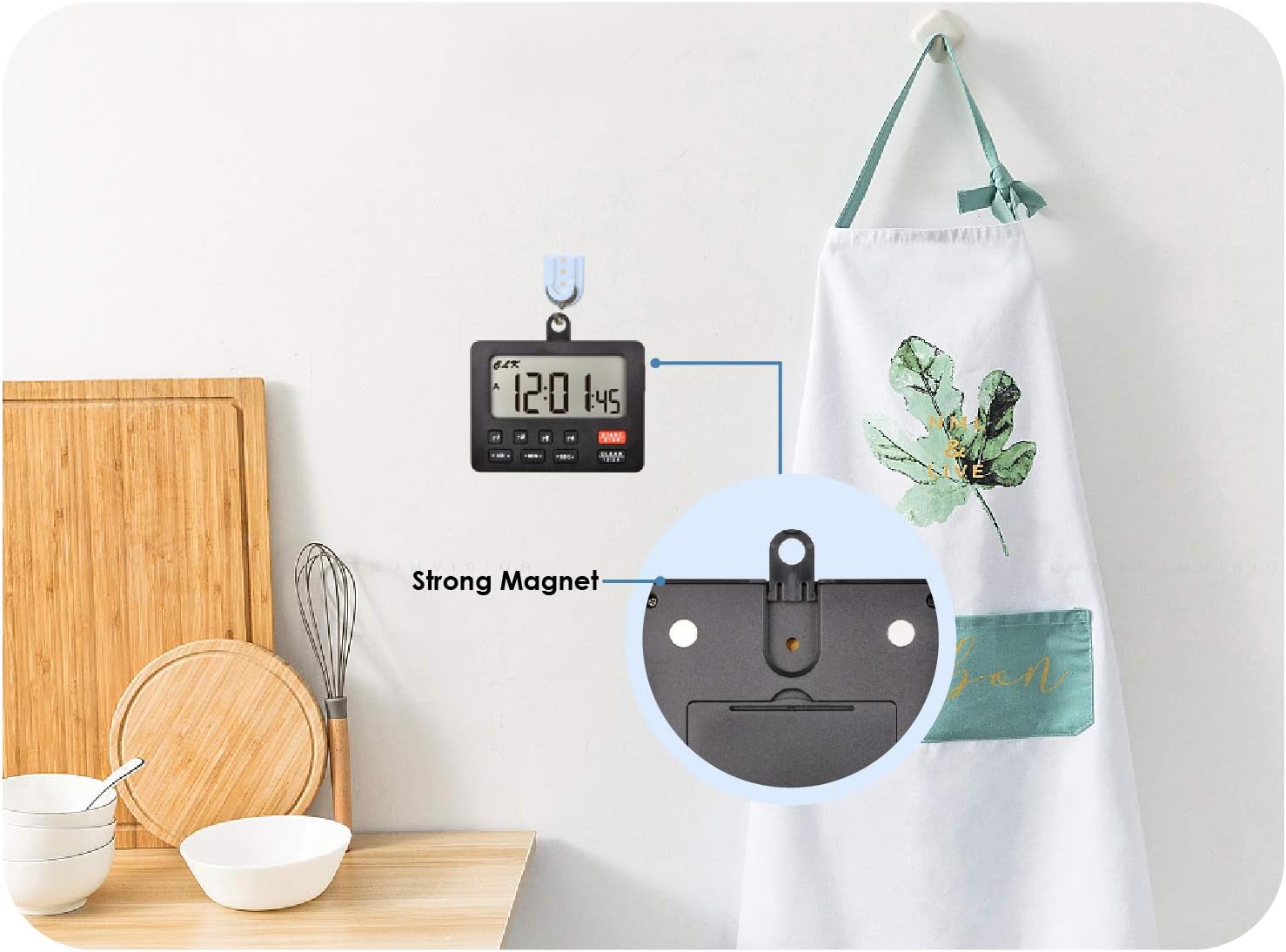
Rysunek 2: Tył view of the timer highlighting magnetic and hanging features for versatile placement.
3. Instrukcja obsługi
3.1 Funkcja zegara
The timer includes a 12/24-hour clock. To set the clock:
- Naciśnij CLEAR 12/24 przycisk umożliwiający przełączanie między formatem 12-godzinnym i 24-godzinnym.
- Naciśnij i przytrzymaj HR▲ przycisk, aby ustawić godzinę.
- Naciśnij i przytrzymaj MIN▲ przycisk, aby ustawić minuty.
The clock continues to run even when the display is turned off.
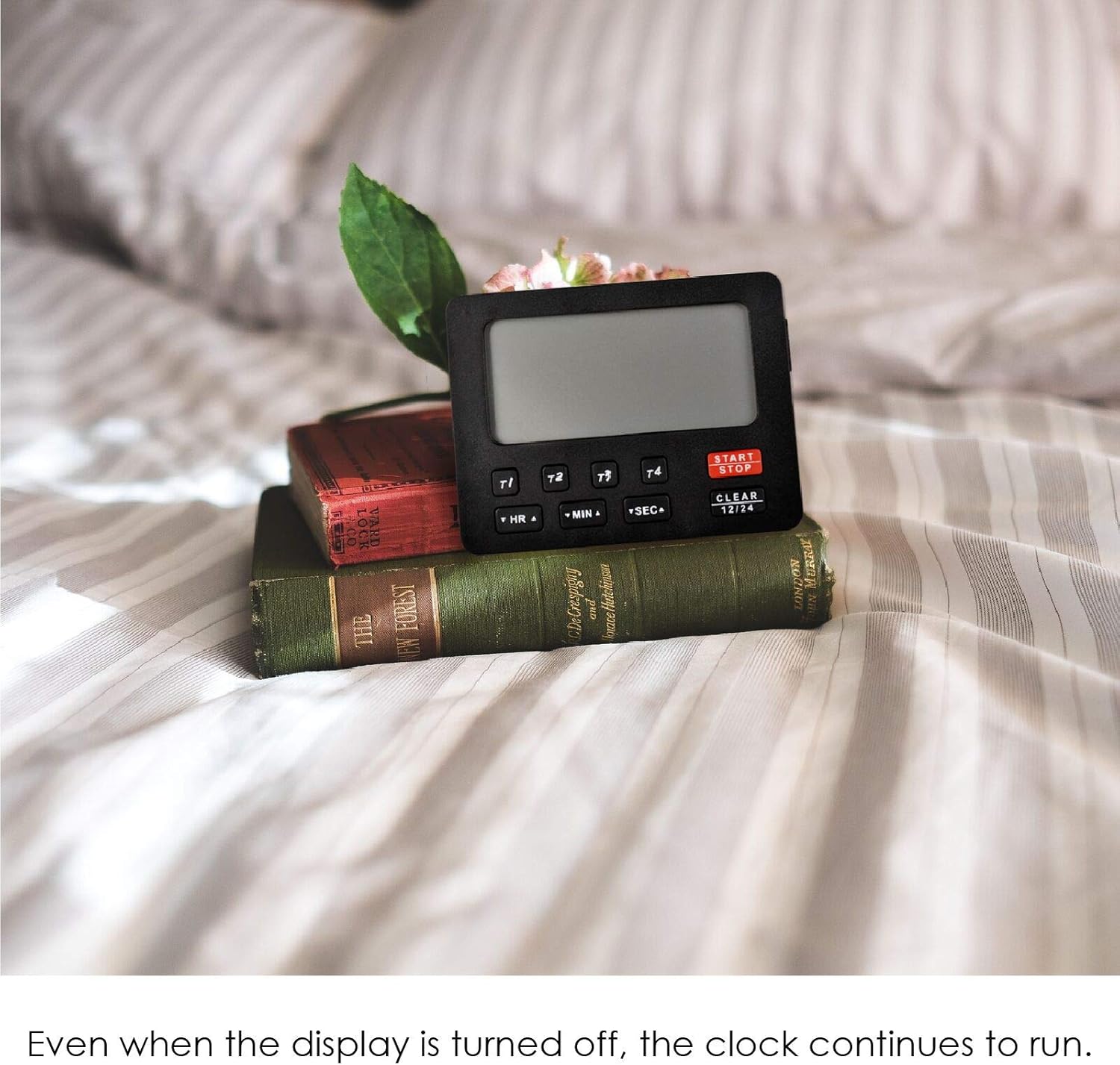
Figure 3: Timer displaying the current time, suitable for various settings.
3.2 Countdown and Count-Up Timers
The device features four independent programmable timers (T1, T2, T3, T4) with a timing range of 99 hours, 59 minutes, and 59 seconds. These timers can operate simultaneously for both countdown and count-up functions.
Setting a Countdown Timer:
- Select a timer (T1, T2, T3, or T4) by pressing its respective button. The selected timer will be indicated on the display.
- Naciskać HR▲ to set the hours, MIN▲ for minutes, and SEC▲ przez kilka sekund.
- Naciskać START/STOP aby rozpocząć odliczanie.
- Aby wstrzymać, naciśnij START/STOP ponownie. Naciśnij jeszcze raz, aby wznowić.
- To clear a timer setting, select the timer and press CLEAR 12/24.
Using the Count-Up Timer (Stopwatch Function):
- Ensure the selected timer (T1, T2, T3, or T4) is cleared (set to 00:00:00).
- Naciskać START/STOP aby rozpocząć liczenie.
- Aby wstrzymać, naciśnij START/STOP ponownie. Naciśnij jeszcze raz, aby wznowić.
- The timer will stop and retain its data automatically when the display is turned off, allowing for direct accumulation in the next cycle.
Video 1: Demonstration of the Jayron Desktop Digital Countdown Timer's features, including countdown and count-up functions, and alarm settings.
3.3 Ustawienia alarmu
The timer features an audible alarm with adjustable volume. Each of the four timers has a distinct sound reminder.
- Regulacja głośności: Use the switch on the side of the timer to select between Niski, Wysoki, Lub WYŁĄCZONY alarm volume.
- When a countdown timer reaches zero, the buzzer will sound for 1 minute.
- To stop the alarm, press any button on the timer.

Figure 4: Timer in a kitchen environment, illustrating the alarm volume switch on the side.
4. Główne cechy
- Four Programmable Timers: Monitor up to four different timing events simultaneously with individual countdown and count-up capabilities (T1/T2/T3/T4).
- Wide Timing Range: Each timer can be set for up to 99 hours, 59 minutes, and 59 seconds.
- Funkcja zegara: Integrated 12/24-hour clock with a dedicated setting button. The clock remains active even when the display is off.
- Duży wyświetlacz LCD: Clear and easy-to-read digits for optimal visibility.
- Adjustable Audible Alarm: Choose between Low, High, or OFF volume settings. Each timer has a unique alarm sound. The alarm sounds for 1 minute and can be stopped by pressing any button.
- Funkcja pamięci: When the display is turned off, the timer stops and retains the current data for direct accumulation in the next cycle.
- Wszechstronne rozmieszczenie: Equipped with strong magnets for attachment to metal surfaces and a hanging hole for hooks.
- Źródło zasilania: Operates on 2x AAA batteries (not included).
- Certyfikacja CE: Ensures compliance with European safety standards.

Figure 5: The timer being used for study, demonstrating its clear display and ease of use.
5. Konserwacja
5.1 Czyszczenie
Aby wyczyścić timer, przetrzyj go miękką szmatką.amp płótno. Nie używaj ściernych środków czyszczących ani nie zanurzaj urządzenia w wodzie.
5.2 Wymiana baterii
Replace the AAA batteries when the display becomes dim or the timer functions erratically. Follow the battery installation steps in Section 2.1.
6. Rozwiązywanie Problemów
| Problem | Możliwa przyczyna | Rozwiązanie |
|---|---|---|
| Timer nie włącza się lub wyświetlacz jest przyciemniony. | Niski poziom naładowania baterii lub jej rozładowanie; nieprawidłowa instalacja baterii. | Wymień baterie na nowe AAA, zwracając uwagę na prawidłową biegunowość. |
| Alarm is not audible. | Alarm volume set to OFF; low battery. | Check the alarm volume switch on the side and set it to Low or High. Replace batteries if needed. |
| Timer does not start/stop. | Incorrect button press; timer already running/paused. | Upewnij się, że naciskasz START/STOP button for the selected timer. If paused, press again to resume. |
| Timer displays incorrect time. | Clock not set correctly. | Refer to Section 3.1 to reset the clock. |
7. Specyfikacje
- Model: B07XYPHMNS
- Marka: Jayron
- Tworzywo: Plastikowy
- Kolor: Czarny
- Waga przedmiotu: 78 gram
- Rozmiar ekranu: 65 Millimeters (LCD)
- Liczba timerów: 4 (T1, T2, T3, T4)
- Zakres czasowy: 99 Hours, 59 Minutes, 59 Seconds
- Clock System: Możliwość przełączania 12/24 godzin
- Źródło zasilania: Baterie 2 x AAA (brak w zestawie)
- Certyfikaty: CE
- Kod UPC: 791328973809

Figure 6: Dimensions of the Jayron Desktop Digital Countdown Timer.
8. Gwarancja i wsparcie
8.1 Informacje o gwarancji
This Jayron Desktop Digital Countdown Timer comes with a two-year warranty from the date of purchase. This warranty covers manufacturing defects and malfunctions under normal use. It does not cover damage caused by misuse, accidents, unauthorized modifications, or improper battery installation.
8.2 Obsługa klienta
For technical assistance, warranty claims, or any questions regarding your product, please contact Jayron customer support through the retailer's platform or the official Jayron website. Please have your model number (B07XYPHMNS) and proof of purchase ready when contacting support.