
Wstęp
This manual provides instructions for the Speedlink PIAVO Wireless Ergonomic Vertical Mouse (Model SL-630019-BK-01). This ergonomic mouse is designed to promote a natural, relaxed wrist posture, reducing strain on the hand, arm, shoulder, and neck during extended computer use. It features 5 buttons, adjustable DPI settings, and wireless 2.4 GHz connectivity.

Rysunek 1: Speedlink PIAVO Wireless Ergonomic Vertical Mouse, front view. This image shows the overall ergonomic design of the mouse.
Zawartość opakowania
Sprawdź, czy w przesyłce znajdują się wszystkie elementy:
- Speedlink PIAVO Wireless Ergonomic Vertical Mouse
- Odbiornik USB-A
- Bateria (wstępnie zainstalowana lub dołączona osobno)
- Instrukcja obsługi (ten dokument)

Rysunek 2: Packaging of the Speedlink PIAVO Wireless Ergonomic Vertical Mouse. The box indicates "Wireless Vertical Mouse" and "10m Range".
Organizować coś
- Włóż baterię: If the battery is not pre-installed, open the battery compartment on the underside of the mouse and insert the included battery, ensuring correct polarity.
- Podłącz odbiornik USB: Locate an available USB-A port on your computer or laptop. Insert the USB-A receiver into the port.
- Włącz mysz: Locate the On/Off switch on the underside of the mouse. Slide the switch to the "On" position.
- Instalacja sterownika: The mouse is designed for plug-and-play operation. Your operating system (e.g., Windows) should automatically detect and install the necessary drivers. This process typically takes a few seconds.
- Testowanie: Once installed, move the mouse to test cursor movement. If the cursor does not respond, ensure the mouse is powered on and the USB receiver is securely connected.

Rysunek 3: Underside of the mouse, illustrating the battery compartment and the On/Off switch. Ensure the switch is in the 'On' position for operation.
Instrukcja obsługi
The Speedlink PIAVO mouse features 5 buttons and adjustable DPI settings for optimal control.
- Lewy przycisk myszy: Standardowa funkcja kliknięcia podstawowego.
- Przycisk prawego przycisku myszy: Standardowa funkcja dodatkowego kliknięcia.
- Kółko przewijania: Do przewijania dokumentów i web stron. Można go również nacisnąć, aby uzyskać funkcję kliknięcia środkowym przyciskiem.
- Przycisk przełączania DPI: Located near the scroll wheel. Press this button to cycle through the available DPI settings (800, 1200, 1600 DPI). This adjusts the cursor speed and sensitivity.
- Przyciski do przodu/do tyłu: Located on the side of the mouse, typically used for navigation in web przeglądarki lub file odkrywcy.
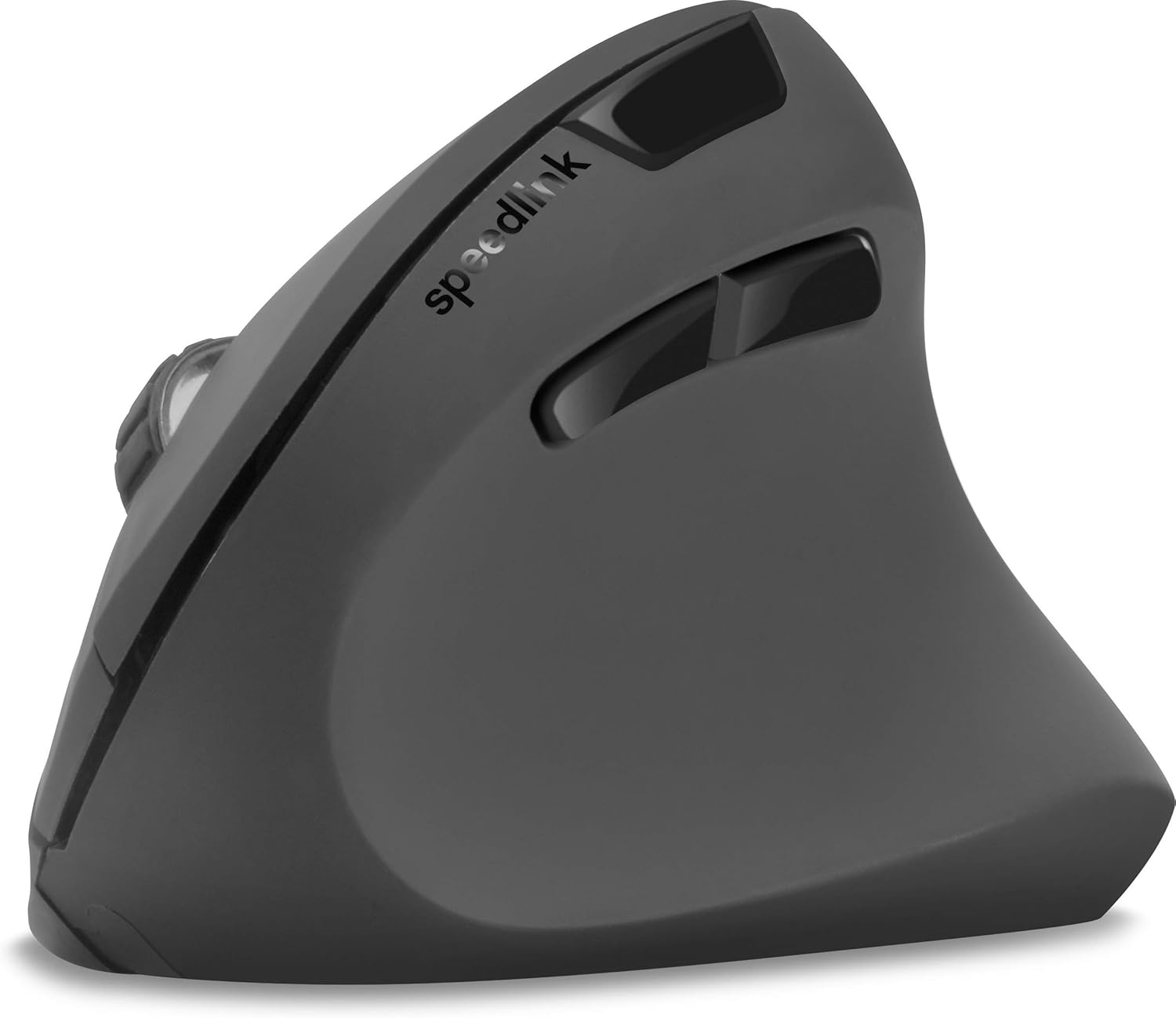
Rysunek 4: Z góry na dół view of the mouse, highlighting the left/right click buttons, scroll wheel, and DPI switch button.

Rysunek 5: Strona view of the mouse, illustrating the ergonomic grip and the forward/backward navigation buttons.
Tryb oszczędzania energii
The mouse features an energy-saving mode to conserve battery life. If the mouse is inactive for a period, it will enter a sleep state. To wake it up, simply move the mouse or press any button.
Konserwacja
To ensure the longevity and optimal performance of your Speedlink PIAVO mouse, follow these maintenance guidelines:
- Czyszczenie: Do czyszczenia zewnętrznej części myszy użyj miękkiej, suchej ściereczki. W przypadku uporczywych zabrudzeń, delikatnie przetrzyjamp Można użyć ściereczki, ale należy uważać, aby wilgoć nie dostała się do myszy. Unikaj stosowania silnych środków chemicznych i ściernych środków czyszczących.
- Czyszczenie czujnika: Occasionally, dust or debris may accumulate around the optical sensor on the underside of the mouse. Use a soft brush or compressed air to gently clean the sensor area.
- Wymiana baterii: When the mouse performance degrades or it stops responding, it may be time to replace the battery. Open the battery compartment, remove the old battery, and insert a new one of the same type, observing polarity.
- Składowanie: When not in use for extended periods, it is recommended to switch off the mouse using the On/Off switch to conserve battery life. Store the mouse and USB receiver in a dry, dust-free environment.
Rozwiązywanie problemów
| Problem | Możliwa przyczyna | Rozwiązanie |
|---|---|---|
| Mysz nie reaguje / Kursor się nie porusza. |
|
|
| Nieregularny ruch kursora. |
|
|
| DPI setting resets after sleep/reboot. | This is a known characteristic for some mice; the DPI setting may revert to default. | Press the DPI switch button to select your preferred sensitivity after waking the mouse or restarting the computer. |
Specyfikacje
| Numer modelu | SL-630019-BK-01 |
| Łączność | Wireless 2.4 GHz via USB-A Receiver |
| Wykrywanie ruchu | Optyczny |
| Liczba przycisków | 5 |
| Ustawienia DPI | 800, 1200, 1600 DPI (regulowana) |
| Orientacja dłoni | Praworęczny |
| Zasięg bezprzewodowej | Do 10 metrów |
| Źródło zasilania | Battery-powered (Battery included) |
| Kompatybilne systemy operacyjne | Okna |
| Waga | 106 gram |
| Kolor | Czarny |
Gwarancja i wsparcie
Informacje dotyczące szczegółowych warunków gwarancji i danych kontaktowych działu obsługi klienta nie są dostępne w dostarczonych danych produktu. Prosimy o zapoznanie się z opakowaniem produktu lub oficjalną informacją producenta. webwitryna zawierająca najnowsze informacje dotyczące gwarancji i opcji wsparcia.
Aby uzyskać dalszą pomoc, możesz odwiedzić stronę Speedlink official webstrona.