
1. Wprowadzenie
The LUME CUBE 2.0 is a compact, app-controlled, and waterproof LED light designed for photography and video applications. It provides professional-quality illumination for various indoor and outdoor shooting environments, offering adjustable brightness and robust construction.

Image 1.1: The LUME CUBE 2.0 Portable LED Light, showcasing its compact, cube-shaped design with the light emitter facing forward and control buttons on top.
2. Co znajduje się w pudełku
Sprawdź, czy po rozpakowaniu znajdują się wszystkie elementy:
- Lume Cube 2.0 LED Light
- DSLR Shoe Mount
- Kabel ładujący USB-C
3. Koniec produktuview
The LUME CUBE 2.0 is engineered with several key features to enhance your lighting capabilities:
- Jakość profesjonalna: Daylight balanced 5600K, 95+ CRI, and a diffused beam angle of 80º for consistent and high-quality illumination.
- Regulowana jasność: Offers 10 levels of brightness control, accessible via manual buttons or wirelessly through Bluetooth.
- Sterowanie smartfonem: Seamless integration with the Lume-X app for both iPhone and Android devices, enabling remote control of light settings.
- Wodoodporny i trwały: Constructed with an aluminum housing, providing waterproof capabilities up to 10 meters (30 feet).
- Kompaktowy i przenośny: Designed for ease of transport and use in various locations.

Obraz 3.1: Góra view of the LUME CUBE 2.0, showing the power button and brightness adjustment buttons (+/-) for manual control.
4. Konfiguracja
4.1. Ładowanie urządzenia
Before initial use, fully charge your LUME CUBE 2.0. Connect the provided USB-C charging cable to the device's charging port and plug the other end into a compatible USB power source.
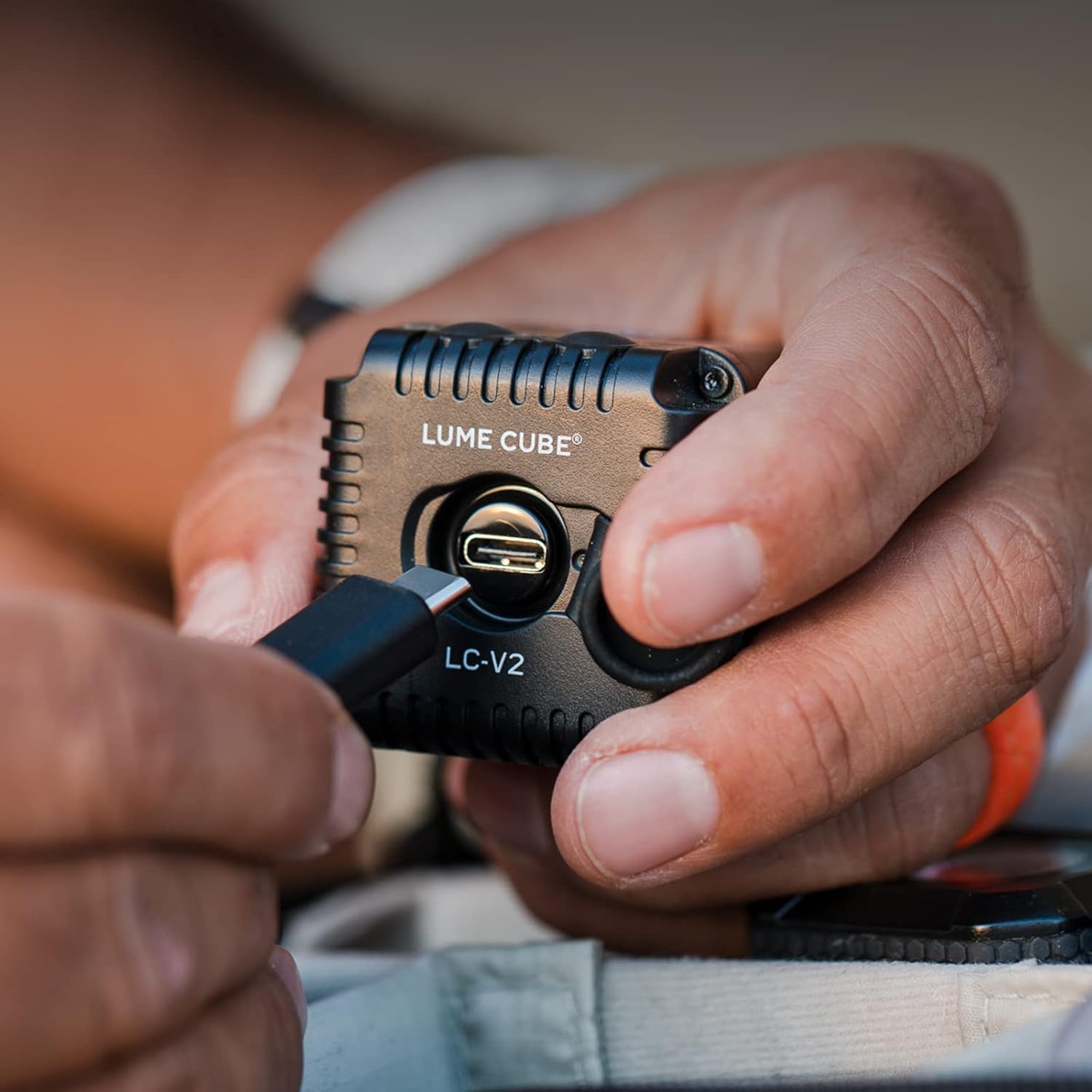
Image 4.1: A hand connecting a USB-C cable to the LUME CUBE 2.0 for charging. The charging port is visible on the side of the device.
4.2. Opcje montażu
The LUME CUBE 2.0 includes a DSLR shoe mount for easy attachment to cameras. It can also be mounted to various accessories using its integrated 1/4"-20 tripod thread.

Image 4.2: The LUME CUBE 2.0 attached to the hot shoe of a DSLR camera, providing on-camera illumination.
4.3. App Control (Lume-X App)
For advanced control, download the Lume-X app from the App Store (iOS) or Google Play Store (Android). Enable Bluetooth on your smartphone and follow the in-app instructions to pair with your LUME CUBE 2.0. The app allows for wireless brightness adjustment and other settings.

Image 4.3: A smartphone displaying the Lume-X app interface, showing controls for brightness and strobe settings for the LUME CUBE 2.0.
5. Instrukcja obsługi
5.1. Włączanie/wyłączanie zasilania
- To power on, press and hold the power button (marked with a circle and vertical line) on the top of the LUME CUBE 2.0 until the light illuminates.
- Aby wyłączyć urządzenie, naciśnij i przytrzymaj przycisk zasilania, aż światło zgaśnie.
5.2. Regulacja jasności
- Sterowanie ręczne: Use the '+' and '-' buttons on the top of the device to increase or decrease brightness in 10 distinct levels.
- Kontrola aplikacji: Open the Lume-X app on your paired smartphone and use the brightness slider to precisely adjust the light output.
5.3. Waterproof Use
The LUME CUBE 2.0 is designed to be waterproof up to 10 meters (30 feet). Ensure all ports and covers are securely closed before submerging the device in water.

Image 5.1: The LUME CUBE 2.0 resting on a rock in shallow water, demonstrating its waterproof capability.
6. Konserwacja
- Czyszczenie: Przetrzyj urządzenie miękką, suchą ściereczką. W przypadku uporczywych zabrudzeń użyj lekko szorowatej ściereczki.amp szmatką. Unikaj środków czyszczących o działaniu ściernym i rozpuszczalników.
- Składowanie: Store the LUME CUBE 2.0 in a cool, dry place when not in use.
- Pielęgnacja baterii: For optimal battery life, avoid fully discharging the battery frequently. Charge the device regularly, even during periods of non-use.
7. Rozwiązywanie Problemów
- Urządzenie się nie włącza: Ensure the battery is charged. Connect to a power source using the USB-C cable and attempt to power on after a few minutes.
- Nie można połączyć się z aplikacją:
- Upewnij się, że Bluetooth jest włączony w Twoim smartfonie.
- Verify the LUME CUBE 2.0 is powered on.
- Restart both the LUME CUBE 2.0 and your smartphone.
- Ensure the Lume-X app is updated to the latest version.
- Light Output Issues: Check brightness settings via manual controls or the app. Ensure the device is not in a low-power mode.
8. Specyfikacje
| Funkcja | Szczegół |
|---|---|
| Wymiary produktu | 1.57 x 1.57 x 1.57 cala |
| Waga przedmiotu | 8.4 uncji |
| Numer modelu przedmiotu | LC-V2-1 |
| Baterie | 1 bateria litowo-polimerowa (w zestawie) |
| Technologia łączności | Bluetooth, USB |
| Interfejs sprzętowy | Bluetooth |
| UPC | 810019500381 |
| Producent | Lume Cube, Inc. |
9. Gwarancja i wsparcie
For warranty information and technical support, please refer to the official LUME CUBE webOdwiedź stronę internetową lub skontaktuj się bezpośrednio z działem obsługi klienta. Zachowaj dowód zakupu na wypadek reklamacji.
Zasoby internetowe: www.lumecube.com/support