
Polarduck FLYHANA
Polarduck TV Wall Mount Bracket
Instrukcja obsługi
Model: FLYHANA
Produkt ponadview
The Polarduck TV Wall Mount Bracket is designed to securely mount 23-55 inch LED, LCD, Plasma, and Curved Screens to the wall, providing a low-profile and space-saving solution. It features universal VESA compatibility and is constructed from high-quality cold rolled steel for maximum durability and safety.
- Kompatybilny ze standardem VESA: Fits most 23-55 Inch TVs with VESA standards 400x400mm, 200x200mm, 100x100mm, and intermediate sizes.
- Ultra smukła konstrukcja: Positions TV only 26mm (1 inch) from the wall for a sleek appearance.
- Supreme Material: Made of strong cold rolled steel, supporting up to 60 kg (132 lbs).
- Szybka instalacja: Includes full instructions, fitting hardware, and a built-in spirit level for accurate mounting. Suitable for masonry, wood, and stud walls.
- Certyfikowana jakość: ISO9001, TUV/GS, and UL certified.
Informacje dotyczące bezpieczeństwa
Please read all instructions carefully before installation. Incorrect installation may result in serious injury or damage to your TV and property. If you are unsure about any part of the installation process, consult a qualified professional.
- Nośność: Nie przekraczać maksymalnego udźwigu 60 kg (132 funtów).
- Zgodność z VESA: Ensure your TV's VESA pattern falls within the supported range (Min 100x100mm to Max 400x400mm).
- Typ ściany: Verify that the wall structure can safely support the combined weight of the mount and your TV. Always mount into wall studs for wood walls or use appropriate anchors for masonry/concrete walls.
- Narzędzia: Use appropriate tools for installation and wear safety gear.
Zawartość opakowania
Before beginning installation, ensure all parts are present and undamaged. Refer to the image below for a visual representation of the included hardware kit.

Figure 1: Complete hardware kit including wall bracket, screws, washers, anchors, and spirit level.
- TV Wall Bracket (Main Frame) x 1
- TV Mounting Rails x 2
- Instrukcja instalacji x 1
- Complete Hardware Kit x 1 (Assorted screws, washers, spacers, wall anchors, spirit level)
Konfiguracja i instalacja
Follow these steps carefully to install your Polarduck TV Wall Mount Bracket.
Step 1: Verify TV Compatibility and VESA Pattern
Before mounting, confirm your TV's size is between 23 and 55 inches. Locate the four mounting holes on the back of your TV and measure the horizontal and vertical distances between them. This is your TV's VESA pattern. Ensure it falls within the mount's supported range (Min 100x100mm to Max 400x400mm).
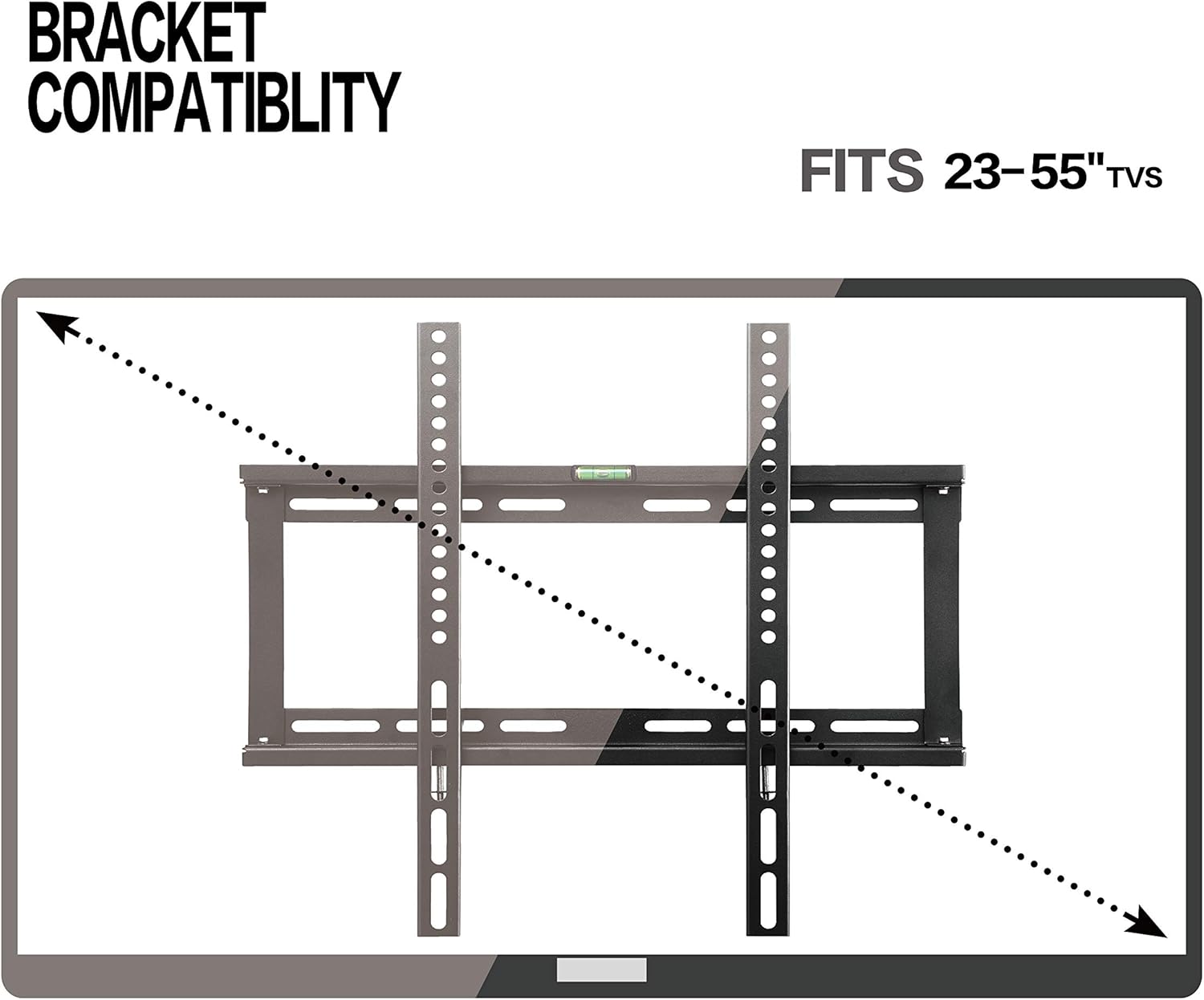
Figure 2: Visual representation of TV size compatibility (23-55 inches).

Figure 3: Guide to measuring your TV's VESA pattern for bracket adjustment.
Step 2: Attach TV Mounting Rails to TV
Align the two vertical TV mounting rails with the VESA holes on the back of your TV. Use the appropriate screws and washers from the hardware kit to secure the rails. Ensure they are tightened securely but do not overtighten.
Step 3: Mark Drilling Positions on Wall
Determine the desired height for your TV. Hold the main wall bracket against the wall at this height. Use the integrated spirit level on the bracket to ensure it is perfectly horizontal. Mark the drilling points through the holes on the bracket using a pencil.

Figure 4: The built-in spirit level assists in ensuring accurate and level installation of the wall bracket.

Figure 5: The mount is designed for installation on various wall types, including wood, concrete, and brick.
Step 4: Drill Holes and Install Wall Anchors (if necessary)
Drill pilot holes at the marked positions. For wood stud walls, drill directly into the center of the studs. For masonry or concrete walls, use a masonry drill bit and insert the appropriate wall anchors provided in the kit. Ensure anchors are flush with the wall surface.
Step 5: Secure Wall Bracket to Wall
Attach the main wall bracket to the wall using the provided lag bolts. Tighten all bolts firmly to ensure the bracket is securely fastened to the wall. Re-check the level after tightening.
Step 6: Hang TV onto Wall Bracket
Carefully lift your TV with the attached mounting rails and hook the rails onto the top edge of the wall bracket. Gently lower the TV until the rails fully engage with the bracket. Ensure the TV is centered and stable. The ultra-slim design will position your TV close to the wall.

Figure 6: The ultra-slim design ensures the TV is positioned very close to the wall, approximately 26mm (1 inch).
Obsługa uchwytu
The Polarduck TV Wall Mount is a fixed, low-profile mount designed for stability and space-saving. Once installed, your TV will be securely held in place, providing an optimal viewzdobywania doświadczenia.
- Viewkąt ing: This mount provides a fixed viewing angle. Ensure the TV is mounted at a comfortable height for your primary viewpozycja.
- Zarządzanie kablami: Ze względu na niski poziom profesjonalizmufile design, plan your cable routing before hanging the TV to ensure easy access and a tidy appearance.
Konserwacja
Regularna konserwacja pomaga zapewnić długowieczność i bezpieczeństwo uchwytu ściennego telewizora.
- Czyszczenie: Przetrzyj uchwyt miękką, suchą ściereczką, aby usunąć kurz. Unikaj stosowania środków czyszczących o działaniu ściernym i rozpuszczalników.
- Kontrole okresowe: Periodically inspect all screws and bolts to ensure they remain tight. Over time, vibrations or minor shifts can loosen fasteners.
- Integralność strukturalna: Check the wall around the mount for any signs of stress, cracks, or damage. If any issues are observed, consult a professional.
Rozwiązywanie problemów
If you encounter issues during or after installation, consider the following common solutions:
- Telewizor nie jest wypoziomowany:
Rozwiązanie: Re-check the wall bracket's level using the integrated spirit level. If necessary, slightly adjust the wall bracket's position or re-drill if significant misalignment occurred. Ensure the TV mounting rails are securely and evenly attached to the TV.
- Mount Feels Unstable:
Rozwiązanie: Ensure all wall bolts are fully tightened. Verify that the mount is secured into wall studs (for wood walls) or appropriate heavy-duty anchors are used for masonry/concrete. Do not rely solely on drywall anchors for heavy TVs.
- TV Does Not Fit Mount:
Rozwiązanie: Double-check your TV's VESA pattern against the mount's specifications (Min 100x100mm, Max 400x400mm). If your TV's VESA is outside this range, the mount is incompatible. Also, ensure your TV's weight does not exceed 60 kg (132 lbs).
- Brakujący sprzęt:
Rozwiązanie: Refer to the "Package Contents" section and the hardware kit image. If parts are genuinely missing, contact Polarduck customer support.
Specyfikacje
Detailed technical specifications for the Polarduck TV Wall Mount Bracket.
| Marka | Polarduck |
| Numer modelu | FLYHANA |
| Kompatybilne rozmiary telewizorów | 23-55 cali |
| Zgodność ze standardem VESA | Min: 100x100mm, Max: 400x400mm (Also compatible with 400x200mm, 300x300mm, 200x200mm, 200x100mm) |
| Maksymalna nośność | 60 kg (132 funta) |
| Odległość od ściany | 26 mm (1 cala) |
| Tworzywo | High Quality Cold Rolled Steel |
| Kolor | Czarny |
| Waga przedmiotu | 2.84 funta |
| Wymiary opakowania | 17.6 x 2.6 x 1.93 cala |
| UPC | 760385368378, 760385368330 |

Figure 7: Technical dimensions of the Polarduck TV Wall Mount Bracket.
Gwarancja i wsparcie
Polarduck products are manufactured to high standards and are backed by quality certifications.
- Zapewnienie jakości: This product is ISO9001, TUV/GS, and UL certified, ensuring it meets rigorous quality and safety standards.
- Obsługa klienta: For any questions, concerns, or assistance with installation, please refer to the contact information provided with your purchase or visit the official Polarduck webwitryna zawierająca zasoby pomocy.
Ask a question about this manual
Ask about setup, troubleshooting, compatibility, parts, safety, or missing instructions. Manuals+ will review the question and use this page’s manual context to help answer it.