
1. Koniec produktuview
The Zerone FRM01 is a versatile multifunction relay cycle timer module designed for automation and delay control applications. It offers various timing and latching modes, allowing precise control over connected devices. This module is suitable for a wide range of industrial and hobbyist projects requiring timed switching or repetitive operations.
Główne cechy:
- Adjustable timing range from 0.1 seconds to 270 hours.
- Multiple operating modes including timing pick/off, timing pull off again, infinite loop timing, latching, and pull/timing.
- High-level pulse input (CH1) for triggering and resetting functions.
- Integrated display for time settings and status.
- Robust relay with 10A switching capacity for AC 250V or DC 30V loads.

Obraz 1.1: Koniecview of the FRM01 module, showing the relay, display, and control buttons.
2. Informacje dotyczące bezpieczeństwa
Please read and understand all instructions before operating the FRM01 module. Failure to follow these instructions may result in electric shock, fire, or damage to the product or connected equipment.
- Bezpieczeństwo elektryczne: Ensure all power connections are made correctly and securely. Disconnect power before making or changing any wiring connections.
- Tomtage i aktualne oceny: Nie przekraczaj określonej objętościtage (DC 12V service voltage, AC 0-250V / DC 0-30V max. 10A control voltage) and current ratings for the module and its relay contacts.
- Środowisko instalacji: Install the module in a dry, clean environment, away from moisture, dust, and extreme temperatures.
- Profesjonalna instalacja: If you are unfamiliar with electrical wiring, seek assistance from a qualified electrician.
- Obsługa komponentów: Handle the module with care to avoid damaging sensitive electronic components.
3. Specyfikacje techniczne
| Funkcja | Specyfikacja |
|---|---|
| Model | FRM01 |
| Marka | Zerone |
| Serwis Cztage | Prąd stały 12 V |
| Kontrola objętościtage | AC 0-250 V / DC 0-30 V. |
| Current Rating (Relay) | Maksymalnie 10 Amps |
| Materiał kontaktowy | Stop srebra |
| Typ kontaktu | Normally Closed (NC), Normally Open (NO), Common (COM) |
| Zakres czasowy | 0.1 seconds - 270 hours (adjustable) |
| Input Signal Interface | CH1 (DC 3V-30V high voltagimpuls) |
| Typ montażu | Montaż PCB |
4. Konfiguracja i okablowanie
Proper wiring is essential for the correct and safe operation of the FRM01 module. Refer to the diagrams below for connection details.
4.1 Podłączenie zasilania
Connect the DC 12V service voltage to the module's power input terminals. Ensure correct polarity (DC+ and DC-).

Image 4.1: Wiring diagram illustrating the connection of DC 12V service voltage and the load (bulb/motor) to the relay contacts (NO, COM, NC).
4.2 Połączenie obciążenia
The module features a single-pole double-throw (SPDT) relay with Normally Open (NO), Normally Closed (NC), and Common (COM) contacts. Connect your load (e.g., light, motor) to these terminals based on your application's requirements:
- Normalnie otwarty (NIE): Obwód jest otwarty (odłączony), gdy przekaźnik nie jest zasilany i zamyka się (łączy), gdy przekaźnik jest zasilany.
- Normalnie zamknięty (NC): Obwód jest zamknięty (połączony), gdy przekaźnik nie jest zasilany i otwiera się (rozłącza), gdy przekaźnik jest zasilany.
- Wspólne (COM): This is the shared terminal for both NO and NC contacts.
4.3 Input Signal Connection (CH1)
The CH1 interface accepts a high-level pulse signal (DC 3V-30V) to trigger or reset various functions depending on the selected operating mode.

Rysunek 4.2: Szczegółowy view of the FRM01 module with input and output terminals labeled for Normally Open, Common, Normally Closed, Input Trigger (CH1), GND, and +12VDC.
5. Tryby pracy
The FRM01 module supports several operating modes, each with distinct timing and triggering behaviors. The specific mode is selected during programming.
5.1 Timing Pick/Off Mode
In this mode, after the module is powered on, the relay will energize (pull) for a set duration T1. After T1 expires, the relay de-energizes. A high-level pulse on the CH1 interface will restart this function.
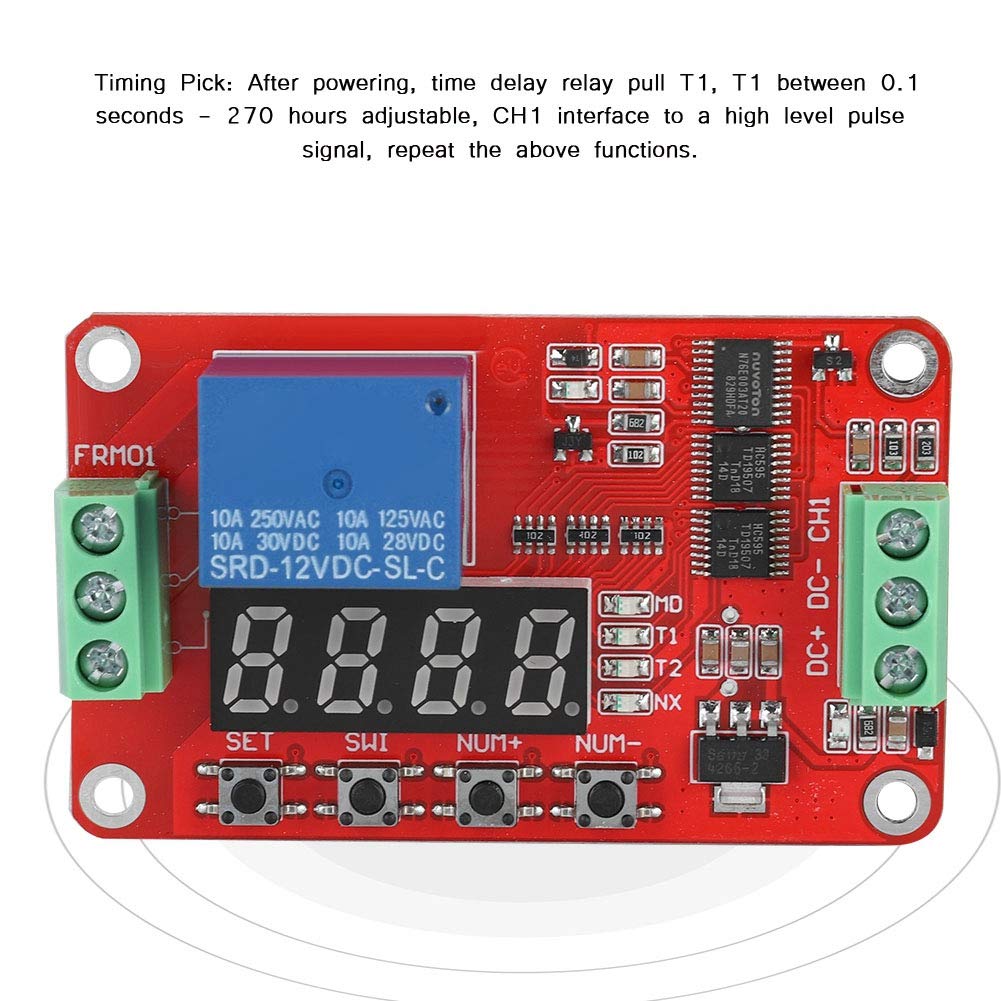
Image 5.1: Illustration of the Timing Pick mode, where the relay energizes for time T1 after power-on or a CH1 pulse.
5.2 Timing Pull Off Again Mode
Upon power-up, the relay remains de-energized. After a delay of T1, the relay energizes. It then remains energized for a duration of T2 before de-energizing again. A high-level pulse on the CH1 interface will restart this sequence.

Image 5.2: Illustration of the Timing Pull Off Again mode, showing T1 delay before energizing, and T2 duration for energization.
5.3 Infinite Loop Timing Mode 1/2
After power-up, the relay remains de-energized. After a delay of T1, the relay energizes. It then remains energized for a duration of T2 before de-energizing. This cycle (T1 delay, T2 energized) repeats indefinitely. A high-level pulse on the CH1 interface can restart the entire loop.

Image 5.3: Timing diagram illustrating the infinite loop timing mode, showing repetitive T1 (off) and T2 (on) cycles.
5.4 Latching/Relay Modes
A high-level pulse on the CH1 interface will energize the relay. A subsequent high-level pulse on CH1 will de-energize the relay. This mode acts as a toggle switch.
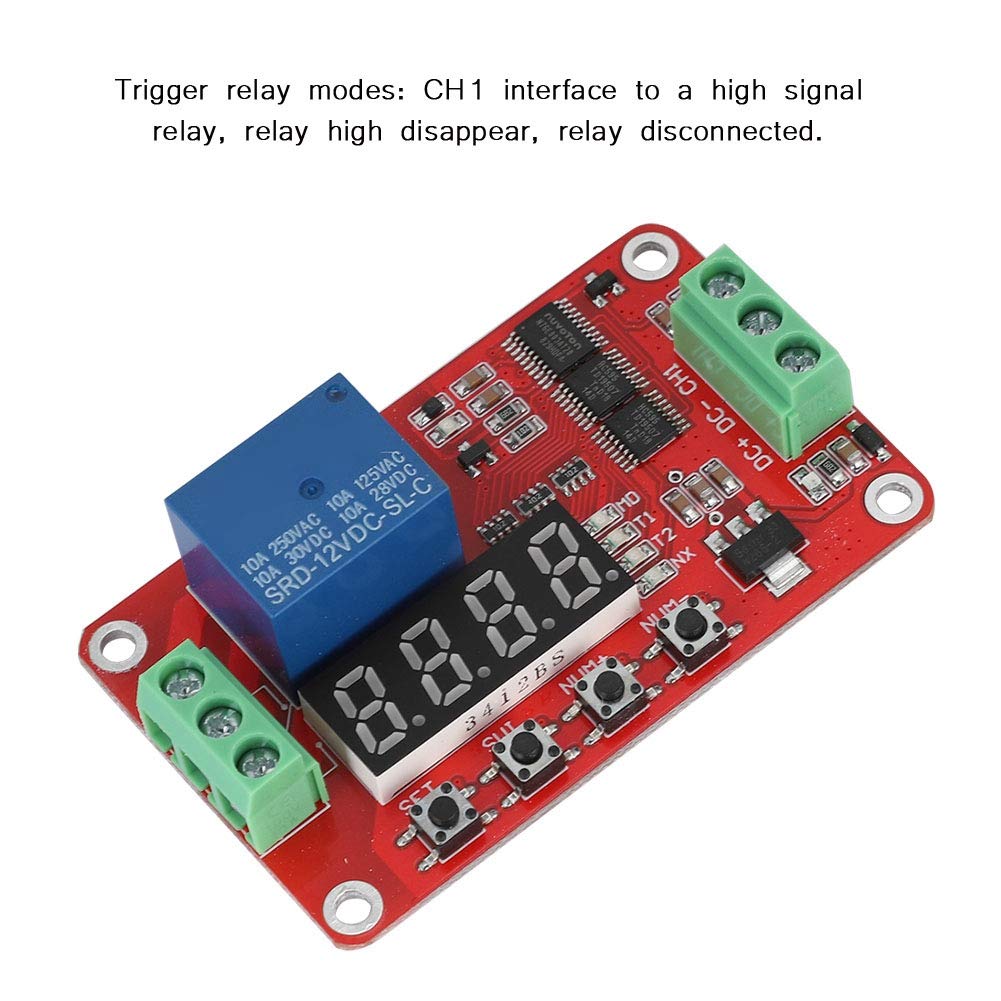
Image 5.4: Illustration of trigger relay modes, where a CH1 pulse toggles the relay state.
5.5 Pull/The Timing Mode
When the module is powered, the relay remains de-energized. A high-level pulse on the CH1 interface will energize the relay for a duration of T1. After T1 expires, the relay de-energizes. Subsequent high-level pulses on CH1 will repeat this function.
6. Programowanie i konfiguracja
The FRM01 module is configured using the onboard buttons: USTAWIĆ, SWI, LICZBA+, I NUM-. The display shows the current mode and timing parameters (T1, T2).
6.1 Funkcje przycisków:
- ZESTAW: Enters programming mode, confirms selections, and saves settings.
- SWI: Switches between different parameters (e.g., T1, T2, operating mode) within programming mode.
- NUM+: Increases the value of the currently selected parameter.
- NUM-: Decreases the value of the currently selected parameter.
6.2 General Programming Steps:
- Wejdź w tryb programowania: Naciśnij i przytrzymaj USTAWIĆ button for a few seconds until the display changes, indicating entry into programming mode.
- Wybierz tryb pracy: Używać LICZBA+ or NUM- to cycle through the available operating modes. The display will typically show a code representing the mode (e.g., P-1, P-2, etc.). Refer to the product documentation for specific mode codes.
- Confirm Mode: Naciskać USTAWIĆ to confirm the desired operating mode.
- Adjust Timing Parameters (T1, T2): After selecting the mode, the display will show T1. Use LICZBA+ I NUM- aby dostosować jego wartość. Naciśnij SWI to switch to T2 (if applicable for the selected mode) and adjust its value.
- Set Time Unit: Some modes may allow setting the time unit (seconds, minutes, hours). Use SWI to cycle through units and LICZBA+/NUM- aby wybrać.
- Zapisz i wyjdź: Naciśnij i przytrzymaj USTAWIĆ again to save all settings and exit programming mode. The module will then operate according to the new configuration.
Note: Specific mode codes and parameter sequences may vary. It is recommended to refer to the detailed programming guide provided with the product for precise instructions.
7. Konserwacja
The FRM01 module is designed for reliable operation with minimal maintenance. Follow these guidelines to ensure its longevity:
- Zachowaj czystosc: Periodically clean the module with a soft, dry cloth to remove dust and debris. Do not use liquid cleaners or solvents.
- Ochrona środowiska: Ensure the module is protected from excessive moisture, corrosive gases, and extreme temperatures.
- Integralność połączenia: Okresowo sprawdzaj wszystkie połączenia przewodów, aby mieć pewność, że są solidne i nie są skorodowane.
- Unikaj stresu fizycznego: Do not subject the module to excessive vibration or mechanical shock.
8. Rozwiązywanie Problemów
If you encounter issues with your FRM01 module, refer to the following common problems and solutions:
| Problem | Możliwa przyczyna | Rozwiązanie |
|---|---|---|
| Moduł nie włącza się. | Niewłaściwe napięcie zasilaniatage or polarity. Loose power connections. | Verify DC 12V power supply. Check polarity (DC+ to +, DC- to -). Ensure connections are secure. |
| Relay does not activate/deactivate as expected. | Incorrect operating mode selected. Incorrect T1/T2 settings. Faulty CH1 input signal. | Review programming steps and ensure the correct mode and timing parameters are set. Verify the CH1 input signal is within the 3V-30V range and is a valid pulse. |
| Module is "stuck" in a specific state (e.g., T2 mode). | Programming error or internal state issue. | Try resetting the module by disconnecting and reconnecting power. Re-enter programming mode and reconfigure the desired settings. |
| Load is not controlled by the relay. | Incorrect load wiring (NO/NC/COM). Load exceeds relay current rating. | Check load wiring against the diagram (Image 4.1). Ensure the load's current draw does not exceed 10A. |
| Display is blank or shows erratic characters. | Power supply issue. Internal fault. | Check power supply. If the issue persists, the module may be faulty. |
| Difficulty understanding programming. | Lack of clear instructions. | Refer to the detailed programming steps in Section 6.2. Practice adjusting values with the buttons. Szukaj additional online resources or videos if available. |
9. Gwarancja i wsparcie
For information regarding warranty coverage and technical support for your Zerone FRM01 module, please refer to the documentation provided at the time of purchase or contact your vendor directly. Keep your purchase receipt as proof of purchase.