
Wstęp
Thank you for choosing the Lexon Mino X Floating Bluetooth Speaker. This compact and durable speaker is designed for versatile use, featuring IPX7 water resistance, Bluetooth connectivity, and TWS (True Wireless Stereo) technology for an enhanced audio experience. This manual provides essential information for setting up, operating, maintaining, and troubleshooting your device.
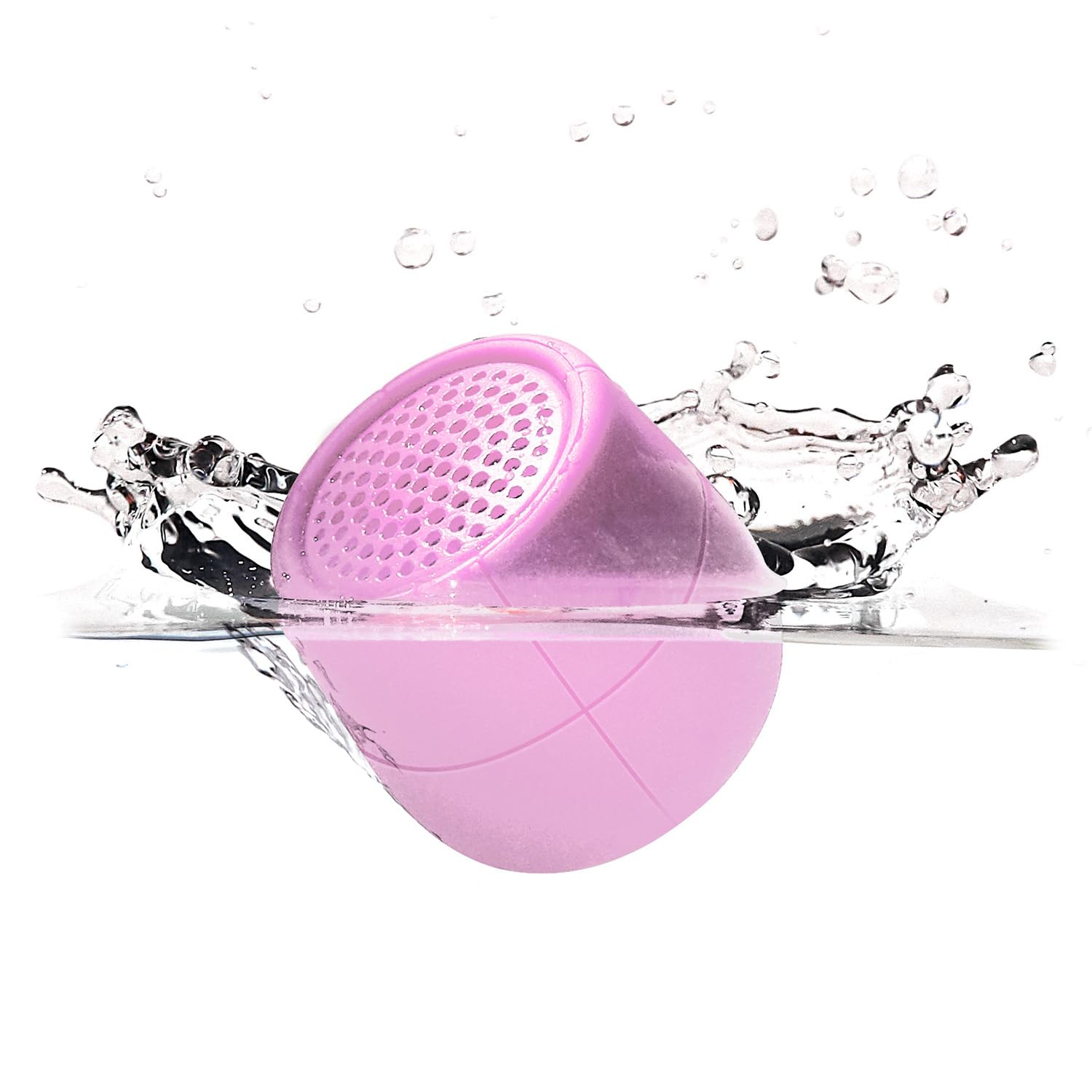
Image: The Lexon Mino X Floating Bluetooth Speaker in Soft Pink, showcasinze względu na kompaktową konstrukcję.
Co jest w pudełku
- Lexon Mino X Floating Bluetooth Speaker
- Kabel USB-C
- Instrukcja obsługi (ten dokument)
Cechy produktu
- Portable Bluetooth speaker with 3W output
- IPX7 Water Resistance: Designed to float and withstand immersion in water up to 1 meter for 30 minutes.
- Rechargeable via USB-C port
- "Hands-free" microphone for calls
- Funkcja kontroli selfie
- TWS (True Wireless Stereo) technology: Allows pairing two Mino X speakers for stereo sound.
- Do 3 godzin odtwarzania po pełnym naładowaniu.

Image: The Lexon Mino X speaker floating in water, demonstrating its IPX7 water-resistant and floatable design.
Organizować coś
- Opłata początkowa: Before first use, fully charge your Mino X speaker using the provided USB-C cable. Connect the USB-C end to the speaker's charging port and the USB-A end to a compatible power source (e.g., computer USB port, wall adapter). The charging indicator light will show charging status. Charging time is approximately 1 hour.
- Włączanie: Press and hold the power button (usually located on the bottom or side) for a few seconds until you hear an audible cue or see an indicator light.

Obraz: Zbliżenie view of the Mino X speaker showing the USB-C charging port with a cable connected.
Instrukcja obsługi
Włączanie/wyłączanie zasilania
- Włączanie: Naciśnij i przytrzymaj przycisk zasilania przez około 3 sekundy.
- Aby wyłączyć: Naciśnij i przytrzymaj przycisk zasilania przez około 3 sekundy.
Parowanie Bluetooth
- Ensure the Mino X speaker is powered on and within range of your Bluetooth device (smartphone, tablet, laptop).
- Głośnik automatycznie przejdzie w tryb parowania, o czym poinformuje migająca dioda LED.
- Na swoim urządzeniu przejdź do ustawień Bluetooth i wyszukaj dostępne urządzenia.
- Select "Lexon Mino X" from the list.
- Po sparowaniu głośnik wyda sygnał dźwiękowy, a dioda LED zacznie świecić światłem ciągłym.
Parowanie TWS (True Wireless Stereo)
To enjoy stereo sound, you can pair two Lexon Mino X speakers together.
- Ensure both Mino X speakers are powered on and not connected to any other Bluetooth device.
- Double-press the power button on one of the speakers. It will enter TWS pairing mode.
- Oba głośniki połączą się ze sobą automatycznie. Usłyszysz dźwięk potwierdzający pomyślne sparowanie TWS.
- Once TWS paired, connect your device to one of the speakers via Bluetooth as described in the "Bluetooth Pairing" section. Both speakers will then play audio in stereo.

Image: Several Lexon Mino X speakers in various colors, demonstrating the ability to connect two speakers for stereo sound.
Rozmowy bez użycia rąk
When connected to your smartphone, the Mino X speaker can be used for hands-free calls.
- Odbieranie/kończenie połączeń: Press the power button once to answer an incoming call or end an ongoing call.
- Odrzuć połączenie: Naciśnij i przytrzymaj przycisk zasilania przez 2 sekundy, aby odrzucić połączenie przychodzące.
Selfie Control
When connected to your smartphone, the Mino X speaker can act as a remote shutter for your camera.
- Otwórz aplikację aparatu w smartfonie.
- Press the power button on the Mino X speaker once to trigger the camera shutter.
Ładowanie
The Lexon Mino X speaker is equipped with a rechargeable battery.
- Podłącz dołączony kabel USB-C do portu ładowania głośnika.
- Podłącz drugi koniec kabla do źródła zasilania USB (np. komputera, zasilacza ściennego USB).
- Pełne ładowanie trwa około 1 godziny.
- The speaker provides up to 3 hours of music playback on a single charge.
Wodoodporność (IPX7)
The Mino X speaker is rated IPX7, meaning it is protected against immersion in water up to 1 meter (3 feet) for up to 30 minutes.
- Przed wystawieniem głośnika na działanie wody należy upewnić się, że pokrywa portu ładowania jest szczelnie zamknięta.
- The speaker is designed to float, making it suitable for use in pools, baths, or by the sink.
- Nie zanurzaj celowo głośnika na dłuższy czas lub na głębokość większą niż zalecana.
- After exposure to water, wipe the speaker dry with a soft cloth before charging.

Image: A pink Lexon Mino X speaker covered in water droplets, highlighting its water-resistant properties.
Konserwacja
- Wyczyść głośnik miękką,amp ściereczka. Nie należy używać środków czyszczących o właściwościach ściernych ani rozpuszczalników.
- Gdy głośnik nie jest używany, przechowuj go w chłodnym i suchym miejscu.
- Unikaj ekstremalnych temperatur i bezpośredniego światła słonecznego.
- Nie należy podejmować prób samodzielnego demontażu lub naprawy głośnika, gdyż spowoduje to utratę gwarancji.
Rozwiązywanie problemów
| Problem | Rozwiązanie |
|---|---|
| Głośnik nie włącza się. | Ensure the battery is charged. Connect the speaker to a power source using the USB-C cable and allow it to charge for at least 15 minutes before attempting to power on again. |
| Nie można sparować przez Bluetooth. |
|
| Brak dźwięku lub niski poziom głośności. |
|
| Parowanie TWS nie powiodło się. |
|
Specyfikacje
| Funkcja | Szczegół |
|---|---|
| Nazwa modelu | Mino X |
| Numer modelu przedmiotu | MINO-X-PINK(LA120P9) |
| Marka | Lexon |
| Technologia łączności | Bluetooth, USB |
| Technologia komunikacji bezprzewodowej | Bluetooth |
| Zasięg Bluetooth | 10 metrów |
| Maksymalna moc wyjściowa głośnika | 3 watów |
| Poziom wodoodporności | IPX7 (odporność na wodę) |
| Źródło zasilania | Zasilanie bateryjne (wymagana 1 bateria litowo-jonowa) |
| Czas ładowania | 1 godzina |
| Waga przedmiotu | 80 gramów (2.82 uncji) |
| Wymiary produktu | 1.5" gł. x 1.5" szer. x 1.6" wys. |
| Tworzywo | Akrylonitryl-butadien-styren (ABS) |
| Metoda kontroli | Dotykać |
| Zawarte komponenty | Kabel USB-C, instrukcja obsługi |
Oficjalny film o produkcie
Wideo: Oficjalny film prezentujący produktasing the Lexon Mino X speaker's features, including its water resistance and portability. This video is provided by Lexon Design USA.
Gwarancja i wsparcie
The Lexon Mino X Floating Bluetooth Speaker comes with a Limited Warranty. For specific warranty terms and conditions, please refer to the warranty information provided with your purchase or contact Lexon customer support.
For further assistance, technical support, or warranty claims, please visit the official Lexon webstronie lub skontaktuj się z działem obsługi klienta.


