
Produkt ponadview
The Novation Launchpad X is an essential 64-pad MIDI grid controller designed for music creation and performance, particularly with Ableton Live and Logic Pro. It features large, super-sensitive RGB pads, dynamic note and scale modes, and integrated mixer controls to enhance your workflow.
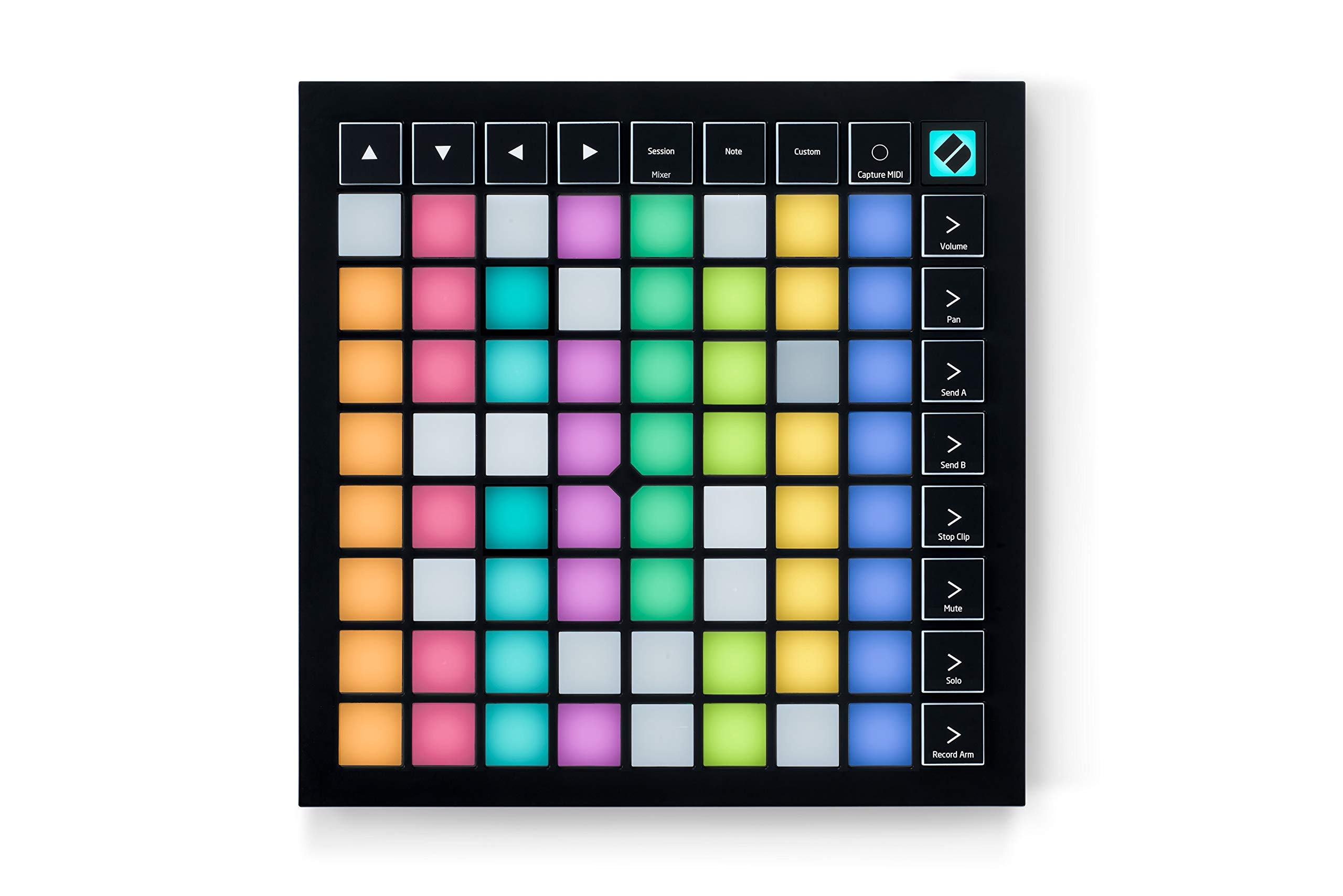
Image: Novation Launchpad X MIDI Grid Controller, top-down view.
Co jest w pudełku
- Launchpad X MIDI Grid Controller
- Kabel USB-C do USB-A
- Karta informacji dotyczących bezpieczeństwa
Wideo z rozpakowywania
Video: A user unboxes the Launchpad X, showcasing its contents and initial setup.
Organizować coś
- Połącz z komputerem: Use the provided USB-C to USB-A cable to connect your Launchpad X to your computer. The device is bus-powered, so no external power supply is needed.
- Instalacja oprogramowania: The Launchpad X integrates seamlessly with Ableton Live. Register your device on the Novation website to access included software, including Ableton Live Lite and Novation Components. Novation Components allows for custom MIDI mappings.
- Instalacja sterownika: No drivers are typically required for basic functionality; simply plug and play.

Image: The Launchpad X connected to a laptop, ready for use.
Operacyjny
The Launchpad X offers various modes and controls for dynamic music production and live performance.
Dynamic and Expressive Playing
The large RGB velocity- and pressure-sensitive pads provide a perfect reflection of your Ableton Live or Logic Pro session, matching colors from the session window to your Launchpad X. This allows for expressive playing of instruments and drums.

Image: A musician interacts with the Launchpad X, demonstrating its dynamic and expressive playing capabilities with illuminated pads.
Ableton Live Integration
Quickly launch clips and scenes, access mixer, device, and transport controls, and quantize, duplicate, and double, all without touching your mouse. The Capture MIDI feature ensures you never lose an idea, even if you didn't hit record.

Image: The Launchpad X is shown in a studio setup, seamlessly integrated with Ableton Live on a laptop.
Dynamic Note & Scale Modes
Effortlessly play in-key basslines, melodies, chords, and leads. The Launchpad X automatically displays your drum rack on the grid when drumming, and allows easy exploration, building, and playing of complex chords directly from the grid.

Image: The Launchpad X pads illuminate in various colors, indicating different notes and scale modes.
Four Custom Modes
Utilize Novation Components software to customize MIDI mappings and control almost any aspect of your music software. These four custom modes allow you to tailor the grid controller to your specific needs.

Image: The Launchpad X is shown with its pads configured for custom modes, highlighting its adaptability.
Sterowanie mikserem
Essential performance controls are a single button-press away, including stop, solo, mute, record arm, and setting levels, pans, and sends.

Image: The Launchpad X displays its mixer control layout, with dedicated buttons for various functions.
Produkt ponadview Wideo
Wideo: Ponadview of the Novation Launchpad X features and functionality.
Launchpad X Features Video
Video: A detailed look at the various features and capabilities of the Launchpad X.
Konserwacja
- Czyszczenie: Use a soft, dry cloth to clean the surface of the Launchpad X. Avoid abrasive cleaners or solvents.
- Składowanie: Przechowywać urządzenie w chłodnym i suchym miejscu, z dala od bezpośredniego światła słonecznego i ekstremalnych temperatur.
- Obsługiwanie: Handle with care to prevent damage to the pads and internal components. Avoid dropping the device or placing heavy objects on it.
Rozwiązywanie problemów
- Urządzenie nierozpoznane:
- Ensure the USB cable is securely connected to both the Launchpad X and your computer.
- Spróbuj użyć innego portu USB lub kabla.
- Restart your computer and the Launchpad X.
- Podkładki nie reagują:
- Check your software settings (Ableton Live, Logic Pro) to ensure the Launchpad X is selected as a MIDI input device.
- Verify that the correct mode (Session, Note, Custom) is active on the Launchpad X.
- Problemy z oprogramowaniem:
- Ensure your music production software is up to date.
- Visit the Novation support website for specific software integration guides and updates.
Specyfikacje
| Nazwa modelu | Platforma startowa X |
| Numer modelu przedmiotu | AMS-LAUNCHPAD-X |
| Waga przedmiotu | 1.94 funta |
| Wymiary produktu | 9.45 x 9.45 x 0.79 cala |
| Liczba klawiszy/padów | 64 |
| Technologia łączności | USB-C, MIDI |
| Interfejs sprzętowy | USB |
| Kompatybilne urządzenia | PC |
| Obsługiwane oprogramowanie | Ableton, Logic, HUI |
| System operacyjny | Mac OS, Windows OS |
| Funkcja specjalna | Velocity Sensitive Pads, Stop, Solo, and Mute Controls; Portable, and Lightweight |
Gwarancja
For detailed warranty information, please refer to the official Novation website or the warranty card included with your product. Novation typically offers a limited warranty covering manufacturing defects.
Wsparcie
For further assistance, technical support, or to download the latest software and firmware updates, please visit the official Novation support webstrona:
Visit the Novation Store on Amazon
You can also find FAQs and community forums on the Novation website for peer support and common queries.