
1. Wprowadzenie
Dziękujemy za zakupasing the WZATCO S2 Native 1080P Full HD LED Projector. This manual provides essential information for the safe and efficient operation of your projector. Please read it thoroughly before use and retain it for future reference.
2. Informacje dotyczące bezpieczeństwa
- Zasilanie: Używaj wyłącznie określonego zasilacza. Upewnij się, że napięcietage pasuje do lokalnego źródła zasilania.
- Wentylacja: Nie zasłaniaj otworów wentylacyjnych. Zapewnij odpowiedni przepływ powietrza wokół projektora, aby zapobiec przegrzaniu.
- Ciepło: Nie należy umieszczać projektora w pobliżu źródeł ciepła ani w miejscu narażonym na bezpośrednie działanie promieni słonecznych.
- Wilgoć: Trzymaj projektor z dala od wody, deszczu i nadmiernej wilgotności. Nie obsługuj go mokrymi rękami.
- Czyszczenie: Odłącz projektor od zasilania przed czyszczeniem. Użyj miękkiej, suchej ściereczki. Nie używaj środków czyszczących w płynie ani aerozolu.
- Pielęgnacja soczewek: Unikaj bezpośredniego dotykania obiektywu projektora. W razie potrzeby użyj ściereczki do czyszczenia obiektywu.
- Ochrona oczu: Nie patrz bezpośrednio w obiektyw projektora, gdyamp jest włączony, ponieważ jasne światło może uszkodzić wzrok.
- Serwisowanie: Nie próbuj samodzielnie naprawiać tego produktu. Wszelkie naprawy zlecaj wykwalifikowanemu personelowi serwisowemu.
3. Zawartość opakowania
Sprawdź, czy wszystkie przedmioty są obecne i w dobrym stanie:
- WZATCO S2 1080P Projector
- Kabel HDMI
- Kabel A/V
- 2.4G Remote Control (Note: 2 AAA batteries required, not included)
- Kabel zasilający
- Instrukcja obsługi (ten dokument)
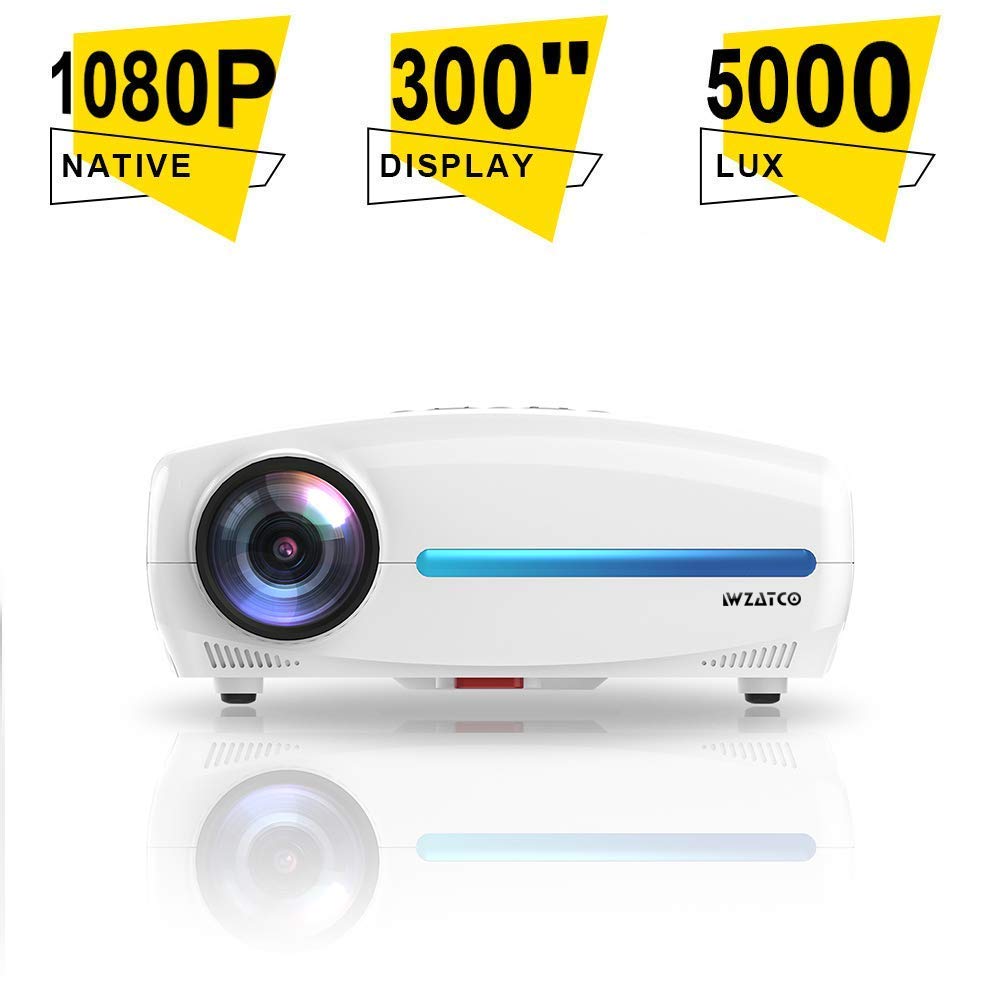
Image: WZATCO S2 Projector with its standard accessories, including cables, remote, and user manual.
4. Koniec produktuview
The WZATCO S2 is a Native 1080P Full HD LED Projector designed for home cinema and office use. It features a 6-inch LCD display panel, LED light source, and offers 4D Digital Keystone Correction.
4.1. Funkcje projektora
- Native 1920x1080P Full HD Resolution
- 5000 Lumens Brightness (240 ANSI Lumens)
- 5000:1 Max Contrast Ratio
- 4D Digital Keystone Correction (up to 50 degrees)
- LED L.amp Żywotność: >50 000 godzin
- HiFi Audio System with 10W*2 speakers
- Multiple Input Ports: HDMI (x2), USB (x2), VGA, A/V
4.2. Porty wejścia/wyjścia
Familiarize yourself with the available connection ports on the projector:
- HDMI (x2): Connect to Blu-ray players, gaming consoles, laptops, and other HDMI-enabled devices.
- USB (x2): Podłącz dyski USB w celu odtwarzania multimediów.
- VGA: Connect to older computers or laptops.
- Dźwięk/obraz: Connect to legacy devices using composite video and stereo audio.
- Wyjście audio 3.5 mm: Podłącz zewnętrzne głośniki lub słuchawki.
- Gniazdo zasilania: Do podłączenia kabla zasilającego.
5. Konfiguracja
5.1. Umiejscowienie projektora
Position the projector on a stable, flat surface or mount it to the ceiling. Ensure it is within a suitable distance from the projection screen or wall to achieve the desired image size. The throw ratio is 1.5:1.
- For a 53-inch image, place the projector approximately 1.80 meters away.
- For a 106-inch image, place the projector approximately 3.6 meters away.
- For a 200-inch image, place the projector approximately 6 meters away.
5.2. Podłączenie zasilania
- Connect the power cable to the projector's power socket.
- Podłącz drugi koniec kabla zasilającego do odpowiedniego gniazdka elektrycznego.
5.3. Podłączanie urządzeń wejściowych
Connect your desired source device (e.g., laptop, gaming console) to the projector using the appropriate cable (HDMI, VGA, or A/V).
- For HDMI connections, use the provided HDMI cable.
- For USB media playback, insert a USB drive into one of the USB ports.
5.4. Regulacja ostrości i zniekształcenia trapezowego
- Centrum: Obróć pierścień ostrości na obiektywie projektora, aż obraz stanie się ostry i wyraźny.
- Korekcja Keystone'a: If the image appears trapezoidal, use the 4D Digital Keystone Correction feature via the remote control or projector menu to adjust the image shape until it is rectangular. The S2 supports up to 50 degrees of correction.
6. Instrukcja obsługi
6.1. Włączanie/wyłączanie zasilania
- Włączanie: Press the power button on the projector or the remote control. The indicator light will change.
- Wyłączone: Press the power button again. Confirm shutdown if prompted. Allow the projector to cool down before unplugging.
6.2. Wybór źródła
Use the "Source" button on the remote control or the projector's control panel to cycle through available input sources (HDMI1, HDMI2, USB1, USB2, VGA, A/V).
6.3. Nawigacja po menu
Use the arrow keys and "OK" button on the remote control to navigate the on-screen display (OSD) menu. Adjust settings such as picture mode, aspect ratio, sound, and advanced options.
6.4. Ustawienia dźwięku
The WZATCO S2 features a built-in HiFi Audio System with 10W*2 speakers. You can adjust the volume using the remote control. For external audio, connect speakers or headphones to the 3.5mm Audio Out port.
7. Konserwacja
7.1. Czyszczenie projektora
- Zewnętrzny: Przetrzyj zewnętrzną część projektora miękką, suchą i niepozostawiającą włókien ściereczką. Nie używaj środków czyszczących ani rozpuszczalników o działaniu ściernym.
- Obiektyw: Gently clean the lens with a professional lens cleaning cloth or lens paper. Avoid applying excessive pressure.
7.2.Pamp Długość życia
The WZATCO S2 uses an LED light source with an estimated lifespan of over 30,000 hours, providing long-lasting performance without frequent lamp wymiana.
8. Rozwiązywanie Problemów
| Problem | Możliwa przyczyna | Rozwiązanie |
|---|---|---|
| Obraz nie jest wyświetlany |
|
|
| Obraz jest rozmazany |
|
|
| Obraz ma kształt trapezu |
|
|
| Brak dźwięku |
|
|
9. Specyfikacje
| Marka | WZACO |
| Model | S2 |
| Technologia wyświetlania | 6'' LCD @ 8-digit LTPS Panel |
| Lamp Technologia | Źródło światła LED |
| Lamp Długość życia | >30,000 godziny |
| Rozdzielczość natywna | 1920 x 1080 (Pełna rozdzielczość HD) |
| Jasność | 240 lumenów ANSI / 5000 lumenów |
| Współczynnik kontrastu | 1200:1 (FoFo), 5000:1 (Max) |
| Współczynnik rzutu | 1.5:1 |
| Rozmiar obrazu | 53" @ 1.80M, 106" @ 3.6M, 200" @ 6M |
| Korekcja trapezowa | 4D Digital Keystone Correction, 50 degrees |
| Wsparcie 3D | Red-Blue 3D |
| Porty wejściowe | 2 x USB2.0, 1 x A/V, 2 x HDMI2.0, 1 x VGA |
| System dźwiękowy | HiFi Audio System with 10W*2 speakers |
| Port wyjściowy | Wyjście audio 3.5 mm |
| Zdalne sterowanie | 2.4G Remote |
| Pobór mocy | 120 W |
| Maksymalne wymiary | 300mm x 230mm x 130mm |
| Masa netto | 2.6 kilogramów |
| Typ montażu | Ceiling Mount (also suitable for table placement) |
| Kompatybilne urządzenia | Laptop, Gaming Console, Blu-ray Player |
10. Gwarancja i wsparcie
For warranty information, technical support, or service inquiries, please refer to the warranty card included with your product or contact WZATCO customer support directly. Keep your purchase receipt as proof of purchase.
You can often find support contact details on the official WZATCO webna stronie internetowej lub u sprzedawcy.