
Wstęp
This manual provides detailed instructions for the installation, operation, and maintenance of your Foscam D2EP IP Camera. The D2EP is a high-definition 2-megapixel outdoor security camera designed for reliable surveillance with features such as infrared night vision, smart motion detection, and wired connectivity. Please read this manual thoroughly before using the product to ensure correct setup and optimal performance.
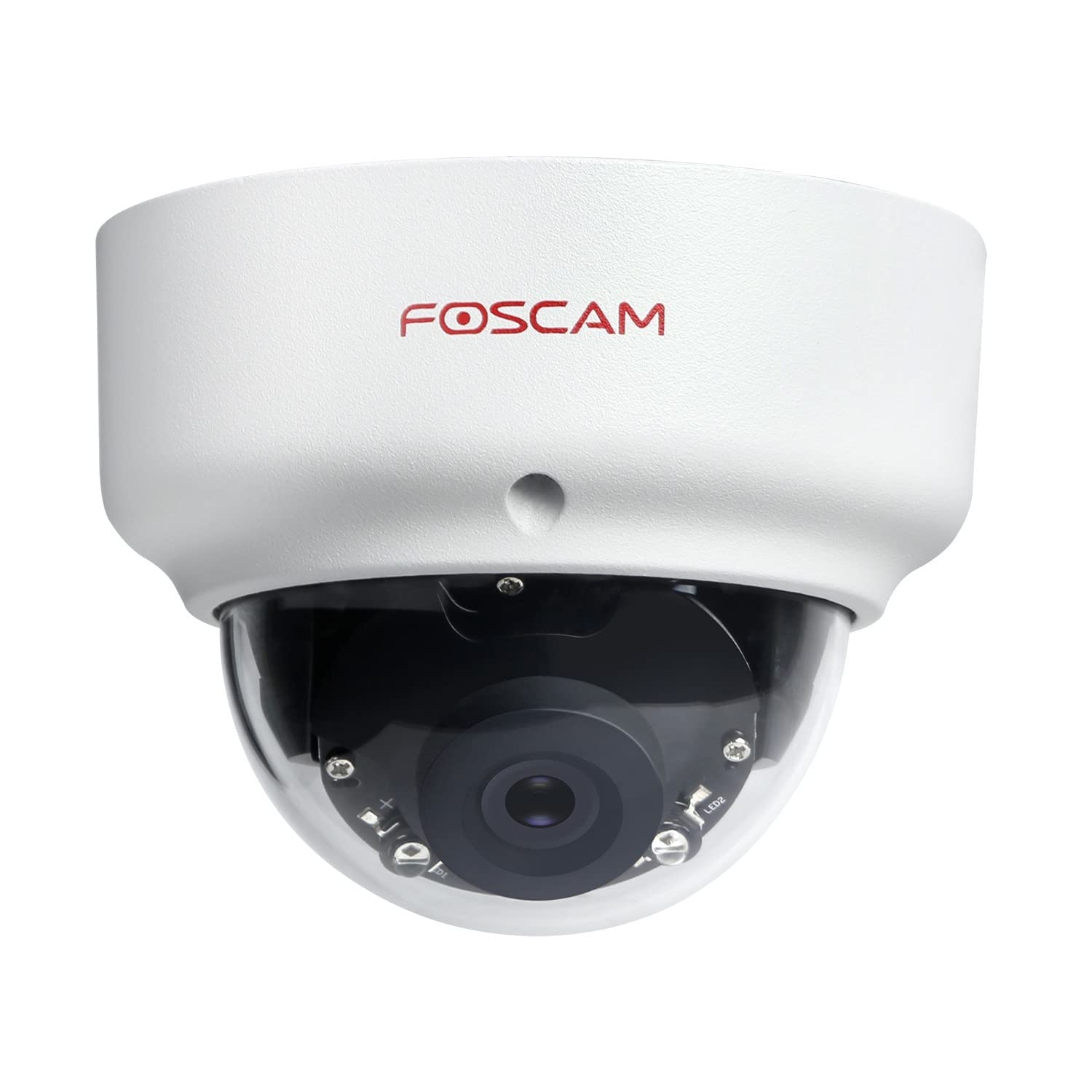
Image: The Foscam D2EP IP Camera, showcasing its compact, dome-shaped design suitable for outdoor environments.
1. Konfiguracja i instalacja
1.1 Zawartość opakowania
Przed rozpoczęciem instalacji należy sprawdzić, czy w opakowaniu znajdują się wszystkie elementy:
- Foscam D2EP IP Camera
- Śruby montażowe i kołki ścienne
- Kabel Ethernet
- Zasilacz
- Szybki przewodnik instalacji

Image: Foscam D2EP IP Camera with its power and Ethernet cables, illustrating the main components included in the box.
1.2 Fizyczna instalacja
The Foscam D2EP camera is designed for outdoor use with an IP66 waterproof rating. Choose a suitable location that provides the desired viewing angle and is within reach of a power source and network connection.
- Miejsce montażu: Identify a secure mounting surface, such as a wall or ceiling, that offers a clear view obszaru, który chcesz monitorować.
- Wiercenie otworów: Use the provided mounting template (if included) or the camera base to mark and drill pilot holes for the mounting screws. Insert wall plugs if mounting on masonry.
- Bezpieczna kamera: Attach the camera base securely to the mounting surface using the provided screws.
- Dostosuj kąt: Loosen the adjustment screws on the camera body to position the lens for the optimal viewkąt nachylenia. Dokręć śruby po osiągnięciu żądanego kąta.

Image: Foscam D2EP IP Camera mounted under an outdoor patio roof, demonstrating a typical installation scenario for outdoor surveillance.
1.3 Podłączenie sieci i zasilania
- Podłącz kabel Ethernet: Connect one end of the Ethernet cable to the camera's network port and the other end to your router or network switch.
- Podłącz zasilacz: Plug the power adapter into the camera's power input and then into a suitable electrical outlet.
- Kontrolka: Wait for the camera's indicator light to show a stable status, indicating it is powered on and connected to the network. Refer to the Quick Installation Guide for specific indicator light behaviors.
1.4 Konfiguracja początkowa
To access and configure your camera, download the Foscam app on your smartphone or use the Foscam client software on your computer.
- Pobierz aplikację/oprogramowanie: Szukaj "Foscam" in your app store (iOS/Android) or visit the official Foscam website for desktop software.
- Dodaj kamerę: Follow the in-app or software instructions to add your D2EP camera. This typically involves scanning a QR code on the camera or manually entering its UID.
- Ustaw hasło: For security, change the default password immediately upon first access.
- Ustawienia sieciowe: Configure any necessary network settings, such as static IP (if required by your network).
2. Instrukcja obsługi
2.1 Na żywo View i nagrywanie
Once configured, you can access the live video feed from your Foscam D2EP camera through the Foscam app or desktop client.
- Na żywo View: Wybierz kamerę z listy urządzeń, aby view the real-time 1080p HD video stream.
- Nagrywanie ręczne: Most Foscam applications allow you to manually start and stop video recordings directly from the live view interfejs.
- Migawka: Przechwytuj nieruchome obrazy z transmisji na żywo.
2.2 Wykrywanie ruchu
The D2EP features smart motion detection to alert you to activity in the monitored area.
- Włącz wykrywanie ruchu: Navigate to the camera settings in the Foscam app/software and enable motion detection.
- Configure Detection Area: Zdefiniuj określone obszary w obrębie kamery view where motion should be detected, ignoring irrelevant zones.
- Dostosuj czułość: Set the motion detection sensitivity to minimize false alarms while ensuring important events are captured.
- Ustawienia alertów: Configure how you receive alerts (e.g., push notifications, email).
2.3 Widzenie dzienne i nocne
The camera automatically switches between day (color) and night (infrared black and white) vision modes based on ambient light conditions. The infrared LEDs provide clear vision up to 20 meters in low-light environments.
2.4 Amazon Alexa Compatibility
The Foscam D2EP camera is compatible with Amazon Alexa, allowing for voice control and integration into your smart home system. Refer to the Foscam website or Alexa app for detailed instructions on linking your Foscam account and controlling your camera via Alexa commands.
3. Konserwacja
3.1 Czyszczenie aparatu
Regularly clean the camera lens and housing to ensure optimal image quality and prevent debris buildup, especially for outdoor installations.
- Użyj miękkiego, damp ściereczka do wycierania korpusu aparatu.
- Do czyszczenia soczewek należy używać specjalnej ściereczki i płynu do czyszczenia soczewek, aby uniknąć zarysowań.
- Nie używaj żrących środków chemicznych ani materiałów ściernych.
3.2 aktualizacji oprogramowania sprzętowego
Foscam regularly releases firmware updates to improve camera performance, add new features, and enhance security. It is recommended to keep your camera's firmware up to date.
- Check for updates through the Foscam app or desktop client.
- Follow the on-screen instructions carefully during the update process. Do not power off the camera during an update.
4. Rozwiązywanie Problemów
4.1 Kamera nie łączy się z siecią
- Sprawdź kable: Ensure the Ethernet cable is securely connected to both the camera and the router/switch.
- Moc: Verify the camera is powered on and the power adapter is working correctly.
- Status routera: Confirm your router is functioning and providing network access.
- Konflikt adresów IP: If using a static IP, ensure it does not conflict with other devices on your network. Try DHCP first.
- Zresetuj kamerę: If issues persist, perform a factory reset (refer to the Quick Installation Guide for reset button location and procedure).
4.2 Słaba jakość obrazu
- Wyczyść obiektyw: Upewnij się, że obiektyw aparatu jest czysty i nie ma na nim brudu ani smug.
- Oświetlenie: Verify adequate lighting in the monitored area during the day.
- Widzenie nocne: In night mode, ensure there are no obstructions blocking the infrared LEDs.
- Ustawienia rozdzielczości: Check that the camera's resolution is set to 1080p (2MP) in the app/software settings.
4.3 Detekcja ruchu nie działa lub zbyt wiele fałszywych alarmów
- Włącz funkcję: Confirm motion detection is enabled in the camera settings.
- Obszar wykrywania: Adjust the detection zone to cover only relevant areas.
- Wrażliwość: Increase sensitivity if events are missed; decrease if there are too many false alarms (e.g., from moving trees, shadows).
- Harmonogram: Check if motion detection is scheduled to be active during the desired times.
5. Specyfikacje
| Nazwa modelu | D2EP |
| Marka | Foscam |
| Rezolucja | 2 megapiksele (1080p) |
| Technologia łączności | Przewodowy |
| Zalecane zastosowanie | Zewnętrzna kamera bezpieczeństwa |
| Odporność na warunki atmosferyczne | Wodoodporność IP66 |
| Zakres noktowizora | Do 20 metrów (podczerwień) |
| Główne cechy | Motion Sensor, Day/Night Vision, Amazon Alexa Compatible |
6. Informacje o gwarancji
The Foscam D2EP IP Camera comes with a 2-letnia gwarancja from the date of purchase. This warranty covers manufacturing defects and ensures the product functions as described under normal use. Please retain your proof of purchase for warranty claims. For detailed warranty terms and conditions, please visit the official Foscam webstrona.
7. Obsługa klienta
If you encounter any issues or have questions regarding your Foscam D2EP IP Camera that are not covered in this manual, please refer to the following resources:
- Urzędnik Foscam Webstrona: Odwiedzać www.foscam.com for FAQs, support articles, and the latest firmware.
- Wsparcie techniczne: Contact Foscam technical support directly via their webstronę internetową lub dane kontaktowe znajdujące się na opakowaniu produktu.